unbagrnd
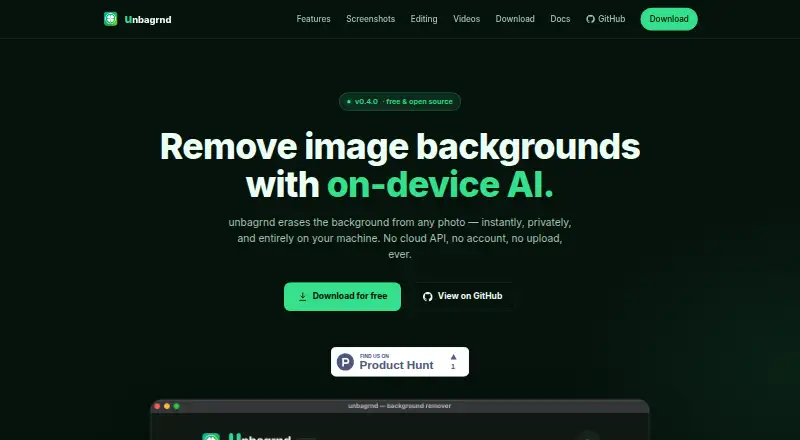
unbagrnd removes photo backgrounds using on-device AI.
What unbagrnd is
unbagrnd removes photo backgrounds using on-device AI. Its desktop app runs locally with ONNX Runtime; the maker says images, filenames, and metadata are never sent anywhere. It can process one image or a folder, showing before-and-after previews as files finish. Users can select among several models to trade speed for accuracy, starting with a 43 MB default. Brush tools erase or restore subject areas, with undo and redo, and users can add a solid-color background or an on-device drop shadow. The app predicts a foreground mask on the CPU, composites it with the original pixels, and saves the result as PNG. The site says the only network request is a one-time model download, with no analytics, update checks, or telemetry. The free, open-source MIT-licensed product has no API keys, paid tiers, or usage limits. A Docker-capable, self-hosted REST API supports single-image and batch requests; its docs say images are processed in memory and discarded, not written to disk or logged. API defaults include a 20 MB image limit, batches up to 10 images, and 60 requests per minute per API key. The macOS build is not notarized, the Windows installer is not code-signed, and the Android APK is not on Google Play.
Good
- Desktop processing is local with ONNX Runtime.
- Handles single images or folders.
- Offers brush erase and restore tools.
- Free and open source under MIT.
- Self-hosted API supports image batches.
Watch out
- macOS build is not notarized.
- Windows installer is not code-signed.
- Android APK is not on Google Play.
- API batches are limited to 10 images by default.
Who it suits
unbagrnd suits people who want local photo background removal, batch processing, or manual touch-ups. Its self-hosted API may suit users who need background removal in their own server workflows.
Verdict
unbagrnd pairs local background removal and editing tools with a self-hosted API, without paid tiers or usage limits. Check the platform install notes and API defaults before choosing it for your workflow.
Plans and prices
From unbagrnd's own pricing page, checked 4 Oct 2026.
| Plan | Price | What it gives you |
|---|---|---|
| unbagrnd | Free | No paid tiers · no usage limits |
The facts
Each one read from unbagrnd's own pages, with the date it was checked.
What it does
- API limits
- The documented API defaults to a 20 MB per-image upload limit, batches of up to 10 images, and 60 requests per minute per API key.checked 4 Oct 2026
- API privacy
- The API docs say images are processed in memory and discarded, not written to disk or logged; SQLite stores API key metadata only.checked 4 Oct 2026
- Editing tools
- Users can brush to erase or restore subject areas with undo and redo, then add a solid-color background and an on-device drop shadow.checked 4 Oct 2026
- Install notes
- The maker says the macOS build is not notarized, the Windows installer is not code-signed, and the Android APK is not on Google Play.checked 4 Oct 2026
- License
- The product is free and open source under the MIT license, with no API keys, paid tiers, or usage limits.checked 4 Oct 2026
- Local processing
- The desktop app runs background removal locally with ONNX Runtime, and says images, filenames, and metadata are never sent anywhere.checked 4 Oct 2026
- Model selection
- Settings lets users choose among several background-removal models to trade speed for accuracy, starting with a 43 MB default.checked 4 Oct 2026
- Offline and telemetry
- The site says the only network request is a one-time model download and that the app has no analytics, update checks, or telemetry.checked 4 Oct 2026
- Output and inference
- The app predicts a foreground mask on the CPU, composites it with the original pixels, and saves the result as PNG.checked 4 Oct 2026
- Purpose
- unbagrnd removes photo backgrounds using on-device AI.checked 4 Oct 2026
- Self-hosted API
- The maker documents a Docker-capable self-hosted REST API with single-image and batch background-removal endpoints.checked 4 Oct 2026
- Single and batch processing
- The app processes one image or a folder and shows live before-and-after previews as files finish.checked 4 Oct 2026
Money
- Free plan
- Yeschecked 20 Sep 2026
Where it runs
- Platforms
- The download page lists macOS for Apple Silicon, Windows 10/11 x64, Linux x86_64, and Android arm64.checked 4 Oct 2026
- Supported platforms
- desktop,mobilechecked 20 Sep 2026
The full review of unbagrnd
Overview
unbagrnd is a background-removal app that processes images locally on desktop, with manual editing tools and a self-hosted API for image workflows. It suits people who want open-source software and control over where their images are processed. Its trade-off is practical: platform install warnings and API defaults deserve attention before you build it into a workflow.
Key features
The desktop app uses ONNX Runtime to remove backgrounds on-device. It says its only network request is a one-time model download; images, filenames and metadata are not sent anywhere, and it has no analytics, update checks or telemetry. That is a strong fit for privacy-conscious editing, though the model download means the app is not entirely network-free from first install.
You can process one image or a folder, with live before-and-after previews as files finish. Settings offer several models to balance speed and accuracy, beginning with a 43 MB default. This flexibility is useful when throughput or output quality matters, but the choice also asks users to decide which trade-off suits their work.
Editing tools let users brush to erase or restore parts of a subject, undo and redo changes, then add a solid-color background and an on-device drop shadow. The app predicts a foreground mask on the CPU, composites it with the original pixels and saves a PNG. That covers straightforward cutouts and simple replacement backgrounds; the described output is PNG rather than a broader set of formats.
The maker also documents a Docker-capable self-hosted REST API with single-image and batch endpoints. Images are processed in memory and discarded rather than written to disk or logged; SQLite stores API-key metadata only. Defaults cap uploads at 20 MB per image, batches at 10 images and each API key at 60 requests per minute, so larger or busier jobs may need a different workflow.
Pricing
unbagrnd costs nothing. Its sole plan includes batch processing, API access, background replacement and manual editing tools, with no paid tiers or usage limits. That makes it a clear option for individuals and teams who can run the software themselves and do not need a metered service. There is no free trial because the product is free; the meaningful constraints are operational, including the API's default request and upload limits.
Platforms
unbagrnd is available for Android, Linux, macOS and Windows, alongside API and self-hosted options, with desktop and mobile supported. Installation calls for extra care: the macOS build is not notarized, the Windows installer is not code-signed, and the Android APK is not on Google Play. Those caveats may make it a poor fit for users who require store distribution or signed installers.
Who it's for
Choose unbagrnd if local image processing, open-source licensing and freedom from usage charges matter more than a polished, centrally hosted service. It is especially compelling for users processing folders or building a self-hosted API workflow. Look elsewhere if you need a signed installer, a Google Play app, or API defaults that accommodate larger uploads or batches without adjustment.
Pros and cons
Pros
- Local desktop processing: Images, filenames and metadata stay on-device, with no analytics or telemetry.
- No usage charges or quotas: The MIT-licensed product has no paid tiers or usage limits.
- Useful workflow coverage: Folder processing, live previews, manual mask corrections and background replacement serve more than one-off cutouts.
- Self-hosted API: Single-image and batch endpoints offer an option for integrating background removal into a controlled setup.
Cons
- Installer caveats: macOS is not notarized, Windows is not code-signed, and Android distribution is outside Google Play.
- API defaults constrain jobs: Uploads are capped at 20 MB, batches at 10 images and requests at 60 per minute per key.
- PNG output: The described save format may not suit workflows that require other export formats.
Alternatives
- Cutout.Pro is a freemium alternative with Android, iOS, Linux, macOS, web and Windows support; its listed subscription includes 80 credits per month for $5 a month.
- Slazzer may suit users who prefer a credit-based free allowance: its free plan gives 2 credits for personal use and evaluation.
- Removal.AI is another freemium option, with API, macOS, web and Windows platforms and a listed lifetime option of 3 credits for $1.89 a month.
- AI Ease offers Android, iOS and web access, with several basic features free.
- Artguru Background Remover is a paid alternative with a free plan and free trial, on Android, iOS and web.
- Erase.bg offers web, Android and API access, with a free Starter Plan that includes 3 credits and 3 downloads for personal use.
- Pixelcut may fit users seeking a broader mobile and web toolkit: its free plan includes limited background removal and upscale, plus watermark-free exports.
- Magic Studio Background Remover has a free plan for one image at a time and supports Android, iOS and web.
- Browse Image Background Removal Software or AI Background Removers for more options.
Verdict
unbagrnd is the right choice for users who want local, open-source background removal with batch processing and a self-hosted API, all without usage fees. Its strongest reason to choose it is the combination of on-device privacy and unrestricted use; its strongest reason to look elsewhere is the combination of unsigned or non-notarized installs and API defaults that may need checking against your workload.
Alternatives to unbagrnd
- 1

Photoroom
Free planAndroidiOSWebAPI8.3From $7.50 a month - 2

Pixelcut
Free planAndroidiOSWebAPI8.3From $8 a month - 3
Cutout.Pro
Free planAndroidiOSWebAPI8.2From $5 a month - 4

Erase.bg
Free planAndroidiOSWebAPI8.2Free plan - 5

Artguru Background Remover
Free planAndroidiOSWebAPI8.1From $39.99 a year - 6

BG0
Free planOpen sourceAndroidiOSWebAPI7.8Free plan