PrinterLogic
PrinterLogic manages organizational printing through centrally managed direct IP printing rather than print servers.
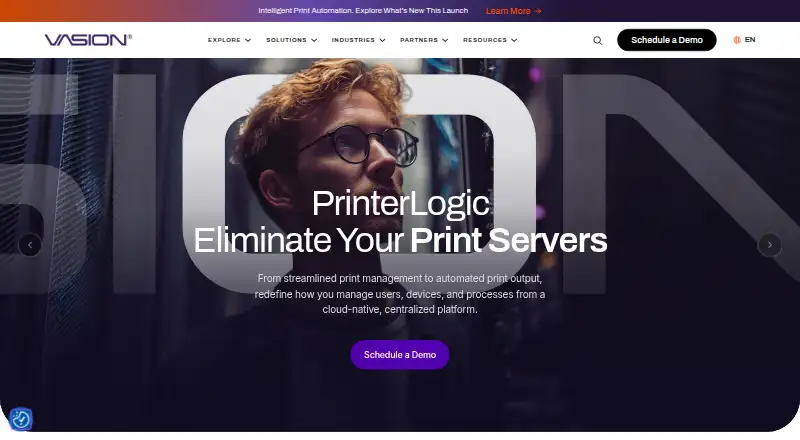
What PrinterLogic is
PrinterLogic manages organizational printing through centrally managed direct IP printing rather than print servers. Administrators use one Admin Console to manage printer objects, drivers, profiles, and settings, then push deployments without scripting or Group Policy Objects. Its Self-service Portal lets users install printers and drivers without IT support. Secure Release Printing holds jobs until users authenticate and release them at a printer. Print jobs stay local, and confidential data is encrypted until it is behind the organization’s firewall. The mobile app supports direct IP printing, scanning, print release, and off-network printing on iOS and Android. PrinterLogic supports Windows, macOS, Linux, ChromeOS, and web browsers, among other listed platforms, and its product page lists more than 200 integrations. Direct Secure Release, Off-Network Print, and Quota Management require additional licensing. Pricing is on request, with a 30-day trial. Listed usage-based queue plans cost $109.60 a month for 50–99 print queues and $121.80 a month for 25–49 print queues.
Good
- Central console manages printers, drivers, profiles, and settings.
- Deployments can be pushed without scripts or Group Policy Objects.
- Users can install printers and drivers themselves.
- Secure Release Printing requires user authentication.
- Lists more than 200 integrations.
Watch out
- Pricing is on request, with queue-based listed plans.
- Direct Secure Release requires additional licensing.
- Off-Network Print requires additional licensing.
- Quota Management requires additional licensing.
Who it suits
PrinterLogic suits organizations that need centrally managed printing and user self-service across supported operating systems. Administrators should note the additional licensing requirements for some features and the usage-based queue pricing.
Verdict
PrinterLogic combines centralized administration with self-service installation and secure release options. Check queue pricing and licensing requirements for specific capabilities before selecting a plan.
Plans and prices
From PrinterLogic's own pricing page, checked 1 Oct 2026.
| Plan | Price | What it gives you |
|---|---|---|
| 50-99 Print Queues | $109.60 a month | 50-99 print queues · Usage Based |
| 25-49 Print Queues | $121.80 a month | 25-49 print queues · Usage Based |
| 100+ Print Queues | Priced on request | 100+ print queues |
The facts
Each one read from PrinterLogic's own pages, with the date it was checked.
What it does
- Additional licensing
- Direct Secure Release, Off-Network Print and Quota Management require additional licensing.checked 1 Oct 2026
- Central management
- Administrators manage printer objects, drivers, profiles and settings from one Admin Console.checked 1 Oct 2026
- Core purpose
- PrinterLogic eliminates print servers through centrally managed direct IP printing.checked 1 Oct 2026
- Deployment
- Printer deployments can be pushed without scripting or Group Policy Objects.checked 1 Oct 2026
- Identity providers
- The mobile app supports LDAP, Entra ID (SAML), Google Identity Sync, PingFederate and Okta (SAML).checked 1 Oct 2026
- Integrations
- The product page states that more than 200 integrations are available across identity, print, storage, back-office, operating-system and virtual-desktop systems.checked 1 Oct 2026
- Local print data
- PrinterLogic keeps print jobs local and encrypts confidential data until it is behind the organization’s firewall.checked 1 Oct 2026
- Mobile printing
- The mobile app provides direct IP printing, scanning, print release and off-network printing for iOS and Android devices.checked 1 Oct 2026
- Operating systems
- The PrinterLogic Agent supports current and previous releases of Windows, macOS, ChromeOS and Linux distributions including Red Hat and Ubuntu.checked 1 Oct 2026
- Security compliance
- Vasion states that PrinterLogic Print and Output Automation are covered by FedRAMP High Authorization, ISO 27001:2022, ISO 42001:2023 and SOC 2 Type II.checked 1 Oct 2026
- Security printing
- Secure Release Printing holds jobs until users authenticate and release them at the printer.checked 1 Oct 2026
- Self-service
- The Self-service Portal lets end users install printers and drivers without IT support.checked 1 Oct 2026
- Support
- PrinterLogic Support is available by email at [email protected] and by phone at +1 435.652.1288, extension 1.checked 1 Oct 2026
The company
- Company scale
- Vasion says PrinterLogic is trusted by more than 14,000 organizations worldwide.checked 1 Oct 2026
- Headquarters
- St. George, Utah, USAchecked 28 Sep 2026
The full review of PrinterLogic
PrinterLogic is print-management software that replaces print servers with centrally managed direct IP printing. It is best suited to organizations that need to administer printers across multiple operating systems while giving users a self-service way to install them. Its centralized controls and local handling of print data are compelling, but queue-based pricing and add-on licensing make the total fit worth checking carefully.
Overview
Administrators manage printer objects, drivers, profiles and settings from one console, and can push deployments without scripts or Group Policy Objects. That approach can reduce dependence on print-server infrastructure and simplify rollout across an organization. End users can install printers and drivers through a self-service portal, reducing routine requests to IT.
Jobs remain local and confidential data is encrypted until it is behind the organization’s firewall. Secure Release Printing holds jobs until a user authenticates at the printer. Vasion says PrinterLogic is trusted by more than 14,000 organizations worldwide.
Key features
- Central administration: One Admin Console covers printer objects, drivers, profiles and settings, giving IT a single place to manage deployments.
- Self-service installation: Users can add printers and drivers without IT support, a practical way to ease support workload in larger environments.
- Secure release and quotas: Secure Release Printing and print quotas are supported, as are print policy rules and detailed reporting. Direct Secure Release and Quota Management require additional licensing, so confirm which capabilities are included in a proposed deployment.
- Mobile printing: The iOS and Android app supports direct IP printing, scanning, print release and off-network printing. Off-Network Print requires additional licensing.
- Integrations and identity: Vasion says more than 200 integrations span identity, print, storage, back-office, operating-system and virtual-desktop systems. The mobile app supports LDAP, Entra ID (SAML), Google Identity Sync, PingFederate and Okta (SAML).
- Security credentials: Vasion states that PrinterLogic Print and Output Automation are covered by FedRAMP High Authorization, ISO 27001:2022, ISO 42001:2023 and SOC 2 Type II.
Pricing
PrinterLogic is paid software, with pricing on request and a 30-day trial. The listed queue plans are billed usage based: 50–99 Print Queues costs $109.60 a month, while 25–49 Print Queues costs $121.80 a month. The lower queue-count tier costs more per month, so organizations should compare the quoted terms against their actual queue needs rather than assume fewer queues mean a cheaper plan. The 100+ Print Queues plan has custom pricing.
Queue counts define the listed tiers, and key capabilities such as Direct Secure Release, Off-Network Print and Quota Management require additional licensing. Confirm the applicable licensing and included features when requesting a quote.
Platforms
PrinterLogic supports Windows, macOS, Linux, ChromeOS, iOS, Android and web browsers, as well as self-hosted deployments and an extension platform. Its Agent supports current and previous releases of Windows, macOS and ChromeOS, plus Linux distributions including Red Hat and Ubuntu. This breadth suits mixed-device organizations; mobile printing is specifically available for iOS and Android.
Who it's for
PrinterLogic is a strong fit for organizations seeking centralized control without relying on print servers, especially where IT wants to delegate printer installation to users. Its security and policy capabilities may appeal to organizations with tighter printing controls, although licensing costs for some features should be weighed against those needs. It is less compelling for buyers seeking transparent pricing or a low-cost, self-serve plan.
Pros and cons
- Pro: Centralized administration and deployment without scripting or Group Policy Objects can simplify printer management across a varied fleet.
- Pro: Local print handling, encryption and authenticated release address both data handling and unattended-job concerns.
- Pro: Broad operating-system support, mobile printing and more than 200 integrations accommodate varied environments.
- Con: Pricing is quote-based beyond the two listed queue tiers, and the 100+ queue tier has custom pricing.
- Con: Secure release, off-network printing and quota management can add licensing costs, complicating comparisons between quotes.
Alternatives
Compare print management software if you want to weigh more options in the category. Choose ezeep if a free plan matters: its Personal plan costs nothing for up to 10 users and one connector, with unlimited user print jobs and 50 API pages per month per organization. Pharos Uniprint is an alternative for colleges and universities seeking on-premises print management.
YSoft SAFEQ Platform is another paid print-management option. MyQ X offers a freemium model and a free plan, while PaperCut MF is a paid alternative with a free trial and custom quotes through an authorized partner; its licensing is based on devices running embedded MF software.
Print Manager may suit buyers comparing server-licensed pricing: its Enterprise Small Business Edition is $495, paid once, billed per Windows Server license, for 35 users and five printers per print server running SBE. Printix offers a Starter plan at $2.09 a month per user, with monthly credit-card billing, a 15–50 user range and a free first month. Microsoft Universal Print is an alternative with a 500-job volume add-on priced at $25 a month, charged monthly with an annual commitment.
Verdict
Choose PrinterLogic if your organization needs serverless, centrally administered printing across a mixed fleet, with self-service installation and secure handling of print jobs. Its main advantage is bringing deployment, policy and release controls into one system; its main drawback is that quote-based pricing and separately licensed capabilities make the true cost harder to gauge upfront. Buyers prioritizing clear low-cost entry pricing should compare alternatives before committing.
Alternatives to PrinterLogic
- 1
Print Manager Plus
Free planAndroidiOSWebAPI8.0Free plan - 2

ezeep
Free planAndroidiOSWebAPI7.4From €3.45 a month - 3
QZ Tray
Free planAndroidiOSWebAPI7.3From $749 a year - 4
PrintNode
Free planWebAPILinuxmacOS7.0From $90 a year - 5

Printix
AndroidiOSWebLinux6.9From $2.09 a month - 6
Microsoft Universal Print
AndroidiOSWebAPI6.8From $90 a month