
Planforge
Planforge is a hybrid project and portfolio management product for traditional, agile, or combined project work.
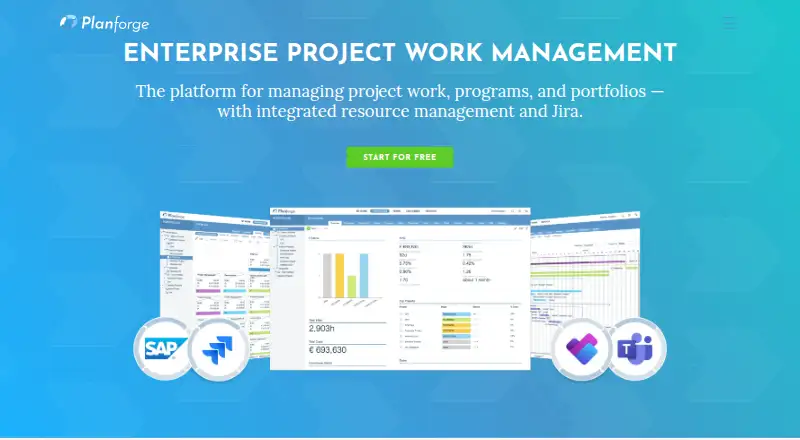
What Planforge is
Planforge is a hybrid project and portfolio management product for traditional, agile, or combined project work. It supports planning, execution, monitoring, and status reporting across a project's life cycle, with capacity planning, resource allocation, utilization views, and scenario comparisons. Its listed capabilities also include project intake, portfolio prioritization, budget tracking, executive reporting, and cross-project dependencies. Integrations include Jira, SAP, Confluence, Microsoft Teams, Microsoft Project, Slack, and a GraphQL API. The Jira connector synchronizes issues in both directions for project, resource, and portfolio planning and reporting. A free cloud plan is listed as free for up to 4 users, with no time limit and no credit card required. Paid Lean, Professional, and Enterprise plans are for organizations with 5 or more users and are available in cloud or on-premises configurations. The listed prices are €4,500 a month, €5,400 a month, and €8,800 a month, respectively, billed per user/month. Enterprise includes SSO. Planforge says its AWS cloud hosts European customer data in Frankfurt, Germany, and uses SSL/TLS and HTTPS for transmission.
Good
- Supports traditional, agile, and combined project work
- Includes capacity planning and scenario comparison
- Jira issues synchronize bidirectionally
- Free plan covers up to 4 users without a time limit
- Cloud and on-premises options on paid plans
Watch out
- Paid plans are listed for organizations with 5 or more users
Who it suits
Planforge suits organizations managing traditional, agile, or mixed projects alongside portfolios and resource capacity. It is presented for organizations across industries, and its free plan is limited to up to 4 users.
Verdict
Planforge brings project lifecycle management, portfolio planning, and resource views together, with integrations that include a bidirectional Jira connector. The free plan is small-team focused, while paid options list high monthly prices for organizations with 5 or more users.
Plans and prices
From Planforge's own pricing page, checked 14 Oct 2026.
| Plan | Price | What it gives you |
|---|---|---|
| Free | Free | Up to 4 users · Cloud |
| Lean | €4,500 a month | 5+ users · Cloud or On-Premises · per user/month |
| Professional | €5,400 a month | 5+ users · Cloud or On-Premises · per user/month |
| Enterprise | €8,800 a month | 5+ users · Cloud or On-Premises · SSO · per user/month |
The facts
Each one read from Planforge's own pages, with the date it was checked.
What it does
- AI data handling
- The privacy FAQ says AI features are off by default and that prompts or specified project fields sent for AI processing go to OpenAI in the United States.checked 14 Oct 2026
- API
- Planforge offers a GraphQL API for accessing project, portfolio, and resource data and automating integrations.checked 14 Oct 2026
- API documentation
- The help center links to API setup and OAuth token guidance, plus server installation, database schema, reporting, and connector guides.checked 14 Oct 2026
- Compliance
- Planforge states that it is subject to the GDPR as a European company and describes the product as GDPR compliant.checked 30 Sep 2026
- Confluence integration
- The Confluence connector embeds live Planforge work breakdown structures, Gantt views, and project pipeline information in Confluence pages.checked 14 Oct 2026
- Google Play
- Planforge 360 has a Google Play listing, but the opened listing did not display a rating or rating count.checked 14 Oct 2026
- Integrations
- Listed integrations include Jira, SAP, Confluence, Microsoft Teams, Microsoft Project, Slack, and a GraphQL API.checked 30 Sep 2026
- Jira connector
- The Jira connector synchronizes Jira issues bidirectionally with Planforge for project, resource, and portfolio planning and reporting.checked 30 Sep 2026
- Jira integration
- The Jira connector synchronizes issues bidirectionally and can schedule Jira epics, issues, and subtasks in Planforge.checked 14 Oct 2026
- License
- The published terms describe time-limited cloud or rental licenses and purchased on-premises licenses, indicating commercial proprietary licensing.checked 14 Oct 2026
- Limit: onboarding complexity
- G2's review summary says the broad feature set can feel overwhelming at first and take time to master.checked 14 Oct 2026
- Limit: portfolio balancing
- Gartner Peer Insights reviewers list portfolio balancing as a missing capability and report effort customizing reports and training users.checked 14 Oct 2026
- Limit: reporting customization
- A GetApp reviewer asks for more report layout choices and more flexible dashboards.checked 14 Oct 2026
- Limit: risk management rating
- GetApp lists risk management at 3.8 out of 5 based on five feature ratings.checked 14 Oct 2026
- Microsoft integrations
- The Teams connector exposes Planforge projects and activities in Teams and supports bidirectional task status updates with Microsoft Planner; Microsoft Project plans can be imported.checked 14 Oct 2026
- News: Gartner recognition
- Planforge's newsroom reported that the company was named a Niche Player in the 2026 Gartner Magic Quadrant for Adaptive Project Management and Reporting on August 14, 2026.checked 14 Oct 2026
Where it runs
- Apple App Store
- Planforge 360 is listed as a free iPhone and iPad app; the store says there are not enough ratings or reviews to display an overview.checked 14 Oct 2026
- Mobile apps
- Planforge’s project management page describes offline-capable mobile apps, and company pages identify Android and iOS availability for its portfolio dashboard app.checked 30 Sep 2026
The company
- Company founded
- LinkedIn lists Planforge as founded in 2005.checked 14 Oct 2026
- Company headquarters
- Planforge lists its address in Raaba-Grambach near Graz, Austria.checked 14 Oct 2026
- Company legal name
- The company's legal name is Planforge GmbH.checked 14 Oct 2026
- Company size
- LinkedIn lists the company size as 11–50 employees.checked 14 Oct 2026
- Founded
- 2005checked 28 Sep 2026
- Headquarters
- Raaba-Grambach (Graz), Austriachecked 28 Sep 2026
The full review of Planforge
Overview
Planforge is a project and portfolio management platform for organizations coordinating traditional, agile, or blended work. It is most compelling for teams that need portfolio oversight tied to staffing and delivery; smaller groups can use the free plan, but the paid plans are aimed at organizations with at least five users.
Key features
Planforge covers project planning, execution, monitoring, and status reporting. Portfolio prioritization, project intake, budget tracking, executive reporting, and cross-project dependencies give managers tools to govern work across projects, rather than just track individual schedules. This breadth suits organizations that need portfolio decisions and delivery visibility in one system, though it may be more than a small team needs.
Capacity planning, resource allocation and utilization views, and scenario comparisons help teams weigh staffing options before committing resources. The bidirectional Jira connector synchronizes issues with Planforge for project, resource, and portfolio planning and reporting, making it a relevant choice for organizations that use Jira but need broader planning. Other integrations include SAP, Confluence, Microsoft Teams, Microsoft Project, Slack, and a GraphQL API.
Planforge supports IPMA, PMI, PRINCE2, Scrum, and SAFe methodologies. Its mobile apps are described as offline-capable; Android and iOS availability is identified for the portfolio dashboard app. The Help Center includes getting-started and setup guidance, tutorial videos, reporting documentation, server installation guidance, and integration guides.
For organizations weighing hosting and privacy, Planforge offers cloud and on-premises options on its paid plans. Its cloud service uses AWS, with European customer data hosted in Frankfurt, Germany; Planforge Cloud uses SSL/TLS and HTTPS for data transmission. The company describes the product as GDPR compliant and says it is subject to the GDPR as a European company.
Pricing
The Free plan costs nothing and supports up to 4 users on cloud, with no time limit and no credit card required. It is a useful way for a small group to start, but the four-user cap makes it a poor fit for a larger organization evaluating a full team rollout.
Paid plans are for organizations with 5 or more users and are billed per user/month. Lean costs €4,500 a month for a cloud subscription and offers cloud or on-premises deployment. Professional costs €5,400 a month on the same cloud subscription basis and also supports cloud or on-premises. Enterprise costs €8,800 a month, supports cloud or on-premises, and adds Single Sign-On (SSO). The jump from free to paid is substantial, and Enterprise’s stated distinction is SSO; teams should weigh that against their deployment and identity-management needs.
A free trial is available. For organizations that need the paid deployment options or SSO, the plans provide a path beyond the small-team free tier; for fewer than five users, the free plan is the only stated fit.
Platforms
Planforge supports Android, iOS, web, API, and self-hosted deployments. The mix of cloud and on-premises paid options gives organizations a choice of deployment approach, while mobile apps are described as offline-capable.
Who it's for
Planforge is aimed at organizations managing work across project portfolios, particularly those that need capacity planning, scenario comparisons, reporting, and links between Jira issues and broader plans. The company serves organizations in industries including automotive, financial services, government, healthcare, manufacturing, and higher education. Its support for established project and agile methodologies also makes it suitable for teams working across different delivery practices.
It is less suited to a small group that only needs lightweight project tracking: the free plan stops at four users, while paid plans begin at five and carry high monthly prices.
Pros and cons
- Pros: Lifecycle and portfolio capabilities span planning through status reporting, with prioritization, budget tracking, intake, and cross-project dependencies for coordinated oversight.
- Pros: Resource views and scenario planning help teams examine capacity and staffing choices rather than plan projects in isolation.
- Pros: Bidirectional Jira synchronization connects issue work to portfolio planning and reporting, alongside integrations such as SAP, Confluence, and Microsoft Project.
- Cons: The free plan is capped at four users, so it does not cover a larger team.
- Cons: Paid plans require five or more users and carry high monthly prices, which can make Planforge a difficult fit for smaller organizations.
Alternatives
For a broader comparison, see Project Portfolio Management Software.
Nimble may suit a team looking for a freemium option with a free plan for 10 users and 10 projects, plus a Standard plan with unlimited users and projects.
Project Insight is worth considering for a small team seeking a free plan for three users or a Pro plan at $9 a month.
Rillsoft Project is an alternative to consider for Linux or Windows users who want a self-hosted project planning option.
Tempo Portfolio Manager may appeal to teams that want a web-based option with a free tier covering 10 members, 3 projects, and 300 tasks.
FoxPlan is another freemium choice, with a free plan for up to 3 users and unlimited portfolios, projects, and programs.
ITM Platform may be a better match for teams seeking a free team-member tier with unlimited team members, timesheets, task progress reports, documentation, collaboration, and an Agile panel.
TeamDynamix DEX is another option for organizations seeking project software across Linux, macOS, web, and Windows.
Planview AdaptiveWork is a paid alternative available on Android, iOS, API, and web.
Verdict
Choose Planforge if your organization needs project lifecycle management and portfolio planning connected to resource views, particularly when Jira synchronization, scenario planning, or on-premises deployment matters. Its breadth is the main reason to choose it; the four-user free cap and high monthly paid prices are the main reasons smaller teams should look elsewhere.
Getting started
- Visit the Planforge website.
- Start with the Free cloud plan for up to four users, with no time limit or credit card requirement.
- Use the Help Center for getting-started material, setup guidance, tutorials, reporting documentation, and integration guides.
- Connect Jira or another listed integration as needed.
- For a paid plan, choose cloud or on-premises; the listed paid plans are for organizations with five or more users.
Limits worth knowing
The Free plan supports up to four users. Paid Lean, Professional, and Enterprise plans are listed for organizations with five or more users; their listed prices are €4,500 a month, €5,400 a month, and €8,800 a month, respectively, billed per user/month.
Questions
Is there a free plan or free trial?
Yes. Planforge lists a free cloud plan for up to four users, with no time limit and no credit card required, and also lists a free trial.
Which platforms does Planforge support?
The listed platforms are Android, API, iOS, self-hosted, and web.
What are the paid plan prices?
Lean is €4,500 a month, Professional is €5,400 a month, and Enterprise is €8,800 a month. Each is billed per user/month and listed for organizations with five or more users.
Can Planforge be self-hosted?
Yes. Paid plans are available in cloud or on-premises configurations, and self-hosted is among the listed platforms.
Which integrations are listed?
Jira, SAP, Confluence, Microsoft Teams, Microsoft Project, Slack, and a GraphQL API are listed. The Jira connector synchronizes issues both ways.
Where is European customer data hosted in Planforge Cloud?
Planforge says its AWS cloud service hosts European customer data in Frankfurt, Germany, and uses SSL/TLS and HTTPS for data transmission.
Alternatives to Planforge
- 1

Nimble
Free planAndroidiOSWebAPI7.9From $8.99 a month - 2
Rillsoft Project
AndroidWebAPILinux7.7 - 3

Oracle Primavera Cloud
AndroidiOSWebAPI7.6 - 4

OnePlan
AndroidiOSWeb7.5From $120 a year - 5

Celoxis
AndroidiOSWebAPI7.2From $10 a month - 6

Project Insight
Free planAndroidiOSWeb7.2From $9 a month