
Nimble
Nimble is project and portfolio management software for organizing work across multiple projects.
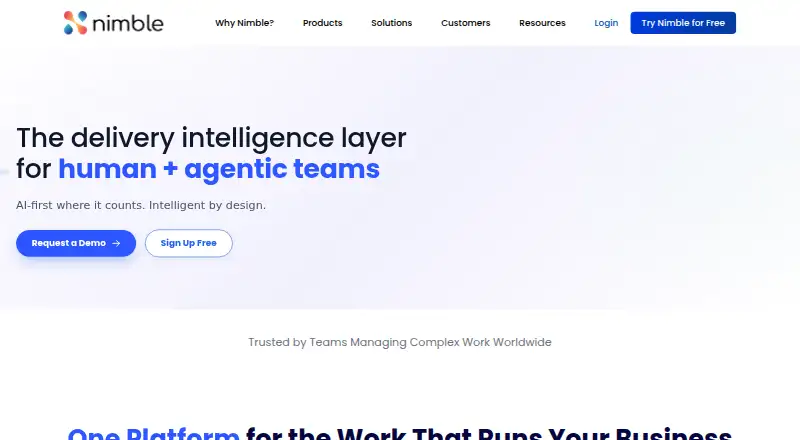
What Nimble is
Nimble is project and portfolio management software for organizing work across multiple projects. It provides portfolio prioritization and project intake tools for deciding which work to consider, while scenario planning helps teams examine possible choices. Capacity planning addresses how work fits available resources, and budget tracking supports financial oversight. Executive reporting provides a way to communicate portfolio progress, while cross-project dependencies show links between separate projects. Nimble is available through the web, Android, and iOS. Its pricing model is freemium, with a free plan and a 30-day trial. The Free plan costs nothing and supports 10 users and 10 projects. Standard and Plus plans list unlimited users and unlimited projects. Team supports 50 users and 15 GB of file storage, Business supports 200 users and 50 GB, and Enterprise supports 200+ users and 1 TB. Nimble was founded in 2002 and is headquartered in Cupertino, California, United States. Its listed feature set focuses on portfolio-level planning, resource and budget oversight, reporting, and dependencies across projects.
Good
- Portfolio prioritization helps evaluate work across projects
- Project intake captures proposed work for portfolio consideration
- Scenario and capacity planning support forward-looking resource decisions
- Budget tracking and executive reporting cover oversight needs
- Cross-project dependencies highlight links between separate projects
- Available on web, Android, and iOS
Watch out
- The Free plan is limited to 10 users and 10 projects
- Team, Business, and Enterprise plans impose listed user or storage limits
- Prices for named paid plans are not provided
- The 30-day trial is finite
Who it suits
Nimble suits teams coordinating portfolios with several projects, especially those needing intake, prioritization, scenario analysis, capacity planning, or budget oversight. It also fits organizations that need executive reporting and visibility into dependencies between projects.
Verdict
Choose Nimble when portfolio-level planning and cross-project oversight are central requirements. The free plan gives smaller groups a defined starting point, while larger organizations can select plans with broader user, project, or storage allowances. Consider another option if you need published pricing for paid plans before evaluating costs.
Plans and prices
From Nimble's own pricing page, checked 15 Oct 2026.
| Plan | Price | What it gives you |
|---|---|---|
| Free | Free | 10 users · 10 projects · task templates · time tracking · Kanban board · story map |
| Plus | Priced on request | unlimited users · unlimited projects · task templates · time tracking · Kanban board · story map |
| Standard | $8.99 a month | unlimited users · unlimited projects · task templates · time tracking · Kanban board · story map · per user per month |
| Team | $10 a month | board/list views · custom layouts · basic scheduling · stand-up wizard · Nimble Buddy · iOS/Android apps · Teams/Slack integration · Zapier · automation · time tracking · per user per month |
| Business | $26 a month | everything in Team · timeline/dependency views · cross-project relationships · advanced scheduling · hybrid Agile · Nimble Coach AI · release/sprint boards · SSO · per user per month |
| Enterprise | Priced on request | everything in Business · unlimited custom templates/forms/fields · people management · MS Project integration · organization hierarchy · intelligent portfolio management · unlimited automation |
The facts
Each one read from Nimble's own pages, with the date it was checked.
What it does
- Agile support
- Nimble Agile supports Scrum, Kanban and Scrumban with roadmaps, story maps, sprint planning, relative sizing and backlog refinement.checked 15 Oct 2026
- AI agents
- Nimble offers add-on agents including planning, executive summaries, sentiment analysis, Smart Board, Auto-Fill, AI Suggest, AI Assist, AI Coach, Summarizer, Smart-BDD, Smart-Task and Test-Gen.checked 15 Oct 2026
- AI executive summaries
- The Executive Summary agent analyzes dashboard metrics and generates narrative updates about progress, trends and risks.checked 15 Oct 2026
- API
- The REST API exposes users, projects, team members, cards, comments, attachments, timesheets, to-dos and relationship data.checked 15 Oct 2026
- API authentication
- Project-level API access uses OAuth 2.0 client credentials and short-lived tokens; organization-level resources use an API key.checked 15 Oct 2026
- Collaboration
- The platform includes comments, updates, file sharing, approvals and discussions in the context of work items.checked 15 Oct 2026
- Compliance
- The company states that it maintains SOC 2 Type II, ISO 27001:2022, ISO/IEC 42001:2023 and GDPR-related controls.checked 15 Oct 2026
- Dependency control
- Dependency views connect work across teams and help identify delivery risks early.checked 15 Oct 2026
- Documentation
- The knowledge base includes feature articles, mobile instructions, API references, video tutorials and release notes.checked 15 Oct 2026
- Google Play availability
- The Android listing shows 1K+ downloads, no public star rating in the fetched listing, encryption in transit and no data collected or shared.checked 15 Oct 2026
- Integrations
- Zapier provides self-service two-way automation, while SwiftSync connects tools such as Jira, Azure DevOps/TFS, Rally, ServiceNow and GitHub.checked 15 Oct 2026
- Licence
- NimbleWork terms say its commercial software is distributed under commercial licence agreements rather than an open-source licence.checked 15 Oct 2026
- Limit: customization
- G2 reviewers report limited customization, difficult card tailoring and an interface that can require training.checked 15 Oct 2026
- Limit: performance and reporting
- G2 reviewers mention slow loading and missing or inadequate reporting, including inability to export some reports to Excel.checked 15 Oct 2026
- Limit: Trustpilot complaint
- The sole Trustpilot reviewer alleged repeated unsolicited email and difficulty unsubscribing, resulting in a one-star review.checked 15 Oct 2026
- MCP extensibility
- An MCP client can connect AI agents, automation scripts, reporting bots and service integrations through OAuth 2.0 client credentials.checked 15 Oct 2026
Money
- AI planning
- Intelligent Planning can turn RFPs, statements of work, proposals or requirements documents into structured project plans for review.checked 15 Oct 2026
The company
- Company footprint
- NimbleWork states that it is headquartered in Cupertino and has offices in Bangalore and Mumbai, serving more than one million users.checked 15 Oct 2026
- Company identity
- NimbleWork is the renamed corporate brand of Digité, Inc., changed in March 2023.checked 15 Oct 2026
- Company size
- LinkedIn lists NimbleWork as privately held, headquartered in Cupertino, with 51–200 employees and 2002 founding year.checked 15 Oct 2026
- Founded
- 2002checked 23 Sep 2026
- Headquarters
- Cupertino, California, United Stateschecked 23 Sep 2026
Where it runs
- Known browser issues
- Nimble documents that Firefox does not support @-mentioning team members and that idle sessions can return a blank page.checked 15 Oct 2026
- Limit: iOS app login
- An Apple App Store reviewer reported being stuck at a spinning login screen and unable to connect.checked 15 Oct 2026
The full review of Nimble
Nimble is portfolio management software for organizations weighing and coordinating work across projects. It is best suited to teams that need planning, prioritization, and leadership-level oversight in one place. Its free tier offers a defined entry point, while larger deployments move to custom pricing.
Overview
Founded in 2002 and headquartered in Cupertino, California, Nimble brings project intake, portfolio decisions, planning, and reporting together. That breadth matters when leaders must compare proposed work, capacity, and budgets across a portfolio. Teams managing only a few independent projects may not need such a portfolio-focused toolkit.
Key features
Portfolio decisions and planning
Project intake and portfolio prioritization help teams bring proposed work into consideration and decide what should take precedence. Scenario planning and capacity planning support choices about what the organization can take on, while budget tracking adds a financial dimension. These capabilities make Nimble a stronger match for portfolio trade-offs than for teams seeking only basic project coordination.
Dependencies and executive reporting
Cross-project dependencies help teams account for how work in one project may relate to another. Executive reporting provides a portfolio-level view for leaders. Together, these features suit organizations coordinating connected initiatives and communicating progress upward; they are less valuable to buyers whose projects do not require shared oversight.
Pricing
Nimble uses a freemium model, with a free plan and a 30-day trial. The free plan costs nothing and allows 10 users and 10 projects. That is a practical starting point for a small group evaluating portfolio management, but the caps may rule it out once either the team or project count grows.
Paid plans have custom pricing. Standard and Plus include unlimited users and projects, making them the broadest stated options for organizations that need room to scale. Team allows 50 users and 15 GB of file storage; Business raises those allowances to 200 users and 50 GB; Enterprise supports 200+ users and 1 TB of storage. These tiers distinguish larger deployments by user and storage capacity, but buyers need a quote to compare their costs. The free plan’s lower caps are the clearest trade-off for smaller organizations that want to avoid custom-priced plans.
Platforms
Nimble is available on Android, iOS, and the web, covering mobile and browser access. Organizations standardizing on other platforms should check that this range fits their device requirements.
Who it's for
Nimble is a good fit for organizations that need to assess incoming work, prioritize a portfolio, plan capacity and budgets, and give executives visibility across projects. The free plan can suit a small group within its 10-user and 10-project limits. Teams that need more room can consider paid plans, while buyers who require a published price to assess budget fit may prefer to compare alternatives first.
Pros and cons
- Pros: Intake, prioritization, scenario and capacity planning, budget tracking, dependencies, and executive reporting support portfolio-level decisions rather than isolated project tracking.
- Pros: The free plan offers up to 10 users and 10 projects, giving small teams a defined starting tier.
- Pros: Paid tiers include options for unlimited users and projects or specified storage allowances, including 1 TB on Enterprise.
- Cons: The free plan’s 10-user and 10-project caps may be restrictive as a team or portfolio expands.
- Cons: Paid plans use custom pricing, so buyers cannot compare their costs from a published plan price.
- Cons: Its portfolio-wide breadth may be unnecessary for teams coordinating only a few independent projects.
Alternatives
Compare the Project Portfolio Management Software category if you want to weigh Nimble against a broader set of portfolio tools.
- Planforge is another freemium option with a free cloud plan for up to four users, no time limit, and no credit card required; consider it if that smaller free entry tier suits your team.
- PDWare ResourceFirst is a paid alternative available across a wider range of platforms, including Linux, macOS, Windows, and self-hosted deployments.
- Project Insight offers a free plan for three users and a Pro plan at $9 a month; consider it if a published paid price is important to your comparison.
- Rillsoft Project is a freemium alternative with a free trial and platforms including Linux, Windows, and self-hosted deployments.
- Tempo Portfolio Manager has a free plan for 10 members, three projects, and 300 tasks, plus an Essentials plan at $15 a month; its stated free limits may suit teams with fewer projects than Nimble’s free tier allows.
- FoxPlan offers a free plan for up to three users with unlimited portfolios, projects, and programs.
- ITM Platform has a free Team Member plan with unlimited team members, timesheets, task progress reports, documentation, collaboration, and an Agile panel.
- TeamAlloc has a free University plan for accredited universities and public research institutions, with unlimited resources, users, projects, and scenarios.
Verdict
Choose Nimble if your organization needs to prioritize and plan a portfolio, coordinate dependencies, and give executives a cross-project view. The free plan is a useful starting point within its 10-user and 10-project limits, and larger plans offer broader capacity. Look elsewhere if custom pricing makes it difficult to assess cost or if your work does not need portfolio-level oversight.
Getting started
- Open the Nimble website
- Start with the Free plan or use the 30-day trial
- Access Nimble on the web, Android, or iOS
- Select a plan based on users, projects, and storage needs
- Set up portfolio prioritization, project intake, and planning workflows
Limits worth knowing
The Free plan allows 10 users and 10 projects. Team supports 50 users and 15 GB of file storage, Business supports 200 users and 50 GB, and Enterprise supports 200+ users and 1 TB.
Questions
Does Nimble have a free plan?
Yes. The Free plan costs nothing and supports 10 users and 10 projects.
Is a trial available?
A 30-day trial is listed with Nimble's freemium pricing model.
Which platforms support Nimble?
Nimble is available on Android, iOS, and the web.
What do Standard and Plus include?
Both Standard and Plus list unlimited users and unlimited projects.
What storage limits are listed?
Team lists 15 GB for 50 users, Business lists 50 GB for 200 users, and Enterprise lists 1 TB for 200+ users.
What planning tools does Nimble provide?
Its listed capabilities include portfolio prioritization, project intake, scenario planning, capacity planning, budget tracking, executive reporting, and cross-project dependencies.
Alternatives to Nimble
- 1

Planforge
Free planAndroidiOSWebAPI8.2From €4,500 a month - 2
Rillsoft Project
AndroidWebAPILinux7.7 - 3

Oracle Primavera Cloud
AndroidiOSWebAPI7.6 - 4

OnePlan
AndroidiOSWeb7.5From $120 a year - 5

Celoxis
AndroidiOSWebAPI7.2From $10 a month - 6

Project Insight
Free planAndroidiOSWeb7.2From $9 a month