
OnTheClock
OnTheClock provides small businesses with employee time tracking, scheduling, PTO management, and payroll software.
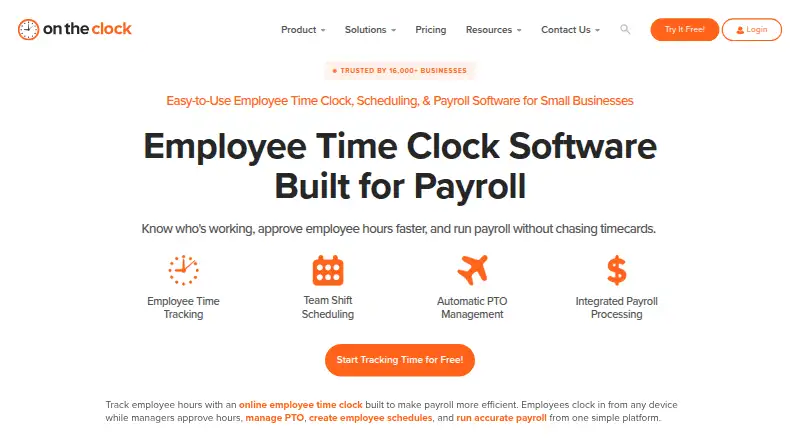
What OnTheClock is
OnTheClock provides small businesses with employee time tracking, scheduling, PTO management, and payroll software. Staff can clock in and out using desktop, mobile app, web, kiosk, or browser options. Location controls include GPS, geofencing, breadcrumb trails, location maps, and device, IP, and Wi-Fi restrictions. Managers can create drag-and-drop schedules, share updates, and track attendance across locations and departments. PTO features cover requests, accrual rules, holidays, carryover, and a shared calendar. Reports include time, gross payroll, labor costs, job and project costing, plus a Who's In dashboard. Payroll is an add-on requiring the time clock, with an additional $40 monthly base fee and a one-time $250 migration and onboarding fee. Payroll service has exclusions for certain workers, businesses, and industries.
Good
- Clock-in options include mobile, web, kiosk, and browser.
- Location controls include GPS and geofencing.
- PTO includes accrual rules and carryover.
- Support is listed as available 24/7.
Watch out
- No free plan; trial lasts 30 days.
- Payroll add-on requires the OnTheClock time clock.
- Payroll service excludes some workers and industries.
- Payroll onboarding has a one-time $250 fee.
Who it suits
OnTheClock is aimed at small businesses, from those with a first employee to organizations with hundreds. It may suit managers who need time, schedules, PTO, and attendance reporting together.
Verdict
OnTheClock brings scheduling, time, and PTO functions together, with payroll available as a dependent add-on. Check the payroll exclusions and the extra base and onboarding fees before choosing that add-on.
Plans and prices
From OnTheClock's own pricing page, checked 2 Oct 2026.
| Plan | Price | What it gives you |
|---|---|---|
| Employee Time Tracking, Scheduling & PTO Management | $4 a month | Employee time tracking · scheduling · PTO · GPS, geofencing and IP controls · overtime calculations · payroll integrations · $4/employee/month + $5 base fee per month, billed monthly, after a free 30-day trial |
| OnTheClock Payroll add-on | $6 a month | Unlimited payroll runs · integrated timecards and PTO · W-2s and 1099s · tax compliance · direct deposit · benefits withholdings and garnishments · $6/employee/month + $40 base fee per month; one-time $250 Professional Payroll Migration/Onboarding fee |
| Enterprise | Priced on request | For businesses with more than 100 employees · employee time tracking · PTO management · employee scheduling · Contact OnTheClock |
The facts
Each one read from OnTheClock's own pages, with the date it was checked.
What it does
- Clock-in methods
- Employees can clock in and out from desktop, mobile app, web, kiosk and web browser.checked 2 Oct 2026
- Integrations
- OnTheClock lists one-click integrations for ADP, Gusto, QuickBooks, Square and Thomson Reuters, plus CSV exports for providers including Paychex, Sage and Paylocity.checked 2 Oct 2026
- Intended users
- The site describes the service as built for small businesses and says it supports organizations from a first employee to hundreds of employees.checked 2 Oct 2026
- Location controls
- The platform lists GPS tracking, geofencing, GPS breadcrumb trails, employee location maps, device restrictions, IP restrictions and Wi-Fi restrictions.checked 2 Oct 2026
- Payroll dependency
- OnTheClock Payroll is built on the OnTheClock time clock and cannot be used without it.checked 2 Oct 2026
- Payroll limitations
- The company says its payroll service excludes some workers, companies and industries, including employees outside the United States and businesses involved in gambling, marijuana sales, firearms sales, adult entertainment or virtual currency.checked 2 Oct 2026
- Product
- OnTheClock provides employee time tracking, scheduling, PTO management and payroll software for small businesses.checked 2 Oct 2026
- PTO
- The product supports PTO requests, accrual rules, holiday management, a shared PTO calendar and PTO carryover.checked 2 Oct 2026
- Reporting
- Reports include employee time, gross payroll, labor costs and job and project costing, alongside a Who's In dashboard.checked 2 Oct 2026
- Scheduling
- Managers can create drag-and-drop employee schedules, share updates and track attendance across locations and departments.checked 2 Oct 2026
- Security
- The privacy policy says OnTheClock uses SSL to encrypt information users input at 256-bit strength.checked 2 Oct 2026
- Support
- The pricing page lists online chat, telephone and email support and says support is available 24/7.checked 2 Oct 2026
The company
- Founded
- 2004checked 28 Sep 2026
- Headquarters
- Clinton Township, Michigan, United Stateschecked 28 Sep 2026
The full review of OnTheClock
Overview
OnTheClock combines employee time tracking, scheduling and PTO management for small businesses, with a payroll add-on for companies that qualify. It is best suited to teams that need location-aware clock-ins and attendance oversight alongside basic workforce planning.
Its strongest case is bringing schedules, time records and leave into one workflow; the trade-off is that payroll depends on the time-clock product and carries substantial extra fees.
Key features
Employees can clock in from desktop, mobile, web, kiosk or browser. GPS tracking, geofencing, breadcrumb trails, location maps, device, IP and Wi-Fi restrictions give managers several ways to monitor where and how clock-ins happen. Those controls, plus break tracking, timesheet approvals and overtime calculations, suit distributed or multi-location teams, though businesses should consider how much location monitoring their work requires.
Managers can build drag-and-drop schedules, share updates and track attendance across locations and departments. PTO requests, accrual rules, holiday management, a shared calendar and carryover bring leave administration into the same system. Reports cover employee time, gross payroll, labor costs and job and project costing, with a Who's In dashboard for current attendance.
One-click integrations include ADP, Gusto, QuickBooks, Square and Thomson Reuters. CSV exports support providers including Paychex, Sage and Paylocity. OnTheClock says it encrypts information users input with 256-bit SSL; support is offered by chat, phone and email 24/7.
Pricing
There is no free plan. The employee time tracking, scheduling and PTO plan costs $4 a month, billed monthly at $4/employee/month plus a $5 monthly base fee, after a free 30-day trial. It includes time tracking, scheduling, PTO, GPS, geofencing and IP controls, overtime calculations and payroll integrations. This is the practical starting point for small businesses that want attendance and leave tools without buying OnTheClock payroll.
The OnTheClock Payroll add-on costs $6 a month, billed at $6/employee/month plus a $40 monthly base fee, and requires a one-time $250 Professional Payroll Migration/Onboarding fee. It adds unlimited payroll runs, integrated timecards and PTO, W-2s and 1099s, tax compliance, direct deposit, benefits withholdings and garnishments. Since it cannot be used without OnTheClock's time clock, the per-employee and base charges stack with the underlying product. Payroll also excludes some workers, companies and industries, including employees outside the United States and businesses involved in gambling, marijuana sales, firearms sales, adult entertainment or virtual currency; confirm eligibility before paying onboarding costs.
Enterprise has custom pricing for businesses with more than 100 employees and includes time tracking, PTO management and scheduling. It is the relevant route for larger organizations, but the published plan does not establish what additional capabilities or terms it brings.
Platforms
OnTheClock is available on Android, iOS, macOS, web and Windows. Multiple clock-in methods make it usable across office computers, mobile devices and shared kiosks.
Who it's for
Small businesses that need scheduling, PTO and location-aware attendance in one service are the clearest fit. The company says it supports organizations from a first employee to hundreds, but teams above 100 should consider the custom-priced Enterprise plan. Businesses seeking payroll alone, or payroll for an excluded worker or industry, should look elsewhere.
Pros and cons
- Pros: Scheduling, PTO, time tracking and attendance reports sit together, reducing the need to coordinate those workflows across separate tools.
- Pros: GPS, geofencing, breadcrumb trails and device or network restrictions offer useful clock-in controls for teams working across locations.
- Cons: There is no free tier, and the base fee adds to each employee's monthly charge even on the entry plan.
- Cons: Payroll requires the time-clock plan and adds a $40 monthly base fee plus a $250 onboarding charge, while eligibility exclusions narrow its audience.
Alternatives
Jibble is worth considering when a free plan matters: its free tier supports unlimited users, two geofences and one work schedule, though those caps make it a narrower fit than OnTheClock's paid time, scheduling and PTO package.
Buddy Punch is another paid option with a Starter plan at $4.99 a month on monthly billing; its employees and managers are paid users, so compare the seat economics against OnTheClock's per-employee rate and base fee.
Connecteam has a cost-free Limited plan with limited feature access, making it a candidate for teams wanting to begin without a subscription.
Truein offers a Time Capture plan at $2.25 a month billed annually, with AI face recognition, GPS geofencing, offline capture and job-based tracking; it may suit teams prioritizing those capture tools over OnTheClock's combined PTO and payroll options.
TimeTrex is a paid alternative with Professional, Corporate and Enterprise editions, each including up to 10 employees; pricing is custom.
factoHR has a free web plan for up to 20 employees, a useful point of comparison for small teams weighing a free capped tier against OnTheClock's paid entry plan.
QuickBooks Time is a paid alternative with Premium and Elite plans, each including one admin; choose it for comparison if that structure fits your needs.
ClockShark offers Standard and Pro plans for comparison.
Browse Attendance Tracking Software, Time Clock Software, Time and Attendance Software or Employee Time Tracking Software for more options.
Verdict
OnTheClock is a sensible choice for small businesses that want time, schedules and PTO managed together, especially when location controls matter. Choose it without payroll if those tools match your needs; look elsewhere if you need payroll without the clock system, a free plan or payroll outside its eligibility rules.
Alternatives to OnTheClock
- 1

Jibble
Free planAndroidiOSWebAPI8.0From $4.49 a month - 2

Workforce.com
AndroidiOSWebAPI7.9From C$12.80 a month - 3
QuickBooks Time
AndroidiOSWebAPI7.8From $20 a month - 4

Timeero
AndroidiOSWebAPI7.7From $5 a month - 5

Fareclock
Free planAndroidiOSWebLinux7.5Free plan - 6

PunchFlow
Free planAndroidiOSWebmacOS7.4From A$10 a month