
Jibble
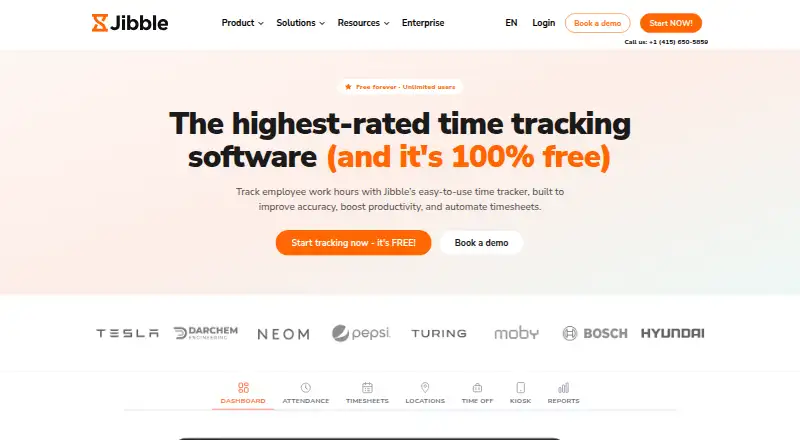
Jibble tracks employee work hours, attendance, productivity and payroll-ready timesheets.
What Jibble is
Jibble tracks employee work hours, attendance, productivity and payroll-ready timesheets. Employees can clock in through web, mobile, desktop, kiosk, Chrome extension, Slack or Microsoft Teams. Attendance verification options include facial recognition, selfie capture, GPS stamps, geofencing, NFC and PIN. Jibble calculates regular, overtime, holiday and break hours, and exports reports as XLS or CSV. Team tools include groups, role-based permissions, work schedules, leave management, approvals and public-holiday calendars. Listed integrations include Slack, Microsoft Teams, Xero, QuickBooks Online, Deel, Zapier, Salesforce, Jira and Asana; a public API is available for custom integrations. The Free plan costs nothing and is billed forever, with unlimited users, two geofences and one work schedule. Premium costs $4.49 per user/month and Ultimate costs $7.99 per user/month. Jibble says data is encrypted at rest and in transit, access is limited to authorized employees, and backups run every 12 hours. Enterprise customers receive dedicated onboarding and support, while Ultimate includes priority support; Enterprise pricing is not listed.
Good
- Supports web, mobile, desktop and kiosk clock-ins
- Offers facial recognition, GPS, NFC and PIN verification
- Exports reports as XLS or CSV
- Free plan allows unlimited users
- Public API supports custom integrations
Watch out
- Free plan includes only two geofences
- Free plan includes one work schedule
- Enterprise pricing is not listed
Who it suits
Jibble suits teams that need employee time, attendance and payroll-ready hour tracking. Its range of clock-in methods and verification options may fit teams working across mobile, desktop, kiosk or web setups.
Verdict
Jibble combines clock-in options, attendance checks, timesheets and team administration. Its free plan covers unlimited users but limits geofences and work schedules, so check those allowances against your team's needs.
Plans and prices
From Jibble's own pricing page, checked 2 Oct 2026.
| Plan | Price | What it gives you |
|---|---|---|
| Free | Free | unlimited users · 2 geofences · 1 work schedule · forever |
| Premium | $4.49 a month | unlimited geofences · unlimited work schedules · leave accruals · multi-level approvals · per user/month |
| Ultimate | $7.99 a month | custom individual permissions · live location tracking · attendance insights · priority support · per user/month |
| Enterprise | Priced on request | dedicated account manager · SAML SSO · self-hosting · audit log · dedicated infrastructure |
The facts
Each one read from Jibble's own pages, with the date it was checked.
What it does
- API
- Jibble offers a public API for building custom time-tracking integrations.checked 2 Oct 2026
- Attendance verification
- The product offers facial recognition, selfie capture, GPS stamps, geofencing, NFC and PIN verification.checked 2 Oct 2026
- Billable time
- Yeschecked 20 Sep 2026
- Clock-in methods
- Users can clock in through web, mobile, desktop, kiosk, Chrome extension, Slack or Microsoft Teams.checked 2 Oct 2026
- Core purpose
- Jibble tracks employee work hours, attendance, productivity and payroll-ready timesheets.checked 2 Oct 2026
- Data export
- Yeschecked 20 Sep 2026
- Data protection
- Jibble acts as a data processor for employer-directed processing and provides a data processing agreement on request.checked 2 Oct 2026
- Industries
- Jibble says it serves construction, healthcare, retail and hospitality teams across more than 100 countries.checked 2 Oct 2026
- Integrations
- Listed integrations include Slack, Microsoft Teams, Xero, QuickBooks Online, Deel, Zapier, Salesforce, Jira, Asana and many others.checked 2 Oct 2026
- Offline tracking
- Offline tracking records entries without a signal and syncs them when connectivity returns.checked 2 Oct 2026
- Payroll and reporting
- Jibble calculates regular, overtime, holiday and break hours and exports reports as XLS or CSV.checked 2 Oct 2026
- Project tracking
- Yeschecked 20 Sep 2026
- Security
- Jibble says data is encrypted at rest and in transit, access is limited to authorized employees, and backups run every 12 hours.checked 2 Oct 2026
- Support
- Enterprise customers receive dedicated onboarding and support, while Ultimate includes priority support.checked 2 Oct 2026
The company
- Company history
- Jibble started in 2017 when its founders launched a payroll app and then shifted toward workforce time management.checked 2 Oct 2026
- Founded
- 2017checked 23 Sep 2026
- Headquarters
- London, England, United Kingdomchecked 23 Sep 2026
- Team management
- It supports groups, role-based permissions, work schedules, leave management, approvals and public-holiday calendars.checked 2 Oct 2026
Where it runs
- Desktop app
- Yeschecked 20 Sep 2026
- Mobile apps
- bothchecked 20 Sep 2026
- Timesheet approvals
- Yeschecked 20 Sep 2026
Money
- Free plan
- Yeschecked 20 Sep 2026
The full review of Jibble
Jibble is a workforce time and attendance platform for teams that need to record hours, verify attendance and prepare timesheets. It suits employers managing hourly or distributed staff across multiple clock-in channels. Its broad verification and administration options make it a strong fit, though paid plans are needed for larger scheduling and approval needs.
Overview
Jibble brings employee time records, attendance checks and payroll-ready reporting into one service. Staff can clock in on web, mobile or desktop, as well as through a kiosk, Chrome extension, Slack or Microsoft Teams. That range gives teams flexibility over where clock-ins happen, while options such as facial recognition, GPS stamps, geofencing, NFC and PINs let employers choose how to verify them.
Beyond attendance, Jibble supports project tracking, billable time, offline tracking, timesheet approvals and export to XLS or CSV. It calculates regular, overtime, holiday and break hours, which can reduce the work of preparing payroll records. The maker says data is encrypted at rest and in transit, access is restricted to authorized employees, and backups run every 12 hours. Jibble acts as a processor for employer-directed data processing and provides a data processing agreement on request.
Key features
Clock-ins and attendance checks
Multiple clock-in channels are useful for teams whose staff work in different settings, while verification can help managers distinguish a recorded clock-in from a verified attendance event. Geofences, GPS stamps and facial recognition may suit organizations with location-based or identity-checking requirements; teams that do not need those controls can use simpler methods such as PINs. The Free plan's two-geofence cap may be restrictive for organizations covering many sites.
Timesheets and team administration
Work schedules, groups, role-based permissions, leave management, approvals and public-holiday calendars give managers tools to organize attendance rather than merely collect punches. The Premium plan adds leave accruals and multi-level approvals, a meaningful step up for teams with layered sign-off processes. Ultimate adds custom individual permissions and attendance insights for organizations needing finer access controls or more oversight.
Integrations and extensibility
Jibble integrates with services including Slack, Microsoft Teams, Xero, QuickBooks Online, Deel, Zapier, Salesforce, Jira and Asana. A public API also supports custom time-tracking integrations, which can help teams fit Jibble into existing systems rather than rely only on built-in connections.
Pricing
Jibble uses a freemium model, with a free plan and a 14-day trial. The Free plan costs nothing (billed forever) and supports unlimited users, but caps teams at two geofences and one work schedule. It is a practical starting point for small teams with simple attendance needs; the caps matter once staff span several sites or schedules.
Premium costs $4.49 a month (billed per user/month). It removes the geofence and work-schedule limits and adds leave accruals and multi-level approvals, making it the more suitable tier for growing teams that need structured leave and sign-off workflows. Ultimate costs $7.99 a month (billed per user/month) and adds custom individual permissions, live location tracking, attendance insights and priority support. It is aimed at teams that need more granular administration and oversight, but those additions may be unnecessary for straightforward time capture.
Enterprise has custom pricing and includes a dedicated account manager, SAML SSO, self-hosting, an audit log and dedicated infrastructure. Those controls target organizations with more demanding security or deployment requirements. Enterprise customers also receive dedicated onboarding and support.
Platforms
Jibble supports Android, iOS, web, Windows, macOS and Linux, along with an API, browser extension and self-hosted option. Mobile apps are available for both major mobile platforms, and a desktop app is available. This breadth suits teams with mixed devices, while offline tracking helps when a connection is unavailable.
Who it's for
Jibble is best suited to employers coordinating hourly or shift-based teams that need attendance verification alongside timesheets and payroll-oriented hour totals. Its mix of mobile, desktop, kiosk and messaging-app clock-ins can serve construction, healthcare, retail and hospitality teams, industries Jibble says it serves across more than 100 countries. Teams that only need basic time capture may find its administrative options more than they require; employers that need several schedules or geofences will need a paid plan.
Pros and cons
- Pros: Unlimited users on the Free plan keep per-seat charges out of the entry tier, though its two-geofence and one-schedule limits constrain more complex operations.
- Pros: Clock-ins across web, mobile, desktop, kiosk, extension and chat tools give teams several ways to record time.
- Pros: Verification options and calculations for regular, overtime, holiday and break hours support attendance review and payroll preparation.
- Cons: Teams needing unlimited geofences, unlimited schedules, leave accruals or multi-level approvals must move to Premium.
- Cons: Per-user monthly billing on Premium and Ultimate can make those plans less appealing as headcount grows.
- Cons: The advanced enterprise controls, including SAML SSO and self-hosting, sit behind custom-priced Enterprise.
Alternatives
For a mobile-first team platform with a free plan, compare Connecteam; for a web-based option with a free tier capped at 20 employees, consider factoHR. BusyBusy is another freemium alternative with unlimited users on its Free plan. Deltek Maconomy is a paid enterprise ERP for professional services firms, while Aladtec is a paid alternative with demo-request pricing.
For a paid payroll and HR suite, consider ADP Workforce Now; GeoWork Attendance is another freemium option. OnTheClock may suit teams seeking time tracking, scheduling and PTO management, with a free trial and a plan at $4 a month (billed $4/employee/month + $5 base fee per month, billed monthly, after a free 30.
Browse our Attendance Tracking Software, Time and Attendance Software, Time Clock Software, Time Tracking Software and Employee Time Tracking Software roundups for more options.
Verdict
Choose Jibble if your team needs flexible clock-ins, attendance verification and payroll-oriented timesheets in one platform, especially if the Free plan's user allowance and basic limits fit your operation. Look elsewhere if per-user paid tiers do not suit your budget or if you need enterprise controls without custom pricing.
Getting started
- Visit https://www.jibble.io/
- Choose the free plan or a paid plan: Premium is $4.49 per user/month and Ultimate is $7.99 per user/month
- Use Jibble through web, mobile, desktop, kiosk, Chrome extension, Slack or Microsoft Teams
- Set up clock-ins and attendance verification using the available methods
Limits worth knowing
The free plan is billed forever and includes unlimited users, two geofences and one work schedule. Premium adds unlimited geofences, unlimited work schedules, leave accruals and multi-level approvals for $4.49 per user/month.
Questions
Is Jibble free?
Yes. Its Free plan costs nothing and is billed forever, with unlimited users, two geofences and one work schedule.
What do the paid plans cost?
Premium costs $4.49 per user/month. Ultimate costs $7.99 per user/month.
Which platforms does Jibble support?
Its listed platforms include Android, iOS, Linux, macOS, Windows and web, as well as API, extension and self-hosted options.
Can Jibble track billable time and project time?
Yes. Project tracking and billable time are listed features.
What clock-in and attendance verification options are available?
Clock-ins can be made through web, mobile, desktop, kiosk, Chrome extension, Slack or Microsoft Teams. Verification options include facial recognition, selfie capture, GPS stamps, geofencing, NFC and PIN.
Who makes Jibble?
Jibble is made by Jibble, which was founded in 2017 and is headquartered in London, England, United Kingdom.
Alternatives to Jibble
- 1

Workforce.com
AndroidiOSWebAPI7.9From C$12.80 a month - 2
QuickBooks Time
AndroidiOSWebAPI7.8From $20 a month - 3

Timeero
AndroidiOSWebAPI7.7From $5 a month - 4

Fareclock
Free planAndroidiOSWebLinux7.5Free plan - 5
PunchFlow
Free planAndroidiOSWebmacOS7.4From A$10 a month - 6

ClockIt
Free planAndroidiOSWebAPI7.3From $29.90 a year