
MuniBilling
MuniBilling is cloud-based utility billing software for metered and non-metered services and fees.
What MuniBilling is
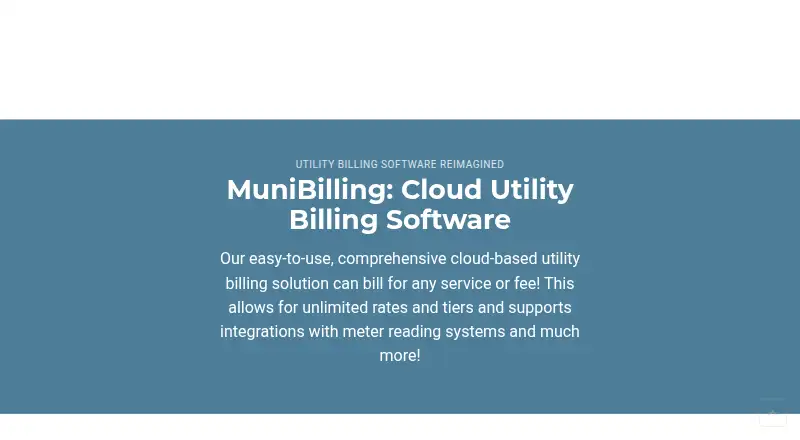
MuniBilling is cloud-based utility billing software for metered and non-metered services and fees. It supports water, wastewater, electric, gas, propane, recycling, waste, internet, cable, stormwater, irrigation, solar, sub-metered services, and other billable services. Billing rules can combine rates and tiers with different taxes and fees, and support recurring or one-time charges. Cycles can run weekly, monthly, quarterly, semi-annually, or annually. Real-time reporting covers accounts receivable, billing, meters, and payments. Customers can pay online through the portal using eCheck, ACH, or major credit cards. Standard meter integrations include Neptune, Badger, Sensus, Itron, and Aclara; other meter brands should be discussed with the solutions team before implementation. Data exchange with other applications uses import and export files configured with the implementation team. MuniBilling serves municipalities, multi-family properties, higher education, and private utility entities. Pricing involves a one-time setup and training fee plus a recurring monthly charge based on the number of service locals billed; no public price is stated.
Good
- Supports metered and non-metered billing
- Billing cycles range from weekly to annual
- Portal accepts eCheck, ACH, and major credit cards
- Customer accounts can have configurable user permissions
- MuniReadPro can capture readings offline
Watch out
- Pricing depends on service locals billed
- Other meter brands require discussion before implementation
- Data exchange uses configured import and export files
Who it suits
MuniBilling suits municipalities, multi-family properties, higher education institutions, and private utility entities that bill for metered or non-metered services. Its billing options cover a wide range of utility types.
Verdict
MuniBilling covers billing, reporting, and online payments across many utility types. Buyers should account for its setup and training fee, recurring charge, and implementation process for data exchange.
Plans and prices
From MuniBilling's own pricing page, checked 29 Sep 2026.
| Plan | Price | What it gives you |
|---|---|---|
| MuniBilling subscription | Priced on request | No public price stated · Monthly charge includes unlimited support and software upgrades · One-time setup and training fee plus a recurring monthly charge; pricing based on number of service locals billed. |
The facts
Each one read from MuniBilling's own pages, with the date it was checked.
Money
- Billing rules
- The billing engine supports unlimited rates and tiers, different taxes and fees, and recurring or one-time charges.checked 29 Sep 2026
- Billing schedules
- Billing cycles can be weekly, monthly, quarterly, semi-annual, or annual.checked 29 Sep 2026
What it does
- Data exchange
- MuniBilling shares data with other applications through import and export file processes configured with its implementation team.checked 29 Sep 2026
- Hosting and backups
- MuniBilling says its servers are hosted on Google Cloud Platform and data is continuously backed up to separate servers in different U.S.-based power-grid locations.checked 29 Sep 2026
- Integrations
- Standard meter integrations include Neptune, Badger, Sensus, Itron, and Aclara; other meter brands should be discussed with the solutions team before implementation.checked 29 Sep 2026
- Mobile meter reading
- MuniReadPro is described as a mobile meter-reading application that can capture readings without network connectivity.checked 29 Sep 2026
- Payments
- The customer portal supports online payments through Nuvei, and the site describes eCheck, ACH, and major credit cards as payment options.checked 29 Sep 2026
- Purpose
- MuniBilling is cloud-based utility billing software that bills for services and fees, including metered and non-metered services.checked 29 Sep 2026
- Reporting
- Real-time reporting covers accounts receivable, billing, meters, and payments.checked 29 Sep 2026
- Security
- The customer portal page states that it uses PCI DSS compliance for financial transactions.checked 29 Sep 2026
- Support
- The FAQ lists email and phone support Monday through Friday, 9 AM to 5 PM EST, and says the recurring monthly charge includes unlimited support.checked 29 Sep 2026
- Target organizations
- The product page describes solutions for municipalities, multi-family properties, higher education, and private utility entities.checked 29 Sep 2026
- User access
- The FAQ says customers can have as many user logins as needed, with configurable permissions.checked 29 Sep 2026
The company
- Founded
- 2007checked 28 Sep 2026
- Headquarters
- The site lists its address as 3300 Battleground Ave, Suite 402, Greensboro, North Carolina 27410.checked 29 Sep 2026
The full review of MuniBilling
MuniBilling is cloud-based utility billing software for organizations that charge for metered services, fees, or both. It is best suited to municipalities and utility operators managing several service types or billing schedules. Its breadth is a strength, but buyers should weigh the setup and training fee, recurring charge, and implementation work for data exchange.
Overview
MuniBilling serves municipalities, multi-family properties, higher education, and private utility entities. Its coverage extends from water, wastewater, electric, gas, and propane to recycling, waste, internet, cable, stormwater, irrigation, solar, sub-metered services, and other billable services. That range makes it a credible option for organizations with mixed utility operations; a small provider with one straightforward service may have little need for such flexible billing rules.
Founded in 2007 and headquartered in Greensboro, North Carolina, MuniBilling is delivered through the cloud. The company says it hosts servers on Google Cloud Platform and continuously backs data up to separate servers in different U.S.-based power-grid locations.
Key features
Flexible billing and reporting
The billing engine supports unlimited rates and tiers, different taxes and fees, and recurring or one-time charges. Weekly, monthly, quarterly, semi-annual, and annual cycles allow operators to align billing with different services. This flexibility is useful when a utility needs varied schedules and charge structures, though it can be unnecessary complexity for simpler operations. Real-time reporting covers accounts receivable, billing, meters, and payments, giving staff visibility across core billing activity.
Meters, payments, and data exchange
Standard meter integrations include Neptune, Badger, Sensus, Itron, and Aclara. Operators using other meter brands should discuss compatibility with the solutions team before implementation. MuniBilling exchanges data with other applications through import and export files configured with its implementation team, so organizations should plan for that setup rather than assume an off-the-shelf connection.
The customer portal supports online payments through Nuvei, including eCheck, ACH, and major credit cards. The portal states that financial transactions use PCI DSS compliance. Autopay and customer account access are supported. For meter reading without network connectivity, MuniReadPro is a separate mobile application described as able to capture readings offline.
Access and support
Customers can have as many user logins as needed, with configurable permissions, which suits teams that need to divide access by role. Email and phone support is available Monday through Friday, 9 AM to 5 PM EST; the recurring monthly charge includes unlimited support and software upgrades. That inclusion helps make ongoing operating costs more predictable, although it does not remove the initial setup and training fee.
Pricing
MuniBilling subscription: custom pricing. The subscription has a one-time setup and training fee plus a recurring monthly charge, with pricing based on the number of service locals billed. The monthly charge includes unlimited support and software upgrades. There is no public price to compare against a budget, so prospective customers should request a quote that reflects their service-local count and implementation needs.
Platforms
MuniBilling supports Android, iOS, and web. The mobile meter-reading app MuniReadPro can capture readings without network connectivity, a practical fit for field work in areas with unreliable access.
Who it's for
MuniBilling is strongest for municipalities and other utility operators that bill multiple service types, combine metered and non-metered charges, or need varied billing cycles. Multi-family properties, higher education, and private utility entities are also within its stated target market. Organizations with uncommon meters or extensive data exchange needs should resolve implementation requirements and costs before committing.
Pros and cons
- Pros: Broad service coverage and unlimited rates and tiers can accommodate varied utility tariffs and charges.
- Pros: Multiple billing cycles, real-time operational reports, and a customer portal bring billing and payment functions together.
- Pros: Unlimited user logins, configurable permissions, and included unlimited support suit teams with multiple staff members.
- Cons: A one-time setup and training fee plus a recurring, service-local-based charge makes budgeting dependent on a quote.
- Cons: Data exchange requires import/export files configured with the implementation team, and non-standard meter brands need advance discussion.
- Cons: Support hours are limited to weekdays, 9 AM to 5 PM EST.
Alternatives
For a broader comparison, see Utility Billing Software. CUBIC Utility Billing is another paid option for web and Windows users. Consider CivicPlus Utility Billing if Android, iOS, and web support matter; its custom pricing estimate is available by request. OpenGov Accounts Payable is a paid web and API option, while AMCS Utility Billing is a paid web option.
Cadebill supports API, web, and Windows, and is made by a firm focused on telecommunications and business process management solutions. CUSI Utility Billing offers a hosted UB4 option or on-premise UMS, with demos available. NorthStar CIS supports self-hosted, web, and Windows deployments, with pricing by request and a demo offered. SkyBill Utility Billing has a free trial and supports Android, iOS, API, self-hosted, web, and Windows.
Verdict
Choose MuniBilling if your organization needs broad utility coverage, flexible billing rules, and a customer payment portal with support included in the recurring charge. Its main trade-offs are quote-based pricing and implementation-dependent data connections. A simpler utility operation, or one that needs confirmed support for an uncommon meter or direct integrations, should compare alternatives and settle those requirements before choosing.
Getting started
- Open the MuniBilling website
- Discuss pricing based on the number of service locals billed
- Arrange the one-time setup and training
- Configure billing rules, schedules, taxes, fees, and user permissions
- Connect supported meters or plan file-based data exchange with the implementation team
- Enable the customer portal and Nuvei payment options
- Use MuniReadPro for mobile readings when connectivity is unavailable
Limits worth knowing
The subscription combines a one-time setup and training fee with a recurring monthly charge based on service locals billed. Other meter brands require discussion before implementation, and data exchange is configured through the implementation team.
Questions
How much does MuniBilling cost?
Pricing is on request. The subscription includes a one-time setup and training fee plus a recurring monthly charge based on the number of service locals billed.
Which platforms does it support?
MuniBilling is available on Android, iOS, and the web.
Which meters integrate directly?
Standard integrations include Neptune, Badger, Sensus, Itron, and Aclara. Other brands should be discussed with the solutions team before implementation.
Does it support online payments?
Yes. The customer portal uses Nuvei and supports eCheck, ACH, and major credit cards, along with autopay.
How many user accounts can customers create?
The FAQ says customers can have as many user logins as needed, with configurable permissions.
What support is included?
Email and phone support is available Monday through Friday, 9 AM to 5 PM EST. The recurring monthly charge includes unlimited support and software upgrades.
Alternatives to MuniBilling
- 1

SkyBill Utility Billing
AndroidiOSWebAPI7.5From €155 a month - 2

Vitality Utility Billing
AndroidiOSWebAPI7.2From $0.50 a month - 3

Cogsdale CSM Utility Billing
AndroidiOSWebAPI7.1 - 4

Utilities Group
AndroidiOSWebAPI7.1From A$0.80 a month - 5
CivicPlus Utility Billing
AndroidiOSWebAPI6.9 - 6
CUSI Utility Billing
WebAPISelf-hostedWindows6.7From $0.35 a month