OpenGov Accounts Payable
OpenGov Accounts Payable is cloud software for automating invoice processing, approval routing, and general ledger posting.
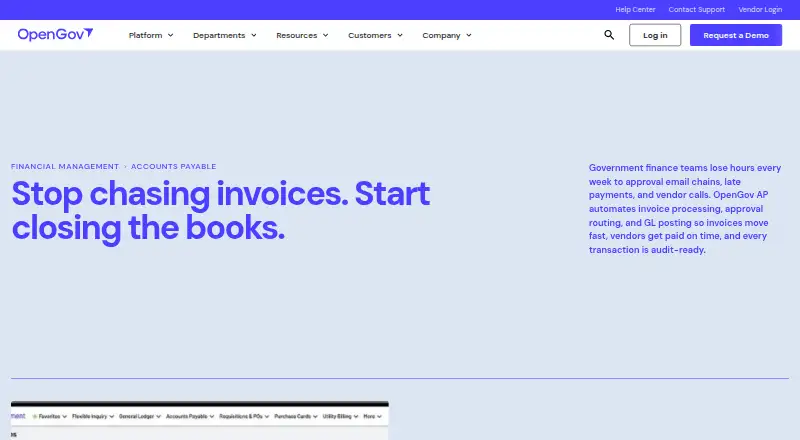
What OpenGov Accounts Payable is
OpenGov Accounts Payable is cloud software for automating invoice processing, approval routing, and general ledger posting. Configurable checks compare invoices with purchase orders, available budgets, and duplicate records before approval. A centralized vendor database holds contracts, W-9s, purchase histories, and 1099 data; year-round vendor and payment records can be used to produce 1099 forms. Each invoice receives a timestamped audit trail from intake through payment, and auditors can view records read-only. Department staff can submit and track invoices in approved accounts, with role-based access, budget validation, and configurable approval routes. The product connects with OpenGov Requisitions, General Ledger, Financial Reporting, and vendor management, and supports payment execution and purchase-order matching. It is available through web and API. OpenGov Financial Management serves cities, counties, special districts, utilities, and state agencies. Pricing is on request rather than listed; OpenGov invites visitors to request a demo. Support options include phone, email, live chat, and a 24/7 resource center. OpenGov lists SOC 2 Type II, AES-256 encryption at rest, TLS 1.2+ in transit, and alignment with NIST CSF 2.0 and 800-53 Rev. 5.
Good
- Configurable checks for purchase orders and budgets
- Timestamped invoice trails with read-only auditor access
- Centralized vendor records support 1099 forms
- Phone, email, live chat, and 24/7 resource center
Watch out
- Pricing is available on request
- Implementation timelines vary by scope and configuration
Who it suits
OpenGov Accounts Payable is aimed at public agencies, including cities, counties, special districts, utilities, and state agencies. It suits departments that need invoice routing, budget checks, vendor records, and payment tracking.
Verdict
OpenGov Accounts Payable connects invoice handling with budget validation, vendor records, and payment workflows. Agencies should request pricing and clarify implementation scope for their configuration.
The facts
Each one read from OpenGov Accounts Payable's own pages, with the date it was checked.
What it does
- 1099 processing
- OpenGov produces 1099 forms from vendor records and payment histories maintained in the system.checked 4 Oct 2026
- 1099 reporting
- 1099 forms are produced in OpenGov using vendor records and payment histories maintained during the year.checked 29 Sep 2026
- AI invoice capture
- OpenGov lists AI Invoice Capture, automatic three-way matching, and live budget validation among its enhanced Accounts Payable capabilities.checked 4 Oct 2026
- Audit access
- Auditors can log in with read-only access to view invoice audit trails from intake through payment.checked 4 Oct 2026
- Audit trail
- Invoices have a timestamped audit trail from intake through payment, and auditors can access records read-only.checked 29 Sep 2026
- Connected modules
- Accounts Payable connects with Requisitions, the General Ledger, Financial Reporting, and vendor management.checked 29 Sep 2026
- Department access
- Department staff can submit and track invoices in approved accounts, with role-based access, budget validation, and configurable approval routing.checked 29 Sep 2026
- Implementation
- Implementation timelines vary by scope and configuration, and OpenGov says specialists work with customers from day one.checked 29 Sep 2026
- Implementation and support
- OpenGov describes implementation specialists with government AP experience, a dedicated account manager, live chat, training workshops, and regular product updates.checked 4 Oct 2026
- Integrations
- Accounts Payable connects natively with Requisitions, the General Ledger, Financial Reporting, and vendor management; approved purchase orders flow into AP for automatic invoice matching.checked 4 Oct 2026
- Intended users
- The product is presented for government finance offices, with department staff able to submit and track invoices using role-based access.checked 4 Oct 2026
- Invoice automation
- OpenGov AP automates invoice processing, approval routing, and general ledger posting.checked 29 Sep 2026
- Invoice capture
- aichecked 20 Sep 2026
- Invoice validation
- Automated validations check invoices against purchase order details, budget availability, and duplicate records before approval.checked 4 Oct 2026
- Payment execution
- Yeschecked 20 Sep 2026
- PO matching
- Yeschecked 20 Sep 2026
- Pricing
- The product page invites visitors to request a demo and does not state a price.checked 29 Sep 2026
- Purpose
- OpenGov Accounts Payable automates invoice processing, approval routing, and general ledger posting for government finance teams.checked 4 Oct 2026
- Security
- OpenGov reports SOC 2 Type II, AES-256 encryption at rest, TLS 1.2+ encryption in transit, and alignment with NIST CSF 2.0 and NIST 800-53 Rev. 5 policies and controls.checked 4 Oct 2026
- Support
- OpenGov lists phone, email, live chat, and a 24/7 resource center for support.checked 29 Sep 2026
Where it runs
- Approval workflows
- Configurable workflows route invoices by department, dollar amount, or transaction type, and record each approval step in a timestamped audit trail.checked 4 Oct 2026
The company
- Company audience
- OpenGov says its platform is trusted by more than 2,000 cities, counties, and state agencies.checked 4 Oct 2026
- Founded
- 2012checked 28 Sep 2026
- Headquarters
- San Francisco, California, United Stateschecked 28 Sep 2026
The full review of OpenGov Accounts Payable
Overview
OpenGov Accounts Payable is an invoice-processing system for public-sector finance teams. It suits agencies that need budget and purchase-order checks built into approvals, especially those using other OpenGov financial modules. Its strongest case is a connected, auditable government workflow; agencies should weigh that against custom pricing and implementation whose scope varies.
Key features
AI invoice capture feeds automated processing, approval routing, and general-ledger posting. Configurable validations compare invoices with purchase orders, budget availability, and duplicate records, while automatic three-way matching and live budget validation help surface problems before approval. That combination is valuable for teams seeking consistent controls, but agencies should ensure the configured checks match their purchasing rules.
Department staff can submit and track invoices in approved accounts, with role-based access and configurable routing. Approved purchase orders flow into AP for automatic matching. Native connections to Requisitions, the General Ledger, Financial Reporting, and vendor management make AP particularly coherent for agencies using OpenGov Financial Management; open APIs also support third-party connections where needed.
A centralized vendor database keeps contracts, W-9s, purchase histories, and 1099 data together, and OpenGov produces 1099 forms from those records and payment histories. Timestamped audit trails cover intake through payment, with read-only auditor access. These features give finance and audit staff a shared record without granting auditors editing access.
OpenGov lists phone, email, live chat, and a 24/7 resource center for support. Implementation specialists work with customers from day one, alongside a dedicated account manager, training workshops, and regular product updates. Timelines vary by scope and configuration, so agencies should establish responsibilities and expected duration during evaluation. OpenGov's security page cites SOC 2 Type II, AES-256 encryption at rest, TLS 1.2+ in transit, and alignment with NIST CSF 2.0 and 800-53 Rev. 5.
Pricing
OpenGov Accounts Payable is paid software with custom pricing; the product page invites prospective customers to request a demo rather than publishing a price. There are no stated tiers, seat allowances, quotas, or trial terms to compare. Agencies should request a configuration-specific quote and clarify implementation scope before budgeting.
Platforms
The product is cloud-deployed and supports web access and an API. That suits agencies working through a browser or connecting other systems, but it is not presented as a desktop or mobile app.
Who it's for
OpenGov positions its Financial Management platform for cities, counties, special districts, utilities, and state agencies of all sizes. Accounts Payable is most compelling for government finance offices that want department-level invoice submission alongside budget controls, purchase-order matching, and read-only audit access. Agencies outside the public sector or those seeking a standalone AP tool without OpenGov financial connections may find its suite-oriented strengths less relevant.
Pros and cons
- Pros: Invoice checks combine purchase orders, budget availability, and duplicate detection before approval, supporting more controlled review.
- Pros: Native links to requisitions, general ledger, reporting, and vendor management connect AP to related finance workflows.
- Pros: Vendor records support 1099 production, while timestamped histories and read-only auditor access strengthen traceability.
- Cons: Custom pricing means agencies must request a quote to assess cost.
- Cons: Implementation timing depends on scope and configuration, which makes planning harder before requirements are settled.
Alternatives
For a broader government finance comparison, browse Government Accounting Software; for purchasing workflows, see Procurement Software or Purchase Request Software. Agencies evaluating related planning or public-facing systems can also consult Budgeting Software, Public Sector CRM Software, and Utility Billing Software.
Among utility billing products, CUBIC Utility Billing is another paid, web- and Windows-based option. CivicPlus Utility Billing is worth considering if Android or iOS access matters; its paid plan uses custom pricing by request. MuniBilling offers Android, iOS, and web access, with a one-time setup and training fee plus recurring monthly charges based on service locals billed.
AMCS Utility Billing is a paid web-based alternative. Billingly is paid and supports API, self-hosted, and web platforms. Cadebill is a paid option for API, web, and Windows. Cogsdale CSM Utility Billing is a paid Android and iOS option. CUSI Utility Billing offers paid web and Windows options, with hosted UB4 or on-premise UMS.
Verdict
Government finance offices already invested in OpenGov should put Accounts Payable on their shortlist: its connected approvals, budget and purchase-order validation, vendor records, and audit trail address distinct public-sector needs in one workflow. Agencies needing predictable upfront costs or a faster-to-scope standalone system should look elsewhere unless OpenGov can clearly define the quote and implementation plan for their configuration.
Alternatives to OpenGov Accounts Payable
- 1

Infor ERP
AndroidiOSWebAPI6.7 - 2

Oracle NetSuite for Government
AndroidiOSWebAPI6.6 - 3
CGI Advantage
AndroidiOSWeb6.4 - 4
FundFigure
Web6.4 - 5
Unit4 ERP
WebAPI6.1 - 6

FreeBalance Accountability Suite
WebAPISelf-hosted6.0