Hyland AP Automation
Hyland AP Automation helps accounting and finance teams capture, manage and route invoices through review, coding, approval and posting.
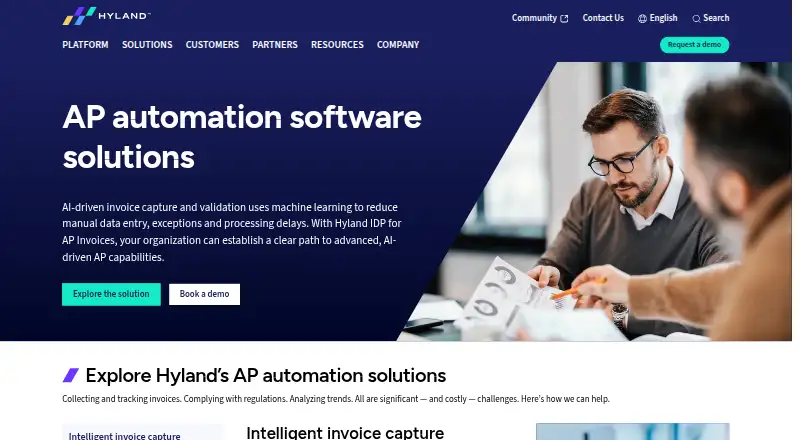
What Hyland AP Automation is
Hyland AP Automation helps accounting and finance teams capture, manage and route invoices through review, coding, approval and posting. Its Hyland IDP for AP Invoices applies AI- and language-model-based processing to extract and validate header- and line-level details, identify vendors, and handle both PO and non-PO invoices. Workflows can send invoices to the appropriate business units, support two- or three-way matching, and post to accounting applications. Hyland describes integrations with ERP systems including Workday, SAP, JD Edwards, PeopleSoft, Infor, Oracle and Deltek. Performance dashboards and reports help track production and locate bottlenecks. A vendor portal can support invoice submission, payment-status checks and access to AP content. Employees can review and approve invoices on iPhone, iPad and Android devices. The solution also lists document versioning, retention rules, audit logs, legal holds and granular access controls. Pricing is available on request; Hyland invites organizations to book a demo or contact the company.
Good
- AI processing extracts and validates invoice details.
- Supports PO and non-PO invoices.
- Workflows include two- or three-way matching.
- Mobile invoice review and approval are supported.
- Includes retention rules and audit logs.
Watch out
- Pricing is not published.
- Deployment model is self-hosted.
- Free-plan status is listed, but details are not provided.
Who it suits
It suits accounting and finance teams looking to automate invoice processing across business units. It may also fit organizations that need mobile approvals, vendor access or ERP connections.
Verdict
Hyland AP Automation combines invoice processing, matching, approvals and posting with vendor and mobile access options. Organizations should request pricing and confirm the configuration and integrations that fit their needs.
Plans and prices
From Hyland AP Automation's own pricing page, checked 28 Sep 2026.
| Plan | Price | What it gives you |
|---|---|---|
| Hyland AP Automation | Priced on request | Enterprise AP automation; pricing not stated |
The facts
Each one read from Hyland AP Automation's own pages, with the date it was checked.
What it does
- AI invoice processing
- Hyland IDP for AP Invoices uses AI- and LLM-based processing to extract and validate header- and line-level invoice data, match vendors, and support PO and non-PO invoices.checked 28 Sep 2026
- Dashboards and reports
- The solution provides performance dashboards and reports for monitoring production and identifying process bottlenecks.checked 28 Sep 2026
- ERP integrations
- Hyland describes integrations with Workday, SAP, JD Edwards, PeopleSoft, Infor, Oracle and Deltek, among other ERP systems.checked 28 Sep 2026
- Intended users
- The solution is presented for accounting and finance teams seeking to automate accounts payable processes.checked 28 Sep 2026
- Invoice capture
- The solution captures paper and electronic invoices and extracts data to reduce manual entry.checked 28 Sep 2026
- Mobile access
- Hyland says employees can review and approve invoices from mobile devices, including iPhone, iPad and Android devices.checked 28 Sep 2026
- Multi-entity support
- Yeschecked 22 Sep 2026
- Payment execution
- Yeschecked 22 Sep 2026
- PO matching
- Yeschecked 22 Sep 2026
- Purpose
- Hyland AP automation captures, manages and routes invoices and related content for review, coding, approval and posting.checked 28 Sep 2026
- Security and compliance
- Hyland lists ISO 27001, SOC 2 and HITRUST among supported audits or programs for specific offerings or practices in its portfolio.checked 28 Sep 2026
- Support and pricing
- The product page invites organizations to book a demo or contact Hyland and does not publish a price.checked 28 Sep 2026
- Vendor access
- An integrated portal can let vendors submit invoices, view payment status and access AP-related content.checked 28 Sep 2026
- Workflow
- Workflows route invoices to appropriate business units, support two- or three-way matching, and post invoices to accounting applications.checked 28 Sep 2026
Where it runs
- Approval workflows
- Yeschecked 22 Sep 2026
The company
- Founded
- 1991checked 28 Sep 2026
- Headquarters
- Westlake, Ohio, USAchecked 28 Sep 2026
The full review of Hyland AP Automation
Overview
Hyland AP Automation is enterprise software for digitizing invoice work across accounting and finance teams. It is best suited to organizations that need invoices routed, matched and posted across multiple entities and accounting systems. Its breadth is appealing, but custom pricing and a self-hosted deployment model make it a more considered choice than a lightweight, ready-priced tool.
Key features
Invoice processing and controls
Hyland IDP for AP Invoices uses AI and large language models to extract and validate header- and line-level data, identify vendors, and handle both purchase-order and non-purchase-order invoices. That range can reduce manual entry across varied invoice types, while validation and matching give finance teams ways to check data before it moves forward.
Workflows route invoices to the right business units for review, support two- or three-way matching, and post invoices to accounting applications. Payment execution and multi-entity support extend the process beyond capture and approval, making the system a fit for organizations that need a connected payable workflow rather than invoice scanning alone.
Dashboards and reports help teams monitor production and find bottlenecks. Granular access controls, audit logs, version history, retention rules, legal holds and disposition workflows address document oversight as well as processing. These controls are useful for organizations managing records through defined lifecycle stages, though they also point to a product designed for structured enterprise operations.
Integrations and access
Hyland describes integrations with Workday, SAP, JD Edwards, PeopleSoft, Infor, Oracle and Deltek, among other ERP systems. This breadth gives teams several established accounting environments to consider, but organizations should confirm that their particular systems and configuration are covered.
An integrated vendor portal can let suppliers submit invoices, check payment status and access AP content. Employees can review and approve invoices on iPhone, iPad and Android devices. Together, these options can reduce reliance on email exchanges and keep approvals moving when staff are away from a desktop.
Pricing
Hyland AP Automation is paid software with custom pricing. Hyland invites organizations to book a demo or contact its team, so buyers should request a quote for their intended configuration. A free plan is also indicated, but no plan terms, caps or scope are provided; organizations should confirm what it includes before treating it as a route to production use.
The enterprise plan is aimed at teams seeking AP automation, but no seat count, invoice quota, trial length or renewal term is given. This makes direct budget comparison difficult until Hyland scopes the deployment and pricing.
Platforms
The product is offered for web, Android and iOS, with an API also listed. Its deployment model is self-hosted, a fit for organizations that want that deployment approach but a consideration for buyers seeking a cloud-hosted service. Mobile access supports invoice review and approval on Apple and Android devices.
Who it's for
Hyland AP Automation makes the most sense for accounting and finance teams handling invoice processing across business units, entities or ERP environments. Its invoice extraction, matching, approval routing, posting and document controls span much of the payable cycle. Smaller teams looking for transparent pricing or a narrowly focused capture tool may find the enterprise scope and custom quote harder to justify.
Pros and cons
- Pros: AI-based extraction covers header and line data and supports PO and non-PO invoices, reducing the need to treat those workflows separately.
- Pros: Matching, approval routing, posting and payment execution support a connected AP process rather than capture alone.
- Pros: Vendor access, mobile approvals and broad ERP integrations offer several ways to connect suppliers, employees and accounting systems.
- Pros: Granular access, audit logs and retention and disposition controls support oversight of invoice-related records.
- Cons: Custom pricing and the absence of published plan limits make budget planning and comparison less straightforward.
- Cons: Self-hosted deployment will not suit buyers specifically seeking a cloud-hosted product.
- Cons: The free plan has no stated scope or caps, so buyers cannot readily judge whether it supports evaluation or ongoing use.
Alternatives
For a broader comparison, browse Accounts Payable Software, Intelligent Document Processing Software and AI OCR Software. Teams focused on document governance can also compare Records Management Software, Cloud Document Management Software and Enterprise Content Management Systems.
Zasio Versatile is worth considering when buyers want to choose features and select SaaS or on-premises deployment, with Standard or Advanced tiers for electronic records. Gimmal Records is another paid option for self-hosted, web or Windows platforms. Rational Governance offers custom pricing based on data volume, users, fixed fees or projects, and supports self-hosted and web platforms.
AvePoint Cloud Backup is a paid alternative for web, iOS and Android. OpenText Content Manager is a paid option spanning Android, iOS, web and Windows. Collabware CLM costs $192 a year, billed annually, with a 100-user minimum and volume discounts; it has no free plan and supports API, self-hosted and Windows platforms.
Feith Agency ERM is a paid option with customized quotes scoped to the environment and goals, and supports API, self-hosted and web platforms. Newgen Dynamic Case Management is another option, with a web platform and a free trial; its trial provides 10 users, 100 GB of storage and 50,000 API calls per month.
Verdict
Choose Hyland AP Automation if your finance team needs a broad, multi-entity invoice workflow that links AI-assisted capture with matching, approvals, posting and record controls. Its combination of ERP connectivity, vendor access and mobile approvals is the main reason to consider it. Look elsewhere if you need published pricing, clear self-serve plan limits or a cloud-hosted deployment.
Getting started
- Visit Hyland's accounting and finance solutions website.
- Contact Hyland or book a demo to discuss the product.
- Review the free plan and paid pricing options with Hyland.
- Plan for a self-hosted deployment.
- Use the listed Android, iOS, web, or API access options.
Questions
What does Hyland AP Automation cost?
It has a free plan and a paid pricing model. Paid pricing is available on request.
What platforms does it support?
The listed platforms are Android, iOS, web, and API.
Can it match invoices to purchase orders?
Yes. It supports purchase-order and non-purchase-order invoices, with two-way or three-way matching workflows.
Which ERP systems are named as integrations?
Hyland describes integrations with Workday, SAP, JD Edwards, PeopleSoft, Infor, Oracle, and Deltek, among others.
Can employees approve invoices on mobile devices?
Yes. Employees can review and approve invoices from iPhone, iPad, and Android devices.
How is it deployed?
The listed deployment model is self-hosted.
Alternatives to Hyland AP Automation
- 1

Ramp AP
Free planAndroidiOSWebAPI8.8From $15 a month - 2

BILL Accounts Payable
AndroidiOSWebAPI8.5From $49 a month - 3

Nanonets Accounts Payable Automation
Free planWebAPISelf-hosted8.3$100 usage-based - 4
Ottimate
Free planAndroidiOSWebAPI8.2$0.50 one-time - 5
Tradeshift
Free planWebAPI8.1Free plan - 6

Flowie
Free planWebAPISelf-hosted8.0From €12 a month