
BILL Accounts Payable
BILL Accounts Payable automates invoice capture, approval routing, payment processing, and accounting synchronization for accounts payable teams.
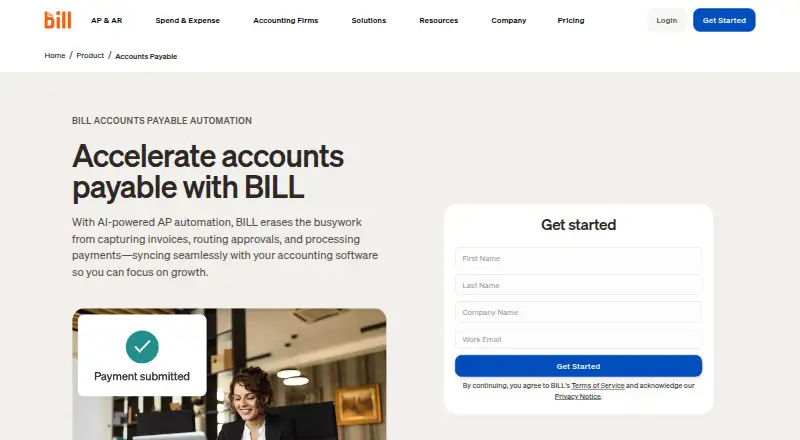
What BILL Accounts Payable is
BILL Accounts Payable automates invoice capture, approval routing, payment processing, and accounting synchronization for accounts payable teams. AI invoice capture and two-way or three-way matching can connect invoices with purchase orders and receipts. Teams can pay by ACH, credit card, check, or international wire transfer, and the product supports paying up to 2,000 bills at a time. Multi-Entity centralizes bill review, approvals, and payments across entities and locations. Accounting connections include automatic two-way sync with QuickBooks products, Xero, Oracle NetSuite, Sage Intacct, and Microsoft Dynamics; CSV import and export plus an API platform support custom integrations. The separate Spend & Expense free plan does not cover AP or AR. Some checks, ACH, instant transfers, and international payments incur fees regardless of plan. The mobile app supports Android 7.0 or later and iOS 16 or later, synchronizing data and actions with the desktop application. All plans include live chat and phone support; Enterprise includes priority support.
Good
- Automates invoice capture and approval routing.
- Supports two-way and three-way matching.
- Can pay up to 2,000 bills at a time.
- Multi-Entity centralizes bill workflows.
- Offers CSV import and export plus an API platform.
Watch out
- AP and AR have no free plan.
- AP and AR subscriptions are priced per user.
- Some payment methods incur fees on every plan.
- Mobile support requires Android 7.0 or iOS 16.
Who it suits
BILL Accounts Payable suits small and midsize businesses and accounting firms that need invoice processing, approvals, payments, and accounting synchronization. Its multi-entity tools may fit organizations managing bills across locations or entities.
Verdict
BILL Accounts Payable brings invoice handling, payment, and accounting workflows together, including multi-entity support. Check per-user subscription pricing and payment-method fees; the separate free Spend & Expense plan does not include AP or AR.
Plans and prices
From BILL Accounts Payable's own pricing page, checked 27 Sep 2026.
| Plan | Price | What it gives you |
|---|---|---|
| Essentials | $49 a month | Accounts Payable and Accounts Receivable subscription · Bill entry and centralized bill inbox · Approval workflows and standard approval policies · ACH, virtual card, credit card, and other payment methods · Manual CSV accounting-software import/export · W-9 collection and verification · billed monthly |
| Team | $65 a month | Accounts Payable and Accounts Receivable subscription · Automatic two-way sync with QuickBooks and Xero · Approval workflows and custom user roles · Bill entry, centralized inbox, and bill payments · AI multi-line bill coding · billed monthly |
| Corporate | $89 a month | Accounts Payable and Accounts Receivable subscription · Custom approval policies and user roles · Automatic two-way sync with QuickBooks and Xero · AI multi-line bill coding · Procurement features including purchase orders and two-way matching · billed monthly |
| Enterprise | Priced on request | For larger or more complex organizations · Custom pricing · Multi-entity and multi-location accounting capabilities · Purchase-order sync and two- and three-way matching · Single sign-on and priority support · Custom pricing |
| BILL Accounts Payable | — | Essentials · Team · Corporate · Enterprise · larger or complex organizations have custom pricing · per user |
The facts
Each one read from BILL Accounts Payable's own pages, with the date it was checked.
What it does
- Accounting integrations
- Integrations include QuickBooks, Xero, NetSuite, Intacct, Microsoft Dynamics, Acumatica, Rillet, and more.checked 27 Sep 2026
- AP & AR pricing
- AP and AR are paid subscriptions priced per user.checked 27 Sep 2026
- Bill volume
- The product supports paying up to 2,000 bills at a time.checked 27 Sep 2026
- Compliance
- BILL says it undergoes annual SOC 1 and SOC 2 Type II audits and partners with a PCI-certified vendor for credit-card payments.checked 28 Sep 2026
- Custom integration
- BILL offers CSV import/export and an API platform for custom integrations with accounting systems, ERPs, and internal tools.checked 28 Sep 2026
- Integration methods
- Workflows can connect through deep syncs, custom file integration, or the API Platform.checked 27 Sep 2026
- Integrations
- AP and AR provide automatic two-way sync with QuickBooks Online, QuickBooks Pro/Premier, QuickBooks Enterprise, Xero, Oracle NetSuite, Sage Intacct, and Microsoft Dynamics.checked 28 Sep 2026
- Invoice capture
- BILL AI captures key invoice fields with stated 99% accuracy and automatically codes multiline invoices.checked 28 Sep 2026
- Invoice matching
- The platform automates two-way and three-way matching across invoices, purchase orders, and receipts.checked 28 Sep 2026
- Mobile support
- The mobile app supports Android 7.0 or later and iOS 16 or later, and synchronizes data and actions with the desktop application.checked 28 Sep 2026
- Multi-entity
- BILL Multi-Entity centralizes approval, review, and payment of bills across entities and locations.checked 28 Sep 2026
- Multi-entity support
- Enterprise includes multi-entity and multi-location accounting capabilities.checked 27 Sep 2026
- Payment execution
- Yeschecked 23 Sep 2026
- Payment methods
- Users can pay vendors by ACH, virtual card, credit card, check, and international wire transfer.checked 28 Sep 2026
- PO matching
- BILL automates 2-way and 3-way matching against purchase orders and receipts.checked 27 Sep 2026
- Purpose
- BILL automates invoice capture, approval routing, payment processing, and accounting synchronization for accounts payable teams.checked 28 Sep 2026
- Security controls
- BILL lists strong password policies, two-factor authentication, role-based separation of duties, immutable timestamped audit trails, TLS, and network monitoring.checked 28 Sep 2026
Where it runs
- Approval workflows
- Businesses can configure approval workflows with rules, roles, steps, controls, reminders, and tracked status.checked 28 Sep 2026
The company
- Company scale
- More than 500,000 businesses automate financial operations with BILL.checked 27 Sep 2026
- Founded
- 2006checked 28 Sep 2026
- Headquarters
- San Jose, California, USAchecked 28 Sep 2026
Money
- Free plan
- Nochecked 23 Sep 2026
- Free plan limits
- The free plan applies to Spend & Expense, not AP and AR subscriptions.checked 27 Sep 2026
- Free plan scope
- Spend & Expense is $0 per user per month with cards, budgets, expense tracking, and credit-line access.checked 27 Sep 2026
The full review of BILL Accounts Payable
Overview
BILL Accounts Payable brings invoice capture, bill approvals, payment processing, and accounting synchronization into one workflow. AI supports invoice capture, while approval routing helps teams move bills through review. BILL says more than 500,000 businesses use its financial-operations platform, which serves small and midsize businesses and accounting firms.
The company was founded in 2006 and is headquartered in San Jose, California. BILL connects customers with more than 4 million vendors. Its bill payment tools support paying up to 2,000 bills at a time, with options that include ACH, credit card, check, and international wire transfer.
For purchasing workflows, BILL can match invoices with purchase orders and receipts using two-way or three-way matching. BILL Multi-Entity centralizes bill approval, review, and payment across entities and locations. Accounting teams can connect workflows through automatic syncs, file exchange, or the API Platform.
Key features
Invoice processing and approvals
Invoice capture and approval routing are core parts of the service. Essentials includes standard approval policies; Team adds custom user roles; and Corporate offers custom approval policies and roles. Corporate also includes procurement features such as purchase orders and two-way matching.
The platform automates two-way and three-way matching among invoices, purchase orders, and receipts. AI multi-line bill coding is available on Team and Corporate. Support for budget controls, bill pay, expense reimbursements, corporate cards, and card issuance extends the broader financial-operations offering, though the listed AP plan details do not specify all of these capabilities by tier.
Accounting connections and administration
AP and AR offer automatic two-way synchronization with QuickBooks Online, QuickBooks Pro/Premier, QuickBooks Enterprise, Xero, Oracle NetSuite, Sage Intacct, and Microsoft Dynamics. Essentials instead specifies manual CSV import and export; BILL also offers CSV exchange and an API Platform for custom connections to accounting systems, ERPs, and internal tools.
Enterprise adds multi-entity and multi-location accounting, purchase-order sync, single sign-on, enhanced security, and priority support. Across plans, BILL describes standard or custom user roles and approval policies, with approver-only discounts on Corporate. All plans include live chat and phone support; customers also have access to the Help Center and a dedicated support team, with support options varying by plan.
The mobile app supports Android 7.0 or later and iOS 16 or later, and synchronizes data and actions with the desktop application. BILL says it undergoes annual SOC 1 and SOC 2 Type II audits and uses a PCI-certified vendor for credit-card payments.
Pricing
AP and AR are paid subscriptions priced per user. Essentials is $49 a month, billed monthly; Team is $65 a month, billed monthly; and Corporate is $89 a month, billed monthly. Enterprise pricing is custom and not listed. A free trial is available, but there is no free plan for AP or AR.
BILL Spend & Expense is $0 per user per month and includes cards, budgets, expense tracking, and credit-line access. That free offering applies to Spend & Expense, not the AP and AR subscriptions. Some checks, ACH, instant transfers, and international payments incur fees regardless of plan.
Platforms
BILL lists Android, iOS, web, and API access. The mobile app requires Android 7.0 or later or iOS 16 or later. Integration methods include direct accounting sync, custom file integration, and the API Platform.
Who it's for
BILL Accounts Payable is aimed at accounts payable teams that need to capture invoices, route approvals, pay vendors, and keep accounting data synchronized. Its matching and multi-entity options also suit organizations coordinating purchase orders, receipts, or bills across locations and entities. BILL identifies small and midsize businesses and accounting firms as customers for its financial-operations platform.
Pros and cons
- Pros: AI invoice capture, approval workflows, bill payments, and accounting synchronization are combined in one service.
- Pros: Matching supports two-way and three-way processes, and Enterprise includes multi-entity and multi-location capabilities.
- Pros: Automatic two-way sync covers several major accounting products, with CSV and API options for custom integrations.
- Cons: AP and AR require paid subscriptions; the free Spend & Expense plan does not cover them.
- Cons: Enterprise pricing is custom and not listed, and some payment methods incur transaction fees on any plan.
- Cons: Automatic sync and custom roles or policies vary by plan; Essentials specifies manual CSV exchange.
Alternatives
Compare BILL with other options in Accounts Payable Software and Accounts Payable Automation Software. For related financial workflows, browse Accounts Receivable Software, AI Invoice Processing Software, and Collections Software.
Other listed products include Centime AP Automation, Invoiced, and FIS Data Integrity Manager.
Verdict
BILL Accounts Payable combines invoice handling, approval routing, payment execution, and accounting connections, with higher-tier options for procurement matching and multi-entity operations. Its main trade-offs are a paid AP subscription, plan-dependent integrations and administration, custom Enterprise pricing, and fees on some transactions. Teams should compare the capabilities of each tier against the payment and accounting workflows they need.
Getting started
- Visit the BILL Accounts Payable website.
- Start the free trial or choose a paid AP and AR subscription.
- Use the web platform, or access the app on Android or iOS.
- Connect accounting systems through an available sync, CSV import/export, or API integration.
Limits worth knowing
There is no free AP or AR plan; the free Spend & Expense plan does not cover those subscriptions. Essentials starts at $49/user/mo, while Enterprise uses custom pricing. Some checks, ACH, instant transfers, and international payments incur fees regardless of plan.
Questions
How much does BILL Accounts Payable cost?
Enterprise pricing is custom.
Is there a free plan or trial?
There is no free plan for AP or AR, but a free trial is available. The separate $0-per-user Spend & Expense plan does not include AP or AR.
Which platforms does it support?
BILL lists web, Android, iOS, and API access. The mobile app supports Android 7.0 or later and iOS 16 or later.
Which accounting systems can it connect to?
Automatic two-way sync is available with QuickBooks Online, QuickBooks Pro/Premier, QuickBooks Enterprise, Xero, Oracle NetSuite, Sage Intacct, and Microsoft Dynamics. CSV import/export and the API Platform support custom integrations.
Can it manage bills across multiple entities?
Yes. BILL Multi-Entity centralizes bill review, approvals, and payments across entities and locations.
What payment methods are available?
Options include ACH, credit card, check, and international wire transfer. Some checks, ACH, instant transfers, and international payments incur fees regardless of plan.
Alternatives to BILL Accounts Payable
- 1

Ramp AP
Free planAndroidiOSWebAPI8.8From $15 a month - 2

Nanonets Accounts Payable Automation
Free planWebAPISelf-hosted8.3$100 usage-based - 3
Ottimate
Free planAndroidiOSWebAPI8.2$0.50 one-time - 4
Tradeshift
Free planWebAPI8.1Free plan - 5

Flowie
Free planWebAPISelf-hosted8.0From €12 a month - 6
Melio
Free planAndroidiOSWeb8.0Free plan