Gimmal Records
Gimmal Records is a records management platform for organizations managing information across enterprise repositories without moving content elsewhere.
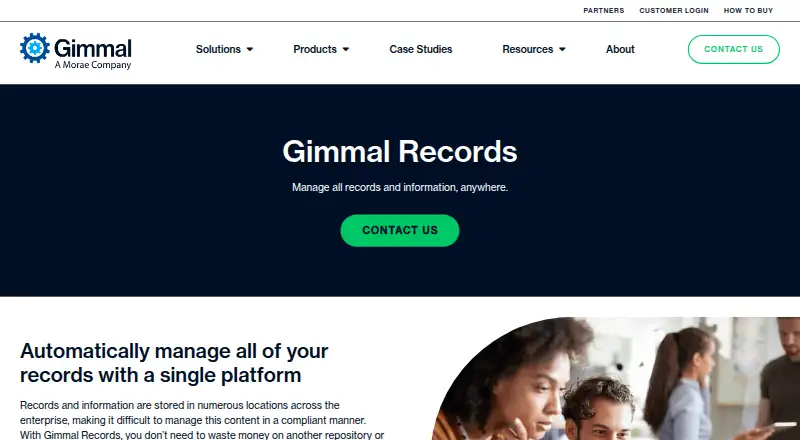
What Gimmal Records is
Gimmal Records is a records management platform for organizations managing information across enterprise repositories without moving content elsewhere. A centralized dashboard provides visibility and control across connected repositories. File plans, retention schedules, record classes, rules, and triggers help classify information and manage it through its lifecycle to disposition. Records controls include declaration actions, legal holds, record properties, and time-stamped audit entries; audit reports can be filtered and exported. Legal holds can suspend a record’s lifecycle and prevent disposition or modification while held. Disposition can use continuous inbox approvals or optional batch processing based on predefined rules. Documented connectors include Box, SharePoint Server, Documentum, FileNet, SharePoint Online, and Universal File Share, though some SharePoint connectors are marked deprecated. Deployment options include Gimmal Cloud, customer servers, and customer cloud servers such as Azure. On-premises requirements include Windows Server 2016 or later, SQL Server 2016 or later, HTTPS, and TLS 1.2. Pricing is available on request.
Good
- Central dashboard covers connected repositories.
- Rules and triggers support lifecycle management.
- Legal holds can suspend disposition or modification.
- Audit entries are time-stamped and exportable.
- Supports cloud and customer-hosted deployment.
Watch out
- Pricing is available only on request.
- Some SharePoint connectors are deprecated.
- Batch disposition is limited to United States Cloud customers.
- Label-based record locking requires qualifying Microsoft licensing.
Who it suits
Gimmal Records suits organizations that need retention, lifecycle, and disposition controls across enterprise repositories. It may also fit teams that need audit trails and legal holds as part of records management.
Verdict
Gimmal Records provides lifecycle controls and audit visibility across repositories without requiring content relocation. Buyers should check connector status, deployment requirements, and applicable Microsoft licensing before choosing it.
The facts
Each one read from Gimmal Records's own pages, with the date it was checked.
What it does
- Audience
- Gimmal describes its mission as helping organizations manage information governance, discovery, migration, and compliance.checked 30 Sep 2026
- Auditing
- Users can view time-stamped record audit entries, and the audit report can be filtered and exported.checked 30 Sep 2026
- Automation
- Rules and triggers can automate how information is assigned to its lifecycle.checked 30 Sep 2026
- Batch disposition limit
- Batch Disposition is available only to United States Cloud customers and requires enablement with Gimmal Technical Support.checked 30 Sep 2026
- Central visibility
- A centralized dashboard provides visibility and control of information in any repository.checked 30 Sep 2026
- Connectors
- Documented connectors include Box, SharePoint Server, Documentum, FileNet, a hosted SharePoint Online connector, and Universal File Share.checked 30 Sep 2026
- Connector status
- The Microsoft 365 SharePoint Connector and SharePoint Online Connector are listed as deprecated in the connector deployment documentation.checked 30 Sep 2026
- Deployment
- Gimmal Records can be deployed in Gimmal Cloud, on customer servers, or on customer cloud servers such as Azure.checked 30 Sep 2026
- Disposition options
- Disposition supports continuous inbox approvals and optional batch disposition based on predefined rules.checked 30 Sep 2026
- Hosting
- Gimmal documents both Gimmal-hosted cloud tenants and self-hosted installations of Records Management.checked 30 Sep 2026
- Integrations
- Listed connectors support Box, SharePoint Server, Documentum, FileNet, SharePoint Online, and universal file shares; some listed SharePoint connectors are marked deprecated.checked 30 Sep 2026
- Legal holds
- Legal holds can suspend a record’s lifecycle and prevent disposition or modification while it is held.checked 30 Sep 2026
- Microsoft licensing caveat
- Gimmal says the SharePoint Online Connector may work with other Microsoft 365 license levels, but those environments are unsupported.checked 30 Sep 2026
- On-premises requirements
- The on-premises guide specifies Windows Server 2016 or later, SQL Server 2016 or later, HTTPS, and TLS 1.2 requirements.checked 30 Sep 2026
- Policy automation
- Users can set rules and triggers to manage information according to policies and lifecycle requirements.checked 30 Sep 2026
- Pricing
- The product page directs prospective buyers to contact Gimmal; it does not state a price.checked 30 Sep 2026
- Purpose
- Gimmal Records manages records across enterprise repositories without requiring content to be moved to another repository or data lake.checked 30 Sep 2026
- Record controls
- Record management includes declaration actions, legal holds, record properties, and a time-stamped audit log.checked 30 Sep 2026
- Retention
- The platform applies retention schedules and manages records through their lifecycle to compliant disposition.checked 30 Sep 2026
- Sales
- Gimmal’s product page directs prospective customers to contact the company, and its How to Buy page lists procurement vehicles rather than product prices.checked 30 Sep 2026
The company
- Company history
- Gimmal says it has provided information governance solutions since 2002.checked 30 Sep 2026
- Founded
- 2002checked 28 Sep 2026
- Headquarters
- Houston, Texas, United Stateschecked 28 Sep 2026
Money
- File plan
- A file plan includes retention schedules, lifecycles, record classes, triggers, and rules for classifying content.checked 30 Sep 2026
The full review of Gimmal Records
Gimmal Records is an enterprise records-governance platform for organizations managing information across multiple repositories. It is best suited to teams with established retention policies and complex compliance needs. Its central advantage is lifecycle control without relocating content, but connector and Microsoft licensing constraints call for careful evaluation.
Overview
Rather than requiring content to move into a separate repository or data lake, Gimmal Records governs records in connected systems. A centralized dashboard provides visibility and control, while a file plan brings retention schedules, record classes, lifecycles, triggers, and classification rules together. That model can suit organizations with dispersed content, though the practical reach of the system depends on current connectors for the repositories they use.
Rules and triggers can automate classification and lifecycle actions. Teams can declare records, manage record properties, apply legal holds, and review time-stamped audit entries. Holds suspend a record’s lifecycle and prevent modification or disposition while active. Audit reports can be filtered and exported, useful for compliance review and traceability.
Key features
Retention and disposition
Retention schedules govern records through their lifecycle toward disposition. Continuous inbox approvals support a review step, while optional batch disposition can process records under predefined rules. Batch processing is restricted to United States Cloud customers and must be enabled by Gimmal Technical Support, so organizations elsewhere or seeking immediate access should not treat it as a standard capability.
Repository coverage and controls
Documented connectors cover Box, SharePoint Server, Documentum, FileNet, a hosted SharePoint Online connector, and Universal File Share. However, the Microsoft 365 SharePoint Connector and SharePoint Online Connector are marked deprecated in deployment documentation. Buyers relying on SharePoint should confirm the supported connector path and obtain technical-support guidance before committing.
Label-based SharePoint record locking requires Microsoft E5 or equivalent licensing, and only one Purview retention label can be enabled for locking. The SharePoint Online Connector requires E5/G5 or E3/G3 with a Purview add-on for this method; other Microsoft 365 license levels may work but are unsupported. IPRM-based locking has no new site configuration after April 2026. These conditions can add licensing and deployment constraints for Microsoft-centric teams.
Pricing
Gimmal Records is paid software with custom pricing. Prospective buyers must contact Gimmal; the How to Buy page provides procurement vehicles rather than product prices. With no published plan tiers or self-service option, organizations should expect to discuss their deployment and requirements with the vendor before assessing cost.
Platforms
Gimmal supports web and Windows use, with self-hosted and hosted-cloud deployment options. It can run in Gimmal Cloud, on customer servers, or on customer cloud servers such as Azure. The on-premises guide calls for Windows Server 2016 or later, SQL Server 2016 or later, HTTPS, and TLS 1.2, making infrastructure readiness part of the deployment decision.
Who it's for
This is a strong candidate for organizations that already operate formal retention policies and need consistent governance across repositories without consolidating the underlying content. Its file plans, lifecycle rules, holds, and auditable disposition actions are relevant to information-governance, discovery, migration, and compliance teams. It is less suitable for buyers seeking transparent pricing, minimal deployment requirements, or a SharePoint setup that can be assumed to work across Microsoft license levels.
Pros and cons
- Pros: Centralized visibility and lifecycle management across connected repositories can avoid a disruptive content move.
- Pros: Legal holds, time-stamped audit records, and filterable, exportable reports support oversight of record activity.
- Pros: Hosted and customer-managed deployment options accommodate different infrastructure models.
- Cons: Custom pricing requires a sales conversation before buyers can compare costs.
- Cons: Deprecated SharePoint connectors and Microsoft licensing prerequisites complicate evaluation for SharePoint-heavy environments.
- Cons: Batch disposition is limited to United States Cloud customers and requires support enablement.
Alternatives
Compare records management software if you want to consider the broader category. Zasio Versatile is worth considering when you want to choose needed features, select SaaS or on-premises deployment, and compare Standard and Advanced electronic-records tiers. Rational Governance may suit buyers looking for self-hosted or web deployment with custom pricing based on data volume, users, or project fees. ZL Unified Archive is another option for enterprise archiving and governance across on-premises, cloud, or hybrid deployments.
Hyland AP Automation, AvePoint Cloud Backup, ELO eRecords, Fabasoft Contracts, and OpenText Content Manager are also alternatives to compare.
Verdict
Choose Gimmal Records if your organization needs policy-driven records control across repositories and can support a vendor-led purchase and deployment. Its strongest reason to buy is lifecycle governance without moving content. Look elsewhere if connector currency, Microsoft licensing limits, or the need for readily comparable pricing would make implementation uncertain.
Alternatives to Gimmal Records
- 1
Microsoft Defender for Business
AndroidiOSAPImacOS7.5 - 2
ELO eRecords
AndroidiOSWebAPI6.6 - 3

Feith Agency ERM
WebAPISelf-hostedWindows6.2 - 4

Zasio Versatile
AndroidiOSWebWindows6.1 - 5
Collabware CLM
APISelf-hostedWindows5.7From $192 a year - 65.7