
Maxthon
Maxthon is a free Chromium-based browser with built-in notes, password management, and AI chat.
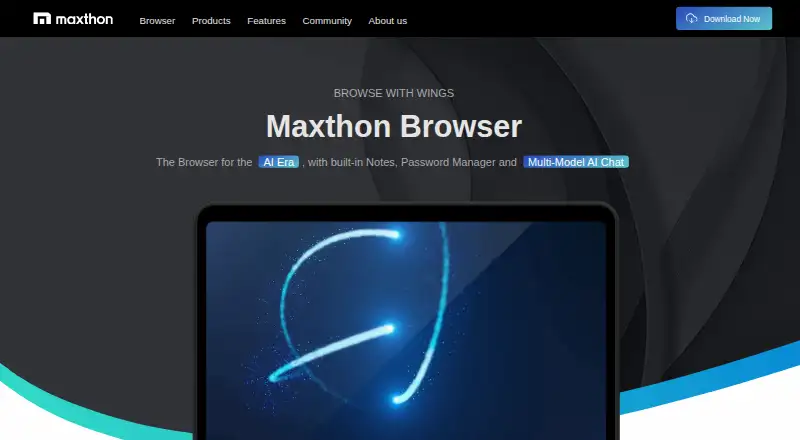
What Maxthon is
Maxthon is a free Chromium-based browser with built-in notes, password management, and AI chat. It is listed for Android, iOS, macOS, Windows, and the web, with browser extensions also listed among its platforms. Signing in syncs bookmarks, browser settings, Maxnote, password-manager data, and quick-access URLs across devices. Maxnote can record, organize, clip, and share URLs, text, images, and links. Maxthon 7 supports Chrome extensions, and desktop versions can sync extensions between Windows and macOS.
Reading mode removes ads and other page elements, while Read Aloud turns webpage content into speech. Split-screen browsing displays multiple pages side by side in one window. Listed privacy features include ad blocking, anti-tracking, incognito mode, and a free VPN provided by Bright Data. The privacy policy says searches through the default MaxAsk engine, which uses Google as its search content provider, involve collection of search queries, IP addresses, and browser details. Video downloads are limited for logged-in users, and Super Bookmarks requires a VIP subscription.
Good
- Syncs bookmarks, settings, notes, and password-manager data
- Supports Chrome extensions
- Reading mode and Read Aloud are included
- Lists ad blocking, anti-tracking, and incognito mode
Watch out
- Video downloads are limited for logged-in users
- Super Bookmarks requires a VIP subscription
- Default search collection includes queries, IP addresses, and browser details
Who it suits
Maxthon suits users looking for a browser with synced notes, password-manager data, and reading tools across devices. Readers should consider its stated search-data collection and VIP requirement for Super Bookmarks.
Verdict
Maxthon combines cross-device syncing with notes, reading features, and an AI chat assistant. Consider the search-data collection and feature limits before relying on its privacy or download tools.
Plans and prices
From Maxthon's own pricing page, checked 7 Oct 2026.
| Plan | Price | What it gives you |
|---|---|---|
| Maxthon Browser | Free | Video downloads are limited for logged-in users; Maxthon VIP is required for Super Bookmarks |
The facts
Each one read from Maxthon's own pages, with the date it was checked.
What it does
- AI
- The browser includes an AI chat assistant for natural-language conversations and information retrieval while browsing.checked 7 Oct 2026
- Audience
- Maxthon describes itself as a browser for global users and reports users across 120 countries and regions.checked 7 Oct 2026
- Built-in ad blocking
- Yeschecked 21 Sep 2026
- Data collection
- The privacy policy says Maxthon collects search queries, IP addresses, and browser details for searches made through its default MaxAsk search engine, which uses Google as its search content provider.checked 7 Oct 2026
- Extensions
- Maxthon 7 supports Chrome extensions, and its desktop versions can sync extensions between Windows and macOS.checked 7 Oct 2026
- Extension support
- bothchecked 21 Sep 2026
- Multitasking
- Split-screen browsing displays multiple webpages side by side in one window.checked 7 Oct 2026
- Notes
- Maxnote is a built-in cloud-synced tool for recording, organizing, clipping, and sharing URLs, text, images, and links.checked 7 Oct 2026
- Privacy
- The browser advertises anti-tracking, ad blocking, incognito browsing, and a free VPN; the homepage says its VPN is provided by Bright Data.checked 7 Oct 2026
- Privacy features
- The browser lists ad blocking, anti-tracking, incognito mode, and a free VPN among its privacy features.checked 7 Oct 2026
- Product
- Maxthon is a Chromium-based web browser with built-in notes, password management, and AI chat.checked 7 Oct 2026
- Reading and multitasking
- Features include reading and night modes, text-to-speech, split-screen browsing, and mouse gestures.checked 7 Oct 2026
- Reading tools
- Reading mode removes ads and other irrelevant elements, and Read Aloud converts webpage content to speech.checked 7 Oct 2026
- Security
- Maxthon says it encrypts account information and sensitive data stored locally or in the cloud, and encrypts data during account synchronization.checked 7 Oct 2026
- Support
- The site directs users to its help center, troubleshooting and bug-report page, community forum, and customer service contact information for support.checked 7 Oct 2026
- Sync
- Signing in to a Maxthon account syncs bookmarks, browser settings, Maxnote, password-manager data, and quick-access URLs across devices.checked 7 Oct 2026
- Video downloads
- Video downloads are free for logged-in users but limited in number; members can get more free downloads, and the feature works from a video's full playback interface rather than a list.checked 7 Oct 2026
- VIP feature
- Super Bookmarks, which combines URL bookmarks with notes, requires a Maxthon VIP subscription.checked 7 Oct 2026
Where it runs
- Browser engine
- chromiumchecked 21 Sep 2026
- Cross-device sync
- Yeschecked 21 Sep 2026
- Platforms
- The download page offers versions for Windows, macOS, iOS, and Android, including Windows desktop and portable builds.checked 7 Oct 2026
- Supported platforms
- bothchecked 21 Sep 2026
Money
- Free plan
- Yeschecked 21 Sep 2026
The company
- Headquarters
- San Francisco, California, USAchecked 28 Sep 2026
The full review of Maxthon
Maxthon is a Chromium-based browser with built-in notes, password management, reading tools, and an AI chat assistant. It suits people who want a research-oriented browser with synchronized data on several devices, rather than a minimal browser. The free tier is capable, but download limits and a VIP-only bookmarking feature narrow its appeal for heavier users.
Overview
Signing in to a Maxthon account synchronizes bookmarks, browser settings, Maxnote content, password-manager data, and quick-access URLs across devices. Maxnote stores and organizes clipped URLs, text, images, and links, then lets you share that material. This is useful for students, researchers, and anyone who gathers reference material while browsing; users who only need tabs and bookmarks may find the extra workspace unnecessary.
Maxthon uses Chromium, so Chrome extensions remain an option. Maxthon 7 can also synchronize extensions between its Windows and macOS desktop editions, which reduces setup work when moving between those computers. Extension synchronization is not described across every supported platform, however.
Key features
Browsing, reading, and multitasking
Ad blocking, anti-tracking, incognito mode, and a free VPN put several privacy controls in the browser. Maxthon identifies Bright Data as the VPN provider. Reading mode removes advertisements and distracting page elements, while Read Aloud converts webpage text to speech. Night mode, mouse gestures, and split-screen browsing add practical options for long reading sessions or comparing pages side by side.
Video downloads are free for logged-in users, but the number is limited. Members receive more free downloads, and downloads begin from a video's full playback interface rather than from a list. That makes the feature suitable for occasional saves, not as a dependable bulk-download tool.
Notes, AI, and security
Maxnote combines clipping, organization, synchronization, and sharing inside the browser. The AI chat assistant handles natural-language conversations and information retrieval while you browse, which can help summarize or investigate material without opening a separate service.
Maxthon says account information and sensitive data stored locally or in the cloud are encrypted, and that synchronization traffic is encrypted. Privacy-conscious users should also weigh the browser's default MaxAsk search engine: its privacy policy says searches collect queries, IP addresses, and browser details, with Google supplying the search content. The built-in protections therefore do not amount to anonymous searching.
Pricing
| Plan | Price | What it includes |
|---|---|---|
| Maxthon Browser | free | Core browser and features; logged-in video downloads are limited, and Super Bookmarks requires Maxthon VIP. |
The free plan is the straightforward choice for ordinary browsing, synchronized settings, notes, and reading tools. Users who specifically need Super Bookmarks—the combined URL-bookmark and notes workflow—or more video downloads must consider VIP membership. A VIP price, seat allowance, renewal term, and quota beyond the stated download restriction are not provided, so it is difficult to assess the upgrade purely on cost.
Platforms
Maxthon is offered on Android, iOS, macOS, Windows, the web, and as an extension. Its Chromium base and Chrome-extension support make it a practical fit for mixed-device households, while desktop extension synchronization is specifically supported between Windows and macOS.
Who it's for
Choose Maxthon if you want browsing, cloud-synced notes, passwords, bookmarks, reading aids, and AI chat in one application. It is particularly well suited to people who move between phones and computers or collect web material for later use. It is less suitable if anonymous search is a priority, if you need unrestricted video downloading, or if you want the bookmark-and-notes workflow without a VIP subscription.
Pros and cons
Pros
- Broad synchronization: bookmarks, settings, Maxnote, passwords, quick-access URLs, and selected desktop extensions can follow you across devices.
- Useful reading toolkit: ad-stripping reading mode, Read Aloud, night mode, and split-screen browsing serve focused reading and comparison work.
- Chromium compatibility: Chrome extensions provide a familiar way to add capabilities.
- Integrated workspace: Maxnote and the AI assistant keep research tasks close to the page being viewed.
Cons
- Search-data collection: MaxAsk searches may involve query, IP-address, and browser-detail collection, despite the advertised privacy controls.
- Restricted downloads: free logged-in video downloads are limited in number and are not designed for bulk use.
- VIP-gated Super Bookmarks: the most integrated bookmark-and-notes feature is excluded from the free plan.
- VPN dependence: the free VPN is provided by Bright Data, a consideration for users evaluating provider trust.
Alternatives
Google Chrome is a free choice with Android, iOS, Windows, macOS, Linux, web, and extension support when broad platform coverage and the established Chrome ecosystem matter most.
Microsoft Edge is another free, cross-platform browser, including Windows, macOS, iOS, Android, and Linux downloads.
Mozilla Firefox is the better pick for readers who specifically want an open-source browser, with free versions for desktop and mobile platforms.
Opera suits users seeking a free browser with a VPN, ad blocker, Flow, and Opera AI; it also offers a free trial.
JioSphere is a free alternative spanning Android, iOS, Linux, macOS, and the web.
Yandex Browser is a free browser for Android, iOS, Linux, macOS, and Windows with no paid plan listed.
Ecosia Browser provides free desktop and mobile browser access.
NAVER Whale is a free option for Windows, macOS, Android, iOS/iPadOS, and Linux, with extension support.
For broader category browsing, see Mobile Browser Software and Web browsers.
Verdict
Maxthon is a strong fit for users who want synchronized browsing data plus built-in clipping, reading, and AI tools. Its main reason to choose it is the concentration of research-friendly features in a Chromium browser; its main reason to look elsewhere is the combination of MaxAsk search-data collection, limited free video downloads, and VIP-only Super Bookmarks.
Alternatives to Maxthon
- 1

Brave Browser
Free planOpen sourceAndroidiOSLinuxmacOS9.2Free plan - 2

AVG Secure Browser
Free planAndroidWebExtensionmacOS8.8From $39.99 a year - 3

Kameleo
Free planAndroidiOSWebAPI8.8Free plan - 4

DuckDuckGo Browser
Free planAndroidiOSmacOSWindows8.7Free plan - 5

Opera
Free planAndroidiOSWebExtension8.6From $48 a year - 6
Waterfox
Free planOpen sourceAndroidExtensionLinuxmacOS8.6From $5 a month