
Yandex Browser
Yandex Browser is a free browser for Android, iOS, Linux, macOS, and Windows, with Chromium as its engine.
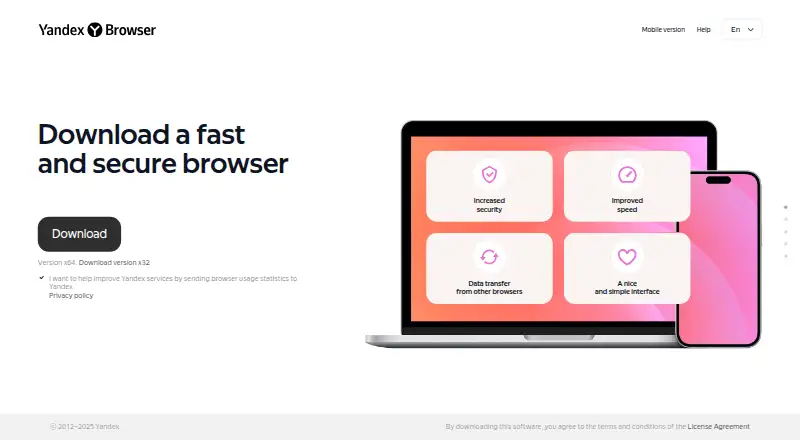
What Yandex Browser is
Yandex Browser is a free browser for Android, iOS, Linux, macOS, and Windows, with Chromium as its engine. It can transfer data and settings from another browser, organize tabs into groups, and sync passwords, bookmarks, history, tabs, extensions, and settings across devices with a Yandex ID. Its built-in tools cover translation of text, images, websites, documents, and videos, along with summaries of YouTube videos, articles, and text. YandexGPT-powered features also support editing, summarizing, translation, text-to-speech, and creative processing. Protect scans downloads, blocks dangerous or fraudulent pages, and helps secure passwords and card data; password checks can flag simple, reused, or publicly exposed passwords. The browser can identify and block selected trackers, and supports extensions from the Google Chrome and Opera catalogs. Yandex says browser data is sent for technical tasks and usage statistics, with settings to disable some data sending. Download scanning is Windows-only, and the maker says browser protection is not a full antivirus product.
Good
- Free browser for Android, iOS, Linux, macOS, and Windows.
- Syncs bookmarks, passwords, tabs, and settings with Yandex ID.
- Translates text, images, websites, documents, and videos.
- Groups tabs and supports sharing groups by link.
Watch out
- Download virus scanning is available only on Windows.
- Protection is not a full-fledged antivirus product.
- Sync does not work between different browsers.
- Support for 32-bit Windows ended in August 2025.
Who it suits
Yandex Browser may suit people who want built-in translation, video and text tools, and tab grouping across supported devices. Users who need download scanning should note that it is available only on Windows.
Verdict
Yandex Browser combines browser organization and synchronization with translation, summarization, and security tools. Check its data-sending settings and platform limits, particularly if you rely on download scanning or cross-browser sync.
Plans and prices
From Yandex Browser's own pricing page, checked 5 Oct 2026.
| Plan | Price | What it gives you |
|---|---|---|
| Yandex Browser | Free | Free browser download; no paid plan or pricing listed on the official pages reviewed |
The facts
Each one read from Yandex Browser's own pages, with the date it was checked.
What it does
- Data handling
- The maker says browser data is sent for technical tasks such as transfer speed and virus protection, as well as usage statistics; the data collection guide describes settings for disabling some data sending.checked 4 Oct 2026
- Data transfer
- The browser can transfer data and settings from another browser.checked 4 Oct 2026
- Desktop requirements
- The listed desktop systems are Windows 10 or 11 (64-bit), macOS 12 or later, and specified 64-bit Linux distributions; each lists 512 MB minimum RAM and 600 MB free disk space.checked 5 Oct 2026
- Extensions
- The browser supports extensions from the Google Chrome and Opera catalogs; extensions from other sources may be disabled as unverified.checked 4 Oct 2026
- Neural tools
- YandexGPT tools in the browser support text, audio, and video tasks such as editing, translation, summarization, and text-to-speech.checked 5 Oct 2026
- Password checks
- The browser can flag simple, reused, or publicly exposed passwords and suggest replacing them.checked 4 Oct 2026
- Privacy
- Yandex says the browser sends data to its servers for technical tasks such as improving transfer speed and virus protection, and for usage statistics.checked 5 Oct 2026
- Product
- Yandex describes its browser as fast and secure, with phishing warnings powered by neural networks.checked 4 Oct 2026
- Protect security
- Protect scans downloads, blocks dangerous or fraudulent pages, and helps secure passwords and card data.checked 5 Oct 2026
- Purpose
- Yandex Browser filters ads and protects personal data, passwords, and cards.checked 5 Oct 2026
- Security
- Protect scans downloaded files for viruses, blocks infected and fraudulent websites, and secures passwords, card data, and browser settings.checked 4 Oct 2026
- Security limitation
- Yandex states that Protect is not a full-fledged antivirus product and recommends using antivirus software as well.checked 5 Oct 2026
- Support
- Users can contact browser support through Help → Feedback and submit a description of the issue.checked 5 Oct 2026
- Supported desktop systems
- The installation guide lists Windows 10 or 11, macOS 12 or later, and specified 64-bit Linux distributions; it also notes that 32-bit Windows support ended in August 2025.checked 4 Oct 2026
- Sync
- With Yandex ID, users can sync passwords, bookmarks, history, tabs, tab groups, extensions, and settings across devices.checked 5 Oct 2026
- Sync limitation
- Data cannot be synced between different browsers, such as Yandex Browser and Google Chrome.checked 5 Oct 2026
- Tab groups
- Users can organize tabs into groups, move groups between windows, and share a group by copying its link.checked 5 Oct 2026
- Tab organization
- Users can group browser tabs, for example into separate work and vacation groups.checked 4 Oct 2026
- Tracker blocking
- YTP technology can identify trackers on a page and block ones the user does not trust.checked 4 Oct 2026
- Translation
- Its built-in translator can translate text, image captions, websites, documents, and videos.checked 5 Oct 2026
- Video and image tools
- The browser can summarize YouTube videos, articles, and text, recognize QR codes in videos, and translate text in images.checked 4 Oct 2026
- Video enhancement
- The browser supports NVIDIA RTX Super Resolution to display low-quality videos in higher resolution.checked 4 Oct 2026
- Video summaries
- The browser can summarize YouTube videos and provide timestamps for video highlights.checked 5 Oct 2026
Where it runs
- Legacy Windows limit
- Support for 32-bit Windows ended in August 2025, and support for Windows 7, 8, and 8.1 ended in December 2024.checked 5 Oct 2026
Alternatives to Yandex Browser
- 1
Firefox Relay
Free planOpen sourceAndroidiOSWebAPI7.9Free plan - 2

Opera
Free planAndroidiOSWebExtension7.8From $48 a year - 3
360 Secure Browser
AndroidiOSLinuxmacOS7.7From CN¥58 a year - 4

Microsoft Edge
Free planAndroidiOSWebExtension7.5Free plan - 5

Google Chrome
Free planAndroidiOSWebExtension7.4Free plan - 6

Maxthon
Free planAndroidiOSWebExtension7.3Free plan