Firefox Relay
Firefox Relay creates masked email addresses and phone numbers for sign-ups, forwarding emails, calls and texts while concealing your real contact details.
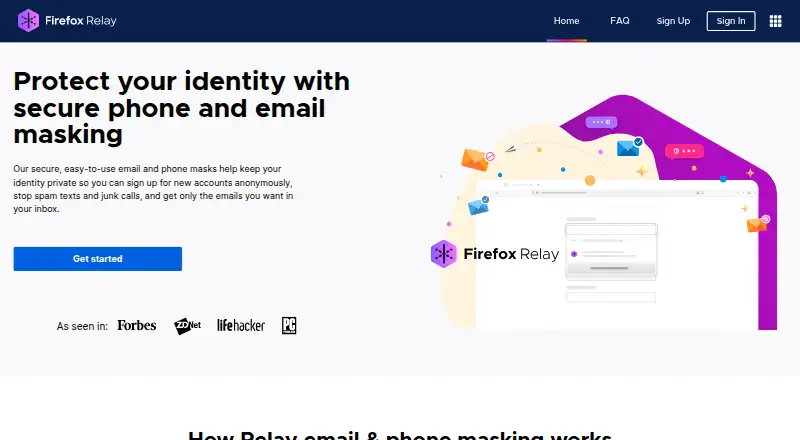
What Firefox Relay is
Firefox Relay creates masked email addresses and phone numbers for sign-ups, forwarding emails, calls and texts while concealing your real contact details. Email masks send incoming messages to your real email address. From the dashboard, you can create and label masks, then block calls, texts or emails from masks receiving too much spam. Relay also removes common trackers from forwarded emails. The free plan includes five email masks, a browser extension and tracker removal. Paid choices are waitlist-based; their listed features include unlimited email masks, promotional blocking, custom Relay email domains and anonymous email replies, with phone masks and Mozilla VPN access included in some options. Premium users can reply to a forwarded email within three months, but adding CC or BCC exposes the original address. Relay does not forward attachments larger than 10 MB. Masks can be generated in a browser or mobile device by signing in to the dashboard, and the extension listing includes Firefox for Android. Free Relay is available in most countries; Premium availability depends on the countries listed on its pricing page. Relay collects which websites are associated with masks, with an opt-out in settings. During an outage, it may temporarily store emails for no longer than three days.
Good
- Free plan includes five email masks and tracker removal.
- Dashboard supports creating and labeling masks.
- Can block calls, texts or emails from spam-heavy masks.
- Removes common trackers from forwarded emails.
- Users can opt out of website-to-mask association in settings.
Watch out
- Free plan is limited to five email masks.
- Attachments larger than 10 MB are not forwarded.
- Paid options are waitlist-based, with no listed prices.
- Adding CC or BCC to a premium reply exposes the original address.
Who it suits
Firefox Relay suits people who want to use masked contact details for sign-ups and forward messages or calls without sharing their real details. Its dashboard and browser extension offer ways to manage masks, while phone masks and anonymous email replies are available in paid options.
Verdict
Choose Firefox Relay if you want masked email addresses, and potentially phone numbers, to shield your real contact details when signing up. The free plan covers five email masks; look elsewhere if you need larger attachments forwarded or do not want to join a waitlist for paid features.
Plans and prices
From Firefox Relay's own pricing page, checked 15 Oct 2026.
| Plan | Price | What it gives you |
|---|---|---|
| Limited email protection | Free | 5 email masks · browser extension · email-tracker removal · Free |
| Add VPN protection | Priced on request | Email and phone protection features · Mozilla VPN access · Join the Waitlist |
| Email & phone protection | Priced on request | Unlimited email masks · phone masking · call and text forwarding · promotional-email blocking · anonymous replies · Join the Waitlist |
| Email protection | Priced on request | Unlimited email masks · browser extension · tracker removal · promotional-email blocking · custom Relay email domain · anonymous email replies · Join the Waitlist |
The facts
Each one read from Firefox Relay's own pages, with the date it was checked.
What it does
- Abuse controls
- Relay requires a verified email account and rate-limits daily mask creation to deter malicious use.checked 15 Oct 2026
- Add-on complaint: mask limit mismatch
- Firefox Add-ons reviewers reported that the extension still displayed a five-mask limit after the service limit had increased to 50.checked 15 Oct 2026
- API authentication
- The API documentation lists Mozilla-account token authentication and cookie authentication for protected operations.checked 15 Oct 2026
- API surface
- The public API documents authenticated endpoints for listing, creating, updating, and deleting email masks plus phone, SMS, and call operations.checked 15 Oct 2026
- Attachment limit
- Forwarded emails larger than 10 MB are not delivered.checked 15 Oct 2026
- Availability
- Free Relay is offered in most countries, while Premium is listed for selected European countries plus Canada, Malaysia, New Zealand, Singapore, the United Kingdom, and the United States.checked 15 Oct 2026
- Dashboard
- The dashboard lets users create and label masks and block calls, texts, or emails from masks receiving too much spam.checked 3 Oct 2026
- Data collection
- Relay records the websites where masks were used and lets users opt out of that labeling and synchronization.checked 15 Oct 2026
- Developer documentation
- Mozilla publishes generated API reference documentation with request schemas, response examples, authorization details, and endpoint paths.checked 15 Oct 2026
- Email mask forwarding
- Email masks are private addresses that forward messages to the user's true email address.checked 3 Oct 2026
- Email masks
- Masks can be generated for websites, applications, stores, or restaurants and managed from a dashboard.checked 15 Oct 2026
- Email replies
- Premium users can reply to a forwarded email within three months of receiving it; adding CC or BCC exposes the original email address.checked 3 Oct 2026
- Extension availability
- The Firefox Relay extension listing says it is available on Firefox for Android.checked 3 Oct 2026
- Extension permissions
- The Firefox add-on requests access to data on all websites to provide its masking workflow.checked 15 Oct 2026
- Extension version
- The Firefox add-on page lists version 2.8.1, a 1.21 MB package, and a last update of December 6, 2023.checked 15 Oct 2026
- Forwarding limit
- Relay does not forward email attachments larger than 10 MB.checked 3 Oct 2026
- Important-use warning
- Mozilla advises using a real address for banks, doctors, lawyers, identity verification, and messages requiring important attachments.checked 15 Oct 2026
- Licence
- The fx-private-relay repository is licensed under the Mozilla Public License 2.0.checked 15 Oct 2026
- Limit: anonymity concerns
- Chrome-Stats records reviewer concerns that replying can expose the underlying email address and that refund handling is unclear.checked 15 Oct 2026
- Limit: paid features
- Chrome-Stats says reviewers complain that full functionality requires a subscription and that free use is limited.checked 15 Oct 2026
- Limit: site breakage
- Chrome-Stats summarizes reports that Relay can break sign-in forms and checkout flows on some sites.checked 15 Oct 2026
Where it runs
- Browser and mobile access
- Masks can be generated from other browsers or mobile devices by signing in to the Relay dashboard.checked 15 Oct 2026
- Browser and mobile use
- Users can generate masks on other browsers or mobile devices by signing in to the Relay dashboard.checked 3 Oct 2026
The company
- Founded
- 1998checked 28 Sep 2026
The full review of Firefox Relay
Firefox Relay is a privacy service that puts masked email addresses and, on paid plans, phone numbers between your real contact details and online sign-ups. It suits people who want disposable, controllable contact points, particularly Firefox users who value tracker stripping and password-manager integration. The free tier is a credible starting point for light email use, but its five-mask ceiling and attachment restriction limit heavier workflows.
Overview
Relay forwards messages, calls, and texts sent to masks while keeping your actual address or number hidden. Each mask can be tied to a particular site or purpose, making it easier to identify a source of spam and shut that address down without changing your primary contact details. Mozilla has maintained the project since 1998, and Relay is offered as a freemium service.
Privacy is not absolute: Relay records which websites have used your masks and links those sites to the masks, although you can opt out of that collection in settings. During an outage, the service may hold emails temporarily, with a stated maximum of three days. A support site and contact option are provided when assistance is needed.
Key features
Relay's dashboard lets you create and label masks, then block calls, texts, or emails from masks that attract excessive spam. That per-mask control is useful for registrations, newsletters, and retailers where you want an easy way to cut off one leaking address. Forwarded emails have common trackers removed, adding protection beyond simple aliasing.
Premium subscribers can answer a forwarded email for up to three months after it arrives. The feature is narrower than a normal mailbox: adding CC or BCC exposes your original email address, so replies must stay one-to-one when anonymity matters. Premium promotional blocking can stop marketing mail, but it may also block important messages, and blocked mail cannot be recovered. Users who cannot risk missing account notices should leave that control off.
Relay will not forward attachments larger than 10 MB. That is acceptable for ordinary sign-up correspondence, but a poor match for services that routinely send larger documents. Masks can be generated from other browsers and mobile devices by signing in to the web dashboard. Firefox Password Manager can generate or reuse masks directly from email fields, and the Relay extension listing includes Firefox for Android.
Pricing
Limited email protection — free. This plan includes five email masks, the browser extension, and email tracker removal. It is the sensible choice for occasional sign-ups and users who can keep their aliases within a small fixed allowance; exceeding five masks means deleting or reusing one rather than expanding the quota.
Email protection — custom pricing; billed Join the waitlist. It raises the allowance to unlimited email masks and adds promotional email blocking, a custom Relay email domain, and anonymous email replies, while retaining the extension and tracker removal. It fits users who need many aliases and reply capability, but the waitlist makes access less immediate and the blocking and reply caveats still apply.
Add VPN protection — custom pricing; billed monthly and Join the waitlist. This includes the Email protection features plus a phone mask and Mozilla VPN access. Choose it only if both masked calling and VPN service justify a recurring charge; the price is not published.
Email & phone protection — custom pricing; billed monthly and Join the waitlist. It supplies unlimited email masks, anonymous replies, a phone mask, promotional blocking, a custom domain, the extension, and tracker removal. It omits Mozilla VPN access, making it the focused option for users who want broader contact masking without the VPN bundle. Relay does not offer custom domains on its own outside the plan feature set, and paid availability is limited to countries shown on its pricing page; free Relay is offered in most countries.
Platforms
Relay is available on Android, iOS, the web, and as a browser extension. Dashboard sign-in supports mask creation on browsers and mobile devices beyond the extension's primary context, while Firefox Password Manager integration is particularly convenient for Firefox users.
Who it's for
Choose Relay for privacy-conscious sign-ups, newsletter separation, and disposable addresses that can be labelled or blocked individually. It is strongest for people already using Firefox and needing a small number of aliases at no cost. Look elsewhere if you need attachments above 10 MB, guaranteed delivery of every promotional message, CC/BCC anonymity, or immediate access to paid features without a waitlist.
Pros and cons
- Pros: five free email masks with tracker removal; dashboard controls for labelling and blocking noisy masks; phone masking and anonymous replies on paid tiers; Firefox Password Manager integration.
- Cons: the free plan stops at five masks; attachments over 10 MB are not forwarded; promotional blocking can permanently discard important mail; CC or BCC in a premium reply reveals your real address; paid plans use custom pricing and a waitlist.
Alternatives
For a wider comparison, see Email Alias Services and Mobile Browser Software.
- addy.io is a better fit if you want unlimited standard aliases on a free plan, API and self-hosting options, and 10 active shared-domain aliases.
- DuckDuckGo Email Protection suits readers who want a completely free service with forwarding, tracker removal, and personal and private Duck Addresses across more platforms.
- MailPal is an alternative for users who prefer a free, auditable open-source project.
- SimpleLogin is worth choosing for a free tier with 10 aliases, a trial option, and open-source, self-hostable components.
- anon.li offers a free 10-email plan for readers seeking an open-source alias service.
- AliasVault is aimed at users who want aliases alongside password management, a built-in 2FA authenticator, and offline mode.
- 33Mail fits light alias use with a free Lite plan and a $1-per-month Premium tier.
- Alias Email is another freemium extension and web option with 10 free aliases and one custom domain.
Verdict
Firefox Relay is a strong choice for Firefox-oriented users who need straightforward masked email addresses, tracker removal, and the ability to disable spam-heavy aliases. Its free five-mask plan handles modest privacy needs well. Choose another service if you require larger attachment forwarding, unrestricted free aliases, reliable recovery of blocked mail, or paid phone and reply features without joining a waitlist.
Getting started
- Visit https://relay.firefox.com/.
- Sign in to the Relay dashboard from a browser or mobile device.
- Create and label email masks in the dashboard.
- Install the browser extension if you want to generate or reuse masks from email fields.
- Choose the free plan, or join the waitlist for a paid option.
- Use Relay’s support site or contact support if you need help.
Limits worth knowing
The free plan is limited to five email masks. Relay does not forward attachments larger than 10 MB; Premium promotional blocking may also block important messages, and blocked email cannot be recovered.
Questions
Is Firefox Relay free?
Yes. The Limited email protection plan is free and includes five email masks, a browser extension and tracker removal.
Which platforms can I use Relay on?
Relay lists Android, iOS, web and an extension. Users can generate masks on other browsers or mobile devices by signing in to the dashboard; the extension listing says it is available on Firefox for Android.
Can Relay send email from an alias?
No. Relay supports replying from an alias, but does not support sending from one. Premium users can reply to a forwarded email within three months, though CC or BCC reveals the original email address.
Does Relay support custom domains?
Relay lists a custom Relay email domain as a feature of paid options, but the custom domains field says no.
Who makes Firefox Relay?
Mozilla says the Mozilla Project is a global community that has worked together since 1998.
Alternatives to Firefox Relay
- 1

Opera
Free planAndroidiOSWebExtension7.8From $48 a year - 2
360 Secure Browser
AndroidiOSLinuxmacOS7.7From CN¥58 a year - 3

Microsoft Edge
Free planAndroidiOSWebExtension7.5Free plan - 4

Google Chrome
Free planAndroidiOSWebExtension7.4Free plan - 5

Maxthon
Free planAndroidiOSWebExtension7.3Free plan - 6
SmartCookieWeb
Free planOpen sourceAndroidAPIExtension7.3Free plan