
JioSphere
JioSphere is a free web browser for internet browsing and entertainment, including news and television programs.
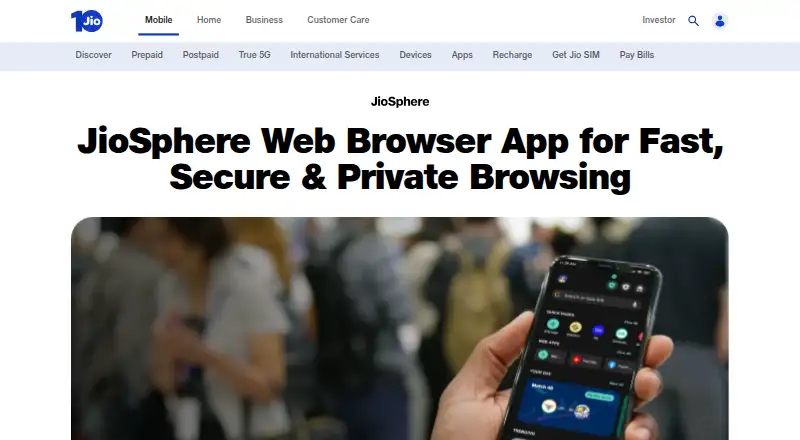
What JioSphere is
JioSphere is a free web browser for internet browsing and entertainment, including news and television programs. It includes ad blocking, advanced tracking protection, and cross-device sync. Its mobile app has an in-built VPN that can be activated for a few hours or a day, with short ads required based on the user's choice. On Android TV, Entertainment Mode reduces streaming ads but may not remove every ad; the TV FAQ lists VPN as a feature to be released soon. Users can personalize the home screen and content feed, choose browsing modes and languages, add quick links, and pin score cards. The browser brings together news, shopping, sports updates, videos, games, and quizzes, and sorts downloaded files by type. The product page describes more than 20 Indian-language choices, while the TV FAQ specifies 8+ regional languages for its TV browser. Listed device support spans mobile devices, Android TV, set-top boxes, JioBook, automotive infotainment, and computers.
Good
- Free browser
- Advanced tracking protection
- Cross-device sync
- Downloads are categorized by file type
Watch out
- TV Entertainment Mode may not remove every ad
- TV VPN is listed as coming soon
- Mobile VPN activation requires short ads
Who it suits
JioSphere may suit people who want a browser with entertainment content, tracking protection, and cross-device sync. Its language and device options may appeal to users of supported mobile, TV, and computer platforms.
Verdict
JioSphere combines browsing with news, videos, games, and other content, plus personalization and tracking protection. Note that its mobile and TV VPN descriptions differ, and TV ad reduction is not complete.
Plans and prices
From JioSphere's own pricing page, checked 4 Oct 2026.
| Plan | Price | What it gives you |
|---|---|---|
| JioSphere | Free | Free browser; Android TV, Jio Set-Top Box and TeleOS availability is described on the TV FAQ |
The facts
Each one read from JioSphere's own pages, with the date it was checked.
What it does
- Ad blocking
- The browser includes an ad blocker, and its Android TV FAQ says Entertainment Mode reduces streaming ads but may not remove every ad.checked 4 Oct 2026
- Built-in ad blocking
- Yeschecked 23 Sep 2026
- Content and downloads
- The browser offers news, shopping, sports updates, videos, games and quizzes, and automatically categorizes downloaded files by type.checked 4 Oct 2026
- Data controls
- The privacy policy says users may request correction, updating or deletion of information, subject to stated limitations, and provides [email protected] for consent withdrawal requests.checked 4 Oct 2026
- Languages
- The product page says users can choose from more than 20 Indian languages, while the TV FAQ specifies 8+ regional languages for its TV browser.checked 4 Oct 2026
- Mobile VPN
- The product page says the mobile app has an in-built VPN that can be activated for a few hours or a day, with short ads required based on the user's choice.checked 4 Oct 2026
- Personalization
- Users can personalize the home screen and content feed, change language and browsing mode, add quick links, and pin score cards.checked 4 Oct 2026
- Privacy
- The privacy policy says the app may collect diagnostic, technical and usage information and may share relevant diagnostic information with partners in a form that does not personally identify the user.checked 4 Oct 2026
- Product
- JioSphere is a web browser for internet browsing and entertainment services such as news and television programs.checked 4 Oct 2026
- Search engines
- The TV FAQ says users can choose among Google, Bing and Yahoo search engines.checked 4 Oct 2026
- Support
- The TV FAQ directs users to [email protected] or the app's Rate Us & Feedback option to report issues or share feedback.checked 4 Oct 2026
- Tracking protection
- advancedchecked 23 Sep 2026
- TV VPN limit
- The TV FAQ lists VPN as a feature to be released soon.checked 4 Oct 2026
Where it runs
- Cross-device sync
- Yeschecked 23 Sep 2026
- Device support
- The terms list Android and iOS mobile devices, Android TV, set-top boxes, JioBook, automotive infotainment, and computers running Windows, macOS or Linux.checked 4 Oct 2026
- Supported platforms
- bothchecked 23 Sep 2026
Money
- Free plan
- Yeschecked 23 Sep 2026
The company
- Headquarters
- Ahmedabad, Gujarat, Indiachecked 28 Sep 2026
The full review of JioSphere
JioSphere is a free browser that blends ordinary web access with a personalized stream of news and entertainment. It suits users who want one browser on phones, computers and supported TV hardware, especially those who value regional languages and built-in privacy tools. Its mobile package is more complete than its TV offering, where the VPN is still forthcoming and ad reduction has limits.
Overview
JioSphere treats the browser home screen as a content hub rather than a blank search page. You can tailor the home screen and feed, change language and browsing mode, add quick links and pin score cards. That approach is useful for readers who want headlines, sports and entertainment close to their browsing, but less suitable if you prefer a minimal interface focused only on websites.
Advanced tracking protection, built-in ad blocking and cross-device sync give the free browser a credible privacy and continuity layer. The privacy policy also allows requests to correct, update or delete information within stated limitations, with consent-withdrawal requests handled at [email protected]. It says diagnostic, technical and usage information may be collected, and relevant diagnostic information may be shared with partners in a form that does not personally identify the user, so privacy-conscious users should weigh those practices against the protections.
Key features
The content mix covers news, shopping, sports updates, videos, games and quizzes. Downloads are automatically categorized by file type, a practical organizational feature for anyone who saves varied content instead of leaving everything in one undifferentiated list.
The mobile app includes an in-built VPN that can be activated for a few hours or a day. Short advertisements are required depending on the activation choice, making it useful for occasional sessions rather than a simple always-on privacy switch. On TV, the FAQ describes VPN as a feature to be released soon, so TV buyers should not count on it now.
Android TV's Entertainment Mode is intended to reduce streaming advertising, but it may not remove every ad. TV users can choose Google, Bing or Yahoo for search. Language support is broad on mobile and desktop, with more than 20 Indian languages offered on the product page; the TV browser specifies 8 or more regional languages.
Pricing
JioSphere — free. The free browser includes the core browsing and entertainment experience, ad blocking, tracking protection, sync and the personalization controls described above. There are no paid tiers, seat charges, quotas or trial-renewal decisions to evaluate. The trade-offs are functional: mobile VPN sessions are time-limited and ad-supported, while the TV VPN is not yet available and TV ad reduction is not guaranteed to be complete.
Platforms
JioSphere supports Android, iOS, Windows, macOS, Linux and the web. Its device terms also cover Android TV, set-top boxes, JioBook, automotive infotainment and computers, with Android TV, Jio Set-Top Box and TeleOS availability described in the TV FAQ. This breadth makes sync and a consistent browser choice realistic across a mixed-device household, although TV capabilities do not match mobile capabilities.
Who it's for
Choose JioSphere if you want a no-cost browser that puts regional-language content, sports, videos and games alongside web browsing, or if built-in ad blocking, tracking protection and cross-device sync matter. It is particularly appealing for households using Jio-connected TV hardware and users who want a customizable feed rather than a bare tab-and-address-bar experience.
Look elsewhere if you require a TV VPN today, complete removal of streaming ads, or a browsing experience with fewer content surfaces. The mobile VPN's short activation windows and required ads also make it a poor fit for users seeking uninterrupted, persistent VPN coverage.
Pros and cons
- Pro: Free access across mobile, desktop, web and supported TV devices avoids subscription and seat costs.
- Pro: Advanced tracking protection, ad blocking and sync provide useful safeguards and continuity in one package.
- Pro: Regional-language choices, feed personalization and pinned score cards suit content-heavy browsing.
- Pro: Automatic download categorization reduces the work of managing saved files.
- Con: Mobile VPN use is limited to a few hours or a day and can require short ads.
- Con: The TV VPN is not available yet, and Entertainment Mode may leave some streaming ads.
- Con: Collection of diagnostic, technical and usage data may concern users seeking the most restrictive privacy model.
Alternatives
Google Chrome is the straightforward free choice when you need a mainstream browser on Android, iOS, Windows, macOS, Linux, the web or an extension ecosystem.
Microsoft Edge fits users who want a free browser from Microsoft across Windows, macOS, iOS, Android and Linux.
Mozilla Firefox is the better pick when open-source software is a priority, with free downloads for Windows, macOS, Linux, iOS and Android.
Opera suits readers specifically seeking a free VPN, ad blocker, Flow and Opera AI in one browser.
Maxthon is worth considering for its browser ecosystem, though logged-in video downloads are limited and Super Bookmarks require VIP.
Yandex Browser offers a free browser for Android, iOS, Linux, macOS and Windows without a paid plan.
Ecosia Browser is a free desktop and mobile alternative for users who want a simpler browser choice.
NAVER Whale provides a free browser across Windows, Android, iOS/iPadOS and Linux, with extension support.
Browse the Mobile Browser Software and Web browsers lists to compare further options.
Verdict
JioSphere is a strong free choice for users who want browsing, regional content, personalization and built-in privacy features across many device types. Choose it for the entertainment-rich feed and broad platform reach; look elsewhere if you need a fully available TV VPN, reliably complete streaming-ad removal or a leaner, less data-collecting browser.
Alternatives to JioSphere
- 1

Brave Browser
Free planOpen sourceAndroidiOSLinuxmacOS9.2Free plan - 2

AVG Secure Browser
Free planAndroidWebExtensionmacOS8.8From $39.99 a year - 3

Kameleo
Free planAndroidiOSWebAPI8.8Free plan - 4

DuckDuckGo Browser
Free planAndroidiOSmacOSWindows8.7Free plan - 5

Opera
Free planAndroidiOSWebExtension8.6From $48 a year - 6

Waterfox
Free planOpen sourceAndroidExtensionLinuxmacOS8.6From $5 a month