LMbench
LMbench is a free, self-hosted benchmark suite for examining system performance across data movement and related operations.
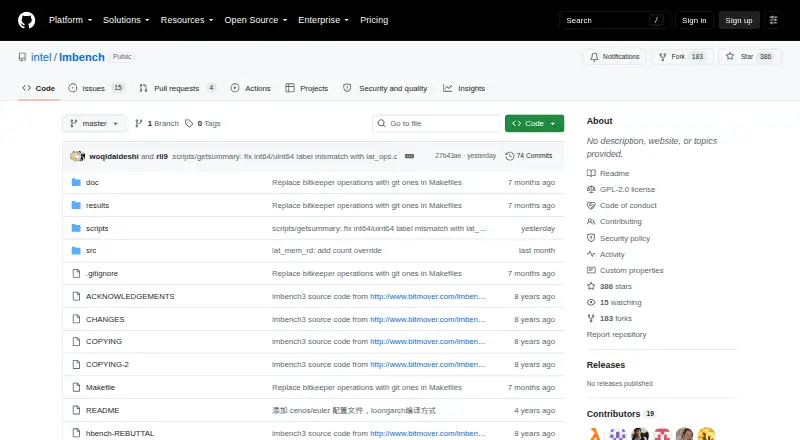
What LMbench is
LMbench is a free, self-hosted benchmark suite for examining system performance across data movement and related operations. It measures latency and bandwidth alongside processor operations, memory hierarchy, cache and TLB behavior, disks, file systems, networks, pipes, virtual memory and process activity. Latency measurements include time and CPU cycles per operation, while bandwidth figures include megabytes per second and CPU cycles per megabyte. Other listed measurements cover null process execution time, context switching, network transfers, socket operations and throughput for large transfers. The command-line tool can run benchmarks and use `make see` to compare output with system results included in the repository. Its documentation names UNIX/POSIX, Linux, FreeBSD, NetBSD, Solaris, SunOS, AIX, HP-UX, IRIX, OSF/1 and partial Windows NT support; the listed platforms are Linux and Windows. LMbench is licensed under GPL-2.0. Its documentation warns that other system activity can affect measurements, particularly CPU cache and cycle behavior, and recommends repeated runs with output comparisons.
Good
- Measures both latency and bandwidth
- Covers memory, filesystems, networking and processes
- Includes repository results for comparison
- Runs through a command-line interface
Watch out
- Windows NT support is partial
- Other system activity can affect measurements
- Documentation recommends repeated benchmark runs
Who it suits
LMbench suits technical users who want command-line measurements of memory, process, storage or network performance on supported systems. It is self-hosted and can compare results with data included in the repository.
Verdict
LMbench covers a broad set of system operations and provides a way to compare benchmark output with included results. Interpret measurements with care and repeat runs, since system activity can affect them.
Plans and prices
From LMbench's own pricing page, checked 9 Oct 2026.
| Plan | Price | What it gives you |
|---|---|---|
| lmbench | Free | GPL-2.0 licensed benchmark software |
The facts
Each one read from LMbench's own pages, with the date it was checked.
What it does
- Areas measured
- Listed benchmark areas include memory, disks, file systems, networks, pipes, and virtual memory systems.checked 8 Oct 2026
- Benchmark coverage
- The change log lists benchmarks for cache-line size, effective TLB size, cache hierarchy, operation latency, memory bandwidth, and SysV semaphore latency.checked 9 Oct 2026
- Benchmark focus
- The benchmark documentation describes its theme as measuring data movement and its cost.checked 8 Oct 2026
- CLI or automation
- Yeschecked 23 Sep 2026
- Compare results
- The README says `make see` displays results compared with the other system results included in the repository.checked 9 Oct 2026
- Comparison database
- Yeschecked 23 Sep 2026
- Included comparison data
- The README refers to other system results included in the repository and documents listing results by operating system.checked 9 Oct 2026
- Latency and bandwidth
- It lists time and CPU cycles per operation for latency, and MB per second and CPU cycles per MB for bandwidth.checked 8 Oct 2026
- License
- The repository identifies its license as GPL-2.0.checked 9 Oct 2026
- LoongArch
- The README gives `make results OS=mips64el` as the command to run the benchmark on LoongArch.checked 9 Oct 2026
- Measurement caveat
- The README warns that benchmarks can be affected by other activity on the system, particularly CPU cache and CPU cycle effects.checked 8 Oct 2026
- Memory testing
- The change log says the `stream` benchmark reports memory bandwidth using kernels from John McCalpin's STREAM and STREAM version 2 benchmarks.checked 9 Oct 2026
- Network measurements
- Network measurements listed include transfers per second, CPU cycles per transfer, socket/bind/close per second, and throughput for large transfers.checked 8 Oct 2026
- Operating systems
- UNIX/POSIX; Linux; FreeBSD; NetBSD; Solaris; SunOS; AIX; HP-UX; IRIX; OSF/1; Windows NT (partial)checked 23 Sep 2026
- Process measurements
- The benchmark list includes null process execution time and context switching.checked 8 Oct 2026
- Purpose
- The repository describes lmbench as a benchmark release that can be run with `make results`.checked 9 Oct 2026
- Release availability
- The repository's tags page states that there are no releases there.checked 9 Oct 2026
- Repeat measurements
- The README recommends several runs and comparing their output because benchmarks can be affected by other activity on the system, especially CPU cache and CPU cycle effects.checked 9 Oct 2026
- Repeat runs
- The README recommends running benchmarks several times and comparing the output.checked 8 Oct 2026
- Run comparisons
- The README says `make see` compares results with other system results included in the repository.checked 8 Oct 2026
Money
- Free plan
- Yeschecked 23 Sep 2026
Where it runs
- Linux distributions
- The README mentions Euler and CentOS and says to uncomment lines 250 and 251 for those operating systems.checked 9 Oct 2026
- Platform references
- The benchmark documentation lists all Unix systems and Windows NT among its systems, and the README gives a LoongArch run command using OS=mips64el.checked 8 Oct 2026
The company
- Maker information
- The repository is under Intel's GitHub organization; the repository page provides no maker description or website.checked 9 Oct 2026
The full review of LMbench
LMbench is a free, self-hosted command-line benchmark suite for measuring low-level system performance. It suits engineers, administrators and developers who need detailed data on memory, processor, storage and network behavior rather than a single consumer score. Its broad Unix coverage and built-in result comparisons are valuable, while partial Windows support and sensitivity to background activity demand disciplined runs.
Overview
LMbench focuses on data movement and the cost of moving it. It reports latency as elapsed time and CPU cycles per operation, and bandwidth as megabytes per second and CPU cycles per megabyte. That makes it useful for finding where a system spends time or processor capacity, not for producing an all-purpose ranking.
The suite measures memory, disks, file systems, networks, pipes and virtual-memory systems. Process tests include null-process execution time and context switching. The project is GPL-2.0 licensed and deployed on your own machine, with no hosted service or subscription layer. The repository identifies the lmbench 2alpha8 net release; its tags page has no releases, so users should expect a repository-centered workflow rather than a conventional packaged release cadence.
Key features
Detailed latency and bandwidth work
LMbench examines cache-line size, effective TLB size, cache hierarchy, operation latency, memory bandwidth and SysV semaphore latency. The stream benchmark uses kernels from John McCalpin's STREAM and STREAM version 2 benchmarks to report memory bandwidth. These measurements help when tuning memory paths, comparing hardware configurations or investigating why an application is limited by a particular operation.
Process, storage and network coverage
Beyond memory, the workload set includes file-system and disk operations, pipes and virtual memory. Network tests report transfers per second, CPU cycles per transfer, socket, bind and close rates, and throughput for large transfers. This breadth makes LMbench a practical baseline tool for system administrators and performance engineers, although interpreting each result requires more technical judgment than reading a single headline number.
Automation and repository comparisons
The command-line interface supports scripted or repeatable runs. The make see command displays output against other system results included in the repository, and the documentation describes listing results by operating system. That reference data gives measurements context, but it is most useful when the comparison systems and test conditions are understood rather than treated as a universal leaderboard.
Controlled timing
The benchmp() timing harness measures performance under a fixed load and provides controls for parallel processes, warmup and repetitions. These controls are valuable for structured experiments and regression checks. The README warns that other activity can affect results, especially CPU cache and CPU-cycle effects, and recommends several runs with output comparison. LMbench therefore rewards a quiet, repeatable test environment.
Pricing
LMbench has one plan: lmbench — free. It is free software under GPL-2.0, with no free trial because the software is already free. There are no seat, quota, renewal or retention charges stated for this self-hosted plan. Choose it when you can operate the benchmark locally and do not need a vendor-hosted dashboard; readers wanting managed observability or packaged support should consider the alternatives below.
Platforms
LMbench runs on Linux and Windows, with Windows NT support described as partial. Its documentation references UNIX/POSIX systems including Linux, FreeBSD, NetBSD, Solaris, SunOS, AIX, HP-UX, IRIX and OSF/1. The README also gives a LoongArch command using make results OS=mips64el, and mentions Euler and CentOS configuration lines. The repository lists language support for Golang, Java, Python, PHP, .NET, Ruby and Node.js, plus profiling categories covering CPU time, allocation, hardware performance events and hardware metrics.
Who it's for
Pick LMbench for low-level investigations, hardware or kernel comparisons, capacity baselines and automated performance checks on Unix-like systems. It is especially appropriate for teams comfortable with a CLI, self-hosting and interpreting separate latency, bandwidth and operation results. It is a weaker choice for Windows-first environments because support is partial, and for nontechnical users who want a hosted interface, continuous collection or a simplified score.
Pros and cons
- Pro: Broad coverage links memory, cache, TLB, processor, storage, process, file-system and network behavior in one suite.
- Pro: CPU-cycle and per-operation reporting exposes costs that a single throughput score can hide.
- Pro: CLI commands, repetition controls and make see support scripted runs and repository-based comparisons.
- Con: Results can shift with other system activity, particularly cache and CPU-cycle effects, so careless runs can mislead.
- Con: Windows NT support is only partial, reducing confidence on Windows-focused estates.
- Con: No tagged releases means users must manage a repository-based build and update process.
Alternatives
For a directory of ongoing profiling products rather than a standalone benchmark, see Continuous Profiling Tools. For broader desktop-oriented benchmarking choices, see PC Benchmark Software.
- Guance Container Monitoring is a freemium, hosted-and-self-hosted monitoring option with Android, iOS, Linux, macOS, Windows and web access, plus a free tier for up to 10 hosts and daily metric and log limits.
- Middleware suits teams wanting freemium application observability across major desktop, mobile and web platforms, with a free tier capped by data, RUM, synthetic-check and browser-test allowances.
- Grafana Cloud Application Observability is preferable when managed observability is the priority: its free tier includes 2,232 host hours, while Pro adds usage pricing and a monthly platform fee.
- Coroot is a self-hosted monitoring alternative with an Apache 2.0 Community Edition and paid per-monitored-CPU capacity for larger deployments.
- OneUptime fits users seeking an open-source, Apache 2.0 platform that can be inspected, modified and self-hosted.
- Sentry Continuous Profiling is an alternative for continuous profiling across Linux, Windows, macOS, mobile, web and self-hosted environments.
- Metoro Kubernetes Profiling is aimed at Kubernetes profiling, with a free Hobby tier for one cluster, one user and two nodes, plus paid Scale capacity.
- Parca is a free, Apache 2-licensed profiling option for API, Linux, self-hosted and web deployments.
Verdict
Choose LMbench when you need a free, scriptable way to dissect low-level latency, bandwidth and system-operation costs, especially on Unix-like machines. Its breadth and comparison workflow are the main reasons to use it. Look elsewhere if you need dependable Windows coverage, a packaged release stream, continuous profiling or a managed observability service.
Alternatives to LMbench
- 1
Geekbench
Free planAndroidiOSLinuxmacOS7.8$99 one-time - 2

Blender
Free planOpen sourceLinuxmacOSWindows7.5Free plan - 3
CrossMark
Free planAndroidiOSLinuxmacOS7.5Free plan - 4
Parkdale
Free planAndroidmacOSWindows7.2Free plan - 5

Basemark GPU
Free planAndroidiOSLinuxmacOS7.1Free plan - 6

Novabench
Free planLinuxmacOSWindows7.1From $36 a year