Geekbench
Geekbench is a benchmark application for comparing performance across devices, operating systems and processor architectures.
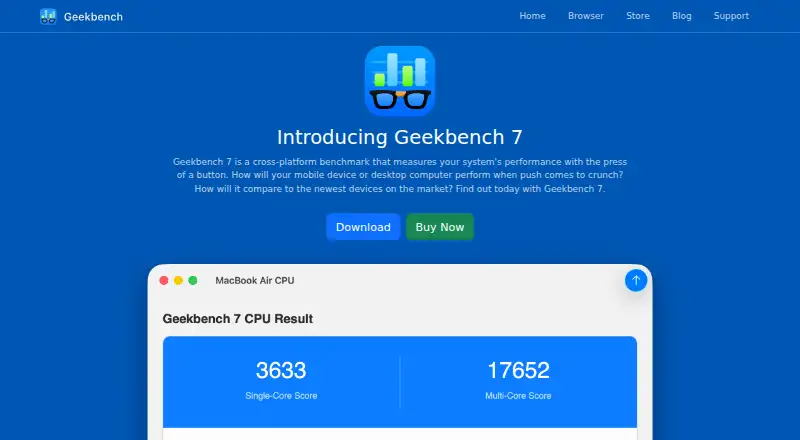
What Geekbench is
Geekbench is a benchmark application for comparing performance across devices, operating systems and processor architectures. Its CPU tests measure single-core and multi-core performance in everyday application areas. GPU Compute tests cover machine learning, image processing and video editing, with support for OpenCL, Metal, Vulkan and CUDA. The free edition includes CPU Benchmark, GPU Compute Benchmark and Online Results Management. Users can upload results to the Geekbench Browser to share them, and accounts provide a place to track results across devices. Benchmark charts aggregate data from real-user environments. Geekbench is available for Android, iOS, macOS, Windows and Linux. Geekbench 7 Pro costs $99, paid once per user and adds command-line automation, standalone operation from portable storage or a network drive, local result saving, and online and offline results management. Pro also includes a commercial-use license. Support includes a community, email and a knowledge base. Geekbench is made by Primate Labs Inc., founded in 2004.
Good
- Runs on Android, iOS, macOS, Windows and Linux.
- CPU tests cover single-core and multi-core performance.
- GPU Compute supports four listed APIs.
- Results can be uploaded and shared.
- Free edition includes online results management.
Watch out
- Command-line automation is a Pro feature.
- Standalone mode is a Pro feature.
- Offline result management is a Pro feature.
- Pro costs $99, paid once per user.
Who it suits
Geekbench suits people who want to compare CPU or GPU performance across supported platforms. Pro may fit users who need benchmark automation, offline result management or a commercial-use license.
Verdict
Geekbench provides CPU and GPU benchmarks across five operating-system families, with results users can manage and share. The free edition covers core benchmarks; automation, standalone mode and offline management are listed with Pro.
Plans and prices
From Geekbench's own pricing page, checked 24 Sep 2026.
| Plan | Price | What it gives you |
|---|---|---|
| Geekbench 7 | Priced on request | CPU benchmark · GPU compute benchmark · Online results management |
| Geekbench 7 | — | CPU benchmark · GPU compute benchmark · Online results management |
| Geekbench 7 Pro | $99, paid once | Per user; includes benchmark automation, standalone mode, and online and offline results management. · Benchmark automation · Standalone mode · Online and offline results management · Commercial-use license |
| Geekbench 7 Free | Free | Includes CPU Benchmark, GPU Compute Benchmark, and Online Results Management. |
The facts
Each one read from Geekbench's own pages, with the date it was checked.
What it does
- Automation Tools
- Pro provides flexible command-line tools for automated benchmark testing.checked 27 Sep 2026
- Benchmark Charts
- Charts use data aggregated from real users in real-world environments.checked 27 Sep 2026
- CLI or automation
- Yeschecked 24 Sep 2026
- Commercial Use
- The Pro edition is licensed for commercial use.checked 27 Sep 2026
- Comparison database
- Yeschecked 24 Sep 2026
- CPU Benchmark
- Measures processor single-core and multi-core performance across everyday application areas.checked 27 Sep 2026
- GPU API Support
- Supports OpenCL, Metal, Vulkan, and CUDA APIs.checked 27 Sep 2026
- GPU Benchmark
- Tests GPU compute performance for machine learning, image processing, and video editing.checked 27 Sep 2026
- Offline Results
- Pro can save results locally and prevent them from appearing in the Geekbench Browser.checked 27 Sep 2026
- Operating systems
- macOS,Windows,Linux,iOS,Androidchecked 24 Sep 2026
- Pro Pricing
- Geekbench 7 Pro costs $99 per user.checked 27 Sep 2026
- Real-World Tests
- Uses practical scenarios, popular app tasks, and realistic datasets.checked 27 Sep 2026
- Results Management
- Accounts let users track results in one place and access them from any device.checked 27 Sep 2026
- Results Sharing
- Users can upload results to the Geekbench Browser and share them with others.checked 27 Sep 2026
- Standalone Mode
- Pro can run from portable storage or a network drive.checked 27 Sep 2026
- Support Channels
- Support includes a community, email support, and a knowledge base.checked 27 Sep 2026
- Workload areas
- CPU single-core and multi-core; GPU compute; machine learning; image processing; video editing; video conferencing; streaming; game physicschecked 24 Sep 2026
The company
- Company Fact
- Geekbench is made by Primate Labs Inc., founded in 2004.checked 27 Sep 2026
Where it runs
- Cross-Platform Benchmark
- Measures system performance across devices, operating systems, and processor architectures.checked 27 Sep 2026
- Supported Platforms
- Available on Android, iOS, macOS, Windows, and Linux.checked 27 Sep 2026
Money
- Free plan
- Yeschecked 24 Sep 2026
- Free Tier Limits
- The free edition includes CPU Benchmark, GPU Compute Benchmark, and Online Results Management.checked 27 Sep 2026
The full review of Geekbench
Geekbench is a cross-platform benchmark suite for comparing processor and graphics-compute performance. It suits people choosing between devices or tracking results across different operating systems and processor architectures. Its free edition covers the core CPU and GPU benchmarks; Pro is the better fit when commercial licensing, automation, or offline result control matters.
Overview
Geekbench brings CPU and GPU compute benchmarks together across Android, iOS, macOS, Windows, and Linux. Its CPU tests report single-core and multi-core performance, while its GPU benchmark focuses on compute workloads. That breadth makes it useful for cross-device comparison, though it is a benchmark suite rather than a tool for measuring every aspect of a system.
Practical scenarios, familiar application tasks, and realistic datasets underpin its tests. Users can upload scores to the Geekbench Browser, share them, and use an account to track results from any device. Aggregated charts offer a view of results from real users in real-world environments, but they complement rather than replace an individual device's benchmark score.
Key features
CPU and GPU compute
The CPU benchmark measures single-core and multi-core performance across everyday application areas. The GPU compute benchmark covers machine learning, image processing, and video editing, with support for OpenCL, Metal, Vulkan, and CUDA. This is useful when those compute workloads are relevant; it should not be mistaken for a broad measure of all graphics performance.
Results and workflow
Online result management lets users keep scores together and access them across devices. Pro adds local result storage and the option to keep results out of the public Geekbench Browser, a meaningful distinction for users who need offline control. Its command-line automation and standalone operation from portable storage or a network drive also make Pro more suitable for repeatable or managed benchmark runs.
Pricing
Geekbench uses a freemium model. Geekbench 7 Free costs nothing and includes CPU Benchmark, GPU Compute Benchmark, and Online Results Management. It is the sensible starting point for personal comparisons and sharing, but it does not include the Pro workflow additions.
Geekbench 7 is also described as including CPU Benchmark, GPU Compute Benchmark, and Online Results Management, with no price stated. Geekbench 7 Pro costs $99, paid once per user. It includes benchmark automation, standalone mode, online and offline results management, and a commercial-use license. Choose Pro if you need those capabilities or commercial rights; otherwise the free edition covers the stated core benchmarks. Pro's stated price is per user, so teams should account for each user's license.
Platforms
Geekbench runs on Android, iOS, Linux, macOS, and Windows. Support across these five operating-system families is central to its value for cross-platform comparisons, including systems built around different processor architectures.
Who it's for
Geekbench is a strong fit for people comparing CPU and GPU compute results across devices, sharing scores, or following aggregate benchmark charts. Developers and organizations that need automated runs, standalone use, offline result management, or commercial licensing have a clearer case for Pro. It is less suitable when the goal is to assess workloads beyond the CPU and GPU compute areas it benchmarks.
Pros and cons
- Pros: CPU and GPU compute benchmarks span five operating-system families, making cross-platform comparisons practical.
- Pros: Free includes both core benchmark types and online result management, so users can benchmark and share without buying Pro.
- Pros: Pro combines commercial-use licensing with automation, standalone operation, and offline result control for professional workflows.
- Cons: Pro is priced per user, which can raise the cost for teams needing multiple licenses.
- Cons: The free edition lacks the stated Pro automation and offline-management capabilities, limiting its fit for controlled or repeatable workflows.
Alternatives
For a wider set of PC benchmark software, browse the PC Benchmark Software directory.
Choose CrossMark if its freemium model and free trial suit your evaluation, with a free plan that includes a benchmark dashboard and automatic online result submission. Basemark GPU is an option when a home or private-use GPU benchmark is enough; its free plan submits test data to Powerboard, requires internet access, and provides a single score without breakdown analysis. Consider Nexus as a free alternative with no paid tiers.
Blender is the better choice for free, open-source 3D creation rather than benchmarking. For video editing, DaVinci Resolve offers a free plan and a paid Studio edition at $295, paid once. fio is a free, open-source I/O tester for storage testing. Parkdale is a free alternative for Android, macOS, and Windows. ZBrush is worth considering for its free iPad plan with 28 brushes, or its subscription plan for iPad mesh editing.
Verdict
Choose Geekbench if you need a clear way to benchmark CPU and GPU compute performance across operating systems and share or track results. Its free core is useful for personal comparisons; Pro earns its place for commercial use, automated runs, standalone operation, and offline control. Look elsewhere if your priority is a different kind of system or creative-workload tool.
Getting started
- Visit the Geekbench website.
- Choose the free edition or Geekbench 7 Pro; Pro costs $99, paid once per user.
- Use the edition on Android, iOS, macOS, Windows, or Linux.
- Run CPU Benchmark or GPU Compute Benchmark.
- Upload results to the Geekbench Browser and use an account to track results across devices, or use Pro for local result saving and offline management.
Limits worth knowing
The free edition includes CPU Benchmark, GPU Compute Benchmark, and Online Results Management. Command-line automation, standalone mode, local result saving, offline results management, and a commercial-use license are Pro features.
Questions
Is Geekbench free?
Yes. The free edition includes CPU Benchmark, GPU Compute Benchmark, and Online Results Management.
How much does Geekbench 7 Pro cost?
It costs $99, paid once per user.
Which platforms does it support?
Geekbench runs on Android, iOS, macOS, Windows, and Linux.
Can Geekbench results be shared?
Users can upload results to the Geekbench Browser and share them. Accounts let users track results across devices.
What does Pro add?
Pro includes command-line automation, standalone mode, online and offline results management, and a commercial-use license.
Who makes Geekbench?
It is made by Primate Labs Inc., founded in 2004.
Alternatives to Geekbench
- 1

Blender
Free planOpen sourceLinuxmacOSWindows7.5Free plan - 2
CrossMark
Free planAndroidiOSLinuxmacOS7.5Free plan - 3
Parkdale
Free planAndroidmacOSWindows7.2Free plan - 4

Basemark GPU
Free planAndroidiOSLinuxmacOS7.1Free plan - 5

Novabench
Free planLinuxmacOSWindows7.1From $36 a year - 6
SiSoftware Sandra
Free planAndroidWindows7.1$74.99 one-time