CrossMark
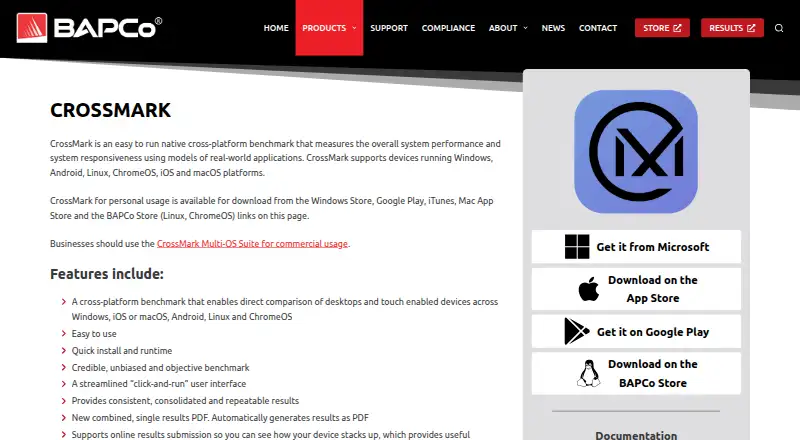
CrossMark is a benchmark for measuring device performance and responsiveness with models of real-world applications.
What CrossMark is
CrossMark is a benchmark for measuring device performance and responsiveness with models of real-world applications. Its workload areas cover productivity, creativity, and responsiveness. It supports Windows, Android, Linux, ChromeOS, iOS, and macOS; the business suite also supports iPadOS. Results can be submitted online for comparison with other devices, and CrossMark generates a combined PDF containing embedded XML data. Users can create custom test profiles and automate benchmark runs. Linux and ChromeOS can run the benchmark using command-line binaries distributed in a tarball.
Personal-use downloads are available through several app stores and the BAPCo Store. The free offering includes benchmark dashboard results and automatic online result submission, and a seven-day trial is listed for Linux, Windows, and macOS. Commercial users should use the CrossMark Multi-OS Suite, and commercial result usage requires a license after the trial. Basic licenses provide a 30-day download period; Pro includes one year of unlimited downloads and optional renewal. If Pro is not renewed, the license reverts to Basic after the grace period. Prices for Basic and Pro are not listed.
Good
- Covers productivity, creativity, and responsiveness workloads.
- Supports custom test profiles and automation.
- Exports combined PDF results with embedded XML.
- Results can be submitted for online comparison.
Watch out
- Commercial result use requires a license after the trial.
- Basic and Pro prices are not listed.
- Pro renewal reverts to Basic if not renewed.
Who it suits
CrossMark suits people who want to compare device performance across productivity, creativity, and responsiveness workloads. Businesses needing commercial use of results should consider the Multi-OS Suite and its license terms.
Verdict
CrossMark provides benchmark runs and result exports across several operating systems, with custom profiles and automation. Commercial users should account for the license requirement after the trial.
Plans and prices
From CrossMark's own pricing page, checked 23 Sep 2026.
| Plan | Price | What it gives you |
|---|---|---|
| Free | Free | Benchmark dashboard results · Automatic online result submission |
| Basic | Priced on request | 30-day download period |
| Basic | — | 30-day download period |
| Pro | Priced on request | 1 year of unlimited downloads |
| Pro | — | 1 year of unlimited downloads |
| Windows 7-Day Trial | Free | A license is required for commercial result usage. |
| Linux 7-Day Trial | Free | A license is required for commercial result usage. |
| macOS 7-Day Trial | Free | A license is required for commercial result usage. |
| Pro License | — | Subscription renewal is optional; non-renewal reverts the license to BASIC. · 1 year of renewable subscription service |
| Basic License | Priced on request | Includes a 30-day download period and standard technical support. |
The facts
Each one read from CrossMark's own pages, with the date it was checked.
Where it runs
- Additional platform
- The business suite also supports iPadOS.checked 28 Sep 2026
- Supported platforms
- CrossMark supports Windows, Android, Linux, ChromeOS, iOS and macOS.checked 28 Sep 2026
What it does
- Automation support
- The benchmark supports automation to simplify benchmark runs.checked 28 Sep 2026
- Basic downloads
- Basic licenses provide a 30-day download period.checked 28 Sep 2026
- Benchmark method
- It uses models of real-world applications to measure performance and responsiveness.checked 28 Sep 2026
- CLI or automation
- Yeschecked 23 Sep 2026
- Command-line use
- Linux and ChromeOS can run through command-line binaries in a tarball.checked 28 Sep 2026
- Commercial usage
- Businesses should use the CrossMark Multi-OS Suite for commercial usage.checked 28 Sep 2026
- Comparison database
- Yeschecked 23 Sep 2026
- Custom test profiles
- Yeschecked 23 Sep 2026
- License levels
- Business license levels include Small Business, Medium Business, Corporation, and Enterprise & Publish.checked 28 Sep 2026
- License reversion
- If Pro is not renewed, the license reverts to Basic after the grace period.checked 28 Sep 2026
- Online submission
- Results can be submitted online for comparison against other devices.checked 28 Sep 2026
- Operating systems
- Windows,macOS,Linux,ChromeOS,iOS/iPadOS,Androidchecked 23 Sep 2026
- PDF results
- CrossMark automatically generates a combined single results PDF.checked 28 Sep 2026
- Personal downloads
- Personal usage downloads are available from several app stores and the BAPCo Store.checked 28 Sep 2026
- Pro downloads
- Pro features include one year of unlimited downloads and renewable subscription service.checked 28 Sep 2026
- Renewal policy
- Pro subscription renewal is optional and does not autorenew.checked 28 Sep 2026
- Result export formats
- PDF with embedded XML attachmentchecked 23 Sep 2026
The company
- Company name
- BAPCo stands for Business Applications Performance Corporation.checked 28 Sep 2026
- Founded
- 1992checked 4 Oct 2026
- Headquarters
- Austin, Texas, United Stateschecked 4 Oct 2026
Money
- Free plan
- Yeschecked 23 Sep 2026
- Free trial
- The business editions offer a 7-day free trial.checked 28 Sep 2026
The full review of CrossMark
Overview
CrossMark benchmarks productivity, creativity and responsiveness across several operating systems using models of real-world applications. It suits people comparing device performance across platforms, while businesses need a license for commercial result use after the trial.
Its strongest case is a consistent workflow: run benchmarks, submit results for online comparison and export a combined PDF. Custom profiles and automation add useful control, though commercial licensing terms should be checked before making it part of a business process.
Key features
CrossMark measures performance and responsiveness through modeled application workloads, rather than relying on a single score alone. Results can be submitted online for comparison against other devices, and the comparison database gives those results a broader context.
Automatic generation of a combined results PDF, with an embedded XML attachment, makes results easier to share while retaining structured data. Custom test profiles let users tailor runs, and automation can simplify repeated benchmarks. Linux and ChromeOS users can run the benchmark through command-line binaries distributed in a tarball, a practical option for scripted or non-desktop workflows.
Pricing
CrossMark uses a freemium model, but personal downloads and commercial licensing serve different needs. The Free plan costs nothing and includes benchmark dashboard results and automatic online result submission. It is a useful starting point for personal comparison; businesses should not treat it as permission for commercial result use.
Linux 7-Day Trial, Windows 7-Day Trial and macOS 7-Day Trial each cost nothing. Commercial result use requires a license after the trial. The trial gives businesses a short evaluation window, not ongoing commercial use.
For licensed use, Basic pricing is custom pricing. Basic licenses include a 30-day download period and standard technical support, with support taking 2–5 business days. Pro pricing is custom pricing; it includes one year of unlimited downloads and renewable subscription service, with support taking 1–2 business days. Renewal is optional and does not autorenew; if it is not renewed, the license reverts to Basic after the grace period. The license levels are Small Business, Medium Business, Corporation, and Enterprise & Publish.
Platforms
CrossMark supports Windows, macOS, Linux, ChromeOS, iOS and Android; the business suite also supports iPadOS. That breadth makes it a stronger fit for cross-device comparisons than a benchmark confined to desktop systems. Linux and ChromeOS also have command-line execution options.
Who it's for
CrossMark is best suited to people who want to compare performance across different device operating systems and export results in a shareable, structured format. Custom profiles and automation are especially useful for repeatable evaluations. Businesses can use it for commercial results, but should budget for a license and choose a license level aligned with their organization.
It is less suitable for commercial users who need unrestricted results from a free trial or who want a plainly priced paid plan. Personal users can start with the free plan and downloads from app stores or the BAPCo Store.
Pros and cons
- Pros: Broad operating-system support makes comparisons across desktop and mobile devices possible.
- Pros: Online comparison, a combined PDF with embedded XML, and custom profiles provide several ways to review and share benchmark results.
- Pros: Automation and command-line binaries support repeatable runs, including on Linux and ChromeOS.
- Cons: Commercial result use requires a license after the 7-day trial, so the free option is not a continuing business solution.
- Cons: Basic downloads are limited to 30 days, while paid license prices use custom pricing, complicating cost comparisons.
Alternatives
Geekbench is worth considering for CPU and GPU compute benchmarks with online results management; its Pro plan is $99, paid once per user.
Basemark GPU is a more focused option for GPU benchmarking. Its free plan is restricted to home or private use, submits test data to Powerboard, requires internet access and provides a single score without breakdown analysis.
Nexus is a free alternative for readers who want a broader set of supported platforms, including web.
3DMark is another option for readers seeking selected 3D benchmark tests in a free personal-use edition, with a separate Advanced Edition.
UNIGINE Heaven Benchmark is an alternative for readers comparing Basic, Advanced and Professional tiers, including a $14.95 a month Advanced plan and a $495 a month Professional plan.
Parkdale is a free alternative for readers whose needs fit its Android, macOS and Windows platform support.
Blender and DaVinci Resolve are also alternatives in the category.
Browse the PC Benchmark Software category for more options.
Verdict
Choose CrossMark if you need benchmark comparisons across several operating systems, with customizable runs, automation and shareable exports in one workflow. Its cross-platform reach is the main reason to choose it; the need for a commercial license after the short trial, plus custom pricing for paid licenses, is the main reason to look elsewhere.
Getting started
- Visit https://bapco.com/crossmark/ for CrossMark information.
- For personal use, obtain downloads from an app store or the BAPCo Store.
- Choose a supported platform: Windows, Android, Linux, ChromeOS, iOS or macOS.
- Use Linux or ChromeOS command-line binaries supplied in a tarball if appropriate.
- Consider a seven-day trial for Linux, Windows or macOS.
- For commercial usage, use the CrossMark Multi-OS Suite and select a license.
Limits worth knowing
The free plan provides benchmark dashboard results and automatic online submission. Basic licenses provide a 30-day download period; Pro includes one year of unlimited downloads, and commercial result usage requires a license after the free trial.
Questions
Is CrossMark free?
Yes. The free plan includes benchmark dashboard results and automatic online result submission.
Does CrossMark have a trial?
Seven-day trials are listed for Linux, Windows and macOS. Commercial result usage requires a license after the free trial.
Which platforms does CrossMark support?
It supports Windows, Android, Linux, ChromeOS, iOS and macOS. The business suite also supports iPadOS.
How does CrossMark report results?
It automatically generates a combined results PDF with an embedded XML attachment, and results can be submitted online for comparison against other devices.
What do Basic and Pro licenses include?
Basic provides a 30-day download period and standard technical support. Pro provides one year of unlimited downloads; renewal is optional and does not autorenew.
Can businesses use the free plan commercially?
Businesses should use the CrossMark Multi-OS Suite for commercial usage. Commercial result usage requires a license after the free trial.
Alternatives to CrossMark
- 1
Geekbench
Free planAndroidiOSLinuxmacOS8.6$99 one-time - 2
ZBrush
Free planiOSAPImacOSWindows7.9Free plan - 3
SiSoftware Sandra
Free planAndroidWindows7.8$74.99 one-time - 4
SPECapc for Siemens NX 2024
Free planWindows7.7Free plan - 5
UNIGINE Valley Benchmark
Free planLinuxmacOSWindows7.7$14.95 one-time - 6
SPECviewperf
Free planLinuxWindows7.6$2,500 one-time