
Jetpack Stats
Jetpack Stats is a dashboard for understanding website audiences, traffic, and content performance.
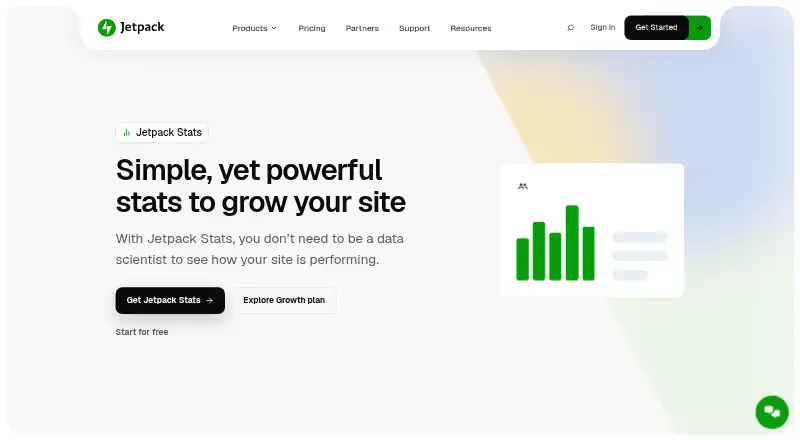
What Jetpack Stats is
Jetpack Stats is a dashboard for understanding website audiences, traffic, and content performance. It reports real-time visitors, likes, comments, referrers, visitor countries, link clicks, video plays, and file downloads. Content reporting identifies top posts and pages, author performance, publishing trends, seven-day Highlights, and a Year in Review. The service also shows WordPress and email subscriber totals, Jetpack Social followers, and which social networks share content most. Ecommerce users can surface WooCommerce orders, refunds, shipping, and product trends, while Jetpack Ads earnings can be monitored from the same area. Blaze can promote content across WordPress.com and Tumblr from Stats. Event tracking, ecommerce tracking, API access, and unlimited data retention are listed. UTM campaign tracking, device statistics, and region and city locations are included with the paid Stats plan. Jetpack Stats can run alongside Google Analytics on the same WordPress installation. Site owners can configure Do Not Track handling, download individual feature data as CSV, and use the free Jetpack mobile app on iOS or Android. The service is freemium; its free listing costs nothing and is intended for personal sites.
Good
- Reports real-time visitors, referrers, clicks, plays, and downloads
- Shows top content, author performance, and publishing trends
- Includes ecommerce tracking and WooCommerce reporting
- Provides API access and unlimited data retention
- Works alongside Google Analytics on WordPress
- Offers CSV exports and mobile monitoring
Watch out
- The free plan is for personal sites only
- Paid Stats starts at 10,000 monthly site views
- UTM tracking, device stats, and location detail require paid Stats
- Priority support is included with paid plans
Who it suits
It suits personal-site owners who need traffic, audience, content, social, or ecommerce reporting in one dashboard. It also fits WordPress users wanting mobile monitoring, CSV exports, API access, or WooCommerce and Jetpack integrations.
Verdict
Choose Jetpack Stats for WordPress-focused traffic and content reporting that also covers subscribers, social activity, ecommerce, and advertising. Its free personal-site plan handles basic statistics, while larger sites may need the paid tier beginning at 10,000 monthly views. Consider another analytics setup if you do not use WordPress or need capabilities outside the listed integrations.
Plans and prices
From Jetpack Stats's own pricing page, checked 23 Sep 2026.
| Plan | Price | What it gives you |
|---|---|---|
| Free | Free | Basic traffic and content statistics · Available for personal sites |
| Pay what you want | — | For personal sites · Priority support |
| Paid Stats | — | Starts with 10K site views per month |
| Stats | Free | Name your price · personal sites · priority support |
| Stats Free | Free | Basic stats · top posts and pages · referrers · GDPR compliant |
| Stats Paid | €7.95 | Starts with 10K site views per month (upgradable) · UTM tracking · device stats · region and city locations · priority support · per month, billed yearly |
The facts
Each one read from Jetpack Stats's own pages, with the date it was checked.
What it does
- API access
- Yeschecked 23 Sep 2026
- Audience and social
- Stats can show WordPress and email subscribers, Jetpack Social follower totals, and which social networks share content most.checked 12 Oct 2026
- Campaign tracking
- UTM tracking is included with the paid Stats plan to help understand campaign traffic.checked 12 Oct 2026
- Content analytics
- It shows top-performing posts and pages, author performance, publishing trends, 7-day Highlights, and Year in Review.checked 12 Oct 2026
- Data export
- Stats data can be downloaded as CSV from the bottom of an individual stats feature.checked 12 Oct 2026
- Data retention
- unlimitedchecked 23 Sep 2026
- DNT
- Site owners can configure Stats to honor visitors’ Do Not Track requests with an added snippet.checked 12 Oct 2026
- Ecommerce tracking
- Yeschecked 23 Sep 2026
- Google Analytics
- Jetpack says Stats can be used alongside Google Analytics on the same WordPress installation.checked 12 Oct 2026
- Integrations
- Stats can surface WooCommerce orders, refunds, shipping, and product trends, and monitor Jetpack Ads earnings; Blaze can promote content across WordPress.com and Tumblr from Stats.checked 12 Oct 2026
- Limits
- The free Stats plan is described as for personal sites only; paid Stats starts at 10,000 monthly site views and can be upgraded as traffic grows.checked 12 Oct 2026
- Privacy
- Jetpack says Stats supports GDPR compliance and does not show site owners data that explicitly identifies an individual viewer.checked 12 Oct 2026
- Purpose
- Jetpack Stats provides a dashboard for understanding website audience, traffic, and content performance.checked 12 Oct 2026
- Setup
- Jetpack Stats is configured by installing the Jetpack plugin and opening the Stats tab.checked 12 Oct 2026
- Support
- The Stats paid plan includes priority support, while the free plan listing does not include it.checked 12 Oct 2026
- Visitor metrics
- It reports real-time visitors, likes, comments, traffic referrers, visitor countries, link clicks, video plays, and file downloads.checked 12 Oct 2026
The company
- Founded
- 2005checked 28 Sep 2026
- Headquarters
- San Francisco, California, USAchecked 28 Sep 2026
- Maker
- Automattic identifies Jetpack among the products it makes and says it has operated since 2005.checked 12 Oct 2026
Money
- Free plan
- Yeschecked 23 Sep 2026
Where it runs
- Mobile app
- The free Jetpack mobile app lets users monitor site stats on iOS or Android.checked 12 Oct 2026
The full review of Jetpack Stats
Jetpack Stats is a WordPress-oriented analytics dashboard for audience, traffic, and publishing performance. It suits site owners who want reporting inside their WordPress workflow, particularly publishers and stores using other Jetpack services. The free tier covers core statistics, while campaign and deeper device or location reporting require the paid plan.
Overview
Configured through the Jetpack plugin, Stats brings live visitor activity and content performance into one place. It reports real-time visitors, likes, comments, referrers, visitor countries, link clicks, video plays, and file downloads. Top posts and pages, author performance, publishing trends, seven-day Highlights, and a Year in Review add useful editorial context instead of reducing success to a single traffic number.
Retention is unlimited, and each individual statistics feature can export its data as CSV. Jetpack says Stats can run alongside Google Analytics on the same WordPress installation, so WordPress-specific reporting does not require abandoning another analytics system. Its privacy position is also clear: Jetpack says it supports GDPR compliance and does not show owners data that explicitly identifies an individual viewer. An added snippet lets site owners honor Do Not Track requests.
Key features
- Traffic and content reporting: Referrers, countries, clicks, plays, downloads, comments, and likes reveal how visitors interact, while top-content and author views help publishers decide what to promote or improve.
- Audience and social signals: Stats can surface WordPress and email subscriber counts, Jetpack Social follower totals, and the social networks sharing content most often. That makes it useful when audience growth extends beyond onsite visits.
- Commerce and advertising: WooCommerce orders, refunds, shipping, and product trends can appear in the dashboard, and Jetpack Ads earnings can be monitored. Blaze promotion across WordPress.com and Tumblr is also available from Stats, giving Jetpack users a connected publishing and promotion view.
- Campaign and event measurement: Event tracking is supported. UTM tracking is included with the paid Stats plan, which is the tier to choose when campaign attribution matters.
- Mobile access: The free Jetpack app for iOS and Android allows users to monitor site statistics away from a desktop.
Pricing
Jetpack uses a freemium model and does not offer a free trial. The Free and Stats Free plans cost nothing and provide basic traffic and content statistics; Stats Free specifically includes top posts and pages, referrers, and GDPR compliance. Both are intended for personal sites, so they are sensible for individual publishers but not a stated fit for larger commercial properties.
Pay what you want and Stats are presented at no cost with a name-your-price structure for personal sites and priority support. The free listing does not include priority support, so this option is relevant to personal-site owners who value help rather than expanded measurement.
Stats Paid costs €7.95 a year, billed monthly and billed yearly, and starts at 10,000 site views per month. Traffic can be upgraded as it grows. It adds UTM tracking, device statistics, region and city locations, and priority support. That threshold and the personal-site restriction on cheaper plans make the paid tier more appropriate for established sites that need attribution or finer audience segmentation. There is no published price for the broader “Paid Stats” plan beyond its 10,000-view starting point, so larger requirements may involve custom pricing.
Platforms
Stats is available on web, iOS, Android, and through an API. The plugin-based setup keeps configuration in WordPress, while the mobile app provides a convenient monitoring surface.
Who it's for
Choose it if you run a WordPress site and want traffic, editorial, subscriber, social, WooCommerce, or Jetpack Ads signals together. It is especially well matched to personal publishers starting with free reporting and to growing stores or content businesses ready to pay for campaign tags, device data, and geographic detail. It is a weaker fit for non-WordPress projects or teams seeking a broader product-analytics system beyond its WordPress-centered integrations.
Pros and cons
Pros
- Combines visitor, content, subscriber, social, commerce, and advertising views in a WordPress workflow.
- Unlimited retention and CSV export support longer-term reporting and offline analysis.
- GDPR-oriented controls, non-identifying viewer reporting, and optional Do Not Track support address common privacy concerns.
- Free iOS and Android monitoring extends access beyond the dashboard.
Cons
- The free plans are for personal sites and omit priority support, limiting their suitability for commercial operations.
- UTM tracking, device statistics, and region or city locations require the paid tier.
- The paid tier starts at 10,000 monthly views, which may be a poor match for smaller sites that need advanced attribution immediately.
- Its strongest value depends on WordPress and Jetpack integrations; other platforms should look elsewhere.
Alternatives
For a wider selection, browse Web analytics tools. PostHog is a freemium, open-source option with Android, iOS, web, desktop, Linux, API, and self-hosted availability. Zoho Apptics offers a free plan, free trial, and cross-platform application monitoring. Matomo provides a self-hosted Community plan with unlimited users and hits. Umami has a free cloud plan and a 20.00 USD monthly Pro tier including one million events per month. Simple Analytics offers a free-forever plan with one user, five websites, and one month of history. Amplitude is aimed at event analytics, with a free plan covering two million events monthly. Heap offers a free plan with 10,000 monthly sessions and six months of history. Cloudflare Web Analytics is a free option for personal or hobby projects.
Verdict
Jetpack Stats is a strong choice for WordPress publishers and stores that want content, audience, social, and WooCommerce reporting in the same ecosystem. Start with the free personal-site tier for core visibility, then move to Stats Paid when campaign attribution, device data, geographic detail, or priority support justify the 10,000-view entry point. Look elsewhere if you do not use WordPress or need analytics built for broader product and application workflows.
Getting started
- Install the Jetpack plugin on your WordPress site
- Open the Stats tab in Jetpack
- Choose the Free plan or a listed paid Stats option
- Use the Jetpack mobile app on iOS or Android to monitor statistics
- Download data as CSV from an individual stats feature when needed
- Configure the added snippet if you want Stats to honor Do Not Track
Limits worth knowing
The free plan provides basic traffic and content statistics for personal sites. Paid Stats starts at 10,000 site views per month and adds features such as UTM tracking, device statistics, region and city locations, and priority support.
Questions
Is Jetpack Stats free?
Yes. The Free plan costs nothing and provides basic traffic and content statistics for personal sites.
Does Jetpack Stats offer a free trial?
No free trial is listed.
What does the paid Stats plan cost?
Stats Paid is listed at €7.95 a year, billed monthly and billed yearly, starting with 10,000 monthly site views.
Which platforms can I use?
Jetpack Stats is available on web, iOS, Android, and through an API.
Does it track online stores?
Yes. Ecommerce tracking is supported, including WooCommerce orders, refunds, shipping, and product trends.
Can Stats data be exported?
Yes. Data from an individual stats feature can be downloaded as a CSV.
Alternatives to Jetpack Stats
- 1

Countly
Free planOpen sourceAndroidiOSWebAPI9.4From $175 a month - 2

Amplitude
Free planAndroidiOSWebAPI9.1From $995 a month - 3

Contentsquare
Free planAndroidiOSWebAPI9.1Free plan - 4
Triple Whale
Free planAndroidiOSWebAPI8.7From $219 a month - 5

Heap
Free planAndroidiOSWebAPI8.6Free plan - 6

Clicky
Free planAndroidiOSWebAPI8.6From $79.99 a year