
ITOC360
ITOC360 is an incident orchestration platform that correlates alerts, routes them to engineers, escalates when necessary, and tracks resolution.
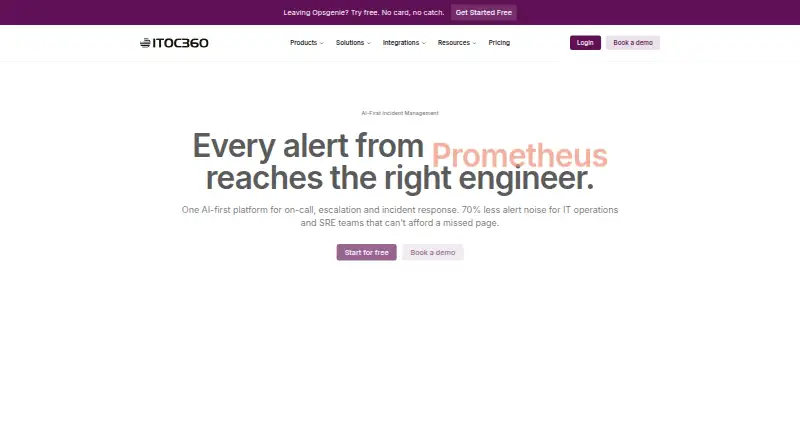
What ITOC360 is
ITOC360 is an incident orchestration platform that correlates alerts, routes them to engineers, escalates when necessary, and tracks resolution. It groups alerts by labels, resources, and timestamps using machine learning, aiming to reduce duplicate notifications and consolidate alert surges into incidents. Teams can configure timezone-aware on-call rotations, holiday overrides, and backup schedules. Notifications can arrive by voice call, SMS, push alert, Slack, Microsoft Teams, email, or custom webhook. Responders can act from the iOS and Android apps or from Slack and Teams, where incident activity is collected into a timeline. Its integrations directory lists 59 options, including Prometheus, Datadog, Jira, and ServiceNow. Schedules, escalation policies, integrations, and routing rules can be imported from Opsgenie or PagerDuty exports, with migration assistance. The free plan allows one user, 50 SMS and five voice calls per month, one monitoring source, and seven-day data retention. Premium includes a written 99.99% uptime SLA and dedicated support and onboarding.
Good
- Alert grouping uses labels, resources, timestamps, and machine learning.
- Supports timezone-aware rotations and holiday overrides.
- Responders can manage incidents from mobile apps and chat.
- Imports schedules and routing rules from Opsgenie or PagerDuty exports.
- Free plan available; paid plans start at $12/user/mo.
Watch out
- Free plan is limited to one user.
- Free plan has seven-day data retention.
- Foundation requires at least three users.
- Premium requires at least 20 users.
Who it suits
ITOC360 is aimed at DevOps and SRE teams managing alerts and on-call response. Its plans address solo developers, early and growing teams, and teams of 20 or more.
Verdict
ITOC360 brings alert routing, escalation, scheduling, and responder actions together across mobile apps and chat. The free tier has defined usage limits, while paid plans start at $12/user/mo.
Plans and prices
From ITOC360's own pricing page, checked 15 Oct 2026.
| Plan | Price | What it gives you |
|---|---|---|
| Free | Free | 1 user · 50 SMS/month · 5 voice calls/month · 1 monitoring source · 7-day retention · basic time-based grouping · free forever |
| Foundation | $12 a month | Up to 10 users · 500 SMS/month · 100 voice calls/month · 2 monitoring sources · 3-month retention · 14-day trial · billed monthly; 3-user minimum ($36 total commitment) |
| Advanced | $18 a month | Unlimited users · unlimited SMS and voice calls · 6 monitoring sources · 6-month retention · sliding grouping · custom workflows · Jira/ServiceNow sync · 14-day free trial; 5-user minimum ($90 total commitment) |
| Premium | $28 a month | Unlimited users · unlimited SMS and voice calls · unlimited monitoring sources · 12-month retention · custom integrations/webhooks · dedicated support · written 99.99% uptime SLA · billed monthly; 20-user minimum ($560 total commitment) |
The facts
Each one read from ITOC360's own pages, with the date it was checked.
What it does
- AI alert correlation
- Machine-learning correlation groups duplicate alerts using labels, resources and timestamps into a single actionable incident.checked 15 Oct 2026
- Alert correlation
- It groups alerts using labels, resources, and timestamps with machine learning to reduce duplicate notifications and combine alert storms into incidents.checked 29 Sep 2026
- API authentication
- Webhook and SDK requests use a per-source bearer token, which the documentation says should be treated like a password.checked 15 Oct 2026
- ChatOps
- Slack and Teams responders can acknowledge, escalate, reassign, or resolve incidents from chat, and incident activity is collected into a timeline.checked 29 Sep 2026
- Documentation depth
- The GitBook documentation covers quickstart, channels, sources, escalation policies, incident lifecycle, alert grouping, authentication and security settings.checked 15 Oct 2026
- Enterprise availability
- The Premium plan includes a written 99.99% uptime SLA and dedicated support and onboarding.checked 29 Sep 2026
- Escalation policies
- Policies can set timeouts and route unacknowledged alerts through multiple users, teams, schedules or management levels.checked 15 Oct 2026
- Go SDK
- A public Go Events API client is published as github.com/itoc360/itoc360-go, requires Go 1.22 or later and is Apache-2.0 licensed.checked 15 Oct 2026
- Incident tracking
- Each incident records detection, acknowledgment, escalation and resolution actions in a timestamped activity history.checked 15 Oct 2026
- Integrations
- The integrations directory lists 59 native connectors across APM, automation, CI/CD, cloud, communication, logging, monitoring, observability, security and ticketing.checked 15 Oct 2026
- Intended users
- The maker describes the platform as serving DevOps and SRE teams, and its pricing page identifies solo developers, early teams, growing teams, and teams of 20 or more as plan audiences.checked 29 Sep 2026
- Limit: analytics export
- A Capterra reviewer says exporting analytics charts for presentations is awkward and manual screenshots are easier.checked 15 Oct 2026
- Limit: interface polish
- A Capterra reviewer reports minor interface polish issues, a less-smooth onboarding curve and advanced settings that could be more intuitive.checked 15 Oct 2026
- Limit: onboarding complexity
- One Capterra reviewer says complex escalation paths take time to learn and another reports that alert categorization and grouping required considerable setup effort.checked 15 Oct 2026
- Migration
- The maker says schedules, escalation policies, integrations, and routing rules can be imported from Opsgenie or PagerDuty exports, with migration assistance.checked 29 Sep 2026
- Mobile requirements
- The mobile app requires an active ITOC360 account provisioned by an organization administrator; the app itself is free.checked 15 Oct 2026
The company
- Company facts
- LinkedIn lists ITOC360 as privately held, founded in 2018, headquartered in Dover, Delaware, with 51–200 employees.checked 15 Oct 2026
- Company history
- The company says it registered the ITOC brand and launched human-assisted on-call services in 2019.checked 29 Sep 2026
- Company legal name
- The Google Play listing identifies the operator as ITOC360 Inc.; its developer contact lists IT SERVIS TEKNOLOJI HIZMETLERI VE YAZILIM ANONIM SIRKETI.checked 15 Oct 2026
- Company location
- The maker says ITOC360 is incorporated in the United States and engineered in Europe, with operations serving clients in the US, UK, and Gulf.checked 29 Sep 2026
- Company origin
- The company says it registered the ITOC brand in 2019 after operating IT infrastructure, managed services and human-assisted on-call operations.checked 15 Oct 2026
- Founded
- 2019checked 28 Sep 2026
- Headquarters
- Istanbul, Türkiyechecked 28 Sep 2026
Where it runs
- Mobile apps
- The iOS and Android apps let responders acknowledge, escalate, or resolve alerts from their phones.checked 29 Sep 2026
The full review of ITOC360
Overview
ITOC360 turns monitoring alerts into routed incidents, with escalation and resolution tracking for DevOps and SRE teams. It suits teams that want responders to work across phones and chat as well as the web. Its broad response workflow is balanced by strict free-tier quotas and minimum seats on paid plans.
Key features
Alert correlation groups signals by labels, resources, and timestamps using machine learning, aiming to suppress duplicates and combine alert storms into incidents. That can make a noisy monitoring stream more manageable when those grouping dimensions fit the team’s signals; it is less compelling if teams need different correlation logic.
Timezone-aware on-call rotations, holiday overrides, and backup schedules support planned coverage, while escalation policies provide a path onward when responders do not act. Notifications can arrive by voice call, SMS, push, email, Slack, Microsoft Teams, or custom webhook. This range offers flexibility, but teams that rely on voice and SMS should pay close attention to plan quotas.
Responders can acknowledge, escalate, or resolve alerts in the iOS and Android apps. In Slack and Teams, they can also reassign incidents, and activity is collected into a timeline. The integrations directory includes 59 options, among them Prometheus, Datadog, Jira, ServiceNow, Slack, and Microsoft Teams. Post-incident reviews, status pages, and audit logs extend the workflow beyond initial alert handling.
Teams moving from Opsgenie or PagerDuty can import schedules, escalation policies, integrations, and routing rules from exports, with migration assistance. That may reduce the work of switching established processes, though the value depends on how closely those existing configurations map to the imported setup.
Pricing
ITOC360 has a free plan, a 14-day trial, and paid plans starting at $12/user/mo. The free tier is billed free forever for one user, with 50 SMS and five voice calls per month, one monitoring source, and seven-day data retention. It is a useful way for a solo developer to try the workflow, but the alert quotas and single source limit its fit for sustained or multi-source operations.
Foundation costs $12/user/mo, billed monthly, for up to 10 users with a three-user minimum. It raises the monthly allowances to 500 SMS and 100 voice calls, supports two monitoring sources, and retains data for three months. The minimum means even a small team pays for at least three seats; the plan fits early teams that can work within its caps.
Advanced costs $18/user/mo and requires at least five users. It provides unlimited users, SMS, and voice calls, six monitoring sources, and six-month data retention. Growing teams with heavier paging needs gain room to scale, but must commit to the five-user floor.
Premium costs $28/user/mo, billed monthly, with a 20-user minimum. It adds unlimited monitoring sources and 12-month data retention alongside unlimited users, SMS, and voice calls. Dedicated support and onboarding and a written 99.99% uptime SLA make it the plan aimed at larger teams that need those commitments; the seat minimum makes it a poor fit for smaller groups. Support response targets range from under 72 hours on Free to under two hours, 24/7, on Premium.
Platforms
ITOC360 runs on the web and has apps for Android and iOS, so responders can handle alerts from a browser or phone. Chat actions are available through Slack and Microsoft Teams.
Who it's for
ITOC360 is best suited to DevOps and SRE teams that want alert routing, on-call coverage, escalation, and responder actions in one workflow. Solo developers can start on Free, while teams should weigh the Foundation three-seat minimum and the five- and 20-seat thresholds on higher plans against their actual headcount. Teams operating in Turkey or the EU may also value the privacy policy’s stated compliance with Turkey’s KVKK and the EU GDPR cookie requirements.
Pros and cons
- Pros: Alert correlation and escalation bring noisy alerts into a tracked incident workflow, rather than leaving responders to manage separate notifications.
- Pros: Mobile and Slack or Teams actions let responders acknowledge and resolve incidents away from the web interface.
- Pros: Migration assistance and imports for key Opsgenie or PagerDuty configurations can ease a move from either system.
- Cons: Free is limited to one user, one monitoring source, and modest monthly voice and SMS quotas.
- Cons: Paid plans impose minimum seats, with the 20-user Premium threshold ruling it out for many small teams.
- Cons: Data retention ranges from seven days on Free to six months on Advanced, so longer retention requires a higher plan.
Alternatives
For a broader incident-management shortlist, see Incident Management Software.
Grafana Cloud Application Observability is worth considering for teams focused on application observability that want an always-free allowance of 2,232 host hours or usage-based Pro pricing; ITOC360 is the more directly incident-oriented fit.
incident.io suits teams looking for a free Slack or Microsoft Teams-native response option with single-team on-call, a status page, and essential incident automation.
Spectate offers a free Hobby tier for five monitors or servers and one status page, and a $12 a month Solo plan billed yearly for one user; it is an option when monitoring and status-page limits are the priority.
PagerDuty is an alternative for teams wanting a free incident-management plan for five users with one on-call schedule and one escalation policy.
AlertOps is a fit for teams that want a free plan capped at five users, with basic alert routing, three escalation policies, and 200+ integrations.
DFIR-IRIS is a free, open-source choice for teams that want self-hosted deployment with no licence fee.
xMatters offers a free plan for up to five users and a limited feature set, making it another option for small teams assessing incident response software.
DFIRe is another alternative.
Verdict
Choose ITOC360 if your DevOps or SRE team wants correlated alerts, flexible on-call routing, and responder actions across mobile and chat, with migration support for Opsgenie or PagerDuty users. Its main trade-offs are the free plan’s tight quotas and the minimum-seat commitments on every paid tier; teams that cannot justify those thresholds should compare the free alternatives first.
Alternatives to ITOC360
- 1
Grafana Cloud Application Observability
Free planAndroidiOSWebAPI8.4From $0.03 a month - 2

PagerDuty
Free planAndroidiOSWebAPI8.3From $21 a month - 3

xMatters
Free planAndroidiOSWebAPI8.3From $15 a month - 4

AlertOps
Free planAndroidiOSWebAPI8.1From $8 a month - 5

DFIR-IRIS
Free planOpen sourceWebAPILinuxmacOS7.7Free plan - 6

incident.io
Free planAndroidiOSWebAPI7.6From $15 a month