HalfNES
HalfNES is a free emulator for NES and Famicom games, available for Windows, Linux, macOS, and other Java-compatible platforms.
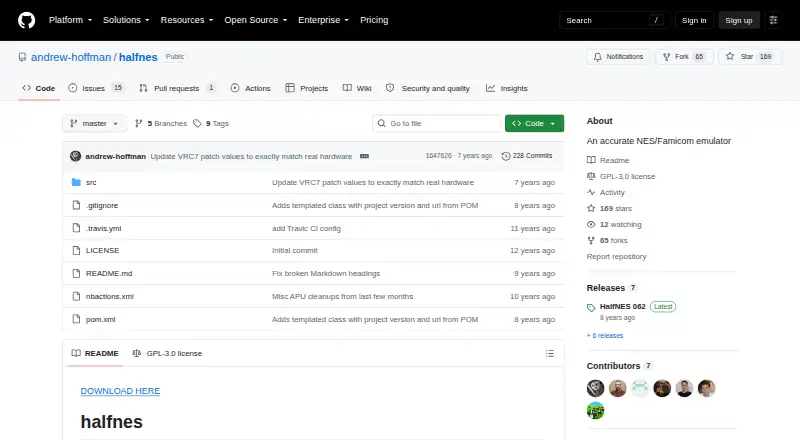
What HalfNES is
HalfNES is a free emulator for NES and Famicom games, available for Windows, Linux, macOS, and other Java-compatible platforms. Its README says almost all US-released games will start, though some can have graphics corruption or freeze. The emulator includes an accurate sound core, an NSF player, full-screen mode, and an NTSC filter. Controls can be remapped in Preferences, and joysticks are supported through DirectInput and xInput.
HalfNES supports battery saves but has no savestates. Downloads are available through GitHub releases as a Windows executable or a JAR for other platforms; both require Java 8 or newer. Linux users must set execute permissions on the JAR. A gamepad needs to be connected before a game loads to be detected, and its buttons cannot currently be configured. PAL games are supported, but may have more issues; PAL must be selected in Preferences. The README says full-speed play across all games requires a 2 GHz Athlon 64 or better, and the NTSC filter needs much more processing power.
Good
- Free for use.
- Supports Windows, Linux, and macOS.
- Includes an NSF player and sound core.
- Controls can be remapped in Preferences.
- Supports battery saves.
Watch out
- No savestates are available.
- Java 8 or newer is required.
- Gamepad buttons cannot be configured.
- Some games may show graphics corruption or freeze.
Who it suits
HalfNES suits players seeking a free NES or Famicom emulator for desktop systems who can meet its Java requirement. It may also suit users who need battery saves, remappable controls, or an NSF player.
Verdict
HalfNES offers NES and Famicom emulation with remappable controls, battery saves, and audio and display options. Check the Java requirement and lack of savestates, and note that gamepad detection requires connecting the controller before loading a game.
Plans and prices
From HalfNES's own pricing page, checked 4 Oct 2026.
| Plan | Price | What it gives you |
|---|---|---|
| HalfNES | Free | No savestates · Requires Java 8 or newer |
The facts
Each one read from HalfNES's own pages, with the date it was checked.
What it does
- Audio
- The listed features include an accurate sound core and an NSF player.checked 4 Oct 2026
- Controller support
- It supports joysticks through DirectInput and xInput.checked 4 Oct 2026
- Controls
- Controls are remappable through the Preferences dialog.checked 4 Oct 2026
- Display
- The README lists full screen mode and an NTSC filter.checked 4 Oct 2026
- Downloads
- The README directs users to GitHub releases, which include a Windows executable and a JAR for other platforms.checked 4 Oct 2026
- Game compatibility
- It supports the mapper numbers listed in the README and says almost all US released games will start, though some still have graphics corruption or freezing.checked 4 Oct 2026
- Gamepad limitation
- Gamepad buttons are currently not configurable, and the controller must be plugged in before a game is loaded to be detected.checked 4 Oct 2026
- License
- The repository identifies its license as GPL-3.0.checked 4 Oct 2026
- PAL support
- PAL games are supported but may have more issues, and users should select PAL in Preferences to run them.checked 4 Oct 2026
- Performance
- The README says a 2 GHz Athlon 64 or better is required to run all games at full speed, and the NTSC filter requires much more processing power.checked 4 Oct 2026
- Purpose
- HalfNES is an accurate NES/Famicom emulator.checked 4 Oct 2026
- Runtime requirement
- Java 8 or newer is required to run either package.checked 4 Oct 2026
- Save support
- It supports battery saves but explicitly says it has no savestates.checked 4 Oct 2026
Where it runs
- Linux setup
- Linux users need to set execute permissions on the JAR.checked 4 Oct 2026
The full review of HalfNES
Overview
HalfNES is a free NES and Famicom emulator for desktop systems, aimed at players who want configurable controls and audio and display options. Its broad US-game support and battery saves make it a useful straightforward choice, but the lack of savestates and Java requirement narrow its appeal.
Key features
HalfNES supports the mapper numbers identified in its README and says almost all US releases will start. That is a substantial library to work with, though some games may show graphics corruption or freeze, so compatibility is not universal. PAL games are supported too, but may have more issues; selecting PAL in Preferences is necessary to run them.
Audio features include an accurate sound core and an NSF player. Players can remap controls in Preferences, use full-screen mode, and apply an NTSC filter. The filter comes with a meaningful hardware tradeoff: it requires considerably more processing power. The stated baseline for running all games at full speed is a 2 GHz Athlon 64 or better.
Battery saves preserve the kind of progress supported by the original games, but HalfNES has no savestates. That makes it a poor fit for players who rely on save-anywhere checkpoints. Shader and cheat support are also included.
Joystick support uses DirectInput and xInput, but gamepad buttons cannot currently be configured. The controller must also be connected before loading a game to be detected. Those constraints matter most to players who expect to customize a gamepad or connect it after launch.
Pricing
HalfNES
The HalfNES plan costs nothing. It includes the emulator, with no free trial because the software is free. There are no paid tiers to unlock additional capabilities; the central compromise is the absence of savestates. Java 8 or newer is required, and this runtime requirement applies to both download packages.
Platforms
HalfNES supports Windows, Linux, and other Java-compatible platforms. GitHub releases provide a Windows executable and a JAR for other platforms. Linux users must set execute permissions on the JAR before running it. Java 8 or newer is required either way, which adds setup work for anyone without a compatible runtime.
Who it's for
HalfNES suits players seeking a free desktop NES/Famicom emulator with remappable controls, battery saves, NSF playback, and a choice of display options. It is less suitable for players who need savestates, want configurable gamepad buttons, or expect every supported game to run without visual or stability issues. PAL players should be prepared for more compatibility problems than with US releases.
Pros and cons
Pros
- Broad stated US-game support: almost all US releases are expected to start, although some may still have graphics or stability issues.
- Useful audio and display options: an accurate sound core, NSF player, full-screen mode, and NTSC filter cover more than basic emulation.
- Remappable controls and battery saves: players can adapt controls and retain game-supported progress.
- Free across desktop platforms: Windows, Linux, and Java-compatible systems are supported without a paid plan.
Cons
- No savestates: players cannot create save-anywhere checkpoints.
- Gamepad configuration is limited: buttons are not configurable, and the controller must be connected before loading a game.
- Java setup is required: running either package requires Java 8 or newer, with an extra permissions step for Linux JAR users.
- Compatibility and performance vary: some games can freeze or show graphics corruption, PAL games may have more issues, and the NTSC filter needs substantially more processing power.
Alternatives
For a broader comparison, browse NES Emulators. NESER is another free option for Linux, macOS, web, and Windows, with MIT-licensed software. Choose binjnes if a web emulator or a build-from-source version suits you better. NET-NES is a free MIT-licensed alternative for Linux, macOS, and Windows. Dendy is another free choice across Linux, macOS, web, and Windows. Jnes is worth considering for Windows-only use; its freeware terms prohibit commercial sale or distribution. KuroganeNES is a free web option, while Nintengo supports Linux, macOS, web, and Windows. Geolith is another free alternative for Linux, macOS, and Windows.
Verdict
Choose HalfNES if you want a free desktop emulator with broad stated US-game support, remappable controls, battery saves, and useful sound and display features. Its clearest drawback is the lack of savestates; the Java requirement and constrained gamepad setup are additional reasons to look elsewhere if you want a simpler launch path or more flexible controller configuration.
Getting started
- Open the HalfNES GitHub repository
- Download the Windows executable or the JAR from GitHub releases
- Install or use Java 8 or newer
- On Linux, set execute permission on the JAR
- Connect a gamepad before loading a game if you want controller detection
- Select PAL in Preferences before running a PAL game
- Remap controls through the Preferences dialog if needed
Limits worth knowing
The free HalfNES plan has no savestates and requires Java 8 or newer. Gamepad buttons cannot be configured, and PAL titles may have more issues.
Questions
What does HalfNES cost?
HalfNES is listed as free with a free plan.
Which platforms are supported?
Downloads cover Windows, Linux, macOS, and other Java-compatible platforms.
Does HalfNES include savestates?
No. It supports battery saves but has no savestate feature.
What runtime is required?
Both the Windows executable and the JAR require Java 8 or newer.
Can I use a gamepad?
Joysticks work through DirectInput and xInput, but the controller must be connected before loading a game. Gamepad buttons are not currently configurable.
Is HalfNES open source?
The repository identifies its license as GPL-3.0.