
binjnes
binjnes is a free NES emulator written in C, with a browser version and build-from-source options for Linux and macOS.
What binjnes is
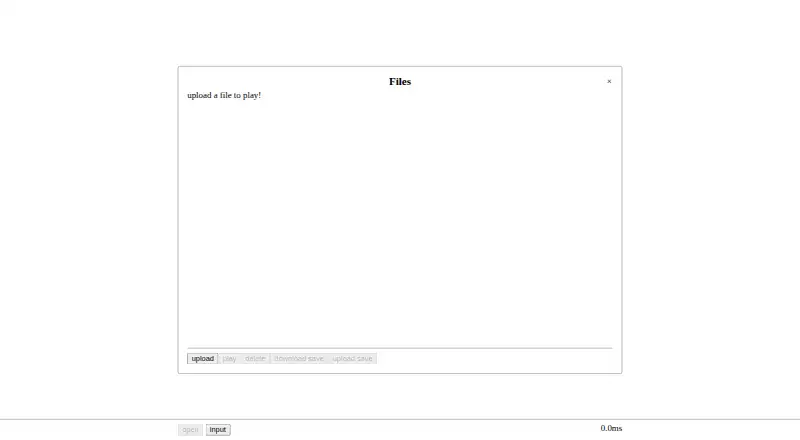
binjnes is a free NES emulator written in C, with a browser version and build-from-source options for Linux and macOS. Its cycle-accurate emulation passes many timing tests, and it supports numerous cartridge mappers through a built-in cartridge database. Additional audio channels are available for mappers 19, 24, and 26. Users can save and load battery backup data and emulator state files, pause, advance one frame, rewind, or seek to a specific cycle. The browser version runs as WebAssembly and lets users upload a file to play. Desktop build instructions use make or CMake; building requires CMake and sokol, while a WebAssembly build also requires Emscripten. A Python test harness validates tests using hashes, and the source code is distributed under the MIT License. The GitHub releases page has no packaged downloads, so desktop users need to build from source. It is available for Linux, macOS, and web use.
Good
- Free NES emulator with a browser version
- Cycle-accurate emulation passes many timing tests
- Supports numerous cartridge mappers
- Save states and rewind are supported
- Source code uses the MIT License
Watch out
- No packaged downloads are listed
- Desktop use requires building from source
- WebAssembly builds require Emscripten
Who it suits
binjnes suits NES players who want a browser emulator or are comfortable building software from source on Linux or macOS. Its save, rewind, and frame-stepping controls may appeal to users who want fine-grained playback control.
Verdict
binjnes offers browser play and detailed emulator controls, with desktop builds available from source. The lack of packaged releases means Linux and macOS users need to build it themselves.
Plans and prices
From binjnes's own pricing page, checked 2 Oct 2026.
| Plan | Price | What it gives you |
|---|---|---|
| Free | Free | NES emulator; web and build-from-source versions |
The facts
Each one read from binjnes's own pages, with the date it was checked.
What it does
- Accuracy
- The emulator is cycle accurate and passes many timing tests.checked 2 Oct 2026
- Audio
- Additional audio channels are supported for mappers 19, 24, and 26.checked 2 Oct 2026
- Build requirements
- Building requires CMake and sokol; the WebAssembly build instructions also require Emscripten.checked 2 Oct 2026
- Desktop builds
- The README gives Linux and Mac build instructions using make or CMake.checked 2 Oct 2026
- Download availability
- The GitHub releases page states that there are no releases packaged for download.checked 2 Oct 2026
- License
- The source code is distributed under the MIT License.checked 2 Oct 2026
- Playback controls
- The emulator supports pausing, stepping one frame, rewinding, and seeking to a specific cycle.checked 2 Oct 2026
- Purpose
- binjnes is a simple NES emulator implemented in C that also runs in a browser.checked 2 Oct 2026
- Save support
- Users can save and load battery backup data and emulator state files.checked 2 Oct 2026
- Testing
- The repository includes a Python test harness that uses hashes to validate tests.checked 2 Oct 2026
- Web use
- The project can be built as a WebAssembly module, and its linked browser version lets users upload a file to play.checked 2 Oct 2026
Where it runs
- Mapper support
- It supports numerous cartridge mappers and includes a built-in cartridge database.checked 2 Oct 2026
The full review of binjnes
binjnes is a free NES emulator for browser play and desktop use on Linux or macOS. It suits players who value precise timing and detailed playback controls; the main drawback is that desktop users must compile it themselves.
Overview
With cycle-accurate emulation and support for numerous cartridge mappers, binjnes puts technical control ahead of a packaged desktop experience. Its browser version offers a lower-friction way to play, while the desktop route is best for users comfortable setting up a build environment.
Key features
Binjnes passes many timing tests and includes a built-in cartridge database. It also supports additional audio channels for mappers 19, 24 and 26. This makes it a considered option for players who care about timing behavior or need support for cartridges using those mappers, without implying universal compatibility.
Users can save and load battery backup data and emulator state files. Pausing, stepping forward one frame, rewinding and seeking to a specific cycle provide useful control for replay and close inspection. These are meaningful tools for deliberate play, though a casual player may not need such fine-grained control.
The WebAssembly build lets users upload a file and play in a browser. Linux and macOS desktop builds have instructions using make or CMake, but compiling requires CMake and sokol; the WebAssembly build instructions also require Emscripten. A Python test harness validates tests using hashes, and the source is distributed under the MIT License.
Pricing
The Free plan costs nothing and covers the NES emulator in browser and build-from-source forms. There is no paid tier or free trial. The browser route avoids compiling; desktop users pay no fee but must supply the build setup themselves.
Platforms
Binjnes supports Linux, macOS and web via WebAssembly. The GitHub releases page has no packaged downloads, so Linux and macOS users need to build from source rather than install a ready-made release.
Who it's for
Binjnes is a good fit for NES players who want timing-focused emulation, mapper support, save states and precise playback controls, especially if browser play or compiling from source suits their setup. It is a weaker choice for desktop users who want a packaged download or a straightforward install.
Pros and cons
- Pros: Cycle-accurate emulation that passes many timing tests; numerous mapper support and a cartridge database; save states, rewind and cycle-level seeking.
- Cons: No packaged desktop releases; Linux and macOS users must build the application and meet its dependencies.
Alternatives
For another free emulator with Linux, macOS, web and Windows support, consider GoNES. NESER is also free and spans those four platforms. Choose Nestalgia if Windows support matters more than browser play.
HalfNES is free but has no savestates and requires Java 8 or newer, so it is less suited to users who rely on saved states. JSNES is a free open-source JavaScript NES emulator library for Linux and web. FCEUX is a free open-source option for NES, Famicom, Famicom Disk System and Dendy emulation, with Win32 and Qt/SDL ports. Nestopia Undead Edition is a free GPL-2.0 project for Linux, macOS and Windows. NET-NES is free MIT-licensed software for Linux, macOS and Windows. Browse more options in NES Emulators.
Verdict
Look elsewhere if you need a packaged Linux or macOS desktop release.