Gyazo
Gyazo captures still images, videos, frames, webcam footage, and voice explanations, then creates shareable links.
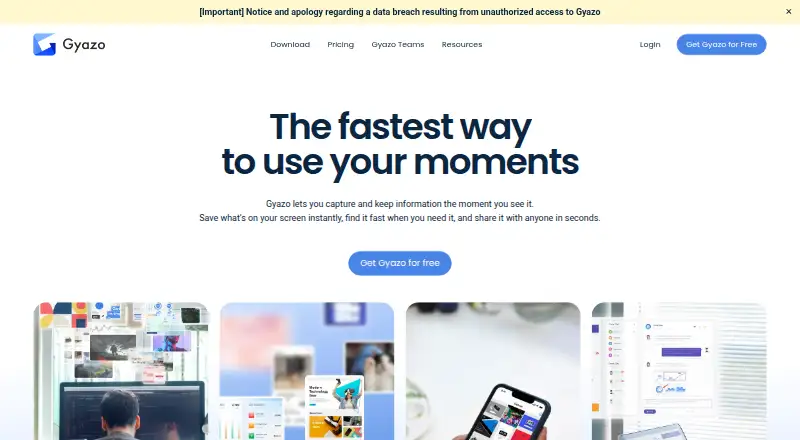
What Gyazo is
Gyazo captures still images, videos, frames, webcam footage, and voice explanations, then creates shareable links. It supports scrolling capture and exports in JPG, PNG, GIF, and MP4 formats. OCR recognizes text in captures and makes those words searchable. Users can set passwords, select viewer permissions, and use hashed URLs to control access. Gyazo is available on Windows, macOS, Linux, iOS, Android, and the web, with browser extensions for Chrome, Firefox, and Edge. The free plan allows unlimited screenshot capture and uploads, as well as unlimited HD video recording and uploads, but only the 10 latest images are included and recordings are limited to 7 seconds. Gyazo Pro costs $6.99 a month on a 12-month monthly plan or $71.88 a year; Pro raises video recording to 10 minutes and replay recording to 30 seconds. Teams has a 30-day free trial and a five-user minimum, with private team sharing, user management, team billing, a custom subdomain, and optional Google Workspace SSO.
Good
- Captures images, video, webcam footage, and voice explanations.
- OCR makes recognized text searchable.
- Offers passwords, viewer permissions, and hashed URLs.
- Supports Windows, macOS, Linux, iOS, Android, and browsers.
Watch out
- Free access includes only the 10 latest images.
- Free recordings are limited to 7 seconds.
- Teams requires a five-user minimum.
Who it suits
Gyazo suits people who need to capture and share images or recordings across desktop, mobile, and browser environments. Teams needing private team sharing and administration can consider its Teams plan.
Verdict
Gyazo pairs capture tools with shareable links, searchable text, and access controls. Consider the free plan's latest-image and recording limits, or the paid recording limits, when choosing a plan.
Plans and prices
From Gyazo's own pricing page, checked 20 Sep 2026.
| Plan | Price | What it gives you |
|---|---|---|
| Gyazo | — | 10 latest images · 7-second video recording · 7-second replay recording |
| Gyazo | Priced on request | 10 latest images · 7-second video recording · 7-second replay recording |
| Gyazo Pro | $6.99 a month | 10-minute video recording · 30-second replay recording · Monthly Plan (for 12 months) |
| Gyazo Pro | $71.88 a year | 10-minute video recording · 30-second replay recording · Yearly Plan; equivalent to $5.99/month |
| Gyazo Teams | — | 5-user minimum; monthly only; 30-day free trial · 5-user minimum · 10-minute video recording · 30-second replay recording · billed monthly |
| Gyazo Get Started for Free | Free | Access images up to 10 latest; video and replay recording up to 7 seconds |
| Gyazo Pro Monthly | $6.99 a month | Monthly Plan for 12 months · billed monthly |
| Gyazo Pro Yearly | $71.88 a year | Equivalent to $5.99 per month; saves $12.00 per year · billed yearly at $71.88 |
The facts
Each one read from Gyazo's own pages, with the date it was checked.
What it does
- Cancellation Terms
- After cancellation, Pro remains usable for the remaining current subscription period.checked 28 Sep 2026
- Capture Types
- Users can capture still images, videos, frames, webcam footage, and voice explanations.checked 28 Sep 2026
- Cloud Hosting
- Data is securely stored on Google Cloud with continuous monitoring.checked 28 Sep 2026
- Discount Policy
- Gyazo currently offers no special discount codes or student plans.checked 28 Sep 2026
- Downgrade Data
- Downgrading removes Pro features but does not delete captures or images.checked 28 Sep 2026
- Export formats
- JPG,PNG,GIF,MP4checked 20 Sep 2026
- OCR Search
- OCR automatically recognizes text in captures and lets users search by those words.checked 28 Sep 2026
- OCR text extraction
- Yeschecked 20 Sep 2026
- Payment Methods
- Gyazo accepts major credit and debit cards and PayPal.checked 28 Sep 2026
- Pro Video Limit
- Gyazo Pro supports HD video recording up to 10 minutes and replay recording up to 30 seconds.checked 28 Sep 2026
- Scrolling capture
- Yeschecked 20 Sep 2026
- Security Controls
- Users can set passwords, choose viewer permissions, and use hashed URLs.checked 28 Sep 2026
- Shareable links
- Yeschecked 20 Sep 2026
- Shareable Links
- Captures generate shareable links, and collections have shareable URLs.checked 28 Sep 2026
- Support Response
- Support response time is within five business days for free and two business days for Pro and Teams.checked 28 Sep 2026
- Yearly Savings
- The yearly Pro plan saves $12 per year compared with 12 monthly payments.checked 28 Sep 2026
Money
- Free Capture Limits
- Free access includes up to 10 latest images and recordings up to 7 seconds.checked 28 Sep 2026
- Free plan
- Yeschecked 20 Sep 2026
- Free Uploads
- The free plan includes unlimited screenshot capturing and uploading and unlimited HD video recording and uploading.checked 28 Sep 2026
- Teams Trial
- Gyazo Teams offers a 30-day free trial.checked 28 Sep 2026
Where it runs
- Supported platforms
- Windows,macOS,Linux,iOS,Android,Chrome,Firefox,Edge,webchecked 20 Sep 2026
- Supported Platforms
- Gyazo provides Windows, Mac, iOS, and Android apps, plus Chrome, Firefox, and Edge extensions.checked 28 Sep 2026
The company
- Team Administration
- Teams includes a custom subdomain, multi-user management, team billing, and optional Google Workspace SSO.checked 28 Sep 2026
- Team Sharing
- Teams provides private team-only sharing and can restrict capture sharing to the team.checked 28 Sep 2026
The full review of Gyazo
Overview
Gyazo turns screen captures and short recordings into shareable links, with text recognition that can make a growing collection easier to search. It suits people who explain work visually across desktop, mobile, and browser workflows, though the free plan is better for recent captures than for maintaining an accessible archive.
Scrolling capture, multiple media types, and viewer controls make it more than a basic screenshot utility. Its clearest trade-off is between generous capture and upload allowances on free and limited access to older images and very short free recordings.
Key features
- Flexible capture: Gyazo handles still images, video, frames, webcam footage, and voice explanations, and supports scrolling capture. JPG, PNG, GIF, and MP4 exports cover common still and motion formats; this range is useful for visual instructions, but it does not remove the free plan’s recording-duration cap.
- Searchable captures: OCR recognizes text inside captures and lets users search by those words. That is a practical advantage when recalling a screenshot by its contents rather than its filename.
- Controlled sharing: Shareable links can be protected with passwords, viewer permissions, or hashed URLs. These controls help when a link should not be open to everyone, while Teams adds private team-only sharing and the option to restrict sharing to the team.
- Cloud storage: Captures are stored on Google Cloud with continuous monitoring. This supports a cloud-based sharing workflow rather than a purely local capture utility.
- Team administration: Teams includes a custom subdomain, multi-user management, team billing, and optional Google Workspace SSO. Those administration features are relevant to organizations; an individual user does not need to pay for a team plan to get basic link sharing.
Pricing
Gyazo is freemium, with custom pricing for Teams. The free options allow unlimited screenshot capturing and uploading, plus unlimited HD video recording and uploading, but free access reaches only the 10 latest images. Video and replay recordings are capped at seven seconds. That is a strong way to capture and send short-lived material, not a substitute for unrestricted access to a long-running library.
Gyazo Pro Monthly costs $6.99 a month, billed monthly for a 12-month plan. Gyazo Pro Yearly costs $71.88 a year, equivalent to $5.99 per month, and saves $12.00 per year against 12 monthly payments. Both raise video recording to 10 minutes and replay recording to 30 seconds. Pro makes sense for individuals who need longer clips or replays; the yearly option lowers the effective monthly cost but requires annual billing.
Gyazo Teams has custom pricing and a five-user minimum. It includes 10-minute video recording and 30-second replay recording, alongside team administration and private sharing. A 30-day free trial is offered for Teams, making it the route to evaluate those features before committing. The standard free trial is also stated as 30 days; no special discount codes or student plans are offered.
Major credit and debit cards and PayPal are accepted. After cancellation, Pro remains usable through the current subscription period. Downgrading removes Pro features but does not delete captures or images. Support responds within five business days for free accounts and within two business days for Pro and Teams, a meaningful difference for users who rely on timely help.
Platforms
Gyazo supports Windows, macOS, Linux, iOS, Android, Chrome, Firefox, Edge, and the web. That breadth suits people who switch between computers, phones, and browsers; the platform coverage spans more workflows than a Windows-only capture tool.
Who it's for
Gyazo is a good fit for individuals who regularly share screenshots or short visual explanations and want to find captures later by text. Teams that need controlled internal sharing, user management, team billing, or Google Workspace SSO have a more relevant paid tier, though its five-user minimum makes it a poor fit for a small solo workflow.
Look elsewhere if free access to a deep archive or longer free recordings is central: Gyazo’s free tier limits accessible images to the latest 10 and recordings to seven seconds. Users who need clips beyond 10 minutes or replays beyond 30 seconds also exceed the stated Pro and Teams limits.
Pros and cons
- Pro: OCR search helps locate captures by their contents, not just by remembering when they were made.
- Pro: Passwords, viewer permissions, hashed URLs, and team-only sharing give users options for limiting access to shared material.
- Pro: Unlimited free capture and uploads make it possible to keep creating without a stated upload quota.
- Con: Free access is limited to the 10 latest images, so unlimited uploads do not mean an unlimited browsable free archive.
- Con: Seven-second free video and replay limits are restrictive for demonstrations that need more context.
- Con: Teams requires at least five users, and its custom pricing makes it less straightforward to assess against an individual subscription.
Alternatives
Screenshot Software is a useful category comparison for readers weighing capture tools more broadly; Screen Capture Software is the corresponding wider category for screen capture workflows.
Consider Browshot if an API-oriented option across web and desktop platforms better fits the job; its plans include 10 credits for $1 a month or 60 credits for $2 a month on a pay-as-you-go basis.
Monosnap may suit users who value a stated free storage allowance and longer free recordings: its free plan includes 2 GB storage, a 100 MB single-file upload limit, and five-minute video recording. Snipaste is another freemium option for Linux, macOS, and Windows users.
For browser-focused capture with a stated free allowance of up to 100 screenshots and 20 recordings, consider Awesome Screenshot. ApiFlash is an API and web alternative whose free plan includes 100 screenshots, while FireShot is a freemium option with a Pro Yearly plan at $39.95 a year.
Zight is worth comparing if its free plan’s five-minute recordings, 1 GB storage, and five video requests per month better suit your sharing volume. For Windows users wanting free capture, annotation, and export to files, clipboard, printer, or email, Greenshot is a more focused alternative.
Verdict
Choose Gyazo if searchable captures and shareable links with access controls matter more than keeping an unrestricted free archive. Pro is the sensible step up for individuals who need 10-minute videos or 30-second replays, while Teams is aimed at groups needing administration and private sharing. Look elsewhere if the free latest-image cap or short recordings would interrupt the way you work.
Getting started
- Open https://gyazo.com/.
- Choose the free plan or review Gyazo Pro and Teams options.
- Use the supported Windows, macOS, Linux, iOS, Android, browser extension, or web platform.
- Capture images, videos, frames, webcam footage, or voice explanations.
- Share captures with a link and set access controls if needed.
Limits worth knowing
The free plan provides access to up to 10 latest images, and recordings are limited to 7 seconds. Pro allows video recording up to 10 minutes and replay recording up to 30 seconds; Teams has a five-user minimum.
Questions
Is there a free plan?
Yes. Free access includes unlimited screenshot capture and uploads, but only the 10 latest images are accessible, and recordings are limited to 7 seconds.
How much does Gyazo Pro cost?
Pro costs $6.99 per month on the monthly plan for 12 months, or $71.88 per year. The yearly plan saves $12 compared with 12 monthly payments.
Which platforms does Gyazo support?
It supports Windows, macOS, Linux, iOS, Android, and the web, along with Chrome, Firefox, and Edge.
What does OCR do?
OCR recognizes words in captures and lets users search for captures using those words.
What does Gyazo Teams include?
Teams includes private team-only sharing, team billing, multi-user management, a custom subdomain, and optional Google Workspace SSO. It requires a minimum of five users and offers a 30-day free trial.
How are captures shared securely?
Users can set passwords, choose viewer permissions, and use hashed URLs.
Alternatives to Gyazo
- 1

Awesome Screenshot
Free planiOSWebExtensionmacOS7.6From $5 a month - 2

Microsoft Edge
Free planAndroidiOSWebExtension7.5Free plan - 3

Monosnap
Free planWebExtensionLinuxmacOS7.5From $2.50 a month - 4

Greenshot
Free planWindows7.0$1.99 one-time - 5
Screention
Free planLinuxmacOSWindows7.0Free plan - 6

Zight
Free planiOSmacOSWindows7.0From $119.40 a year