Screention
Screention is a native desktop screenshot tool for capturing, annotating, styling, extracting text or QR codes, and sharing screenshots.
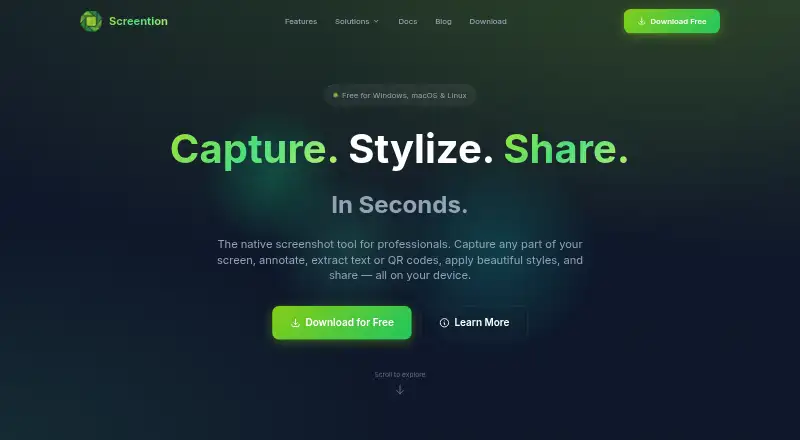
What Screention is
Screention is a native desktop screenshot tool for capturing, annotating, styling, extracting text or QR codes, and sharing screenshots. Users can select screen regions precisely, with a live pixel dimension readout and capture controls on the overlay. Annotation tools include arrows, rectangles, circles, blur, highlighting, 12 preset colors, undo and redo. Screenshots can be styled with solid or gradient backgrounds, adjustable padding, border radius and shadows. On-device OCR extracts English text using a bundled Tesseract WebAssembly engine, without sending the image to a cloud service. The app can also scan QR codes and common 1D barcodes locally and copy decoded content to the clipboard. Captures stay local by default; users can choose to upload one and copy a shareable view link. The local gallery supports date sorting, searches by filename or note, previews, notes and clipboard copying. The free plan includes unlimited screenshots, basic annotations, local storage and standard-quality export. Downloads are listed for Windows 10/11, macOS 11+ and Linux builds.
Good
- Captures precise screen regions with pixel dimensions.
- Includes multiple annotation and styling tools.
- OCR and barcode scanning run on-device.
- No account or email is required.
Watch out
- OCR supports English only.
- Wayland capture may require grim.
- No browser extension is available.
- Privacy policy says technical information and usage may be collected.
Who it suits
Screention is intended for creators, designers and developers who need desktop screenshots with annotation, styling or local text and code extraction. It suits users who want captures to remain local by default, with optional sharing.
Verdict
Screention combines capture, markup, styling and local extraction features in a desktop app. Check its English-only OCR and Wayland note if those limits matter to your setup.
Plans and prices
From Screention's own pricing page, checked 24 Sep 2026.
| Plan | Price | What it gives you |
|---|---|---|
| Pro | Priced on request | OCR / text extraction · Cloud sync and sharing · Advanced analytics · Priority support |
| Pro | — | OCR / text extraction · Cloud sync and sharing · Advanced analytics · Priority support |
| Pro Lifetime | Priced on request | OCR / text extraction · Cloud sync and sharing · Advanced analytics · Priority support |
| Pro Lifetime | — | OCR / text extraction · Cloud sync and sharing · Advanced analytics · Priority support |
| Free | Free | Free forever · no account required · Windows, macOS & Linux |
| Screention | Free | Free forever · no account required · Windows, macOS & Linux |
The facts
Each one read from Screention's own pages, with the date it was checked.
What it does
- Account requirement
- The maker says no account, subscription, or email is required to download or use the app.checked 11 Oct 2026
- Annotations
- The overlay provides arrows, rectangles, circles, blur redaction, highlighting, undo and redo.checked 15 Oct 2026
- API and SDKs
- The published documentation describes no public API, SDK or extension mechanism.checked 15 Oct 2026
- Background styling
- Screenshots can use solid or gradient backgrounds with adjustable padding, corner radius and shadow.checked 15 Oct 2026
- Barcode scanning
- The app scans QR codes and common 1D barcodes on-device and copies the decoded payload to the clipboard.checked 11 Oct 2026
- Capture
- Users select screen regions with a live pixel-size indicator and keyboard fine-tuning.checked 15 Oct 2026
- Cloud sharing
- Users may upload a capture for a share link, while local saving and clipboard copying work without network access.checked 15 Oct 2026
- Color controls
- Annotation colors include 12 presets, custom hex input and recently used colors.checked 15 Oct 2026
- Export formats
- PNGchecked 24 Sep 2026
- Gallery
- The local gallery supports date sorting, filename or note search, previews, notes, folder opening and clipboard copying.checked 15 Oct 2026
- Hotkeys
- The default global capture shortcut is Ctrl+Alt+A on Windows/Linux and Cmd+Alt+A on macOS, and it can be changed.checked 15 Oct 2026
- Independent review availability
- Search results did not surface Screention profiles on the requested major review platforms or app stores, so no verified third-party rating or review count is stated here.checked 15 Oct 2026
- Intended users
- The site says Screention is made for creators, designers, and developers.checked 11 Oct 2026
- Licence
- Terms grant a revocable, non-exclusive, non-transferable limited licence and prohibit redistribution, modification and reverse engineering.checked 15 Oct 2026
- Limit: OCR accuracy
- Documentation warns that OCR accuracy falls with very small fonts and improves with high contrast and 100% zoom.checked 15 Oct 2026
- Limit: unsigned builds
- Windows SmartScreen and macOS Gatekeeper may warn because distributed installers are not signed by Microsoft or Apple.checked 15 Oct 2026
Where it runs
- Browser extension
- Nochecked 24 Sep 2026
- Limit: Linux dependencies
- Wayland capture can fail without grim, and minimal Linux installations may require WebKitGTK 4.1.checked 15 Oct 2026
- Linux packages
- Linux downloads include Debian, RPM and AppImage packages for distributions such as Ubuntu, Fedora and Arch.checked 15 Oct 2026
- macOS support
- macOS builds support Intel and Apple Silicon systems including M1 through M4.checked 15 Oct 2026
Money
- Free plan
- Yeschecked 24 Sep 2026
The company
- Maker delivery claims
- Gkernel reports more than 20 projects delivered, over 15 clients, service in six or more countries and 99% on-time delivery.checked 15 Oct 2026
- Maker location
- Gkernel lists Brahmanbaria, Bangladesh as its company contact location.checked 15 Oct 2026
- Maker product portfolio
- Gkernel lists Screention as one of its live software products alongside MyQuran and Blaadline.checked 15 Oct 2026
The full review of Screention
Overview
Screention is a native desktop screenshot workspace for people who need accurate captures, clear markup, and lightweight image organization. Creators, designers, and developers will get the most from its combination of local processing and optional link sharing. It is a focused choice for desktop workflows, while multilingual OCR needs and some Linux setups may call for another tool.
Key features
Region capture provides a live pixel-dimension readout and controls directly on the selection overlay. That makes repeatable, exact crops practical when documenting interfaces or preparing assets. The annotation toolbar includes arrows, rectangles, circles, blur, highlighting, 12 preset colors, undo, and redo. These tools cover everyday explanation and redaction work, although the documented set does not extend beyond those basics.
Styling options put solid or gradient backgrounds behind a capture and let users adjust padding, border radius, and shadows. The result is more presentation-ready than an unedited screen grab without moving to a separate design application. PNG is the export format, so teams needing other image or document formats should plan an additional conversion step.
OCR runs on the device through a bundled Tesseract WebAssembly engine. Text extraction therefore does not send the image to a cloud service, an advantage for private material. Recognition is limited to English. The same local approach scans QR codes and common one-dimensional barcodes, then copies the decoded payload to the clipboard, which is useful for quick handoffs and data entry.
Screention keeps captures local by default. When a remote handoff is appropriate, users can upload an image and copy a shareable view link. Its local gallery adds date sorting, filename or note search, previews, notes, and clipboard copying, giving an orderly archive without requiring an account. The maker says no account, subscription, or email is needed to download or use the app. The privacy policy nevertheless says technical device and usage information may be collected and that third-party analytics services may be used, so privacy-sensitive organizations should review that policy before deployment.
Pricing
The Free plan costs nothing and includes unlimited screenshots, basic annotations, local storage, and standard-quality export. It is the sensible starting point for individuals who can keep their workflow on one machine and do not need the paid feature set. There is no free trial because the free plan is available without one.
Pro has custom pricing and adds OCR or text extraction, cloud sync and sharing, advanced analytics, and priority support. Pro Lifetime has custom pricing with the same stated feature bundle, but its term is presented as lifetime rather than an ongoing plan. Choose Pro when continuing service and support matter; choose Pro Lifetime only when a one-time entitlement better fits your purchasing policy. The free offering gives up those paid capabilities, so teams needing synchronized libraries or the advanced analytics should budget for a paid plan.
A separate Screention plan is also listed as free. It is free forever, requires no account, and covers Windows, macOS, and Linux. No seat or usage quota is stated for this plan.
Platforms
Screention has desktop builds for Windows, macOS, and Linux. The download requirements are Windows 10 or 11, macOS 11 or newer, and Linux packages for Debian/Ubuntu, Fedora/RHEL, plus an AppImage. It has no browser extension. On Wayland, the documentation says capture may require grim when the built-in path does not work, an extra setup consideration for Linux users.
Who it's for
This is best for creators, designers, and developers who want capture, markup, visual polish, local OCR, and a searchable gallery in one desktop application. It also suits teams that share selectively rather than sending every image to a service. Look elsewhere if you need non-English OCR, browser-first capture, broad export formats, or a Linux workflow that cannot accommodate the Wayland workaround.
Pros and cons
Pros
- Precise region capture: live pixel dimensions help produce consistent, exact screenshots.
- Useful markup set: arrows, shapes, blur, highlighting, color presets, undo, and redo cover common explanation and redaction jobs.
- Local extraction: English OCR and barcode scanning run on-device, keeping image data out of a cloud OCR service.
- Local-first gallery: search, notes, sorting, previews, and clipboard copying support an organized archive without an account.
- Broad desktop coverage: Windows, macOS, and several Linux distribution formats are supported.
Cons
- English-only OCR: multilingual documentation and support teams cannot rely on the built-in text extraction.
- PNG-only export: workflows requiring other formats need a separate conversion tool.
- Wayland caveat: some Linux users may need grim for reliable capture.
- Paid collaboration features: cloud sync, sharing, analytics, and priority support are reserved for custom-priced plans.
- Analytics disclosure: the privacy policy allows technical and usage data collection and third-party analytics.
Alternatives
For a wider directory of capture tools, browse Screen Capture Software. For tools centered on markup, see Screenshot Annotation Software.
Gyazo is the better pick when Android, iOS, web, or an extension matters, or when you want a free tier with 10 latest images and short recordings; Screention is stronger for local desktop annotation and gallery management.
Choose Microsoft Edge if you want a free browser available across desktop, mobile, and web platforms rather than a dedicated screenshot workspace.
Monosnap fits users who need extension and web access plus free storage and recording allowances; Screention favors local screenshots and on-device extraction.
Awesome Screenshot is suited to browser and iOS users who need a free quota for screenshots and recordings, including recordings up to 720p; Screention offers a desktop-native, local-first workflow instead.
Lightshot is a straightforward free choice for selected-area screenshots, online sharing, editing, and local saving across desktop and extension platforms.
Markup Hero suits macOS and Windows users who want annotation and sharing with a free history cap of 25 screenshots; Screention provides unlimited screenshots on its free plan.
Zight is aimed at teams combining screenshots with recordings and hosted storage, while Screention concentrates on desktop captures, markup, and local organization.
Flameshot is the alternative for users who specifically want free, open-source screenshot software on Windows, macOS, and Linux.
Verdict
Screention is a strong fit for desktop creators, designers, and developers who value precise capture, practical annotation, local OCR, and a searchable gallery without an account. Its main reason to choose it is the coherent local workflow with optional sharing; its main reason to look elsewhere is the English-only OCR, PNG-only export, and Wayland caveat, especially for multilingual or Linux-sensitive teams.
Alternatives to Screention
- 1
Gyazo
Free planAndroidiOSWebExtension8.0Free plan - 2

Awesome Screenshot
Free planiOSWebExtensionmacOS7.6From $5 a month - 3

Microsoft Edge
Free planAndroidiOSWebExtension7.5Free plan - 4

Monosnap
Free planWebExtensionLinuxmacOS7.5From $2.50 a month - 5

Greenshot
Free planWindows7.0$1.99 one-time - 6

Zight
Free planiOSmacOSWindows7.0From $119.40 a year