
Lightshot
Lightshot is a free screenshot tool for capturing a selected part of a desktop.
What Lightshot is
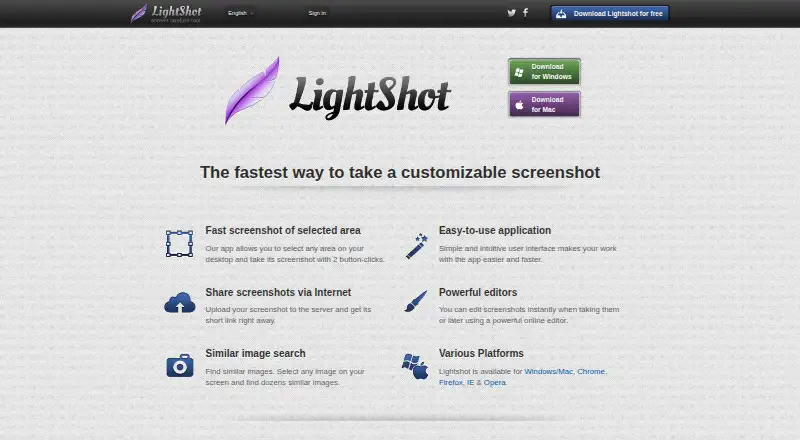
Lightshot is a free screenshot tool for capturing a selected part of a desktop. Users can edit a screenshot during capture or later in an online editor, add annotations, save images locally, or upload them to get a short sharing link. Supported image formats are PNG, BMP, and JPG. Lightshot can also search for images similar to a selected image on screen. The maker offers desktop applications for Windows and Mac, plus browser extensions for Chrome, Firefox, Internet Explorer, and Opera. There is no application designed specifically for Linux; the maker describes using Wine and says Ubuntu compatibility has been tested. On Windows, a selected screenshot can be copied to the clipboard with Ctrl+C. A prntscr.com account is required to find all screenshots taken through the service. Uploaded images are public to anyone with the URL, and the privacy policy says the service is not intended for secure image storage. It also says usage and device information is collected, including IP address, browser type, and page and image viewing statistics. The free plan is listed as free.
Good
- Captures a selected desktop area.
- Supports PNG, BMP, and JPG.
- Includes annotation and online editing.
- Uploaded screenshots receive a short sharing link.
Watch out
- No app is designed specifically for Linux.
- Uploaded images are public to anyone with their URL.
- An account is needed to find all screenshots.
Who it suits
Lightshot suits people who want to capture, annotate, save, and share selected areas of a desktop screen. Its browser extensions may also suit users who prefer that access method.
Verdict
Lightshot covers a focused screenshot workflow, from selecting and editing an area to saving or sharing it. Keep in mind that uploaded images are public by URL and the service is not designed for secure image storage.
Plans and prices
From Lightshot's own pricing page, checked 19 Sep 2026.
| Plan | Price | What it gives you |
|---|---|---|
| Free | Free | Selected-area screenshots · Online sharing · Screenshot editing · Local image saving |
| Lightshot | Free | Download offered for free; no paid plan or usage limits stated on the pages reviewed |
The facts
Each one read from Lightshot's own pages, with the date it was checked.
What it does
- Account and screenshot history
- An account on prntscr.com is required to find all screenshots taken through the service.checked 8 Oct 2026
- Clipboard
- On Windows, users can copy a selected screenshot to the clipboard with Ctrl+C.checked 8 Oct 2026
- Data collection
- The privacy policy says the service collects usage and device information, including IP address, browser type, and page and image viewing statistics.checked 8 Oct 2026
- Editing
- Screenshots can be edited while capturing or later in an online editor.checked 8 Oct 2026
- Export formats
- PNG, BMP, JPGchecked 19 Sep 2026
- Image formats
- The FAQ lists PNG, BMP, and JPG as supported image formats.checked 8 Oct 2026
- Image search
- Lightshot can search for images similar to a selected image on the screen.checked 8 Oct 2026
- Privacy and visibility
- The privacy policy says every uploaded image is public to anyone with its URL and the site is not intended as a secure image storage platform.checked 8 Oct 2026
- Screenshot capture
- Lightshot lets users select an area of the desktop and capture it with two button clicks.checked 8 Oct 2026
- Sharing
- Uploading a screenshot provides a short link for sharing it over the internet.checked 8 Oct 2026
- Support
- The maker directs users with problems or feedback to [email protected].checked 8 Oct 2026
- Upload restrictions
- The terms prohibit uploading content including pornography, infringing material, spam, and non-image or non-video files.checked 8 Oct 2026
Where it runs
- Browser extension
- Yeschecked 19 Sep 2026
- Browser extensions
- The maker lists Lightshot availability for Chrome, Firefox, Internet Explorer, and Opera.checked 8 Oct 2026
- Linux
- Lightshot does not have an application designed specifically for Linux, but the maker describes running it with Wine and says Ubuntu compatibility has been tested.checked 8 Oct 2026
- Windows and Mac
- The download page offers desktop applications for Windows and Mac.checked 8 Oct 2026
Money
- Free plan
- Yeschecked 19 Sep 2026
The full review of Lightshot
Lightshot is a free utility for grabbing a precisely chosen part of your screen, annotating it, and either saving it or generating a share link. It is best suited to support replies, bug reports, teaching materials, and quick visual instructions rather than recording or managed media libraries. The focused workflow and zero price are compelling, but anyone handling sensitive images should keep sharing local.
Overview
Lightshot turns a screenshot into a small, deliberate task: select an area and capture it with two button clicks. That approach avoids the clutter of a full-desktop image when you need to point out a control, error, or design detail. Annotation tools and editing during capture let you mark the important part immediately; an online editor provides a second opportunity to refine the image later.
You can save the finished image locally or upload it to receive a short link for internet sharing. The upload route is convenient for sending a visual in a support conversation, but it is not a private repository: every uploaded image is public to anyone who has its URL. An account on prntscr.com is required to find all screenshots taken through the service, so users who want a persistent history should create one and users who do not should maintain their own local archive.
Image search adds a useful discovery function by finding pictures similar to an image selected on screen. It is a secondary benefit rather than a replacement for a dedicated image-search service, but it can help identify visual material while you are already capturing it.
Key features
Capture, editing, and export
Selected-area capture keeps screenshots concise, and annotation tools make the result useful as an explanation rather than just a record. Editing is available both in the capture flow and afterward online, which suits users who need to add emphasis before sending an image. Lightshot supports PNG, BMP, and JPG exports, covering the common formats for documents, web uploads, and general image handling.
Windows users can press Ctrl+C to copy a selected screenshot to the clipboard. That is a practical shortcut when a file is unnecessary and the image needs to be pasted directly into a message or document. Local saving is also included, so sharing does not require an upload.
Sharing and service boundaries
Uploading creates a short internet link, reducing friction when recipients do not need an attachment. The trade-off is fundamental: uploaded images are publicly reachable by URL, and the service is not designed for secure image storage. The privacy policy also describes collection of usage and device information, including IP address, browser type, and page and image-viewing statistics. Do not use the upload workflow for confidential screenshots.
Uploads must comply with the service terms, which prohibit pornography, infringing material, spam, and non-image or non-video files. Problems and feedback are directed to [email protected].
Pricing
Lightshot is free, with no free trial because there is no paid trial period. The Free plan costs nothing and includes selected-area screenshots, online sharing, screenshot editing, and local image saving. The listing also presents a Lightshot plan at no cost; the download is offered for free, with no paid plan or usage limits stated. This makes it a straightforward choice for individuals who need the core workflow without a subscription, while teams seeking paid controls, private storage, or service-level commitments should look elsewhere.
Platforms
Lightshot is available as a browser extension and supports Windows, macOS, and Linux in its platform listing. Desktop downloads are offered for Windows and Mac. There is no Linux application designed specifically for the platform; the maker describes running Lightshot with Wine and reports Ubuntu compatibility testing, so Linux users should expect an indirect setup rather than a native package.
Browser extensions are listed for Chrome, Firefox, Internet Explorer, and Opera. That range is useful when capture needs to stay close to browser work, although desktop applications provide the broader desktop capture route.
Who it's for
Choose Lightshot for fast, selected-area screenshots with annotations, local exports, and optional link sharing. It fits support agents, developers documenting bugs, educators preparing visual directions, and anyone who regularly needs to explain one part of a screen. It is less suitable for recording-heavy workflows, centrally managed image libraries, or confidential content that cannot be exposed through a public URL.
Pros and cons
- Pro: Two-click area capture produces focused images quickly, avoiding unnecessary full-screen content.
- Pro: Editing during capture and later online, plus PNG, BMP, and JPG export, supports both immediate markup and flexible handoff.
- Pro: Clipboard copying on Windows and optional local saving reduce dependence on uploads.
- Con: Uploaded images are public to anyone with the URL, making the sharing service inappropriate for sensitive material.
- Con: Complete screenshot history requires a prntscr.com account, which adds an account dependency for users who want retrieval through the service.
- Con: Linux support relies on Wine rather than a dedicated application.
Alternatives
For a broader directory of options, browse Screen Capture Software, Screenshot Software, or Screenshot Annotation Software.
- Gyazo is the better fit if you need Android or iOS support, web access, or short video and replay recordings; its free plan covers 10 latest images and seven-second recordings.
- Microsoft Edge suits users who want a free browser spanning Windows, macOS, iOS, Android, and Linux.
- Monosnap is worth choosing when a freemium workflow with 2 GB storage, a 100 MB single-file limit, and up to five minutes of video recording is more useful.
- Awesome Screenshot fits extension users who need free quotas for screenshots and recordings, including recordings up to six hours at 720p.
- Screention is an alternative for native Linux, macOS, and Windows use with unlimited screenshots and local storage on its free plan.
- Markup Hero is preferable when a capped but dedicated annotation history is enough: its free tier includes 25 screenshots and history.
- Zight targets users who need recording and GIF features alongside screenshots, with a free Share plan that includes 1 GB storage.
- Flameshot is the choice for free, open-source screenshot software with 64-bit Windows, macOS, and Linux downloads.
Verdict
Lightshot is an excellent fit for anyone who wants fast, focused, annotated screenshots at no cost, especially when local saving or a quick link is enough. Choose it for the efficient capture-and-markup workflow; choose another tool when public-by-URL uploads, account-dependent history, or non-native Linux support conflict with your privacy, administration, or platform requirements.
Alternatives to Lightshot
- 1
Gyazo
Free planAndroidiOSWebExtension8.0Free plan - 2

Awesome Screenshot
Free planiOSWebExtensionmacOS7.6From $5 a month - 3

Microsoft Edge
Free planAndroidiOSWebExtension7.5Free plan - 4

Monosnap
Free planWebExtensionLinuxmacOS7.5From $2.50 a month - 5

Greenshot
Free planWindows7.0$1.99 one-time - 6
Screention
Free planLinuxmacOSWindows7.0Free plan