Awesome Screenshot
Awesome Screenshot captures browser pages and screens, including full-page screenshots, and can record screen video and camera.
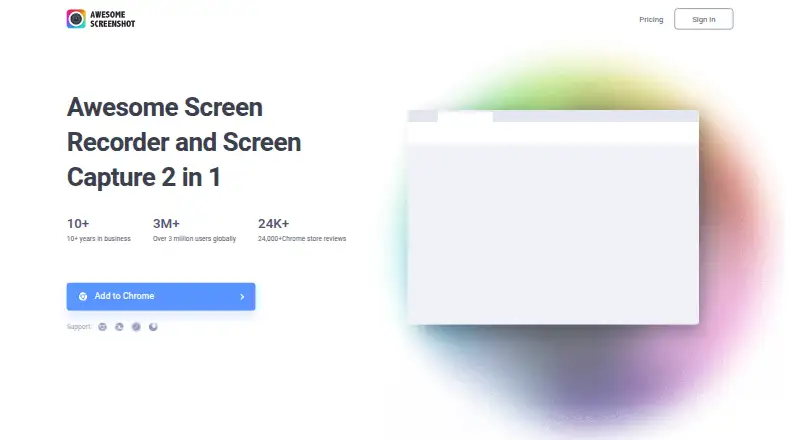
What Awesome Screenshot is
Awesome Screenshot captures browser pages and screens, including full-page screenshots, and can record screen video and camera. Users can annotate screenshots and export them as PNG, JPG, or PDF; OCR text extraction is also available. The Mac product records system audio and microphone, while the Windows desktop app can save recordings to AwesomeScreenshot.com Cloud or a local computer and is described as having no watermark or ads. Browser extensions or add-ons are listed for Chrome, Edge, Safari, Firefox, Brave, Opera, Yandex, and Vivaldi, with apps for iPhone, Mac, and Windows. Screenshots can be shared through Facebook, Twitter, or Gmail, and feedback can be collected through Google Drive, Trello, Slack, or Asana. Trello, Slack, Asana, and Jira are listed as connected tools. The free plan allows up to 100 screenshots and 20 recordings, with recordings capped at six hours and 720p. The free version also limits advanced annotation, recording, and editing and download durations.
Good
- Captures entire pages.
- Exports screenshots as PNG, JPG, or PDF.
- Includes OCR text extraction.
- Supports screen and camera recording.
Watch out
- Free plan allows up to 100 screenshots.
- Free plan allows up to 20 recordings.
- Free recordings are capped at six hours and 720p.
- Free version limits advanced annotation and editing.
Who it suits
Awesome Screenshot suits people who need screenshots, screen recordings, annotation, or OCR across browsers and desktop platforms. Its free plan may fit users whose capture and recording needs stay within the stated limits.
Verdict
Awesome Screenshot combines browser capture, annotation, OCR, and screen recording across extensions and apps. Its free plan sets limits on capture volume, recording quality, and advanced editing features.
Plans and prices
From Awesome Screenshot's own pricing page, checked 1 Oct 2026.
| Plan | Price | What it gives you |
|---|---|---|
| Free | Free | Up to 100 screenshots · Up to 20 recordings · Up to 6 hours per recording · Up to 720p · 3-day trash recovery · $0 / month |
| Basic | $5 a month | Unlimited screenshots · Up to 20 recordings · Up to 6 hours per recording · Up to 720p · 30-day trash recovery · $5/month billed annually; $6/month billed monthly |
| Professional | $6 a month | Unlimited screenshots · Unlimited recordings · Up to 6 hours per recording · Up to 4k · 30-day trash recovery · $6/month billed annually; $8/month billed monthly |
The facts
Each one read from Awesome Screenshot's own pages, with the date it was checked.
What it does
- Annotation
- Screenshots can be annotated with various editing options.checked 1 Oct 2026
- Cloud and local storage
- The Windows desktop app lets users save recordings to AwesomeScreenshot.com Cloud or their local computer.checked 1 Oct 2026
- Export formats
- PNG, JPG, PDFchecked 19 Sep 2026
- GDPR processing
- Its Data Processing Agreement states that the agreement is intended to comply with the EU General Data Protection Regulation.checked 1 Oct 2026
- Integrations
- The homepage lists Trello, Slack, Asana and Jira as connected tools.checked 1 Oct 2026
- No watermark or ads
- The Windows desktop app is described as having no watermark and no ads.checked 1 Oct 2026
- OCR text extraction
- Yeschecked 19 Sep 2026
- Screenshots
- It takes one-click screenshots, including entire pages.checked 1 Oct 2026
- Screen video
- It records both screen and camera.checked 1 Oct 2026
- Scrolling capture
- Yeschecked 19 Sep 2026
- Security and privacy
- The privacy policy identifies Diigo Inc. as the company and describes collection, use and disclosure of personal data to provide and improve the service.checked 1 Oct 2026
- Sharing
- It supports sharing screenshots through Facebook, Twitter or Gmail and feedback through Google Drive, Trello, Slack or Asana.checked 1 Oct 2026
- Support
- The homepage provides a Help/FAQ link and the email address [email protected].checked 1 Oct 2026
Where it runs
- Browser extension
- Yeschecked 19 Sep 2026
- Browser extensions
- Official extensions or add-ons are listed for Chrome, Edge, Safari, Firefox, Brave, Opera, Yandex and Vivaldi.checked 1 Oct 2026
- Mac and iPhone
- The Mac product records screen, camera, system audio and microphone, and an iPhone app is listed as available.checked 1 Oct 2026
Money
- Free plan
- Yeschecked 19 Sep 2026
- Free-plan limits
- The free version limits advanced screenshot annotation, advanced recording, and editing and download durations.checked 1 Oct 2026
The full review of Awesome Screenshot
Overview
Awesome Screenshot brings still-image capture and screen video into a single tool, with versions listed for browser extensions, iOS, macOS, the web and Windows. Screenshots can cover an entire page, and users can annotate captures, extract text with OCR, and export images as PNG, JPG or PDF. Video recording can include the screen and camera.
Features and storage options depend on the platform. The Mac product records system audio and microphone alongside the screen and camera. The Windows desktop app can save recordings to AwesomeScreenshot.com Cloud or the local computer, and is described as having no watermark or ads. An iPhone app is also listed.
For related categories, browse Screenshot Software, Screenshot Annotation Software, Screen Capture Software and Screen Recording Software.
Key features
Capture, annotate and extract text
One-click screenshots include entire pages, with scrolling capture for content beyond the visible screen. Annotation tools provide options for editing captured images. OCR can extract text from screenshots, which adds a text-oriented use to a capture workflow. Finished screenshots can be exported in PNG, JPG or PDF format.
Record and share
Screen video can record the screen and camera together. The Mac product adds system audio and microphone recording. Sharing options include Facebook, Twitter and Gmail, while feedback can be sent through Google Drive, Trello, Slack or Asana. The homepage also lists Trello, Slack, Asana and Jira as connected tools.
Browser and desktop availability
Official browser extensions or add-ons are listed for Chrome, Edge, Safari, Firefox, Brave, Opera, Yandex and Vivaldi. The Windows desktop app provides a choice between cloud and local recording storage. These options make the product available across browser and desktop workflows, though the feature details are not identical across its platform offerings.
Pricing
Awesome Screenshot uses a freemium model. The Free plan is free, billed $0 / month. It includes up to 100 screenshots, up to 20 recordings, up to 6 hours per recording, up to 720p, and 3-day trash recovery.
Basic costs $5 a month, billed $5/month billed annually or $6/month billed monthly. It includes unlimited screenshots, up to 20 recordings, up to 6 hours per recording, up to 720p, and 30-day trash recovery.
Professional costs $6 a month, billed $6/month billed annually or $8/month billed monthly. It includes unlimited screenshots and recordings, up to 6 hours per recording, up to 4k, and 30-day trash recovery.
The free version limits advanced screenshot annotation, advanced recording, and editing and download durations. The listed plan allowances give a clearer sense of capture volume and recording resolution, but the feature limits on the free tier matter if annotation or editing is central to your workflow.
Platforms
Supported platforms are listed as extension, iOS, macOS, web and Windows. Browser add-ons are available for Chrome, Edge, Safari, Firefox, Brave, Opera, Yandex and Vivaldi. The Mac product records screen, camera, system audio and microphone; the Windows desktop app can save recordings locally or to AwesomeScreenshot.com Cloud.
Who it's for
Awesome Screenshot suits people who need both page capture and screen video in one service, especially when annotation, OCR or sharing feedback with collaborators is part of the work. Its full-page and scrolling capture can help with documenting web content beyond the viewport, while camera-inclusive recording supports explaining something visually. Users who mainly need still captures can use the screenshot and export features without treating video as the central workflow.
It is also a candidate for users who want their choice of browser extension or desktop app. Consider the platform-specific differences before relying on a particular recording setup, and review the free-tier restrictions if advanced annotation, recording, editing or downloading is important.
Pros and cons
Pros
- Combines screenshot capture, screen recording, annotation and OCR.
- Supports entire-page and scrolling captures, with PNG, JPG and PDF exports.
- Offers multiple sharing and feedback channels, plus integrations listed for Trello, Slack, Asana and Jira.
- Windows desktop recordings can be saved to cloud storage or the local computer.
- The Windows desktop app is described as having no watermark and no ads.
Cons
- The free version limits advanced annotation, recording, editing and download durations.
- Capabilities vary by platform, so a feature available in one product offering may not be present in another.
- Basic limits recordings to 20, while the Free plan also allows up to 20 recordings.
Alternatives
For other screenshot and capture options, consider ShareX, Greenshot, Snipaste, Monosnap, Markup Hero, Screenpresso, PicPick and Flameshot.
Verdict
Awesome Screenshot is a broad capture option for people who want page screenshots, markup, OCR and video recording together. Its platform range, sharing options and multiple paid tiers give it flexibility, while the Free plan has defined capture allowances and limits on advanced tools. Before choosing it, match the features you need to the platform you plan to use, and compare the plan limits—especially recording count, resolution and recovery period—with your expected workflow.
Its privacy policy identifies Diigo Inc. and describes collection, use and disclosure of personal data to provide and improve the service. The Data Processing Agreement states that it is intended to comply with the EU General Data Protection Regulation. For help, the homepage provides a Help/FAQ link and the email address [email protected].
Getting started
- Visit https://www.awesomescreenshot.com/.
- Choose a listed browser extension or add-on, or use the web product.
- For desktop use, choose the Mac or Windows product; an iPhone app is also listed.
- Start with the Free plan or choose Basic or Professional.
- Use the available screenshot, recording, and sharing options.
Limits worth knowing
The Free plan permits up to 100 screenshots and 20 recordings, with recordings up to six hours and 720p, and 3-day trash recovery. It limits advanced screenshot annotation, advanced recording, and editing and download durations. Basic costs $5 a month billed annually or $6 a month billed monthly; Professional costs $6 a month billed annually or $8 a month billed monthly.
Questions
Is there a free plan?
Yes. Free costs nothing and includes up to 100 screenshots and 20 recordings.
What do the paid plans cost?
Basic is $5 a month billed annually or $6 a month billed monthly. Professional is $6 a month billed annually or $8 a month billed monthly.
Which platforms are available?
The listed platforms are extension, iOS, macOS, web, and Windows. Browser extensions or add-ons are listed for Chrome, Edge, Safari, Firefox, Brave, Opera, Yandex, and Vivaldi.
Which screenshot formats can I export?
PNG, JPG, and PDF.
Can it record audio as well as video?
It records screen and camera. The Mac product also records system audio and microphone.
Which tools can it connect with or share to?
The homepage lists Trello, Slack, Asana, and Jira as connected tools. Screenshot sharing is supported through Facebook, Twitter, or Gmail, and feedback through Google Drive, Trello, Slack, or Asana.