
PicPick
PicPick is a Windows application for capturing and recording screens, editing images, and using design tools such as a color picker and pixel ruler.
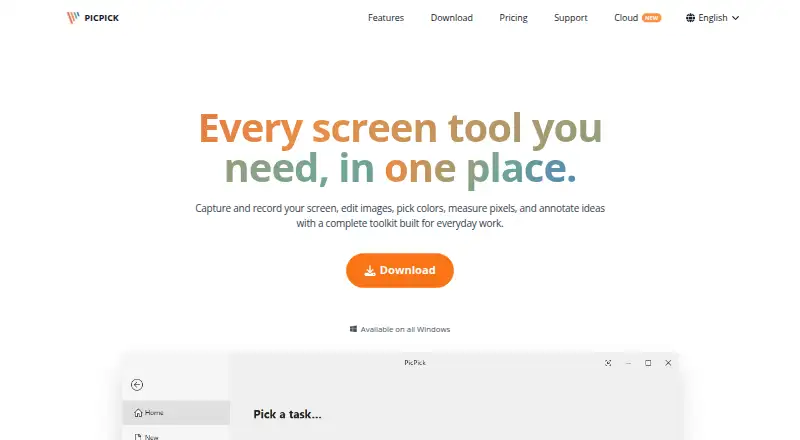
What PicPick is
PicPick is a Windows application for capturing and recording screens, editing images, and using design tools such as a color picker and pixel ruler. Capture options include full screens, active windows, scrolling windows, fixed or freehand regions, and multiple monitors; hotkeys and auto-save are supported. Recordings can cover a screen, window, or selected region, include system audio and microphone input, and be saved locally. The editor supports annotations, drawing, shapes, callouts, stamps, cropping, resizing, erasing, and retouching. Exports include PNG, JPEG, BMP, GIF, and PDF, and sharing destinations include cloud services, email, social platforms, and Microsoft Office apps. PicPick offers a free Home plan for personal, non-commercial use, with manual updates and no technical support. Professional is listed at $3,630 a year, billed per year, and includes commercial and business use, automatic updates, priority technical support, and no ads. The maker says the app runs locally and does not require an internet connection to function.
Good
- Scrolling and multi-monitor capture
- Screen recordings can include system audio and microphone
- Exports PNG, JPEG, BMP, GIF, and PDF
- Portable ZIP download is available
Watch out
- Windows only; no Mac or Linux build planned
- Free Home plan excludes commercial use and technical support
- Professional license covers one user on up to two computers
Who it suits
PicPick suits Windows users who need screen capture, annotation, image editing, or measurement tools. Its listed use cases include developers, designers, educators, and business teams.
Verdict
PicPick combines capture, editing, recording, and design utilities in a Windows app. The free plan is restricted to personal, non-commercial use, while Professional is the listed option for business use and priority support.
Plans and prices
From PicPick's own pricing page, checked 7 Oct 2026.
| Plan | Price | What it gives you |
|---|---|---|
| Professional | $3,630 a year | Commercial and business use · auto updates · priority technical support · no ads · up to two computers per user · per year |
| Home | Free | Free · personal, non-commercial use only · manual updates · no technical support |
The facts
Each one read from PicPick's own pages, with the date it was checked.
What it does
- Design tools
- Built-in tools include a color picker and palette, pixel ruler, magnifier, crosshair, protractor, and whiteboard.checked 7 Oct 2026
- Downloads
- The download page offers a standard installer and a portable ZIP package that runs without installation.checked 7 Oct 2026
- Export formats
- PNG, JPEG, BMP, GIF, PDFchecked 19 Sep 2026
- Google Drive data
- For optional Drive uploads, PicPick says it accesses account information, folder metadata, and files it creates or uploads, and does not access unrelated Drive files.checked 7 Oct 2026
- Image editing
- The editor supports screenshot annotations, drawing, shapes, callouts, stamps, crop and resize, erasing, and retouching.checked 7 Oct 2026
- Integrations
- Sharing destinations include Google Drive, Dropbox, OneDrive, Box, FTP, email, social platforms, Microsoft Word, PowerPoint, and Excel.checked 7 Oct 2026
- Intended users
- The site describes use cases for developers, designers, educators, and business teams.checked 7 Oct 2026
- Licensing
- A Professional license covers one user on up to two computers and cannot be shared with other users.checked 7 Oct 2026
- Privacy
- The maker says PicPick runs locally, does not collect usage data, and does not require an internet connection to function.checked 7 Oct 2026
- Product
- PicPick combines screen capture and recording, image editing, color picking, pixel measurement, and annotation tools.checked 7 Oct 2026
- Screen capture
- It captures full screens, active windows, scrolling windows, fixed or freehand regions, and supports multiple monitors, hotkeys, and auto-save.checked 7 Oct 2026
- Screen recording
- It records a full screen, window, or selected region with system audio and microphone input, and saves video locally.checked 7 Oct 2026
- Scrolling capture
- Yeschecked 19 Sep 2026
- Support
- The free Home plan has no technical support; Professional includes priority technical support.checked 7 Oct 2026
Money
- Free plan
- Yeschecked 19 Sep 2026
The company
- Headquarters
- Cheonan-si, Chungcheongnam-do, Republic of Koreachecked 28 Sep 2026
Where it runs
- Windows support
- PicPick is a Windows-only application; the features page says it supports Windows Vista through Windows 11 and that Mac or Linux builds are not planned.checked 7 Oct 2026
Alternatives to PicPick
- 1

Awesome Screenshot
Free planiOSWebExtensionmacOS8.3From $5 a month - 2

Monosnap
Free planWebExtensionLinuxmacOS8.1From $2.50 a month - 3
Usersnap
AndroidiOSWebAPI7.9From €49 a month - 4

Greenshot
Free planWindows7.8$1.99 one-time - 5
ShareX
Free planOpen sourceWindows7.6Free plan - 6
Markup Hero
Free planExtensionmacOSWindows7.6From $3 a month