ShareX
ShareX is a free, open-source screenshot and screen-recording tool for Windows.
What ShareX is
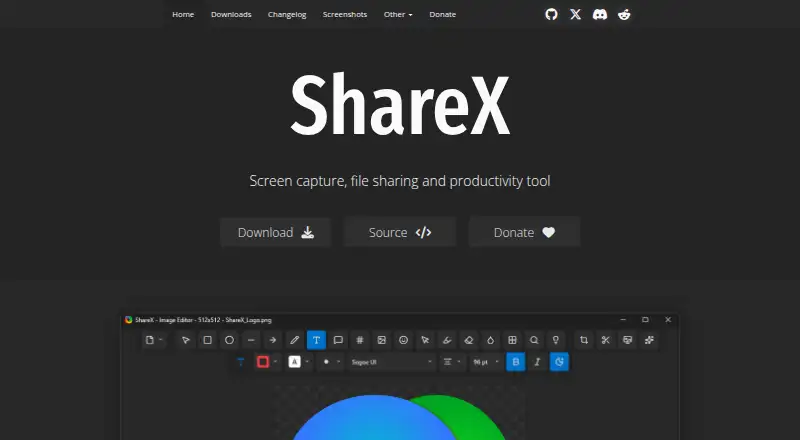
ShareX is a free, open-source screenshot and screen-recording tool for Windows. It can capture the full screen, a region, the active window, a scrolling page, or a monitor, and it also records video and GIFs. The image editor includes annotation and redaction tools, while OCR can recognize text in images. ShareX supports many upload destinations and custom uploaders. After a capture, it can copy, open, shorten, or share resulting links. The tool requires no account and has no advertisements. ShareX describes its approach as privacy first. It supports many languages, including English, Hindi, and Spanish, and its listed features include browser extension support. The software is maintained by the ShareX Team. Its site provides documentation guides and links to related projects on GitHub. ShareX is available for Windows only; it has over 18 years of active development and more than 33 million downloads worldwide.
Good
- Free and open source
- Captures scrolling pages and monitors
- Records video and GIFs
- OCR recognizes text in images
- No account required and no advertisements
Watch out
- Available for Windows only
- The provided pricing page is not available
Who it suits
ShareX may suit Windows users who want screenshot, recording, OCR, and image annotation tools without an account or advertisements. It is limited to Windows.
Verdict
ShareX covers a broad range of capture, editing, and sharing tasks in one Windows tool. Its Windows-only availability is the main platform limitation for readers choosing software across devices.
Plans and prices
From ShareX's own pricing page, checked 27 Sep 2026.
| Plan | Price | What it gives you |
|---|---|---|
| Free | Free | Free forever; no account required. |
The facts
Each one read from ShareX's own pages, with the date it was checked.
What it does
- Account requirement
- No account is required.checked 27 Sep 2026
- Advertisements
- ShareX has no advertisements.checked 27 Sep 2026
- Capture features
- It supports full-screen, region, active-window, scrolling-page, and monitor capture.checked 27 Sep 2026
- Development history
- ShareX has over 18 years of active development.checked 27 Sep 2026
- Download count
- ShareX has more than 33 million downloads worldwide.checked 27 Sep 2026
- OCR support
- ShareX can recognize text using OCR.checked 27 Sep 2026
- OCR text extraction
- Yeschecked 19 Sep 2026
- Open source
- ShareX is open source.checked 27 Sep 2026
- Operating system
- ShareX is a screenshot tool for Windows.checked 27 Sep 2026
- Pricing page
- The provided pricing page is not available.checked 27 Sep 2026
- Privacy positioning
- ShareX describes itself as privacy first.checked 27 Sep 2026
- Redaction tools
- The image editor can redact sensitive information.checked 27 Sep 2026
- Screen recording
- ShareX supports screen recording and GIF recording.checked 27 Sep 2026
- Scrolling capture
- Yeschecked 19 Sep 2026
- Sharing features
- ShareX can automatically copy, open, shorten, or share resulting links.checked 27 Sep 2026
- Supported languages
- ShareX supports many languages, including English, Hindi, Spanish, and others.checked 27 Sep 2026
- Support information
- The page provides links to documentation guides and related projects on GitHub.checked 27 Sep 2026
- Upload destinations
- It supports a wide range of upload destinations and custom uploader support.checked 27 Sep 2026
Where it runs
- Browser extension
- Yeschecked 19 Sep 2026
The company
- Company identity
- ShareX is maintained by the ShareX Team.checked 27 Sep 2026
- Founded
- 2007checked 24 Oct 2026
Money
- Free plan
- Yeschecked 19 Sep 2026
- Free tier
- ShareX is free forever.checked 27 Sep 2026
The full review of ShareX
Overview
ShareX is a Windows screenshot and screen-recording app for people who want capture, annotation, and sharing tools without a subscription. It suits users who value configurable capture and upload workflows; those who need an app across desktop and mobile platforms should look elsewhere.
Key features
Capture and recording
ShareX captures the full screen, a region, the active window, an individual monitor, or a scrolling page. That range makes it useful for both quick grabs and documenting content that extends beyond the visible screen. Screen and GIF recording add motion capture, though the product remains Windows-only.
Editing and OCR
Annotation tools and redaction let users mark up a capture or conceal sensitive information before sharing. OCR can extract text from images, a practical option when copying words matters more than retaining a screenshot.
Sharing workflow
ShareX supports many upload destinations and custom uploaders. It can then automatically copy, open, shorten, or share the resulting link, reducing steps for people who regularly send captures. The breadth of destinations and customization will appeal to users with established workflows, while readers seeking a tool that works across operating systems will need another choice.
Pricing
ShareX is free forever, with no account required and no advertisements. The free plan includes its capture, recording, editing, OCR, and sharing capabilities; there is no paid tier to weigh against it. That makes it an easy fit for individuals who want these tools without a recurring cost, though Windows-only support limits its usefulness in mixed-device households or teams.
Platforms
ShareX runs on Windows. Its platform restriction is decisive for anyone who needs the same capture app on macOS, Linux, iOS, or the web.
Who it's for
Choose ShareX if you use Windows and want a free, open-source tool combining varied screenshot capture, scrolling capture, recording, OCR, redaction, and flexible upload workflows. Its long-running development and more than 33 million downloads reflect an established project, while documentation guides and related projects are available through GitHub. Consider another product if cross-platform access is a requirement.
Pros and cons
- Pros: Free forever, open source, and usable without an account or ads, so there is no subscription or sign-up barrier.
- Pros: Full-screen, region, active-window, monitor, and scrolling capture cover varied screenshot needs.
- Pros: Recording, GIF capture, OCR, annotation, redaction, and custom uploaders make it more than a basic screenshot utility.
- Cons: Windows-only availability rules it out for users who need one tool across platforms.
Alternatives
Awesome Screenshot is worth considering when access across extension, iOS, macOS, web, and Windows matters more than ShareX's Windows focus; its free plan caps screenshots at 100 and recordings at 20, limits each recording to six hours and 720p, and keeps trash for three days.
Screenpresso offers a Windows and extension-based alternative with free image capture, HD video capture with branding, a limited editor, branded sharing, and commercial use.
Greenshot is another Windows option for free screenshot capture, annotation and editing, with export to files, clipboard, printer, and email.
Monosnap may suit users seeking support across extension, Linux, macOS, web, and Windows; its free plan allows one user, 2 GB storage, 100 MB per upload, five-minute recordings, and 1,000 monthly uploads.
Markup Hero is an alternative for annotation and sharing across extension, macOS, and Windows, with a free plan limited to 25 screenshots and history.
Snipaste is an option for screenshot software across Linux, macOS, and Windows.
Snagit is a paid alternative for macOS and Windows, with an individual subscription priced at $39 a year.
Shottr is a macOS-only alternative.
For broader category comparisons, see Screenshot Annotation Software, Screenshot Software, and Screen Capture Software.
Verdict
ShareX is the right pick for Windows users who want an extensive capture-to-sharing workflow at no cost, including scrolling screenshots, recording, OCR, and redaction. Its main reason to choose something else is straightforward: ShareX does not serve users who need a cross-platform app.
Getting started
- Visit https://getsharex.com/.
- Download ShareX for Windows.
- Choose a capture option such as full screen, region, active window, scrolling page or monitor.
- Use the editor for annotation, redaction or OCR as needed.
- Select an upload destination or configure a custom uploader to share results.
Questions
How much does ShareX cost?
ShareX is free forever.
Which operating system does it support?
ShareX is a screenshot tool for Windows, and Windows is its listed desktop platform.
Does it require an account?
No account is required.
Is ShareX open source?
Yes. ShareX is open source and maintained by the ShareX Team.
Can ShareX record video?
Yes. It supports screen recording and GIF recording.
What sharing options does it provide?
ShareX supports a wide range of upload destinations and custom uploaders. It can copy, open, shorten or share resulting links.
Alternatives to ShareX
- 1

Awesome Screenshot
Free planiOSWebExtensionmacOS8.3From $5 a month - 2

Monosnap
Free planWebExtensionLinuxmacOS8.1From $2.50 a month - 3
Usersnap
AndroidiOSWebAPI7.9From €49 a month - 4

Greenshot
Free planWindows7.8$1.99 one-time - 5
Markup Hero
Free planExtensionmacOSWindows7.6From $3 a month - 6

PicPick
Free planWindows7.5From $3,630 a year