FireShot
FireShot is a webpage capture tool for saving full pages, visible areas, or selected regions.
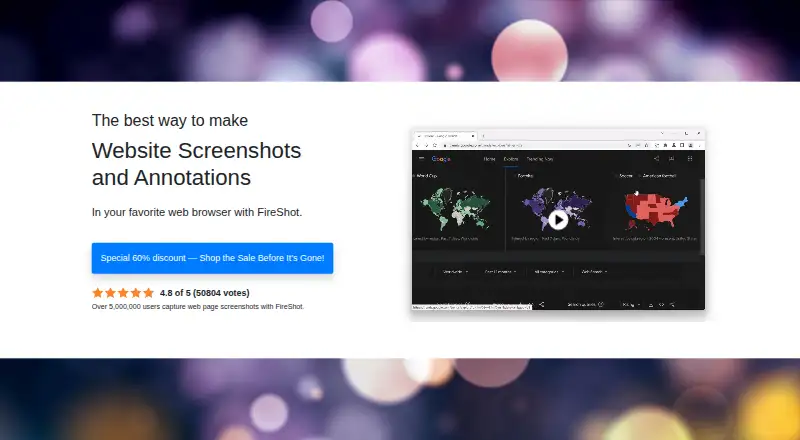
What FireShot is
FireShot is a webpage capture tool for saving full pages, visible areas, or selected regions. Its browser extension and listed platforms include API, Linux, macOS, and Windows. Captures can be exported as PDF, JPEG, PNG, GIF, or BMP; PDFs can retain direct links and searchable text. The built-in editor supports resizing, cropping, highlighting, blurring, erasing, and text annotations. FireShot Pro can capture all open tabs or process a supplied list of URLs. The product also describes export to Microsoft OneNote and other programs, FTP, and custom uploads. A JavaScript API can add capture actions to a website when enabled in FireShot options. The pricing page says captures are processed locally and work offline, without cloud dependency. FireShot Lite is a free option for basic webpage captures, but its history is limited to the previous week's captures; Pro provides full history. Pro Yearly costs $39.95 a year, and the Lifetime License costs $99.95, paid once. Listed audiences include documentation, QA, support, training, blogging, development, design, marketing, and research.
Good
- Captures full pages, visible areas, or selected regions.
- Exports to PDF, JPEG, PNG, GIF, and BMP.
- Editor includes highlighting, blurring, and text annotations.
- Captures work offline and are processed locally.
Watch out
- Lite capture history covers only the last week.
- Pro Yearly costs $39.95 a year.
- Lifetime License costs $99.95, paid once.
- The JavaScript API must be enabled in options.
Who it suits
FireShot suits people who need to capture and annotate webpages, including those working in documentation, QA, support, training, blogging, design, or research. The free Lite option is aimed at users who only need webpage captures.
Verdict
FireShot covers capture, annotation, and several export formats, with a free Lite option and additional history and batch features in Pro. Its offline capture processing and the Lite history limit are useful distinctions when deciding which edition fits.
Plans and prices
From FireShot's own pricing page, checked 19 Sep 2026.
| Plan | Price | What it gives you |
|---|---|---|
| Pro Yearly | $39.95 a year | Unlimited screenshots · Advanced PDF export · Editor and smart annotations on Windows · Capture history · Batch and automated captures · On-device processing · billed annually |
| Pro Lifetime License | $99.95 a month | All Pro features · Future updates · Usage on two devices |
| FireShot Pro – Yearly | $39.95 a year | Unlimited high-quality screenshots · advanced PDF export · full capture history · batch and automated captures · editor and smart annotations on Windows · Premium support forum · $39.95 / year |
| FireShot Pro – Lifetime License | $99.95, paid once | All Pro features · future updates · unlimited usage on two devices · $99.95 one-time |
The facts
Each one read from FireShot's own pages, with the date it was checked.
What it does
- API
- A JavaScript API can embed web page capture actions into a website, and must be explicitly enabled in FireShot options.checked 3 Oct 2026
- Batch capture
- FireShot Pro can capture all open tabs or process a supplied list of URLs.checked 3 Oct 2026
- Editing
- The built-in editor supports resizing, cropping, highlighting, blurring, erasing, and text annotations.checked 3 Oct 2026
- Export formats
- PDF, JPEG, PNG, GIF, BMPchecked 19 Sep 2026
- Image formats
- Captures can be saved as PNG, GIF, JPEG, or BMP.checked 3 Oct 2026
- Integrations
- The product describes exporting to Microsoft OneNote and other programs, plus FTP and custom uploads.checked 3 Oct 2026
- Intended users
- The maker identifies documentation, QA, support, training, blogging, developers, designers, marketers, and researchers as use cases or audiences.checked 3 Oct 2026
- Limits
- The comparison page says Lite provides only the last week's capture history, while Pro offers full access to history and saved screenshots.checked 3 Oct 2026
- OCR text extraction
- Yeschecked 19 Sep 2026
- PDF export
- FireShot can save pages as PDFs with direct links and searchable text.checked 3 Oct 2026
- Privacy
- The pricing page says captures are created locally on-device and work offline, with zero cloud dependency.checked 3 Oct 2026
- Privacy policy
- The site's privacy policy says it may collect personal and usage data, including IP address, browser, operating system, and diagnostic data; the policy is dated October 10, 2019.checked 3 Oct 2026
- Purpose
- FireShot captures full web pages, visible areas, or selected page regions and supports screenshot annotations.checked 3 Oct 2026
- Scrolling capture
- Yeschecked 19 Sep 2026
- Support
- Licensed customers can use the Premium Support forum, while a Public Support forum is also listed.checked 3 Oct 2026
Where it runs
- Browser extension
- Yeschecked 19 Sep 2026
Money
- Free edition
- FireShot Lite is described as a free starting option for users who only need webpage captures.checked 3 Oct 2026
- Free plan
- Yeschecked 19 Sep 2026
Alternatives to FireShot
- 1
Gyazo
Free planAndroidiOSWebExtension8.0Free plan - 2

Awesome Screenshot
Free planiOSWebExtensionmacOS7.6From $5 a month - 3

Microsoft Edge
Free planAndroidiOSWebExtension7.5Free plan - 4

Monosnap
Free planWebExtensionLinuxmacOS7.5From $2.50 a month - 5

Greenshot
Free planWindows7.0$1.99 one-time - 6
Screention
Free planLinuxmacOSWindows7.0Free plan