
FreeBusy
FreeBusy automates meeting scheduling by sharing availability and helping participants find meeting times.
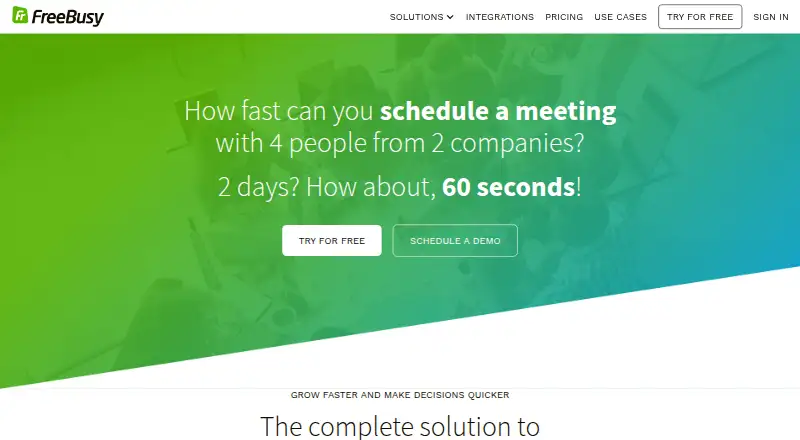
What FreeBusy is
FreeBusy automates meeting scheduling by sharing availability and helping participants find meeting times. It can combine availability from work, personal, and school calendars while keeping the calendar data separate. Users can set preferences to avoid back-to-back meetings and meetings that are too soon or too far in the future. Teams can share pooled availability, identify available teammates, assign delegates, and add co-organizers. Calendar connections include Google Calendar, Office 365 and Outlook, Exchange, iCloud, Salesforce Calendar, Yahoo, Zimbra, Zoho, and Amazon WorkMail. It also lists connections to conferencing services including Zoom, Microsoft Teams, RingCentral, Webex, and Google Meet. For websites, FreeBusy offers embeddable scheduling widgets, a Pick-a-Time button, and webhooks for scheduling changes. The company says it does not store calendar data, while noting it stores credentials for some password-based calendar connections. FreeBusy states that it is GDPR compliant. The Personal plan is free; Professional is listed at $5 a year, billed per month and annually. A 14-day trial is also listed.
Good
- Combines availability across multiple calendars
- Team scheduling includes delegates and co-organizers
- Offers website widgets and scheduling webhooks
- Free Personal plan is available
- 14-day trial is listed
Watch out
- Professional costs $5 a year, billed annually
- Some calendar connection credentials are stored
- SAML SSO is an Enterprise feature
Who it suits
FreeBusy suits individuals and teams coordinating appointments across multiple calendars. Its listed use cases include recruiting, sales, customer assistance, consultants, executive assistants, and enterprise subsidiaries.
Verdict
FreeBusy supports personal availability sharing and team scheduling, with calendar, conferencing, and business connections. Consider its stated credential handling and plan-specific Enterprise features when choosing.
Plans and prices
From FreeBusy's own pricing page, checked 15 Oct 2026.
| Plan | Price | What it gives you |
|---|---|---|
| Personal | Free | individual use · appointment bookings · meeting polls · calendar integrations |
| Professional | $5 a month | individual use · Personal features · availability preferences · web conferencing · Outlook and Google add-ons · billed annually; $6/mo billed monthly |
| Business | $10 a month | Professional features · team scheduling assistant · forms and questionnaires · reminders and follow-ups · per registered user, billed annually; $12/mo billed monthly |
| Enterprise | Priced on request | volume discounts · Business features · compliance and procurement · executive assistants and delegates · white label · billed annually, per registered user |
The facts
Each one read from FreeBusy's own pages, with the date it was checked.
What it does
- API purpose
- FreeBusy advertises developer access for embedding real-time calendar availability into applications.checked 15 Oct 2026
- Availability controls
- Paid plans can prevent back-to-back meetings and meetings that start too soon or are scheduled too far ahead.checked 15 Oct 2026
- Calendar data handling
- FreeBusy says it does not store calendar data and instead reads availability when requested and updates calendars when meetings are scheduled or cancelled.checked 15 Oct 2026
- Calendar integrations
- Supported calendar connections listed by FreeBusy include Google Calendar, Office 365, Exchange, Amazon WorkMail, Facebook Events, Fastmail, iCloud, IBM Verse, Kerio, Outlook.com, Oracle Beehive, OwnCloud, NextCloud, Salesforce, Zimbra, Zoho and Yahoo.checked 15 Oct 2026
- Compliance
- FreeBusy states that it is GDPR compliant and offers a data-processing addendum.checked 15 Oct 2026
- Conferencing integrations
- The integrations page lists Zoom, Microsoft Teams, RingCentral, GoToMeeting, Webex, Skype for Business, BlueJeans, Google Meet, join.me, and FreeConferenceCall.checked 11 Oct 2026
- Data handling
- The company says it does not store calendar data, while its security page explains it stores calendar credentials for some password-based calendar connections.checked 11 Oct 2026
- Documentation coverage
- The Help Center showed 29 articles for connecting calendars, 11 for the Chrome extension, 11 for the Outlook add-in, 28 for integrations and dedicated troubleshooting and billing sections.checked 15 Oct 2026
- Enterprise security
- Enterprise customers can request dedicated Azure Key Vault keys held in FIPS 140-2 Level 2 hardware security modules.checked 15 Oct 2026
- Intended users
- The homepage presents use cases for recruiting and staffing, sales and marketing, customer assistance, consultants and freelancers, executive assistants, and enterprise subsidiaries.checked 11 Oct 2026
- Legal entity
- FreeBusy's privacy policy identifies the provider as FreeBusy, Inc.checked 15 Oct 2026
- Limit: calendar accuracy
- G2 reviewers report occasional inaccurate suggested times and problems when a calendar system is unsupported or not kept current.checked 15 Oct 2026
- Limit: group scheduling
- GetApp summaries report occasional confusion with meeting details and requests for more intuitive group-scheduling controls.checked 15 Oct 2026
- Limit: mobile experience
- G2 reviewers describe the mobile app as less user-friendly and complain about having to sign in repeatedly.checked 15 Oct 2026
- Limit: outages
- StatusGator recorded multiple major incidents on November 18, 2025, including one lasting 1 hour 30 minutes, and reported more than 37 outages since July 2023.checked 15 Oct 2026
- Meeting polls
- The service lets organizers offer multiple time options for participants to vote on.checked 15 Oct 2026
- Meeting suggestions
- FreeBusy connects to participants' calendars and ranks suggested meeting times by availability and preferences.checked 15 Oct 2026
- Multiple calendars
- It combines availability from work, personal, and school calendars while keeping the calendar data separate.checked 11 Oct 2026
- Notable limits
- SAML single sign-on, HSM credential protection, and VPN connectivity are listed as Enterprise features on the pricing comparison.checked 11 Oct 2026
- Other integrations
- Listed add-ins and business connections include a Chrome extension, an Outlook add-in, Salesforce, Greenhouse, HubSpot, Intercom, and Zapier.checked 11 Oct 2026
Where it runs
- Browser extension
- The FreeBusy Copilot Chrome extension adds scheduling controls to Gmail and Google Calendar and had 1,000 users when the store page was crawled.checked 15 Oct 2026
The company
- Company size and location
- LinkedIn lists FreeBusy as a privately held software company headquartered in San Francisco with 11–50 employees.checked 15 Oct 2026
- Founded
- LinkedIn lists FreeBusy as founded in 2015.checked 15 Oct 2026
- Headquarters
- United Stateschecked 28 Sep 2026
The full review of FreeBusy
FreeBusy is a scheduling service that brings availability from multiple calendars into meeting booking and polls. It is best suited to people and teams coordinating across separate calendars; the free plan covers basic individual scheduling, while availability controls and team tools require paid plans.
Overview
FreeBusy’s advantage is joining calendar availability, team coordination, and website booking in one scheduling workflow. It can help when work, personal, and school commitments live in separate calendars, or when a meeting needs the right available teammate rather than simply an open time slot. It is less compelling for an individual who only needs basic bookings and polls, since the controls that prevent awkward meeting times are paid features.
Key features
Calendar connections and availability
FreeBusy connects to Google Calendar, Office 365 and Outlook, Exchange, iCloud, Salesforce Calendar, Yahoo, Zimbra, Zoho, and Amazon WorkMail. It combines availability while keeping the calendars themselves separate, a useful distinction for people juggling personal and professional commitments. Professional adds preferences to avoid back-to-back meetings and meetings too soon or too far in the future. Those controls make shared availability more practical, but they are not part of the free plan.
Team and website scheduling
Business adds a team scheduling assistant, with pooled availability, teammate discovery, delegates, and co-organizers supporting shared scheduling. FreeBusy also supports group events, round-robin routing, and team booking pages. Forms and questionnaires, reminders, and follow-ups on Business can help structure the booking process rather than leaving every detail to email.
For external scheduling, embeddable widgets and a Pick-a-Time button let visitors book through a website; webhooks provide event updates for scheduling, rescheduling, and cancellation. This suits organizations that want bookings to connect to their existing web workflow. Conferencing connections include Zoom, Microsoft Teams, RingCentral, GoToMeeting, Webex, Skype for Business, BlueJeans, Google Meet, join.me, and FreeConferenceCall. A Chrome extension, Outlook add-in, and connections to Salesforce, Greenhouse, HubSpot, Intercom, and Zapier extend its reach into business tools.
Security and credential handling
FreeBusy says it does not store calendar data, but it stores credentials for some password-based calendar connections. It says those credentials are encrypted using AES 256-bit keys wrapped by RSA 4096-bit keys, and that data is encrypted in transit and at rest. GDPR compliance and a Data Processing Addendum are also offered. Enterprise customers can request dedicated encryption keys managed with Azure Key Vault and stored in FIPS 140-2 Level 2 certified HSMs; SAML single sign-on, HSM credential protection, and VPN connectivity are Enterprise features. Organizations that require those controls should factor the plan boundary and custom pricing into their decision.
Pricing
FreeBusy uses a freemium model, with a 14-day trial. Personal is free for individual use and includes appointment bookings, meeting polls, and calendar integrations. It is a reasonable starting point for basic scheduling, but it lacks the availability preferences that make open booking times more controllable.
Professional costs $5/mo billed annually or $6/mo billed monthly. It is for individual users who want Personal plus availability preferences, web conferencing, and Outlook and Google add-ons. Business costs $10/mo billed annually per registered user or $12/mo billed monthly; it adds team scheduling assistance, forms and questionnaires, reminders, and follow-ups. That per-user charge matters as teams grow, but Business is the tier that makes FreeBusy’s shared scheduling capabilities available.
Enterprise has custom pricing, billed annually per registered user. It adds compliance and procurement support, volume discounts, executive assistants and delegates, and white label, alongside Enterprise security options. The comparison makes it a distinct choice for organizations with procurement or security requirements, not simply a larger version of the individual plans.
Platforms
FreeBusy is available on the web, macOS, and Windows, with an API and browser extension also listed. The Outlook add-in and Chrome extension provide additional ways to connect scheduling to those workflows. No mobile platform is included among its listed platforms, so readers who need a dedicated iOS or Android app should consider that before choosing it.
Who it's for
FreeBusy targets recruiting and staffing, sales and marketing, customer assistance, consultants and freelancers, executive assistants, and enterprise subsidiaries. Consultants, recruiters, or assistants coordinating across several calendars can benefit from the availability controls and booking tools. Teams that need round-robin assignment, pooled availability, or delegates have a stronger reason to pay for Business. Someone seeking only individual appointments and polls can stay on Personal; an organization requiring SAML, VPN connectivity, or dedicated HSM-backed keys should look to Enterprise.
Pros and cons
- Pros: Combines availability from many calendar services without merging calendar data, useful when users keep work, personal, and school calendars distinct.
- Pros: Paid plans add concrete scheduling controls and team workflows, including round-robin routing, delegates, and team booking pages.
- Pros: Website widgets, a Pick-a-Time button, and event webhooks support scheduling with external visitors.
- Cons: Availability preferences are excluded from the free plan, so free users cannot use the stated controls to avoid inconvenient booking times.
- Cons: Some password-based calendar connections require stored credentials, despite the company’s statement that it does not store calendar data.
- Cons: SAML, VPN connectivity, and HSM credential protection are Enterprise features, with custom pricing rather than a published rate.
Alternatives
For a broader comparison, see Meeting Scheduling Software.
- Cal.com is worth considering for users who want a free plan with one user, unlimited event types and calendars, and 100+ app integrations.
- Calendar.com offers a free-forever plan for individuals and may suit someone prioritizing a free individual option.
- Taggg is an alternative for users who want unlimited connections and meetings on a free plan, with single-calendar scheduling and bookable links.
- MeetScheduling may suit teams seeking a $12/month Startup plan with 10 event types, three team members, round-robin scheduling, collective events, and routing forms.
- Tymeslot is an alternative for readers seeking a self-hosted option with a full feature set and unlimited bookings and meeting types.
- Zoho Bookings offers a free plan for one user and a 15-day premium trial without requiring credit card details.
- Koalendar may fit users looking for a free-forever plan with unlimited bookings and booking pages, calendar sync, website embeds, and video conferencing.
- neatCal is another alternative to consider for web-based scheduling.
Verdict
Choose FreeBusy if your scheduling spans separate calendars and you want to add team coordination or website bookings without merging those calendars. Its strongest reason to buy is the combination of availability controls and team workflows; its clearest reason to look elsewhere is that important preferences and enterprise security controls sit behind paid or custom-priced plans, while some calendar connections involve stored credentials.
Getting started
- Open the FreeBusy website
- Choose the Personal, Professional, Business, or Enterprise plan
- Connect supported calendars and conferencing services
- Set availability preferences for meeting spacing and timing
- Create team pools, delegates, co-organizers, or routing rules if needed
- Add widgets, a Pick-a-Time button, or webhooks to a website
Limits worth knowing
The free Personal plan is for individual use with appointment bookings, meeting polls, and calendar integrations. Availability preferences, web conferencing, Outlook and Google add-ons, team scheduling assistance, forms, questionnaires, reminders, and follow-ups require paid plans; SAML single sign-on, HSM credential protection, and VPN connectivity are Enterprise features.
Questions
Is there a free FreeBusy plan?
Yes. Personal is free and includes individual use, appointment bookings, meeting polls, and calendar integrations.
What does Professional cost?
Professional is $5 a year, billed per month and billed annually.
What does Business cost?
Business is $10 a year, billed per month, billed annually, per registered user. Monthly billing is $12/mo.
Does FreeBusy offer a trial?
Yes. A 14-day trial is listed.
Which calendars and meeting services connect?
Listed calendars include Google Calendar, Office 365 and Outlook, Exchange, iCloud, Salesforce Calendar, Yahoo, Zimbra, Zoho, and Amazon WorkMail. Listed conferencing services include Zoom, Microsoft Teams, RingCentral, GoToMeeting, Webex, Skype for Business, BlueJeans, Google Meet, join.me, and FreeConferenceCall.
Does FreeBusy store calendar information?
The company says it does not store calendar data, while its security page explains that credentials are stored for some password-based calendar connections.
Alternatives to FreeBusy
- 1

Cal.com
Free planAndroidiOSWebAPI8.3Free plan - 2

Calendar.com
Free planAndroidiOSWebAPI8.1From $20 a month - 3
Taggg
Free planAndroidiOSWebAPI8.0From $60 a year - 4

Zoho Bookings
Free planAndroidiOS7.8From $8 a month - 5
TimeRex
Free planWebAPI7.4From ¥750 a month - 6

Calendly
Free planExtension7.3From $10 a month