Foreceipt
Foreceipt is an expense tracker for freelancers and small businesses, available on Android, iOS, and the web.
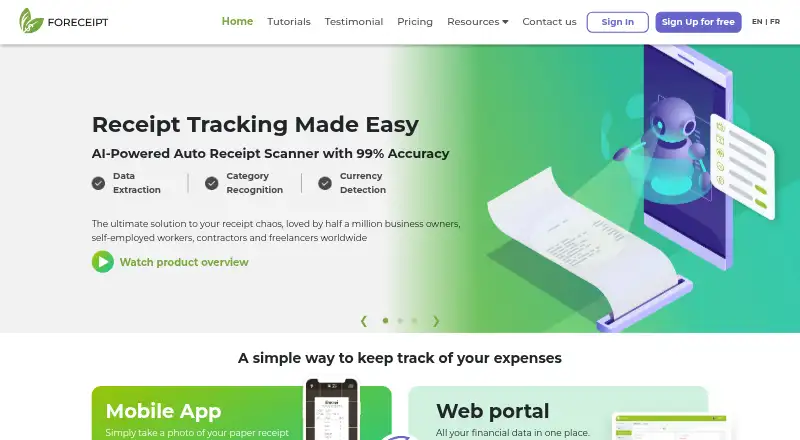
What Foreceipt is
Foreceipt is an expense tracker for freelancers and small businesses, available on Android, iOS, and the web. Users can photograph paper receipts or forward digital receipts by email for processing, and scan invoices to record income. The service categorizes expenses, offers defined business expense categories for the U.S. and Canada, and allows custom categories. It can generate Excel or PDF reports to share with an accountant or use for tax filing. Users can also import bank transactions in bulk from PDF statements and CSV files, and data syncs between the mobile app and web portal. A free plan includes up to 100 receipts retained for up to 12 months, two team members, up to two PDF bank statements, and up to 10 PDF/Excel reports. The Individual plan is $5 a month; the Business plan is $12 a month and adds QuickBooks Online integration, unlimited monthly receipts, and email and phone support. Foreceipt says it takes practical steps to protect personal information and limits server access to staff whose duties require it.
Good
- Captures paper and emailed receipts.
- Imports bank transactions from PDF and CSV.
- Creates Excel or PDF expense reports.
- Syncs data between web and mobile apps.
Watch out
- Free plan retains receipts for up to 12 months.
- Free plan allows up to 100 receipts.
- Individual plan costs $5 a month.
- QuickBooks Online integration is in Business.
Who it suits
Foreceipt suits freelancers and small businesses that need to organize receipts, categorize expenses, and prepare reports. The Business plan may suit users who want QuickBooks Online integration and phone support.
Verdict
Foreceipt combines receipt capture, expense categorization, bank imports, and reporting across web and mobile. Review the free plan’s receipt and report limits, or consider the paid plans for longer retention and expanded features.
Plans and prices
From Foreceipt's own pricing page, checked 28 Sep 2026.
| Plan | Price | What it gives you |
|---|---|---|
| Free Plan | Free | Up to 100 receipts · receipts kept up to 12 months · 2 team members · up to 2 PDF bank statements · up to 10 PDF/Excel reports |
| Individual Plan | $5 a month | 200 receipts / month · receipts kept up to 7 years · 2 team members · unlimited PDF/Excel reports · email support · only available to subscribe from web · 5 USD /mo; 6.25 USD/mo(save 20%) |
| Business Plan | $12 a month | Unlimited receipts / month · receipts kept up to 7 years · 2 team members included · additional team members at 72 USD/user/year · QuickBooks integration · unlimited PDF/Excel reports · email & phone support · 12 USD /mo; 15 USD/mo(save 20%) |
The facts
Each one read from Foreceipt's own pages, with the date it was checked.
What it does
- Bank transactions
- Users can import bank transactions in bulk from PDF statements and CSV files.checked 28 Sep 2026
- Intended users
- Foreceipt describes the product as being for freelancers and small businesses.checked 28 Sep 2026
- Payment handling
- Foreceipt says iPhone in-app payments go through Apple iTunes and web or Android payments go through Stripe.checked 28 Sep 2026
- Privacy and security
- Its privacy policy says it takes practical and reasonable steps to protect personal information and limits server access to personnel whose duties require it.checked 28 Sep 2026
- Product
- Foreceipt tracks expenses by capturing receipts, categorizing them, and generating reports.checked 28 Sep 2026
- QuickBooks integration
- The Business plan connects to QuickBooks Online, imports its chart of accounts, and can push receipts individually or in batches.checked 28 Sep 2026
- Receipt capture
- Users can photograph paper receipts or forward digital receipts by email for automatic processing, and scan invoices to add incomes.checked 28 Sep 2026
- Recurring records
- Users can set recurring expense or income instructions so receipts are generated automatically when due.checked 28 Sep 2026
- Reports
- Users can generate Excel or PDF expense reports and share them with an accountant or use them for tax filing.checked 28 Sep 2026
- Support
- The pricing page lists email support for Individual and email and phone support for Business.checked 28 Sep 2026
- Tax categories
- The product offers defined business expense categories for U.S. and Canada and lets users customize categories.checked 28 Sep 2026
- Web and mobile sync
- Foreceipt says it syncs data between its mobile app and web portal.checked 28 Sep 2026
Money
- Free plan limits
- The Free Plan includes up to 100 receipts retained for up to 12 months and up to 10 PDF/Excel reports.checked 28 Sep 2026
The company
- Headquarters
- Markham, Ontario, Canadachecked 28 Sep 2026
The full review of Foreceipt
Foreceipt is an expense-tracking app for freelancers and small businesses that turns receipts, invoices, and bank statements into categorized records and reports. It suits people who want receipt capture and export across web and mobile, with a path to longer retention and QuickBooks integration. Its free plan is useful for light workloads, but receipt and report caps make the paid tiers more practical for ongoing business records.
Overview
Foreceipt combines paper-receipt photography with email forwarding for digital receipts, then processes those documents into expense records. Users can also scan invoices to add income, import bank transactions from PDF statements or CSV files, and set recurring instructions that generate expense or income receipts when due.
Defined business expense categories cover the U.S. and Canada, and users can customize categories. Excel and PDF reports can be shared with an accountant or used for tax filing. The combination is useful for organizing routine records, though the available OCR field coverage is merchant, date, and total; it is not a broad promise of extracting every line item.
Key features
Receipts, transactions, and reports
Receipt capture by camera or email forwarding gives users two ways to collect paper and digital purchases. Bulk bank imports can bring existing transactions in from PDF statements and CSV files, while recurring records reduce the need to recreate predictable entries. The free plan’s allowance of two PDF bank statements means that particular import route is limited for non-paying users.
Accounting and data sync
Foreceipt says its mobile apps sync with its web portal, so records can be accessed across devices. Business adds a QuickBooks Online connection that imports the chart of accounts and can push receipts one at a time or in batches. That makes Business the relevant tier for teams already using QuickBooks; users who do not need that connection may not benefit from its higher price.
Privacy and payments
Foreceipt’s privacy policy says it takes practical and reasonable steps to protect personal information and limits server access to personnel who need it for their duties. iPhone in-app payments go through Apple iTunes; web and Android payments go through Stripe.
Pricing
Foreceipt is freemium, with paid plans starting at $5/mo (annual). The pricing details distinguish monthly billing from annual-billing rates, so the term matters when comparing costs.
| Plan | Price | What it includes |
|---|---|---|
| Free Plan | free | Up to 100 receipts retained for up to 12 months, 2 team members, up to 2 PDF bank statements, and up to 10 PDF/Excel reports. |
| Individual Plan | $5 a month billed at 5 USD /mo; 6.25 USD/mo(save 20%) | 200 receipts / month, retention up to 7 years, 2 team members, unlimited PDF/Excel reports, and email support. Subscription is only available from the web. |
| Business Plan | $12 a month billed at 12 USD /mo; 15 USD/mo(save 20%) | Unlimited receipts / month, retention up to 7 years, 2 team members included, QuickBooks integration, unlimited PDF/Excel reports, and email and phone support. Additional team members cost 72 USD/user/year. |
Free is a sensible starting point for occasional tracking, but 100 receipts, 12-month retention, and 10 reports can constrain a full year of business use. Individual is the economical upgrade for a solo operator who needs a 200-receipt monthly allowance, longer retention, and unlimited reports; its two-seat limit remains unchanged from Free. Business removes the monthly receipt cap and adds QuickBooks and phone support, but still includes only two team members before the per-user annual charge applies.
Platforms
Foreceipt is available on Android, iOS, and the web. The Individual subscription can only be purchased through the web, a consideration for users who expect to manage subscriptions from a mobile app.
Who it's for
Foreceipt is best suited to freelancers and small businesses that want receipt capture, categorized expenses, bank imports, and shareable reports in one workflow. Individual fits a small operation that can stay within 200 receipts each month. Business is the stronger fit when unlimited receipt volume or QuickBooks Online matters. It is less compelling for a growing team that needs several included seats, since only two are included on Business and each extra member costs 72 USD/user/year.
Pros and cons
- Pros: Camera capture and email forwarding cover both paper and digital receipts, reducing the need to collect them through one channel.
- Pros: PDF/Excel reporting, customizable tax categories, and PDF/CSV bank imports support a more complete expense-record workflow than receipt storage alone.
- Pros: Business adds QuickBooks Online chart-of-accounts import and individual or batch receipt transfer for users who need that connection.
- Cons: Free caps retention at 12 months and reports at 10, limiting its usefulness for sustained recordkeeping.
- Cons: Individual caps monthly volume at 200 receipts, while Business charges separately for team members beyond its two included seats.
- Cons: Individual subscriptions are web-only, so mobile users must use the web to subscribe.
Alternatives
For a broader set of receipt-scanning options, browse Receipt Scanner Apps.
- Receipt Reader AI is another freemium option, with Android, iOS, web, and API platforms; choose it if its AI scan allowance and account-based plans better fit your workflow.
- Bonro offers a free tier with on-device OCR and AI categorization but no export; consider it if those capabilities matter more than exporting records.
- Smart Receipts has a free mobile-only plan with manual entry and basic reports; it may suit someone who wants a simpler mobile workflow rather than Foreceipt’s web and import features.
- Shoeboxed is a paid alternative with a free trial and a Starter plan that includes digital and paper scan allowances, a Magic Envelope, mileage, and one user; consider it if those included services suit your needs.
- AutoEntry is a paid alternative with a free trial and a Bronze plan that includes 50 monthly credits, unlimited users, and credit rollover for up to 90 days; it may suit a team prioritizing those terms.
- Easy Expense has a free plan with 10 monthly scans and two monthly reports, plus manual tracking, data export, and cloud storage; consider it if those limits and features are sufficient.
- SparkReceipt is an alternative with a free trial and a Pro plan that includes 50 monthly documents, one user, and one connected email inbox; consider it if that document-and-inbox allowance fits.
- Receipt Scanner offers a free plan with limited features and a Pro plan with unlimited expense tracking and report creation; consider it if those are the capabilities you need.
Verdict
Choose Foreceipt if you are a freelancer or small business that wants receipts, imported bank activity, and exportable reports connected across web and mobile. Its strongest case is the progression from a genuinely usable free allowance to long retention, unlimited reports, and QuickBooks integration on Business. Look elsewhere if your receipt volume exceeds Individual’s 200 monthly limit, you need more than two included Business seats, or Foreceipt’s capture fields and plan terms do not match your bookkeeping needs.
Getting started
- Open https://foreceipt.com/
- Choose the Free Plan, Individual Plan, or Business Plan
- Use the Android, iOS, or web version
- Photograph paper receipts or forward digital receipts by email
- Scan invoices to record income
- Import bank statements in PDF or CSV format
Limits worth knowing
The Free Plan allows up to 100 receipts retained for 12 months, two team members, two PDF bank statements, and 10 PDF/Excel reports. Individual permits 200 receipts per month, while Business has unlimited monthly receipts; both paid plans retain receipts for up to seven years.
Questions
Is Foreceipt free?
Yes. The Free Plan costs nothing.
Which platforms does it support?
Foreceipt is available on Android, iOS, and the web, with data synchronization between its mobile apps and web portal.
Does it integrate with QuickBooks?
Yes, the Business plan connects to QuickBooks Online, imports its chart of accounts, and can push receipts individually or in batches.
What reports can it create?
Foreceipt generates Excel and PDF expense reports that can be shared with an accountant or used for tax filing.
How are receipts added?
You can photograph paper receipts, forward digital receipts by email for automatic processing, or scan invoices to add income.
What support is included?
Individual includes email support. Business includes both email and phone support.
Alternatives to Foreceipt
- 1

Veryfi Invoices OCR API
Free planAndroidiOSWebAPI8.2From $500 a month - 2

Receipt Reader AI
Free planAndroidiOSWebAPI8.0From $5.99 a month - 3
OpenReceipts
Free planOpen sourceWebLinuxmacOSSelf-hosted7.6Free plan - 4

OCR Receipt
Free planAPILinuxmacOSWindows7.5$149 one-time - 5

Bonro
Free planAndroidiOSWeb7.3From €59.99 a year - 6
Smart Receipts
Free planAndroidiOSWeb7.3From $99.96 a year