Smart Receipts
Smart Receipts scans and organizes receipts, then prepares expense reports for tax time or reimbursement.
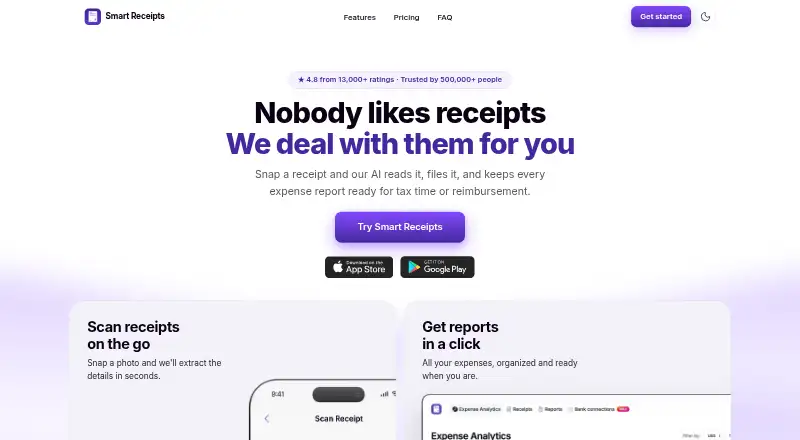
What Smart Receipts is
Smart Receipts scans and organizes receipts, then prepares expense reports for tax time or reimbursement. Its receipt recognition reads merchant, date, total, and tax details from paper or digital receipts. Users can export reports as PDF and CSV files, log trips, and calculate reimbursement-ready mileage totals. Receipts can also be forwarded by email for capture and filing. The Free plan is mobile-app-only and includes manual receipt entry and basic expense reports. Pro adds web access, AI-powered receipt recognition, email forwarding, automatic cloud backup, spending insights, and PDF, CSV, and ZIP exports. Pro is $8.33/mo (billed yearly at $99.99). Max adds bank connections in the US and Canada, plus bank statement and CSV imports, for $11.58/mo (billed yearly at $139). The maker says bank connections are read-only and cannot move money or write to accounts. The app is available on Android, iOS, and the web, with account syncing across listed devices. Data is encrypted in transit and at rest; when cloud sync is enabled, data is processed using AWS infrastructure in the United States.
Good
- Reads merchant, date, total, and tax from receipts.
- Exports reports as PDF and CSV.
- Logs trips and calculates reimbursement-ready mileage.
- Free plan includes manual entry and basic reports.
Watch out
- Free plan is mobile-app-only.
- Web access starts with Pro.
- Cloud-synced data is processed in the United States.
- Max bank connections cover the US and Canada.
Who it suits
Smart Receipts suits freelancers, field and trades teams, nonprofits, bookkeepers, and small business owners who need receipt filing, expense reports, or mileage totals. The Free plan is suited to users who can work with mobile-only access and manual entry.
Verdict
Smart Receipts combines receipt filing, expense reporting, and mileage tracking, with added web and bank-import options on paid plans. Check which plan’s access and bank features fit your needs.
Plans and prices
From Smart Receipts's own pricing page, checked 30 Sep 2026.
| Plan | Price | What it gives you |
|---|---|---|
| Free | Free | Mobile app only · Manual receipt entry · Basic expense reports · No ads · Technical support |
| Pro | $12.99 a month | Mobile app + web · AI-powered receipt recognition · Email forwarding · Automatic cloud backup · Advanced spending insights · PDF, CSV, and ZIP exports |
| Max | $17.99 a month | Mobile app + web · Everything in Pro · Bank connections (US and Canada) · Bank statement and CSV imports |
| Pro | $99.96 a year | Mobile app + web · AI-powered receipt recognition · Email forwarding · Automatic cloud backup · Advanced spending insights · PDF, CSV, and ZIP exports · $99.96 per year (= $8.33/month, billed annually) |
| Max | $138.96 a year | Mobile app + web · Everything in Pro · Bank connections (US and Canada) · Bank statement and CSV imports · $138.96 per year (= $11.58/month, billed annually) |
The facts
Each one read from Smart Receipts's own pages, with the date it was checked.
What it does
- Bank data access
- The maker says bank connections are read-only and cannot move money or write to accounts.checked 30 Sep 2026
- Bank import
- Max includes bank connections in the US and Canada, and bank statement and CSV imports.checked 30 Sep 2026
- Email capture
- Users can forward receipts by email for capture and filing.checked 30 Sep 2026
- Intended users
- The maker identifies freelancers, field and trades teams, nonprofits, bookkeepers, and small business owners as intended users.checked 30 Sep 2026
- Mileage
- The app logs trips and calculates reimbursement-ready mileage totals.checked 30 Sep 2026
- Privacy and cloud region
- The privacy policy says that when cloud sync is enabled, data is processed using AWS infrastructure hosted in the United States.checked 30 Sep 2026
- Privacy controls
- Users can download a full data export or permanently delete their account.checked 30 Sep 2026
- Purpose
- Smart Receipts scans and files receipts and prepares expense reports for tax time or reimbursement.checked 30 Sep 2026
- Receipt recognition
- Its receipt recognition reads the merchant, date, total, and tax from paper or digital receipts.checked 30 Sep 2026
- Reports
- Users can export expense reports as PDF and CSV files.checked 30 Sep 2026
- Security
- The site says data is encrypted with TLS in transit and AES-256 at rest.checked 30 Sep 2026
- Support
- The maker links to a Help Center with articles about getting started, subscriptions, backups, app features, and troubleshooting.checked 30 Sep 2026
Where it runs
- Devices
- The FAQ lists iPhone, iPad, Apple Watch, Android, and web access, with account syncing across them.checked 30 Sep 2026
Money
- Free plan limit
- The Free plan is mobile-app-only; web access starts with Pro.checked 30 Sep 2026
Alternatives to Smart Receipts
- 1

Veryfi Invoices OCR API
Free planAndroidiOSWebAPI8.2From $500 a month - 2

Receipt Reader AI
Free planAndroidiOSWebAPI8.0From $5.99 a month - 3
OpenReceipts
Free planOpen sourceWebLinuxmacOSSelf-hosted7.6Free plan - 4

OCR Receipt
Free planAPILinuxmacOSWindows7.5$149 one-time - 5

Bonro
Free planAndroidiOSWeb7.3From €59.99 a year - 6
Foreceipt
Free planAndroidiOSWeb7.2From $5 a month