
ExpenseBot
ExpenseBot collects receipts and transactions from sources such as Gmail, photos, banks, and files, then organizes them into tax-ready reports.
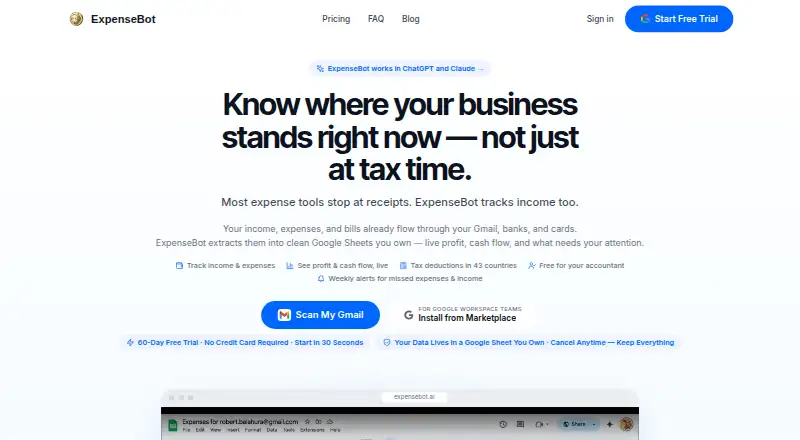
What ExpenseBot is
ExpenseBot collects receipts and transactions from sources such as Gmail, photos, banks, and files, then organizes them into tax-ready reports. Its AI extracts vendor, amount, date, and tax details, assigns categories, checks deductibility, and identifies duplicates across sources. It can reconcile receipts against bank and credit-card statement lines to surface missing or duplicate records. When income and expenses are both available, it can generate a profit-and-loss report; other reports cover spending breakdowns, mileage, and year-end summaries. Exports include QuickBooks or Xero output and a ZIP of receipts. ExpenseBot runs in a browser on phones, tablets, and computers, with no download required. It also supports accountants inviting clients, working in act-as mode without a client's password, and using a multi-client dashboard. The free accountant client-management option does not include client scanning unless the client has a subscription or the accountant sponsors it. Paid options include $10 a month per seat, $100 a year per seat, and separate past-year access options. ExpenseBot says source documents and spreadsheets remain in the user's Google Drive, while email and receipt data are processed transiently.
Good
- Collects receipts and transactions from multiple sources.
- Matches receipts against bank and card statement lines.
- Offers QuickBooks and Xero exports.
- Accountants can manage clients without their passwords.
Watch out
- Free client management does not include client scanning.
- UK-only and EEA-only data residency is not offered.
- Automation does not replace professional judgment.
Who it suits
ExpenseBot may suit freelancers, employees seeking reimbursement, businesses, team administrators, and accountants or bookkeepers. Its reports and accounting exports are relevant to people organizing expenses for tax or bookkeeping work.
Verdict
ExpenseBot combines receipt collection, transaction reconciliation, and reporting, with different workflows for individuals, businesses, and accounting professionals. Users should review uncertain extraction and note that client scanning under the free accountant option needs a subscription or sponsorship.
Plans and prices
From ExpenseBot's own pricing page, checked 2 Oct 2026.
| Plan | Price | What it gives you |
|---|---|---|
| Accountant / bookkeeper client management | Free | Client scanning requires the client’s own subscription or accountant sponsorship · Managing clients is free |
| Accountant | Free | free for accountants · unlimited clients · forever |
| Monthly | $10 a month | per seat · up to 3 Gmail accounts · up to 6 forwarding addresses · unlimited receipt processing · monthly |
| One selected completed year | $79, paid once | Optional unlock for one completed past year · $79 for one selected completed year |
| Last completed calendar year scan | $79, paid once | one selected completed year · includes years through 2025 · one-time |
| Annual | $100 a year | everything in Monthly · 12 months priced as 10 · once yearly |
| Any Past Year access | $199, paid once | any available past calendar year · one year per scan · one-time |
The facts
Each one read from ExpenseBot's own pages, with the date it was checked.
What it does
- Accountant access
- Accountants can invite clients, work in act-as mode without the client's password, and use a multi-client dashboard.checked 2 Oct 2026
- Accounting integrations
- Official pages list QuickBooks, Xero, Sage, FreshBooks, Wave, NetSuite, Business Central and Zoho Books workflows.checked 15 Oct 2026
- AI assistant access
- ExpenseBot says it works with Claude, ChatGPT, and Cursor through an MCP server, using a scoped token that users can revoke.checked 2 Oct 2026
- AI assistant connections
- ExpenseBot advertises connections to ChatGPT, Claude, Gemini, GitHub Copilot, VS Code, Zapier and other MCP clients.checked 15 Oct 2026
- AI processing
- Its AI extracts vendor, amount, date, and tax information, categorizes items, checks deductibility, and removes duplicates across sources.checked 2 Oct 2026
- Bank and card reconciliation
- Users can connect bank or card feeds and match transactions against recorded receipts.checked 15 Oct 2026
- Bank connection security
- The privacy policy says Plaid handles bank credentials, and ExpenseBot accesses transaction data relevant to expense tracking.checked 2 Oct 2026
- Capture methods
- Receipt intake supports Gmail, camera photos, Google Photos, Google Drive, PDFs and forwarded emails.checked 15 Oct 2026
- Corporate-card limitation
- The Google Workspace guidance says ExpenseBot does not issue cards or create bank spending limits.checked 15 Oct 2026
- Data residency limit
- ExpenseBot says it does not currently offer UK-only or EEA-only data residency.checked 2 Oct 2026
- Data residency limitation
- ExpenseBot states that it does not currently offer UK-only or EEA-only data residency.checked 15 Oct 2026
- Email data handling
- The privacy policy says email content and attachments are processed transiently and not kept as permanent server copies.checked 15 Oct 2026
- Founder
- The official site identifies Rob Balahura as founder and says he previously had two exits.checked 15 Oct 2026
- Gmail history scanning
- The service can scan Gmail history for receipts, invoices, payables and income notices, including prior years.checked 15 Oct 2026
- Google Drive storage
- Created spreadsheets, reports and durable receipt files remain in the customer’s Google Drive.checked 15 Oct 2026
- Google permissions
- Requested Google access includes Gmail read and label modification, Google Photos read/add, and limited Drive file access.checked 15 Oct 2026
- Income and profit
- ExpenseBot tracks income alongside expenses and can automatically build a profit-and-loss report when both are present.checked 2 Oct 2026
- Income and profit tracking
- ExpenseBot records income from Stripe, PayPal, invoices and cash and reports profit and cash flow by client and month.checked 15 Oct 2026
Where it runs
- App availability
- ExpenseBot says it runs in a browser on iPhone, iPad, Android devices, and computers, and does not require a download.checked 2 Oct 2026
- ChatGPT app
- The ChatGPT app directory lists ExpenseBot as a finance app developed by Robert E Balahura, version 2.0.2.checked 15 Oct 2026
- GetApp feature ratings
- GetApp reports 5.0 ratings from one review each for mobile receipt upload, automated receipt matching, duplicate detection, mileage, receipt management and reporting.checked 15 Oct 2026
- GetApp integrations
- GetApp lists QuickBooks Online, Xero, Sage Intacct, Gmail, Zoho Books, FreshBooks, Google Photos and Google Calendar among integrations.checked 15 Oct 2026
- GetApp support listing
- GetApp lists web, Android and iPhone/iPad support plus knowledge base, email/help desk and chat options.checked 15 Oct 2026
The company
- Founded year
- G2 lists ExpenseBot as serving customers since 2013 and gives 2013 as its founding year.checked 15 Oct 2026
The full review of ExpenseBot
Overview
ExpenseBot gathers receipts and transactions from email, photos, bank connections, and files, then turns them into organized expense records and reports. It suits freelancers, businesses, and accounting professionals who want receipt capture and reconciliation in one workflow. Its breadth is useful, but users still need to review uncertain extraction rather than treat automation as professional judgment.
Key features
ExpenseBot can pull receipts from Gmail, photos, banks, and files. Its AI extracts vendor, amount, date, and tax information, categorizes items, checks deductibility, and looks for duplicates across sources. That combination can reduce manual sorting, while flagged uncertainty means users remain responsible for checking records before relying on them.
Reconciliation matches receipts with bank and credit-card statement lines to surface missing or duplicate records. ExpenseBot also tracks income alongside expenses and can build a profit-and-loss report when both are present. Reports cover spending breakdowns, mileage, and year-end summaries; users can export to QuickBooks or Xero, or download a ZIP of receipts.
Connections include Gmail, Plaid, Google Photos, Google Drive, Google Maps, QuickBooks, and Xero. For AI-assistant workflows, an MCP server connects to Claude, ChatGPT, and Cursor using a scoped token that users can revoke. The privacy policy says source documents and spreadsheets remain in the user's Google Drive; email content and receipt files are processed transiently rather than permanently stored on ExpenseBot's servers. Plaid handles bank credentials, and ExpenseBot accesses transaction data relevant to expense tracking. It does not currently offer UK-only or EEA-only data residency, a material constraint for organizations that require it.
Pricing
The free accountant and bookkeeper option costs nothing: managing clients is free, but client scanning requires the client's own subscription or accountant sponsorship. It is useful for organizing a client roster, not a way to scan client receipts at no cost.
Monthly costs $10 a month, billed at $10 USD per seat each month, and includes current-year and ongoing scanning. Annual costs $100 a year, billed at $100 USD per seat each year, for the same scanning period; the annual option is the lower per-year cost for a seat, in exchange for paying by the year. The plans are per seat, so teams should account for each user.
For historical records, One selected completed year is $79, paid once and unlocks one completed past year. Any Past Year access is $199, paid once and covers every completed year available when purchased. These one-time options address past-year access rather than ongoing scanning. ExpenseBot also offers a free plan and a 60-day trial.
Platforms
ExpenseBot supports web, iOS, Android, and an API. It runs in a browser on phones, tablets, and computers without requiring a download, and supports mobile capture and email receipt forwarding.
Who it's for
The FAQ describes workflows for freelancers, employees seeking reimbursement, incorporated businesses, team admins, and accountants or bookkeepers. Accountants can invite clients, work in act-as mode without the client's password, and use a multi-client dashboard. This makes the free client-management option most relevant to practices, with scanning costs still determined by client subscriptions or accountant sponsorship.
ExpenseBot is less suitable for anyone who needs UK- or EEA-only data residency, or expects automation to replace review of uncertain records.
Pros and cons
- Pro: Receipt collection, statement matching, duplicate checks, and reporting sit in one workflow, which can help users reconcile records from several sources.
- Pro: Income tracking can feed a profit-and-loss report when expense and income data are both present.
- Pro: Accountants get client invitations, password-free act-as access, and a multi-client dashboard; managing clients is free.
- Con: Free accountant access does not cover client scanning unless the client subscribes or the accountant sponsors it.
- Con: AI extraction can be uncertain and requires review, so ExpenseBot is not a substitute for professional judgment.
- Con: No UK-only or EEA-only data residency limits its fit for organizations with those requirements.
Alternatives
For a wider comparison, see Receipt Management Software.
Receipt Reader AI is worth considering for a lower-cost, scan-capped entry point: its free plan includes 10 AI scans per month for one account and PDF export, while Personal is $5.99/mo for 50 scans.
1tap receipts may suit users prioritizing scan allowances and cloud storage, with Prime Lite at $2.99 per month for 100 auto-scans per year and 20GB, or Prime Pro at $4.99 per month for 10,000 monthly scans and 50GB.
Receipt Wrangler is a free, open-source, self-hosted option for readers who prefer to run receipt software themselves.
Veryfi Invoices OCR API is an API-oriented alternative with a Starter plan at $500/mo minimum commitment and invoice pricing of $0.16 per invoice, aimed at a different scale and billing model.
Parsio Receipt OCR offers a free tier with 30 credits per month, 30-day data retention, and one user; its Starter plan is $24.00 per month, billed $290/year.
AutoEntry is a paid alternative with a free trial and a Bronze plan at $13.00 per month, excluding VAT, for 50 monthly credits and unlimited users.
Finago eTasku is another freemium option for web, iOS, and Android.
KeepR is a free option for Windows and macOS.
Verdict
ExpenseBot is a strong fit for freelancers, businesses, and accounting practices that want receipt capture, reconciliation, and reporting together, especially when income tracking or multi-client workflows matter. Choose it for that connected workflow and its flexible current-year and historical access; look elsewhere if regional data residency is mandatory or you need automation without human review.
Getting started
- Open the ExpenseBot website in a browser on a phone, tablet, or computer
- Choose a suitable mode for your role, such as freelancer, employee, business, team admin, or accountant
- Connect relevant sources such as Gmail, Plaid, Google Photos, or Google Drive
- Use the free accountant client-management option, or choose a scanning plan
- Review any uncertain AI extraction before relying on the resulting records
Limits worth knowing
Free accountant client management does not include client scanning unless the client has a subscription or the accountant sponsors it. Ongoing scanning is listed at $10 a month per seat or $100 a year per seat; past-year access is sold separately. ExpenseBot does not currently offer UK-only or EEA-only data residency.
Questions
Is ExpenseBot free?
Yes. Accountant and bookkeeper client management is listed as free. Client scanning requires the client's own subscription or accountant sponsorship.
What are the paid plans?
Monthly ongoing scanning is $10 a month per seat, and annual scanning is $100 a year per seat. Past-year options are $79, paid once for one selected completed year or $199, paid once for every completed year available when purchased.
Which platforms does ExpenseBot support?
It is listed for Android, iOS, API, and web. ExpenseBot also says it runs in a browser on phones, tablets, and computers without a download.
Which services does it connect to?
Listed connections include Gmail, Plaid, Google Photos, Google Drive, Google Maps, QuickBooks, and Xero.
Can accountants use ExpenseBot for clients?
Yes. Accountants can invite clients, use act-as mode without a client's password, and access a multi-client dashboard.
Does ExpenseBot store receipts and email permanently?
Its privacy policy says source documents and spreadsheets remain in the user's Google Drive, while email content and receipt files are processed transiently rather than permanently stored on ExpenseBot's servers.
Alternatives to ExpenseBot
- 1

Veryfi Invoices OCR API
Free planAndroidiOSWebAPI8.2From $500 a month - 2

Receipt Reader AI
Free planAndroidiOSWebAPI8.0From $5.99 a month - 3
OpenReceipts
Free planOpen sourceWebLinuxmacOSSelf-hosted7.6Free plan - 4

Hubdoc
AndroidiOSWeb7.5From $12 a month - 5

OCR Receipt
Free planAPILinuxmacOSWindows7.5$149 one-time - 6

Finago eTasku
Free planAndroidiOSWeb7.2From €10.90 a month