EventReception
EventReception provides event diagrams, table plans, seating charts, SMS seating, check-in, and event management software for hotels, venues, caterers, and e…
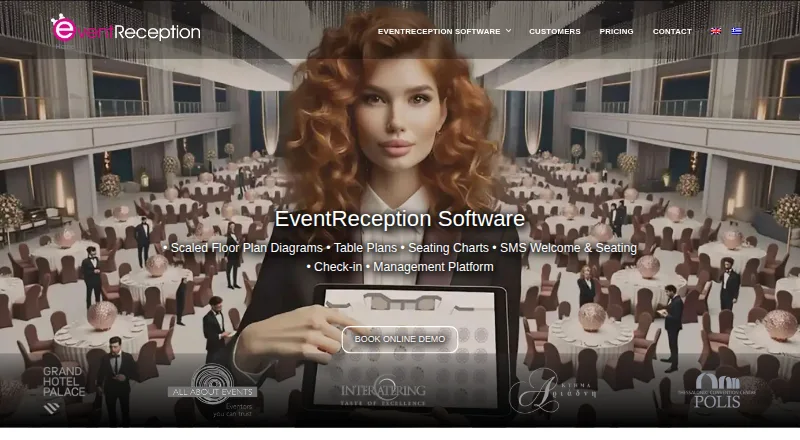
What EventReception is
EventReception provides event diagrams, table plans, seating charts, SMS seating, check-in, and event management software for hotels, venues, caterers, and event professionals. Users can import guest lists from Excel, seat guests at tables or chairs, manage RSVPs and groups, and export table lists to Excel or PDF. Its e-GuestList app supports online and offline check-ins, Excel guest-list imports, and real-time syncing across devices. Reports cover attendance, no-shows, walk-ins, per-minute activity, and device breakdowns, with PDF and Excel export options. Other listed tools include SMS delivery, online venue navigation maps, and payment checkout through Viva. A free check-in account allows unlimited events with up to 30 guests per event, and the software offers a 14-day trial. Paid plans include MAX-150 at 19.00 € per event, and monthly options from Event Diagrams at 90.00 € per month to Unlimited at 570.00 € per month. The check-in app says data are SSL-encrypted and secured in an ISO/IEC 27001:2022-certified data center.
Good
- Supports online and offline check-ins.
- Check-ins sync across devices in real time.
- Guest lists import from Excel.
- Free check-in account allows unlimited events.
- Reports include attendance and no-show breakdowns.
Watch out
- Free check-in account allows up to 30 guests per event.
- MAX-150 is limited to 150 guests and two tablets.
- Per-event credits expire after 12 months unless extended.
- No 3D view.
Who it suits
EventReception is designed for hotels, venues, caterers, and event professionals arranging seating and managing check-in. It is especially relevant to teams that need offline check-in or guest-list exports.
Verdict
EventReception combines seating plans with check-in and reporting, including offline operation and real-time device syncing. Review event and device limits, as well as the monthly plan costs, to find a suitable package.
Plans and prices
From EventReception's own pricing page, checked 28 Sep 2026.
| Plan | Price | What it gives you |
|---|---|---|
| MAX-150 | 19 €, paid once | One event · Maximum 150 guests · Maximum 2 tablet devices · per event |
| MAX-150 | 47 € a month | Unlimited events for 30 days · Maximum 150 guests per event · Maximum 2 tablet devices per event · per month |
| Event Diagrams | 90 € a month | One user · Event diagrams · Management platform · Seating charts · SMS seating · Navigation map · Check-in app · per month |
| Diagrams & Seating | 155 € a month | One user · Event diagrams · Management platform · Seating charts · SMS seating · Navigation map · Check-in app · per month |
| All Solutions | 190 € a month | One user · Up to 5 check-in users · Up to 700 check-ins per event · Event diagrams · Management platform · Seating charts · SMS seating · Navigation map · Check-in app · per month |
| Unlimited | 570 € a month | Unlimited users · Unlimited check-in users · Unlimited check-ins · Event diagrams · Management platform · Seating charts · SMS seating · Navigation map · Check-in app · per month |
| Event Diagrams | 900 € a year | One user · Event diagrams · Management platform · Seating charts · SMS seating · Navigation map · Check-in app · per year |
| Diagrams & Seating | 1,550 € a year | One user · Event diagrams · Management platform · Seating charts · SMS seating · Navigation map · Check-in app · per year |
| All Solutions | 1,900 € a year | One user · Up to 5 check-in users · Up to 700 check-ins per event · Event diagrams · Management platform · Seating charts · SMS seating · Navigation map · Check-in app · per year |
| Unlimited | 5,700 € a year | Unlimited users · Unlimited check-in users · Unlimited check-ins · Event diagrams · Management platform · Seating charts · SMS seating · Navigation map · Check-in app · per year |
The facts
Each one read from EventReception's own pages, with the date it was checked.
What it does
- Check-in
- The e-GuestList app supports online and offline check-ins, Excel guest-list imports, and real-time syncing across devices.checked 28 Sep 2026
- Guest data retention
- The seating page states that guest mobile numbers and email addresses are automatically deleted 15 days after events.checked 28 Sep 2026
- Integrations
- The maker describes Excel imports and exports, PDF exports, SMS delivery, online venue navigation maps, and payment checkout through Viva.checked 28 Sep 2026
- Intended users
- The software is designed for hotels, venues, caterers, and event professionals.checked 28 Sep 2026
- Privacy
- The privacy policy says EventReception does not sell or rent user data and that sensitive card details are processed by its payment provider, inaccessible to EventReception.checked 28 Sep 2026
- Product
- EventReception provides event diagrams, table plans, seating charts, SMS seating, check-in, and event management software.checked 28 Sep 2026
- Reporting
- Check-in reports include attendance coverage, no-shows, walk-ins, per-minute analysis, device breakdowns, and PDF or Excel exports.checked 28 Sep 2026
- Seating
- Users can import guest lists from Excel, seat guests at tables or chairs, manage RSVPs and groups, and export table lists to Excel or PDF.checked 28 Sep 2026
- Security
- The check-in app says data are SSL-encrypted and secured in an ISO/IEC 27001:2022-certified three-tier data center.checked 28 Sep 2026
- Support
- Combo packages include 365-day support, and the pricing page offers a brief online product tour.checked 28 Sep 2026
Money
- Free account limit
- The free check-in account allows unlimited events with up to 30 guests per event.checked 28 Sep 2026
- Plan limit
- For check-in packages, guest and tablet-device limits apply to each event, and per-event credits expire 12 months after purchase unless extended by request.checked 28 Sep 2026
- Trial
- The pricing page offers a full 14-day trial for the software demo.checked 28 Sep 2026
The company
- Headquarters
- Kalamaria, Greecechecked 28 Sep 2026
The full review of EventReception
Overview
EventReception is event-management software for hotels, venues, caterers and event professionals who need seating plans and guest check-in in one system. Its combination of offline check-in, device syncing and seating tools is useful for busy event operations, but its per-event guest and device caps and monthly package costs deserve close attention.
Key features
Seating and guest lists
Excel guest-list imports, RSVP and group management, and seating assignments for tables or chairs cover the practical work of building a guest plan. Table lists export to Excel or PDF, while floor-plan import, event diagrams and real-time collaboration support teams coordinating a layout. There is no 3D view, so planners who need to visualize a room in three dimensions should consider another tool.
Check-in and reporting
The e-GuestList app supports online and offline check-ins, imports guest lists from Excel and syncs across devices in real time. That offline capability is valuable at venues with unreliable connectivity. Reports break down attendance coverage, no-shows, walk-ins, activity by minute and device, with PDF and Excel exports.
Connected services and data handling
EventReception supports SMS delivery, online venue navigation maps and payment checkout through Viva, alongside Excel and PDF import or export workflows. The check-in app says data are SSL-encrypted and held in an ISO/IEC 27001:2022-certified three-tier data center. Its privacy policy says user data are not sold or rented, and sensitive card details are handled by the payment provider rather than accessible to EventReception. Guest mobile numbers and email addresses are automatically deleted 15 days after events.
Pricing
A free check-in account allows unlimited events, but caps each event at 30 guests. The full software demo comes with a 14-day trial, giving prospective customers a short window to assess the broader package before committing.
For a single event, MAX-150 costs 19.00 € per once, billed per event, and covers one event with up to 150 guests and two tablet devices. It is the clearest fit for a small event needing check-in without a monthly commitment; the 150-guest and two-device ceilings make it unsuitable for larger or more distributed entry teams.
The monthly plans are:
- Event Diagrams: 90.00 € per month, billed per month, for one user, event diagrams, management platform, seating charts, SMS seating, navigation map and check-in app.
- Diagrams & Seating: 155.00 € per month, billed per month, for one user and the same listed package components as Event Diagrams.
- All Solutions: 190.00 € per month, billed per month, for one user, up to five check-in users and up to 700 check-ins per event, plus the diagrams, management, seating, SMS, navigation and check-in tools.
- Unlimited: 570.00 € per month, billed per month, for unlimited users, check-in users and check-ins, with the same core event and seating components.
The listed contents for Event Diagrams and Diagrams & Seating are identical, so their different prices are difficult to evaluate from the package descriptions alone. All Solutions adds explicit check-in user and event-volume allowances; Unlimited removes those stated ceilings at a substantial monthly premium. Check-in package limits apply per event, and purchased event credits expire 12 months after purchase unless extended by request. Combo packages include 365-day support, and an online product tour is offered.
Platforms
EventReception is available on Android, iOS and the web, allowing teams to use mobile devices as well as a browser-based workflow.
Who it's for
It is best suited to venues and event professionals that need guest seating, diagrams and entry management together, particularly where offline check-in and multiple-device syncing matter. The free check-in account can suit small events with no more than 30 guests apiece. Larger operations should compare per-event caps and user allowances against their staffing and attendance needs before choosing a monthly plan.
Pros and cons
- Pros: Offline check-in and real-time device syncing help maintain entry operations when connectivity is poor or several devices are in use.
- Pros: Seating, guest-list management, check-in and detailed attendance reporting span planning through arrival.
- Pros: The free account has no event-count cap, while the 14-day trial covers the full software demo.
- Cons: The free account's 30-guest event cap and MAX-150's two-device limit constrain event scale.
- Cons: The monthly packages begin at 90.00 € per month, and the listed contents of the two lowest monthly tiers do not explain their price difference.
- Cons: Purchased check-in credits expire after 12 months unless an extension is requested.
- Cons: No 3D view is available for planners who require three-dimensional room visualization.
Alternatives
For a broader comparison of event-diagramming products, browse Event Diagramming Software.
A Seat Awaits is a web option with a free plan and paid per-event passes, worth comparing if a single-event seating workflow is the priority. EventDiagram offers a free plan on web and API platforms for readers considering a freemium diagramming alternative. OnePlan has a free plan and a 25-object cap on its free tier, making it a potential starting point for smaller diagrams. SeatPlan.io offers a free web plan with guest-list import and an AI floor-plan import trial, but no saved work or PDF export on that tier. SeatPlanning has a free web plan limited to one project, 40 seats per project and five tables. Cvent is a paid web and mobile alternative whose registration product can be tried for free. 3D Event Designer is worth considering when 2D and 3D diagramming are required, with paid plans across mobile, desktop and web platforms. Visrez Floor Plan Builder is another web-based freemium option.
Verdict
EventReception is a strong fit for hotels, venues and event teams that want seating, guest check-in and reporting under one roof, especially when offline entry and multi-device syncing are essential. Its breadth is the main reason to choose it; the monthly cost, per-event check-in limits and unclear distinction between its two lower monthly tiers are good reasons to compare alternatives first.
Alternatives to EventReception
- 1

EventDiagram
Free planWebAPI7.3Free plan - 2

Cvent
AndroidiOSWeb6.9 - 3
Table-Plan.com
Free planWebmacOSWindows6.8From $49 a month - 4
OnePlan
Free planWeb6.7From $900 a year - 5

SeatPlan.io
Free planWeb6.7From £29 a year - 6
SeatPlanning
Free planWeb6.7From $39 a month