
Event Floor Planner
Event Floor Planner is an online tool for designing event floor plans and seating charts.
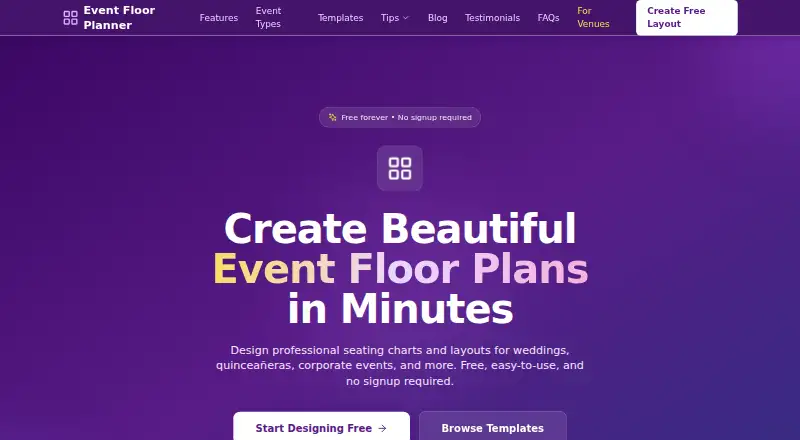
What Event Floor Planner is
Event Floor Planner is an online tool for designing event floor plans and seating charts. Its editor lets users place, rotate, and resize layout elements with drag-and-drop controls. Users can create guest lists, assign guests to tables, and export plans as PDF documents. Layouts can be saved to the cloud using an email address without creating an account, or shared through unique links. The tool is presented for weddings, quinceañeras, corporate events, and other special occasions, and is available on web, Android, and iOS. It is described as mobile-friendly, though its designer recommends a desktop or laptop for precise placement and editing. The free plan costs nothing and includes PDF export; no signup is required. Layouts kept in browser storage can be lost if browser data is cleared or the user switches browsers or devices. Anyone with a shared layout link can view its contents, including guest names and email addresses. Professional templates are described as coming soon.
Good
- Drag-and-drop editor supports rotation and resizing.
- Guest lists can be assigned to tables.
- PDF export is included in the free plan.
- Cloud saving requires only an email address.
- Unique links let users share layouts.
Watch out
- Shared links expose layouts, including guest names and emails.
- Browser-stored layouts may be lost when data is cleared.
- Professional templates are not yet available.
Who it suits
It suits people planning weddings, quinceañeras, corporate events, or other special occasions who need to arrange seating and share a floor plan. Those who need precise editing should use a desktop or laptop, as the designer recommends.
Verdict
Event Floor Planner combines layout editing, guest assignments, and PDF export in a free online tool. Keep link visibility and browser-storage limits in mind when choosing how to save and share a plan.
Plans and prices
From Event Floor Planner's own pricing page, checked 8 Oct 2026.
| Plan | Price | What it gives you |
|---|---|---|
| Free | Free | Free online tool · no signup required · PDF export |
The facts
Each one read from Event Floor Planner's own pages, with the date it was checked.
What it does
- Cloud saves
- Layouts can be saved to the cloud with an email address, without creating an account.checked 8 Oct 2026
- Guest management
- Users can create guest lists and assign guests to tables.checked 8 Oct 2026
- Intended events
- The site presents the tool for weddings, quinceañeras, corporate events, and other special occasions.checked 8 Oct 2026
- Layout editor
- The designer supports drag-and-drop placement, rotation, and resizing of layout elements.checked 8 Oct 2026
- Local data limit
- Layouts kept in browser storage may be lost if browser data is cleared or the user switches browsers or devices.checked 8 Oct 2026
- PDF export
- Users can export floor plans as PDF documents.checked 8 Oct 2026
- Purpose
- Event Floor Planner is an online tool for designing event floor plans and seating charts.checked 8 Oct 2026
- Security
- The privacy policy says data in transit uses SSL/TLS encryption, stored data is encrypted at rest, and access controls and regular security monitoring are used.checked 8 Oct 2026
- Shared layout privacy
- Anyone with a shared layout link can view it, including guest names and email addresses in the layout.checked 8 Oct 2026
- Sharing
- Users can share layouts via unique links.checked 8 Oct 2026
- Support
- The privacy policy lists [email protected] as the contact address for questions or requests.checked 8 Oct 2026
- Templates
- The home page describes professional templates as coming soon.checked 8 Oct 2026
Where it runs
- Device support
- The site describes the tool as mobile-friendly, while the designer recommends a desktop or laptop for precise placement and editing.checked 8 Oct 2026
The company
- Headquarters
- Las Vegas, Nevada, United Stateschecked 28 Sep 2026
The full review of Event Floor Planner
Overview
Event Floor Planner is a free online tool for arranging event spaces and seating guests. It suits hosts planning weddings, quinceañeras, corporate events, and other special occasions who want a browser-based plan they can export as a PDF. Its core combination of layout editing, guest assignments, and sharing makes it a practical starting point, but browser storage and link visibility call for care.
Key features
Build a layout and assign guests
Drag-and-drop placement, rotation, and resizing let users shape a floor plan without limiting them to fixed positions. Guest lists and table assignments connect the room layout to seating decisions, which is useful for events where both need to be managed together. Professional templates are described as coming soon, so planners should expect to build their layouts without relying on a template library for now.
Save, export, and share
Layouts can be saved to the cloud using an email address, without creating an account, and exported as PDFs. That makes the tool convenient for a one-off plan that needs a portable document. Layouts can also be shared through unique links, but anyone with the link can see the plan, including guest names and email addresses included in it. Share only with people who should have access to those details.
Plans kept in browser storage may disappear if browser data is cleared or the user switches browsers or devices. Cloud saving offers another option, but users who need dependable access across devices should not rely solely on local browser storage. The privacy policy says data in transit is protected with SSL/TLS, stored data is encrypted at rest, and access controls and regular security monitoring are used.
Pricing
The Free plan costs nothing and includes the free online tool, no signup requirement, and PDF export. There is no free trial because the product is free. With no paid tier described, there is no upgrade path to weigh against the free plan; its practical constraints are instead around saving and sharing, rather than a stated seat or project quota.
Platforms
Event Floor Planner supports Android, iOS, and the web, and the site describes it as mobile-friendly. The designer recommends a desktop or laptop for precise placement and editing, so mobile is better suited to access than detailed layout work.
Who it's for
This is a sensible fit for individuals organizing a special occasion who need seating assignments, an editable floor plan, and a PDF without paying or creating an account. It is less suitable for plans containing sensitive guest information that will be shared broadly, or for users who need guaranteed persistence from browser-only storage.
Pros and cons
- Pros: Free use includes PDF export and requires no signup, lowering the barrier to producing a shareable plan.
- Pros: Layout editing and guest-to-table assignments live in one tool, avoiding a split between room design and seating work.
- Pros: Email-based cloud saves avoid account creation, while mobile support makes the tool accessible beyond desktop browsers.
- Cons: Browser-stored layouts can be lost when browser data is cleared or devices and browsers change.
- Cons: Anyone holding a shared link can view guest names and email addresses in the layout, making link distribution a privacy decision.
- Cons: The desktop recommendation limits the appeal for users who want to do precise editing entirely on a phone.
Alternatives
Table-Plan.com is a better fit for users who want a stated free allowance of up to 30 guests, one project, and unlimited tables, or a one-time Premium plan for up to 250 guests. EventDiagram is another free-plan option for users who prefer a web tool with an API.
OnePlan suits teams seeking a paid Team tier at $90 a month, while its free plan is limited to one event, 25 objects, and low-resolution watermarked PNG export. SeatPlan.io may suit users willing to pay once for its Pro plan; its free plan includes a full design and guest-list import but no saved work or PDF export.
SeatPlanning offers a free plan with stated project, seat, table, and element caps plus watermarked PDF export, making it worth considering when those limits fit the event. Eventscript is a web alternative whose free plan allows one upcoming event at a time, with all features otherwise included.
SeatChart.io is worth comparing for its free plan, which includes one event, a full editor, export, sharing, and QR support. TablePlan.io offers a browser-only free demo for one event at a time, with work saved in the browser.
For more options, browse Event Diagramming Software.
Verdict
Choose Event Floor Planner for a free, no-signup way to build a seating plan, assign guests, and export a PDF. Its strongest case is the useful set of core planning tools at no cost; look elsewhere if link-based access to guest details is too open for your event or browser-storage risk is unacceptable.
Getting started
- Open https://eventfloorplanner.com/.
- Create a floor plan using the drag-and-drop editor.
- Add a guest list and assign guests to tables.
- Save to the cloud with an email address, or share the layout through its unique link.
- Export the finished floor plan as a PDF.
Questions
Is Event Floor Planner free?
Yes. Its Free plan is listed as free and includes PDF export. No signup is required.
Which devices can I use?
The listed platforms are web, Android, and iOS. The tool is described as mobile-friendly, though the designer recommends a desktop or laptop for precise placement and editing.
Can I save or share a layout without an account?
You can save layouts to the cloud with an email address without creating an account. Layouts can also be shared through unique links.
Who can see a shared layout?
Anyone with its shared link can view it, including guest names and email addresses shown in the layout.
Can I export my floor plan?
Yes. The tool lets you export floor plans as PDF documents.
Alternatives to Event Floor Planner
- 1

EventDiagram
Free planWebAPI7.3Free plan - 2

Cvent
AndroidiOSWeb6.9 - 3
EventReception
AndroidiOSWeb6.9From 47 € a month - 4
Table-Plan.com
Free planWebmacOSWindows6.8From $49 a month - 5
OnePlan
Free planWeb6.7From $900 a year - 6

SeatPlan.io
Free planWeb6.7From £29 a year