EMS Academic Scheduling
EMS Academic Scheduling helps higher education and commercial institutions plan course timetables and find suitable rooms.
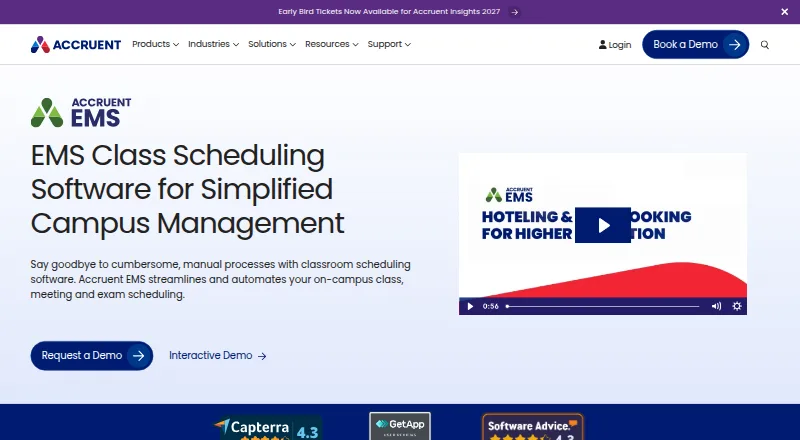
What EMS Academic Scheduling is
EMS Academic Scheduling helps higher education and commercial institutions plan course timetables and find suitable rooms. Its automated assignments can account for course size, seating layout, and instructor preferences. For exams, the optimizer identifies spaces with the necessary capacity and resources. Schedule views help users spot conflicts such as double bookings and insufficient transition time between classes. Integration with a student information system can automate course and instructor details and send room assignments back to that system. EMS also describes analytics, digital signage, and mobile booking for monitoring campus space use. Integrations include Microsoft Exchange and Outlook, Teams, Zoom, Webex, and Platform Services APIs; custom connections can link campus systems, apps, hardware, visitor management, signage, and HVAC. The browser-based Web App works on mobile devices and can be installed on-premises or accessed through an EMS cloud URL.
Good
- Automates course assignments using room and instructor factors.
- Finds exam spaces with required capacity and resources.
- Flags double bookings and short class transitions.
- Integrates with student information systems and meeting tools.
- Web App runs on mobile devices.
Watch out
- No free plan is listed.
- Some deployments require Windows Server and IIS.
Who it suits
It suits higher education institutions and commercial organizations that need to coordinate courses, exams, and meeting spaces. It may also suit campuses seeking to connect scheduling with student information systems and space-use tools.
Verdict
EMS combines course and exam scheduling with conflict checks and connections to campus systems. Review its deployment requirements and request pricing details to determine whether it fits your institution.
Plans and prices
From EMS Academic Scheduling's own pricing page, checked 14 Oct 2026.
| Plan | Price | What it gives you |
|---|---|---|
| Basic | $9,000 a year | EMS scheduling software; pricing shown as basic tier · per year |
| EMS Academic Scheduling | Priced on request | Pricing not listed; request a demo or contact sales |
The facts
Each one read from EMS Academic Scheduling's own pages, with the date it was checked.
What it does
- Access points
- Users can manage reservations through the Direct Spaces mobile app, calendar add-ins, kiosks, web app and room signs.checked 14 Oct 2026
- Analytics
- Digital signage and mobile booking data can be used to track utilization, overcrowding and cleaning needs.checked 14 Oct 2026
- Authentication
- Available authentication methods include SAML, portal, Windows, LDAP and native EMS depending on the application; Exchange authentication is also supported.checked 14 Oct 2026
- Automated assignments
- EMS can auto-assign courses using factors such as course size, seating layout and instructor preference.checked 28 Sep 2026
- Automatic room assignment
- The optimizer can assign courses using class size, seating layout and instructor preferences.checked 14 Oct 2026
- Conflict checks
- Users can view schedule time blocks and identify violations such as double bookings or inadequate transition time between classes.checked 28 Sep 2026
- Custom integrations
- Customers and partners can build integrations for sensors, lecture capture, HVAC, wayfinding, payment portals, kiosks and custom web or mobile apps.checked 14 Oct 2026
- Documentation
- Accruent publishes installation, configuration, user, integration and API guides in its EMS help center, with Swagger documentation available on each customer deployment.checked 14 Oct 2026
- Equipment availability
- Room records expose details such as capacity, chair count and available equipment.checked 14 Oct 2026
- Exam scheduling
- Exam scheduling uses an optimizer to find rooms with required capacity and resources.checked 14 Oct 2026
- Google Play listing
- Direct Spaces is listed on Google Play with 500+ downloads; the page does not display a user rating or rating count.checked 14 Oct 2026
- Integrations
- Official connectors include Outlook or Exchange, Microsoft Teams, Zoom, Webex, HRIS, facilities systems, HVAC automation, digital signage and Polycom.checked 14 Oct 2026
- Intended users
- Accruent describes EMS as tailored to higher education and commercial institutions; its higher education offering addresses students, faculty and staff.checked 28 Sep 2026
- Legacy API
- The older EMS SOAP API is no longer being developed and Accruent directs users to the REST Platform Services API.checked 14 Oct 2026
- Limit: G2 interface and setup
- G2 reviewers repeatedly describe the desktop interface as dated, the web interface as less friendly and new-user setup as complicated.checked 14 Oct 2026
- Limit: Gartner usability and documentation
- Gartner feedback calls the desktop client clunky, says the HR toolkit needs frequent adjustment and describes Outlook or Exchange setup as difficult with insufficient documentation.checked 14 Oct 2026
- Limit: Software Advice performance
- Software Advice feedback says the interface feels dated, advanced configurations can need technical help and performance may slow with large datasets or peak usage.checked 14 Oct 2026
Money
- API scope and cost
- The API documentation describes more than 44 read-only calls and 87 update calls, with APIs licensed for an additional charge.checked 14 Oct 2026
Where it runs
- Apple App Store listing
- The Direct Spaces iOS app requires iOS 16.6 or later, supports iPhone, iPad and Apple-silicon Mac, and the listing shows no rating count.checked 14 Oct 2026
- Limit: TrustRadius platform coverage
- A TrustRadius reviewer says onboarding A/V and catering is difficult because other systems serve those departments better, forcing multiple systems.checked 14 Oct 2026
The company
- Company facts
- Accruent, LLC was founded in 1995 and is headquartered in Austin, Texas.checked 14 Oct 2026
- Company headquarters
- Accruent says it is headquartered in Austin, Texas.checked 28 Sep 2026
- Company size
- LinkedIn lists Accruent as a public software company headquartered in Austin with 1,001–5,000 employees.checked 14 Oct 2026
- Headquarters
- Austin, Texas, USAchecked 28 Sep 2026
The full review of EMS Academic Scheduling
Overview
EMS Academic Scheduling is a course and room scheduling system for higher-education and commercial institutions. It is best suited to campus teams coordinating courses, exams and room use across connected systems. Its strength is bringing assignment, conflict-checking and campus integration capabilities together; its institutional focus and custom pricing make it a poor fit for buyers seeking a simple, self-service scheduler.
Key features
Automated assignments consider course size, seating layout and instructor preference, helping schedulers match classes to rooms without treating capacity as the only constraint. For exams, the optimizer helps find spaces with the required capacity and resources. Staff can inspect time blocks for double bookings or inadequate transition time between classes, which addresses practical timetable conflicts before they disrupt a campus schedule.
SIS integration can automate course and instructor information and write room assignments back to the system. EMS also integrates with Microsoft Exchange/Outlook, Microsoft Teams, Zoom and Webex, and offers Platform Services API integrations. Custom integrations extend to hardware, campus systems, web and mobile apps, visitor management, digital signage and HVAC. That breadth can suit institutions with established campus workflows, though buyers should assess integration scope as part of deployment planning.
Space-use analytics, digital signage and mobile booking capabilities are intended to help institutions track and improve utilization. The EMS Web App is browser-based, works on mobile devices and can be installed on-premises or accessed through an EMS cloud URL. The documented desktop browser choices are current Edge, Firefox, Chrome and Safari; installation documentation describes Windows Server and IIS requirements. Accruent cites ISO/IEC 27001, SOC 1 and SOC 2 in its security and compliance information, and provides customer support, professional services and managed services.
Pricing
EMS is paid software, with custom pricing for the EMS Academic Scheduling plan. The product page offers a demo request and an impact calculator; prospective buyers can request a demo or contact sales for pricing. A separate starting-price figure is $110/user/mo, but no plan terms or seat limits accompany it, so institutions should confirm how pricing applies to their deployment.
There is no free plan. That makes EMS a less suitable choice for small teams wanting to evaluate a scheduler indefinitely without a purchasing commitment; the demo request is the stated route to assess fit.
Platforms
Listed platforms are Android, iOS, macOS, Windows, web, API and self-hosted deployment. The Web App supports browser-based mobile access, while institutions can choose on-premises installation or an EMS cloud URL. The hybrid deployment option gives campus IT teams deployment flexibility, but the Windows Server and IIS installation requirements matter for institutions considering self-hosting.
Who it's for
EMS is tailored to higher education and commercial institutions. Its higher-education offering addresses students, faculty and staff, while the scheduling and SIS functions are most relevant to institutional teams responsible for course timetables, exams and room assignments. Organizations outside those settings, or those without a need to connect scheduling to campus systems, may find its breadth unnecessary.
Pros and cons
- Pro: Automated course and exam space assignment accounts for room capacity and other constraints, rather than relying on manual matching alone.
- Pro: SIS connections can automate course and instructor data and return room assignments, reducing separation between scheduling and campus records.
- Pro: Cloud URL and on-premises options support different institutional deployment preferences.
- Con: Custom pricing and the lack of a free plan make early cost comparison and ongoing use without a contract less straightforward.
- Con: Self-hosted installation involves Windows Server and IIS requirements, adding infrastructure considerations for campus IT.
Alternatives
For a broader review of Exam Scheduling Software or Facilities Management Software, compare category options if your main need is narrower than EMS's combined course and space scheduling. Consider Oracle Retail Xstore Point-of-Service if you need a paid retail point-of-service product rather than academic scheduling; its price is not public and Oracle invites demo requests. LeaseGOTO is a paid property-management option with work orders, inspections and unit turns in its Core plan, so it is more relevant to property operations than campus timetabling. MRI Property Management X is another paid property-management alternative with custom pricing by demo request. Nakisa Capital Projects Suite is a paid capital-projects option with pricing by tailored demo. Leasecake is a paid lease-management alternative with plans for small, mid-sized and enterprise organizations. Occupier may suit real-estate teams needing lease and owned-property tracking; its Basic plan starts at 20 leases with unlimited users. LeaseAccelerator offers paid software with pricing by request and a demo. Rent Manager is a paid option for property operations, with accounting, reporting and work-order tools in its Basic plan.
Verdict
Choose EMS Academic Scheduling if your institution needs course and exam assignments tied to room constraints, conflict checks and campus-system integrations. Its combination of scheduling controls and flexible deployment is the main reason to shortlist it. Look elsewhere if you need a low-commitment or transparently priced scheduler, or if your requirements do not justify an institution-focused system.
Getting started
- Visit the EMS Academic Scheduling website
- Request a demo or contact sales about pricing
- Choose the hybrid deployment approach
- Use the EMS Web App through an EMS cloud URL or install it on-premises
- Access the web app in a current Edge, Firefox, Chrome, or Safari desktop browser, or on a mobile device
Limits worth knowing
There is no free plan. Pricing starts at $110/user/mo, and the EMS Academic Scheduling plan requires a demo request or sales contact for pricing.
Questions
How much does EMS Academic Scheduling cost?
The EMS Academic Scheduling plan price requires a demo request or contact with sales.
Is there a free plan?
No, EMS Academic Scheduling has no free plan.
Which platforms can I use?
Listed platforms include Android, iOS, macOS, web, Windows, API, and self-hosted. The browser-based EMS Web App also runs on mobile devices.
Can EMS connect to student information systems?
Yes. It can automate course and instructor information and write room assignments back to an SIS.
Which integrations are listed?
Listed integrations include Microsoft Exchange/Outlook, Microsoft Teams, Zoom, Webex, and Platform Services API integrations. Custom integrations can connect hardware, campus systems, apps, visitor management, signage, and HVAC.
Who makes EMS Academic Scheduling?
Accruent provides EMS Academic Scheduling and is headquartered in Austin, Texas, USA.
Alternatives to EMS Academic Scheduling
- 1
Prime Timetable
Free planAndroidiOSWebAPI8.0From $299 a year - 2

OpenEduCat
Free planAndroidiOSAPILinux7.9Free plan - 3

Optime Exam
Free planAndroidiOSWebAPI7.9From £1 a year - 4

UniTime
Free planOpen sourceWebAPILinuxmacOS7.7Free plan - 5
Skoolia
AndroidiOSWebAPI6.9From $299 a year - 6

Wise Timetable
AndroidiOSWebAPI6.9From €90 a month