
UniTime
UniTime is a free educational scheduling system for course and exam timetables, room sharing, and student class assignments.
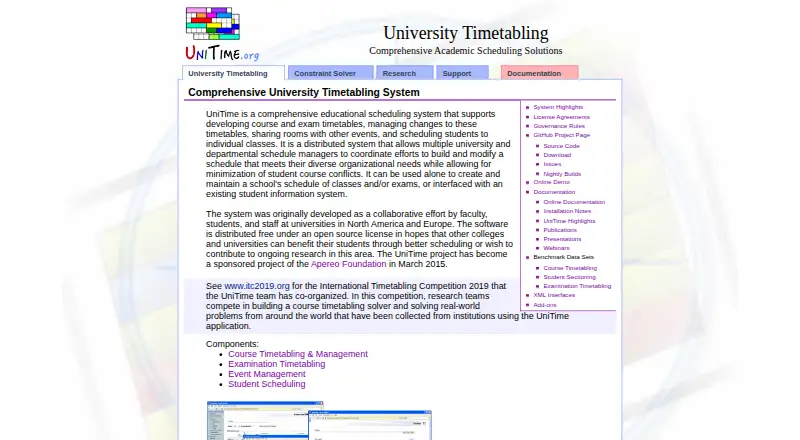
What UniTime is
UniTime is a free educational scheduling system for course and exam timetables, room sharing, and student class assignments. Course schedules can account for student demand, curricula, historical patterns, faculty and room preferences, and relationships between classes. Its examination module builds term schedules to reduce student exam conflicts and can schedule midterms and finals. The web-based Events interface lets staff and students request events or look for available times and locations, with notices sent to organizers. Student scheduling assigns students to available class spaces using course requirements and timetable information, though UniTime cannot guarantee that every conflict will be resolved. It runs as a server-client application with a web interface and platform-independent distributions, and can operate independently or connect to a student information system. Documentation describes XML imports and exports and RESTful interfaces. Installation guidance covers Linux, Windows, and Mac; administrators may configure SSL access through Tomcat and LDAP authentication. The application is distributed under Apache License 2.0. The installation page says UniTime 4.9 is still in development and recommends 4.8 for production installations.
Good
- Free and open-source under Apache License 2.0.
- Schedules courses, exams, events, and student classes.
- Can interface with a student information system.
- Supports XML exchange and RESTful interfaces.
- Install guidance covers Linux, Windows, and Mac.
Watch out
- Student scheduling cannot guarantee all conflicts are resolved.
- UniTime 4.9 is still in development.
- Production installations are recommended to use version 4.8.
Who it suits
UniTime is intended for schools, colleges, and universities coordinating course, exam, room, and student schedules. It may suit institutions with multiple schedule managers or a need to connect scheduling data with an existing student information system.
Verdict
UniTime covers several academic scheduling needs and can work independently or alongside an existing student information system. Institutions should note the production recommendation for version 4.8 and the stated limits on resolving student conflicts.
Plans and prices
From UniTime's own pricing page, checked 15 Oct 2026.
| Plan | Price | What it gives you |
|---|---|---|
| UniTime | Free | course timetabling · examination timetabling · student scheduling · event management |
The facts
Each one read from UniTime's own pages, with the date it was checked.
What it does
- Apereo description
- Apereo describes UniTime as open-source software that can operate alone or interface with an existing student-information system.checked 15 Oct 2026
- API authentication
- The HTTP API supports basic authentication and optionally API tokens controlled by the unitime.api.canUseToken property.checked 15 Oct 2026
- API capabilities
- Documented API permissions cover roles, instructor schedules, classes, enrollments, events, rooms, student scheduling and data exchange.checked 15 Oct 2026
- Course scheduling
- Course timetables can account for student course demands, curricula, historical patterns, faculty and room preferences, and other class relationships.checked 30 Sep 2026
- Course timetabling
- The course module models course structures, student demand, faculty availability, rooms and multiple instructional components.checked 15 Oct 2026
- Current production version
- The nightly-build page identifies UniTime 4.9 as the production version and lists build 159 dated October 15, 2026.checked 15 Oct 2026
- Database support
- MySQL 8.0 and Oracle 19c are used in development and testing; MariaDB works but is explicitly unsupported.checked 15 Oct 2026
- Data exchange
- The exchange connector imports and exports XML interfaces through GET and POST API calls.checked 15 Oct 2026
- Deployment
- UniTime is a server-client application with a web-based interface and platform-independent distributions; installation notes cover Linux, Windows, and Mac.checked 30 Sep 2026
- Distributed operation
- The system supports centralized, distributed and hybrid schedule-building approaches across organizational units.checked 15 Oct 2026
- Docker deployment
- A Docker setup builds with docker-compose and exposes the application on localhost:8888.checked 15 Oct 2026
- Documentation depth
- Documentation includes user manuals, administrator guides, installation for Linux/Windows/Mac, authentication, XML interfaces, APIs, exports and developer setup.checked 15 Oct 2026
- Event management
- UniTime documentation includes event management and administrative event-manager manuals.checked 15 Oct 2026
- Examination timetabling
- The exam module creates midterm and final schedules while minimizing direct, back-to-back and excessive-daily exam conflicts.checked 15 Oct 2026
- Exam scheduling
- The examination module creates term schedules that minimize student exam conflicts and can schedule midterm and final exams.checked 30 Sep 2026
- Extensibility
- The project publishes a separate cpsolver repository, JavaDoc, benchmark examples and unitime-addons repository.checked 15 Oct 2026
- GitHub license notice
- The repository build properties file carries an Apache License 2.0 notice from the Apereo Foundation.checked 15 Oct 2026
- GitHub repository
- The public GitHub repository is marked Public and shows 213 forks, zero issues and four open pull requests on the opened page.checked 15 Oct 2026
- Google Play data disclosure
- That GearlyIO listing says no third-party data sharing, possible collection of location and personal information, encryption in transit and deletion requests.checked 15 Oct 2026
- Google Play identity warning
- A Google Play app named UniTime is published by GearlyIO, reports 1K+ downloads and describes business time-and-attendance features, so the listing is not evidence of the Apereo academic product.checked 15 Oct 2026
- Integrations
- UniTime can run independently or interface with an existing student information system.checked 30 Sep 2026
- Intended users
- The site describes UniTime as software for schools, colleges, and universities, with multiple university and departmental schedule managers coordinating schedules.checked 30 Sep 2026
The company
- Company profile
- LinkedIn describes UniTime LLC as a privately held research-services organization with 2–10 employees founded in 2008.checked 15 Oct 2026
- Company specialties
- LinkedIn lists university timetabling, course timetabling, examination timetabling, student scheduling and event management as specialties.checked 15 Oct 2026
The full review of UniTime
UniTime is an open-source academic scheduling system for schools, colleges, and universities coordinating courses, exams, events, and student placements. It suits institutions with multiple schedule managers and complex timetable requirements. Its broad coverage and lack of license fees are strong advantages, but production deployments should use version 4.8 while 4.9 remains in development.
Overview
UniTime brings several connected scheduling tasks into one system rather than focusing on a single timetable. Institutions can plan courses and exams, manage event requests, and assign students to class spaces. That scope is useful where departments must coordinate around shared rooms, faculty constraints, and student requirements; it is less suited to someone looking for a personal calendar or a lightweight class planner.
It can operate independently or interface with an existing student information system. XML import and export cover academic, student, course, and timetable data, with additional RESTful interfaces. Those options make it a plausible fit for institutions with established systems, while also making deployment and integration an IT responsibility.
Key features
Course and exam timetables
Course schedules can account for student demand, curricula, past patterns, faculty and room preferences, and relationships among classes. Automatic timetable generation, room and teacher constraints, and conflict detection help schedulers balance competing requirements. The examination module builds term schedules intended to minimize student conflicts and supports midterms as well as finals, which is useful for institutions managing exams across a whole term.
Student placements and events
Student scheduling assigns students to available class spaces using course requirements, historical requests, and timetable data. It can help allocate limited seats, but it does not guarantee that every student conflict will be resolved; institutions should not treat its assignments as a promise of conflict-free schedules.
The web-based Events interface lets staff and students request events or search for open times and locations, and sends notices to organizers. This gives event coordination a place alongside academic scheduling without making event requests a separate administrative workflow.
Deployment and administration
UniTime uses a server-client architecture with a web interface and platform-independent distributions. Installation guidance covers Linux, Windows, and Mac. Administrators can configure SSL access through Tomcat and integrate LDAP authentication, while the application itself is licensed under Apache License, Version 2.0. These capabilities offer institutions deployment flexibility, but the server and security setup call for technical administration rather than a turnkey hosted service.
Educational institutions can receive a reasonable amount of free email support, usually within a day or two, and additional services are available for a fee. The installation guidance recommends version 4.8 for production; version 4.9 is still in development, so institutions should plan around the earlier release for live scheduling.
Pricing
UniTime is free open-source software, with commercial support available for a fee. The UniTime plan costs nothing. Its lack of a license charge makes it accessible to institutions of different sizes, but does not remove the work of installing, integrating, and administering a server-client system. The free email support is aimed at educational institution users; additional services carry a fee.
Platforms
UniTime supports API, Linux, macOS, self-hosted, web, and Windows. Its server-client design and platform-independent distributions give institutions several deployment options, while installation guidance specifically covers Linux, Windows, and Mac.
Who it's for
UniTime is best for schools, colleges, and universities whose multiple schedule managers need to coordinate courses, exams, room use, events, and student assignments. It is particularly relevant where schedules must account for curriculum relationships, historical demand, and faculty or room preferences, or where integration with an existing student information system matters. It is a weaker fit for organizations seeking a managed, low-administration service or a guarantee that all student conflicts will be eliminated.
Pros and cons
- Pros: One system covers course and exam timetables, event requests, and student placements, reducing the need to separate related scheduling tasks.
- Pros: Automated scheduling can account for room and teacher constraints, course demand, curricula, and class relationships.
- Pros: Free open-source licensing, XML data exchange, RESTful interfaces, and optional integration with a student information system suit institutions with technical resources.
- Cons: Student assignments cannot guarantee that all conflicts will be resolved, so staff may still need to address exceptions.
- Cons: Self-hosted deployment, integration, and security configuration require institutional technical administration.
- Cons: Version 4.9 remains in development; production installations are recommended to use version 4.8.
Alternatives
School Scheduling Software is a useful category comparison for institutions weighing different scheduling products. For exam-focused options, see Exam Scheduling Software.
- Peñalara GHC is worth considering for schools that want an option with Android and iOS apps as well as web and Windows support, and a freemium model with a free plan and trial.
- FET is another free option for institutions seeking timetable software across Linux, macOS, and Windows; its plan states no usage limits.
- SchoolGrid may suit a school that prefers a web-based freemium service; its free plan covers one school and includes staff entry and roster import, with a 30-day scheduling and publishing evaluation and up to 15 drafts during that evaluation.
- TimetableMaster is an alternative with a free trial and support for mobile, desktop, web, and API platforms.
- aSc Timetables offers an unlimited free trial, but exports are unavailable during that trial and purchase is not required until after generating a schedule.
- GC Education Analytics K–12 Master Scheduler is a free web-based alternative focused on elementary, middle, and high schools.
- Untis is a paid alternative with a free trial and a WebUntis base package with modules and extensions; pricing is provided through a sales request.
- UniversiTools Schedulers is a paid web-based alternative whose scope and pricing require a separate approved proposal or agreement.
Verdict
Choose UniTime if your school, college, or university needs a no-license-cost system to coordinate several academic scheduling workflows and has the technical capacity to operate and integrate it. Its strongest case is the combination of course, exam, event, and student scheduling in one platform. Look elsewhere if you need a managed service, or if unresolved student conflicts are unacceptable; production users should also be prepared to stay on version 4.8 for now.
Getting started
- Visit https://www.unitime.org/
- Install the server-client application on Linux, Windows, or Mac
- Deploy the web-based interface
- Connect an existing student information system if needed
- Configure XML or RESTful data exchange
- Optionally configure SSL through Tomcat and LDAP authentication
Limits worth knowing
Student scheduling may leave some conflicts unresolved. The installation page identifies UniTime 4.9 as in development and recommends UniTime 4.8 for production installations.
Questions
How much does UniTime cost?
UniTime costs nothing. Commercial support and additional services are available for a fee.
Which operating systems are supported?
Installation guidance covers Linux, Windows, and Mac, with platform-independent distributions and a web interface.
Can it connect to student information systems?
Yes. UniTime can run independently or interface with an existing student information system.
What data exchange options are available?
Documentation describes XML imports and exports for academic, student, course, and timetable data, plus RESTful interfaces.
Is UniTime open source?
Yes. The UniTime 4.x application is distributed under the Apache License, Version 2.0.
Alternatives to UniTime
- 1
Prime Timetable
Free planAndroidiOSWebAPI8.0From $299 a year - 2
Peñalara GHC
Free planAndroidiOSWebWindows7.9From $8,300 a year - 3

TimetableMaster
AndroidiOSWebAPI6.9 - 4
aSc Timetables
AndroidiOSWebLinux6.5 - 5

SchoolGrid
Free planWeb6.5From $99 a year - 6

Untis
AndroidiOSWebLinux6.4