
EchoWave Podcast Editor
EchoWave Podcast Editor is a podcast editing tool that links a transcript to its audio timeline.
What EchoWave Podcast Editor is
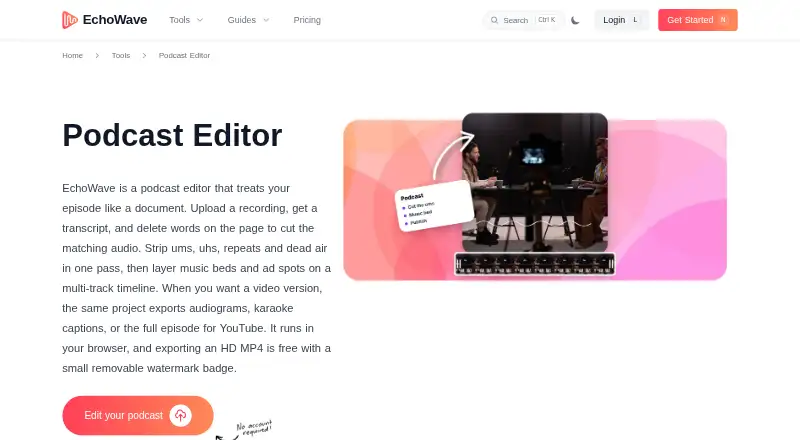
EchoWave Podcast Editor is a podcast editing tool that links a transcript to its audio timeline. Its word-level timestamps let you remove spoken text and the corresponding audio together. It can also locate filler words, repeated words, and long pauses for a combined cleanup pass. Separate timeline tracks accommodate voice, music, and sponsor reads, with magnetic clip snapping. For presentation, the editor offers 93 visualizer styles, 176 caption presets, including karaoke styles, and subtitle translation into 86 languages.
Free exports are MP4 with a watermark badge; audio-only exports are paid, while Pro adds WAV and FLAC and video output up to 4K. The browser recorder captures a solo microphone, webcam, or screen, but not remote multi-guest sessions. EchoWave runs in modern browsers and offers Mac, Windows, and Linux apps, plus installable apps for iPhone, iPad, and Android. EchoWave says it does not provide noise removal or studio-sound enhancement.
Good
- Transcript edits cut matching audio.
- Finds filler words, repetitions, and long pauses.
- Separate tracks for voice, music, and sponsor reads.
- Captions include translation into 86 languages.
- Available on web, desktop, and mobile.
Watch out
- Free MP4 exports carry a watermark badge.
- Audio-only exports require a paid plan.
- No remote multi-guest recording.
- No noise removal or studio-sound enhancement.
Who it suits
It suits solo creators, interview hosts, and production teams who want transcript-linked editing and caption tools. It is not suited to remote multi-guest recording or noise removal needs.
Verdict
EchoWave combines transcript-based cutting with multitrack editing and caption features. Check its export restrictions and lack of multi-guest recording or noise reduction against your workflow.
Plans and prices
From EchoWave Podcast Editor's own pricing page, checked 15 Oct 2026.
| Plan | Price | What it gives you |
|---|---|---|
| Free | Free | full editor · 90+ tools · 720p export with badge · 60 minutes per video · Free forever |
| Basic | $9 a month | 1080p · no watermark · 24/25 fps · no upload size limits · priority rendering · billed annually |
| Pro | $17 a month | 2K/4K · up to 60 fps · subtitles in 86 languages · AI voiceovers · voice cloning · brand kit · billed annually |
| Business | $69 a month | 8K · up to 120 fps · team seats · unlimited renders/storage/exports · advanced brand kit · dedicated support · white label · billed annually |
The facts
Each one read from EchoWave Podcast Editor's own pages, with the date it was checked.
What it does
- AI voices
- The editor offers 63 AI voices, script-to-clip generation and voice cloning.checked 15 Oct 2026
- API and MCP
- EchoWave publishes a REST API at https://echowave.io/api/v1 and an HTTP MCP server at https://echowave.io/mcp, with an OpenAPI 3.1 specification.checked 15 Oct 2026
- API authentication
- Developer authentication supports OAuth 2.1 with PKCE, API keys, and Firebase ID tokens.checked 15 Oct 2026
- API capabilities
- The API documentation covers creating projects, adding media and text, generating or translating subtitles, adding AI voiceovers, rendering and downloading MP4 files.checked 15 Oct 2026
- Audiograms and captions
- The editor offers 93 visualizer styles, 176 caption presets including karaoke styles, and subtitle translation into 86 languages.checked 30 Sep 2026
- Batch rendering
- Templates can contain replaceable media and be rendered in bulk from CSV data.checked 15 Oct 2026
- Caption styles
- EchoWave provides 176 caption presets, including karaoke word highlighting and 45 animation options.checked 15 Oct 2026
- Cloud rendering
- Exports render on EchoWave cloud servers, allowing the browser tab to close while rendering continues.checked 15 Oct 2026
- Data control
- The security page says users can view, export and delete their data from the account page in the app.checked 30 Sep 2026
- Documentation
- EchoWave provides a documentation hub with getting-started material, guides and API reference links.checked 15 Oct 2026
- Exports
- Free exports are MP4 with a watermark badge; paid plans add audio-only exports, and Pro offers WAV and FLAC while video quality rises to 4K.checked 30 Sep 2026
- Filler and silence removal
- The editor can remove filler words, repetitions and long pauses in one pass.checked 15 Oct 2026
- G2 visibility
- G2’s alternatives page describes EchoWave as one of the most-searched products in its video-editing category but does not provide an EchoWave rating or review count.checked 15 Oct 2026
- Infrastructure
- EchoWave says it uses Stripe PCI DSS Level 1 for payments, Google Cloud for hosting, Firebase Authentication and Cloudflare for edge security and DDoS mitigation.checked 15 Oct 2026
- Input formats
- The podcast workflow accepts MP3, WAV and M4A audio plus MP4 and MOV video.checked 15 Oct 2026
- Intended users
- The podcast editor page describes use by interview hosts, solo creators and production teams.checked 30 Sep 2026
- Licence
- The terms say EchoWave and its licensors retain intellectual-property rights and grant users no rights beyond the stated terms, indicating proprietary software rather than open source.checked 15 Oct 2026
- Limit: technical reliability
- Trustpilot’s summary reports some users experienced freezes during large uploads, broken timelines and rendering errors.checked 15 Oct 2026
Where it runs
- Browser support
- The web editor is stated to work in Chrome, Safari, Firefox and Edge on Mac, Windows, Linux, Chromebooks, phones and tablets.checked 15 Oct 2026
- Limit: browser dependence
- TheFutureOfThings notes that performance depends on the internet connection and device, especially for long or high-resolution projects.checked 15 Oct 2026
The company
- Company ownership
- EchoWave is owned and operated by Lemon Vault LLC.checked 15 Oct 2026
- Founded
- The company describes EchoWave as founded in 2018, starting as an audio-to-video converter for podcasters.checked 15 Oct 2026
- Headquarters
- The contact page lists Lemon Vault LLC at 500 4th St NW Suite 102/1985, Albuquerque, New Mexico 87102, USA.checked 15 Oct 2026
Money
- Limit: free export restrictions
- TheFutureOfThings reports that free exports are capped at 720p and carry an EchoWave badge, with higher resolution and badge-free output requiring payment.checked 15 Oct 2026
The full review of EchoWave Podcast Editor
Overview
EchoWave Podcast Editor is a browser-based podcast editor with companion apps for desktop and mobile. It suits solo creators and production teams that want to cut speech from a transcript and shape the result into captioned video. Its strongest case is the combination of transcript-led editing and multitrack control; creators who need remote guest recording or noise cleanup should look elsewhere.
Key features
Cut speech from the transcript
EchoWave transcribes episodes with word-level timestamps, so deleting text removes the matching audio. It can also detect filler words, repeated words and long pauses for removal in one pass. That can speed up dialogue cleanup, but it is not a substitute for noise reduction: EchoWave does not remove background noise or enhance recordings to studio sound.
Multitrack editing and recording
Separate timeline tracks for voice, music and sponsor reads make it possible to organize a finished episode in one project. Magnetic snapping helps align clips without manually nudging every edit. The browser recorder captures a solo microphone, webcam or screen, but does not support remote multi-guest recording, so interviewers recording guests remotely will need another setup.
Captions, audiograms and exports
There are 93 visualizer styles and 176 caption presets, including karaoke styles, plus subtitle translation into 86 languages. These options are useful for making podcast clips more visually varied and accessible across languages. Free exports are MP4 at 720p with a small badge; paid plans remove the watermark and add audio-only exports. Pro raises video output to 4K and adds WAV and FLAC exports.
File support and account controls
EchoWave accepts audio, video and image formats including MP3, WAV, FLAC, MP4, MOV, WEBM, AVI, MKV, PNG, JPEG, GIF, HEIC and TIFF. The service says it uses TLS connections, hashes passwords with scrypt, supports two-factor authentication, and handles data in line with GDPR and CCPA. Users can view, export and delete their data from the account page. Support inquiries typically receive a reply within 24 business hours.
Pricing
The Free plan costs nothing and is billed Free forever. It allows 720p exports with a small badge, limits videos to 60 minutes, and stores video for 24 hours. Audio-only exports are paid, so the free tier is better for trying the editing workflow or producing short, watermarked video than for a finished audio podcast.
Basic costs $9 a month billed $9/month, billed annually, or $19/month billed monthly. It removes the watermark, raises output to 1080p, removes upload-size limits and extends video storage to 30 days. This is the practical step up for creators who need clean exports without Pro’s higher-end video options.
Pro costs $17 a month billed $17/month, billed annually, or $39/month billed monthly. It supports up to 4K at 60 fps, AI subtitles in 86 languages, AI voiceovers and voice cloning, and extended video storage. Choose it when those production features justify the higher subscription; otherwise Basic covers the stated watermark-free 1080p needs.
Business costs $69 a month billed $69/month, billed annually, or $99/month billed monthly. It adds team seats and collaboration, unlimited renders, storage and exports, output up to 8K at 120 fps, dedicated support and white-label options. Those are team-oriented provisions; solo creators are unlikely to need the collaboration and capacity tier.
Platforms
EchoWave runs in modern browsers and offers apps for Mac, Windows and Linux, plus installable full-screen apps for iPhone, iPad and Android. That breadth makes it usable across desktop and mobile workflows without limiting the service to one operating system.
Who it's for
EchoWave is best suited to solo podcasters, interview hosts working with already-recorded material, and teams producing captioned video alongside audio. It is a less suitable fit for remote interviews that need built-in multi-guest recording or recordings that require noise removal.
Pros and cons
Pros
- Word-level transcript editing links text deletions directly to audio cuts, reducing the friction of dialogue edits.
- Voice, music and sponsor-read tracks support a more organized episode mix than a single-track workflow.
- Caption presets, visualizers and subtitle translation give creators several ways to adapt clips for video audiences.
- Basic removes the watermark and raises output to 1080p, while remaining below the Pro plan’s annual price.
Cons
- No remote multi-guest recording means interview hosts must record guests elsewhere.
- No noise removal or studio-sound enhancement leaves a gap for users who need recording cleanup.
- The free plan adds a badge, caps exports at 720p and limits video storage to 24 hours; audio-only exports require payment.
- Monthly billing is substantially higher than annual billing on every paid plan.
Alternatives
For audio-first processing with a defined free allowance, consider Auphonic: its free plan includes 2 h/month of AI-based audio algorithms, though productions include a jingle and credits do not stack.
Descript is another freemium, text-based editing option, with a free plan offering 60 minutes (1 hr) per month and 100 AI credits. Choose it when its text-editing and AI-tool entry plan better fits your needs.
Kapwing may suit creators focused on short video exports: its free tier provides 10 credits, a four-minute export limit and 720p output.
For recording multi-track interviews, Riverside Magic Audio is worth considering; its free plan includes two hours of multi-track recordings as a one-off, up to 720p video and a watermark.
VEED is another freemium podcast-editor option, with free 720p exports that carry a watermark.
Gling offers a free allowance of one hour of AI-edited media per month, with watermarked exports.
Henshu may be a fit for creators whose priority is a defined free transcription allowance: its free plan includes five hours of audio storage and five hours of transcription, with unlimited exports.
Async is another freemium option, with a free plan that includes 10 lifetime AI credits, one hour of media upload to AI chat over the plan’s lifetime, up to 720p export and 2 GB of storage.
Browse AI Podcast Editing Software for more tools in the category, or compare AI Audiogram Makers if audiogram creation is your main priority. EchoWave also sits alongside Video Intro Maker Software and Video Collage Maker Software in adjacent video categories.
Verdict
Choose EchoWave if you want transcript-driven cuts, multitrack episode assembly and captioned video in one editor. Basic is the sensible starting paid plan for watermark-free 1080p work; Pro is for creators who need its higher-resolution output and AI voice features. Look elsewhere if remote multi-guest recording or noise cleanup is central to your workflow.
Getting started
- Visit https://echowave.io/tools/podcast-editor/.
- Use EchoWave in a modern browser or install an app for Mac, Windows, Linux, iPhone, iPad or Android.
- Choose the Free plan or a paid plan.
- Import supported audio or video files, or use the browser recorder for a solo mic, webcam or screen capture.
- Edit the transcript and timeline, then export in the formats and quality available on your plan.
Limits worth knowing
Free is billed Free forever and allows videos up to 60 minutes, 720p MP4 exports with a small badge, and 24-hour video storage; audio-only exports are paid. Basic costs $9/month, billed annually, or $19/month, billed monthly, and provides 1080p exports without a watermark and 30-day video storage.
Questions
Is there a free plan?
Yes. Free is billed Free forever and includes 720p MP4 exports with a small badge, up to 60 minutes per video and 24-hour video storage. Audio-only exports are paid.
How much do the paid plans cost?
Basic is $9/month, billed annually, or $19/month, billed monthly. Pro is $17/month, billed annually, or $39/month, billed monthly. Business is $69/month, billed annually, or $99/month, billed monthly.
Which platforms does EchoWave support?
EchoWave runs in modern browsers and offers apps for Mac, Windows and Linux, plus installable full-screen apps for iPhone, iPad and Android.
Can it record remote guests or remove background noise?
The browser recorder captures a solo microphone, webcam or screen, but does not support remote multi-guest recording. EchoWave does not provide noise removal or studio-sound enhancement.
What export formats and quality are available?
Free exports are MP4 at up to 720p with a small badge. Paid plans add audio-only exports; Pro offers WAV and FLAC and video output up to 4K.
Who makes EchoWave, and what security controls does it describe?
EchoWave was founded in 2018 and is headquartered in Albuquerque, New Mexico, USA. It says connections use TLS, passwords are hashed with scrypt, two-factor authentication is supported, and users can view, export and delete account data in the app.