
CapsAI
CapsAI generates and edits AI subtitles for videos, including English, Hindi, Hinglish, and regional languages.
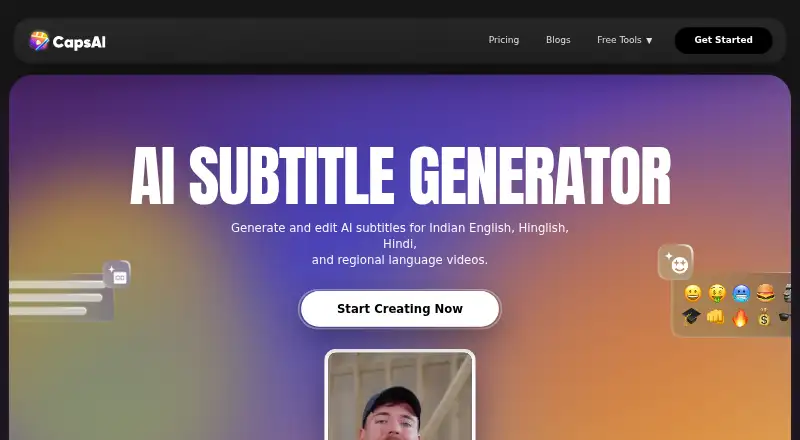
What CapsAI is
CapsAI generates and edits AI subtitles for videos, including English, Hindi, Hinglish, and regional languages. Its workflow starts with an MP4 or MOV upload: choose a spoken language, generate captions, review and correct the text, adjust captions, then export a captioned MP4. Styling, burn-in captions, and brand presets are available. The current language list includes Hinglish, English, Hindi, Bengali, Telugu, Marathi, Tamil, Urdu, Gujarati, Kannada, and Punjabi. CapsAI is available on Android, iOS, and the web; it says its browser workflow works on phones, tablets, and desktop devices. The free plan is listed, with the pricing page displaying zero minutes left while an API information page states a three-minute current free allowance. Paid plans are one-time: Starter is ₹49, paid once, Creator is ₹99, paid once, and Pro is ₹299, paid once. The plans differ in upload minutes, export options, and project storage. Direct URL transcription is not part of the current workflow, and edited SRT or VTT downloads are not exposed in the editor.
Good
- Supports English, Hindi, Hinglish, and regional languages
- Captions can be styled and burned into video
- Brand caption presets are available
- Offers Android, iOS, and web access
Watch out
- Direct URL transcription is not available
- Editor does not expose edited SRT or VTT downloads
- Free-plan minutes are presented inconsistently
Who it suits
CapsAI may suit creators, agencies, educators, founders, and marketers captioning videos such as Reels, TikTok, podcasts, demos, and webinars. It fits people who can upload a video file and want to review captions before exporting.
Verdict
CapsAI combines caption generation, editing, styling, and captioned-video export in one upload-based workflow. Check the available free minutes and export needs before choosing a plan.
Plans and prices
From CapsAI's own pricing page, checked 7 Oct 2026.
| Plan | Price | What it gives you |
|---|---|---|
| Free | Free | pricing page shows 0 minutes left; plan limits not otherwise listed |
| Starter | ₹49, paid once | 20 min upload · 1080p export · 3 days project storage · one time |
| Creator | ₹99, paid once | 60 min upload · no watermark · caption animations · premium caption styles · AI emoji sync · up to 4K export · 7 days project storage · one time |
| Pro | ₹299, paid once | 180 min upload · no watermark · caption animations · premium caption styles · AI emoji sync · up to 4K export · 15 days project storage · one time |
The facts
Each one read from CapsAI's own pages, with the date it was checked.
What it does
- Audience
- CapsAI describes its users as creators, agencies, educators, founders, and marketers, with workflows for videos such as Reels, TikTok, podcasts, demos, and webinars.checked 7 Oct 2026
- Brand caption presets
- Yeschecked 22 Sep 2026
- Burn-in captions
- Yeschecked 22 Sep 2026
- Caption styling
- Yeschecked 22 Sep 2026
- Editing
- Users can review and correct subtitle text and adjust captions before export.checked 7 Oct 2026
- Exports
- The documented current workflow exports reviewed captions as a captioned MP4; edited SRT and VTT downloads are not exposed in the editor.checked 7 Oct 2026
- Integrations and API
- CapsAI says it does not currently offer a documented public subtitle API for customer integrations.checked 7 Oct 2026
- Languages
- The current uploader lists Hinglish, English, Hindi, Bengali, Telugu, Marathi, Tamil, Urdu, Gujarati, Kannada, and Punjabi.checked 7 Oct 2026
- Limits
- Direct URL transcription is not part of the current caption workflow.checked 7 Oct 2026
- Mobile
- CapsAI says its browser workflow works on iPhone, Android, tablets, and desktop devices.checked 7 Oct 2026
- Product
- CapsAI generates and edits AI subtitles for videos, including English, Hindi, Hinglish, and regional languages.checked 7 Oct 2026
- Security and privacy
- CapsAI says it takes reasonable security measures but cannot guarantee absolute security, and says it does not sell personal information.checked 7 Oct 2026
- Subtitle export
- other formatschecked 22 Sep 2026
- Support
- CapsAI lists [email protected] as its support contact.checked 7 Oct 2026
- Uploaded content
- CapsAI's terms say users retain ownership of uploaded videos and grant CapsAI a limited license to process them to provide the service.checked 7 Oct 2026
- Workflow
- The subtitle workflow is to upload an MP4 or MOV video, choose a spoken language, generate captions, edit them, and export a captioned video.checked 7 Oct 2026
Money
- Free plan
- Yeschecked 22 Sep 2026
- Free usage
- The free plan page displays zero minutes left, while a CapsAI API information page states that the current free allowance is three minutes.checked 7 Oct 2026
The full review of CapsAI
Overview
CapsAI is a video-captioning tool for people who want to turn spoken video into editable, styled subtitles and export the result as a captioned MP4. It suits creators and teams producing social clips, podcasts, demos, or webinars who can work from uploaded video files.
Its strongest case is a focused upload-to-captioned-video workflow, with support for several Indian languages and one-time paid plans. It is less suited to anyone who needs direct URL transcription or downloadable SRT and VTT files.
Key features
Caption generation and editing
Upload an MP4 or MOV, choose the spoken language, generate captions, then review and correct the text before export. The current uploader supports English, Hindi, Hinglish, Bengali, Telugu, Marathi, Tamil, Urdu, Gujarati, Kannada, and Punjabi. That language range is useful for creators working across Indian-language audiences, while the upload-only workflow means a video link cannot stand in for the source file.
Styling and export
CapsAI supports caption styling, brand caption presets, and burned-in captions. The current editor exports reviewed subtitles as a captioned MP4; it does not expose edited SRT or VTT downloads. That makes it a better fit for publishing a finished video than for handing subtitle files to another editor or platform.
Devices, privacy, and integrations
CapsAI supports Android, iOS, and web, and says its browser workflow works on phones, tablets, and desktop devices. The company says users retain ownership of uploaded videos and grants itself a limited license to process them for the service. It also says it takes reasonable security measures without guaranteeing absolute security, and does not sell personal information. There is no documented public subtitle API for customer integrations.
Pricing
CapsAI uses a freemium model. Its paid plans are one-time purchases rather than recurring subscriptions, which suits occasional projects better than a monthly workflow; the trade-off is that upload minutes and project storage are capped.
| Plan | Price | What it includes | Best for |
|---|---|---|---|
| Free | free | The free plan page displays zero minutes left; other plan limits are not provided. | Trying the workflow only if free minutes are available. |
| Starter | ₹49, paid once | 20 minutes of uploads, 1080p export, and 3 days of project storage. | A short project where basic export resolution is enough. |
| Creator | ₹99, paid once | 60 minutes of uploads, no watermark, caption animations, premium caption styles, AI emoji sync, up to 4K export, and 7 days of project storage. | Creators who need styling options and higher-resolution output. |
| Pro | ₹299, paid once | 180 minutes of uploads, no watermark, caption animations, premium caption styles, AI emoji sync, up to 4K export, and 15 days of project storage. | Heavier one-off workloads needing more upload time and storage. |
Starter is the lowest-cost paid entry, but gives up the no-watermark export, premium styling features, and 4K option included in Creator and Pro. Creator triples Starter's upload allowance and adds four extra storage days; Pro provides three times Creator's minutes and eight extra days. The free plan is difficult to evaluate as a working tier: its plan page shows zero minutes left, while CapsAI's API information page states a current free allowance of three minutes.
Platforms
CapsAI is available on Android, iOS, and the web. Its browser workflow is intended to work across phones, tablets, and desktop devices, so the service does not require a desktop-only setup.
Who it's for
Creators, agencies, educators, founders, and marketers can use CapsAI for captioned Reels, TikTok videos, podcasts, demos, and webinars. It is most compelling when the output is a ready-to-publish video with styled, burned-in captions. Those needing subtitle files, URL-based transcription, or a documented API should look elsewhere.
Pros and cons
Pros
- Useful language coverage: The uploader covers 11 languages, including Hinglish and several regional Indian languages.
- Captions can be corrected before delivery: Users can review and adjust subtitle text before exporting, rather than having to accept generated captions as-is.
- One-time paid plans: Starter, Creator, and Pro are billed once, with higher tiers adding minutes, styling features, export resolution, and storage.
Cons
- Video export is the endpoint: Edited SRT and VTT downloads are not exposed in the editor, limiting reuse of caption text elsewhere.
- No direct URL transcription: Every job starts with an uploaded MP4 or MOV.
- Free access is uncertain in practice: The free plan page displays zero minutes left, despite a separate statement of a three-minute allowance.
- Storage windows are short: Paid plans retain projects for only 3, 7, or 15 days, which is restrictive for projects needing a longer working window.
Alternatives
For a dedicated caption workflow and more context on adjacent tools, browse AI Video Caption Generators. For repurposing video into other formats, see AI Video Repurposing Tools; for audio-led social clips, see AI Audiogram Makers.
- Headliner is a stronger fit when unlimited video and captioned clips on its free plan matter more than CapsAI's one-time upload bundles; its free tier also includes one unwatermarked audiogram per month and 1080p video.
- ScreenApp AI Meeting Notes is worth considering when meeting-note workflows and AI chats are the priority; its free plan includes two transcriptions to try and 10 AI chats and templates per month.
- Splicora may suit users who want a monthly credit-and-storage plan, with its free tier offering 25 credits per month, 1 GB storage, one brand voice, and seven-day history.
- Flowjin is an alternative for video clipping with a free one-time 60-minute credit, 720p output, and projects that expire after five days.
- Kinocut is the alternative to consider for local processing rather than CapsAI's upload-based workflow; its free core is Apache-2.0 and has no credit meter.
- OpusClip may be a better match when clipping is central: its free tier provides 60 monthly credits and clips up to 1080p, but adds a watermark and does not allow editing.
- reap offers a free monthly allowance for clipping and captions, with watermarked 720p exports and projects that expire after seven days.
- Vizard is another freemium video option, with a free tier that includes 60 monthly credits, 60-minute uploads, 720p export, and three-day storage.
Verdict
CapsAI is a practical pick for creators and small teams who need editable, styled captions burned into a video and value one-time pricing. Its language support and tiered upload allowances give it a clear role for short publishing jobs, but the zero-minute free-plan display, short storage windows, and lack of subtitle-file downloads make it a poor choice for testing with confidence or building a reusable caption pipeline. Choose it for finished captioned MP4s; look elsewhere for subtitle assets, URL transcription, or integrations.
Getting started
- Open capsai.co in a browser on a supported device.
- Choose a plan: Free, Starter, Creator, or Pro.
- Upload an MP4 or MOV video.
- Select the spoken language and generate captions.
- Review and correct the subtitle text, then adjust captions.
- Export the reviewed captions as a captioned MP4.
Limits worth knowing
The Free plan costs nothing; its pricing page displays zero minutes left, while an API information page states a current three-minute allowance. Starter costs ₹49, paid once with 20 minutes of uploads, 1080p export, and three days of project storage; Creator costs ₹99, paid once with 60 minutes and seven days, while Pro costs ₹299, paid once with 180 minutes and 15 days.
Questions
How much do CapsAI plans cost?
Free is free. Starter is ₹49, paid once, Creator is ₹99, paid once, and Pro is ₹299, paid once.
What platforms are supported?
The listed platforms are Android, iOS, and web. CapsAI says its browser workflow works on iPhone, Android, tablets, and desktop devices.
What export does the editor provide?
The documented workflow exports reviewed captions as a captioned MP4. Edited SRT and VTT downloads are not exposed in the editor.
Which languages can I select?
The uploader lists Hinglish, English, Hindi, Bengali, Telugu, Marathi, Tamil, Urdu, Gujarati, Kannada, and Punjabi.
Can I transcribe a video from a URL?
Direct URL transcription is not part of the current caption workflow.
Who owns uploaded videos?
Users retain ownership and grant CapsAI a limited license to process uploaded videos to provide the service.
Alternatives to CapsAI
- 1

Captions
Free planAndroidiOSWebAPI9.1From $4.99 a month - 2

Whisper
Free planOpen sourceAPILinuxmacOSSelf-hosted8.9$0.01 usage-based - 3

SRTGen
Free planWebAPI8.3From $4 a month - 4
Fluen AI Subtitle Generator
Free planWebAPIExtensionmacOS8.2Free plan - 5
ZapCap
Free planAndroidiOSWebAPI8.1From $8 a month - 6
ngram
Free planWebAPIExtension8.1From $29 a month