WizCut
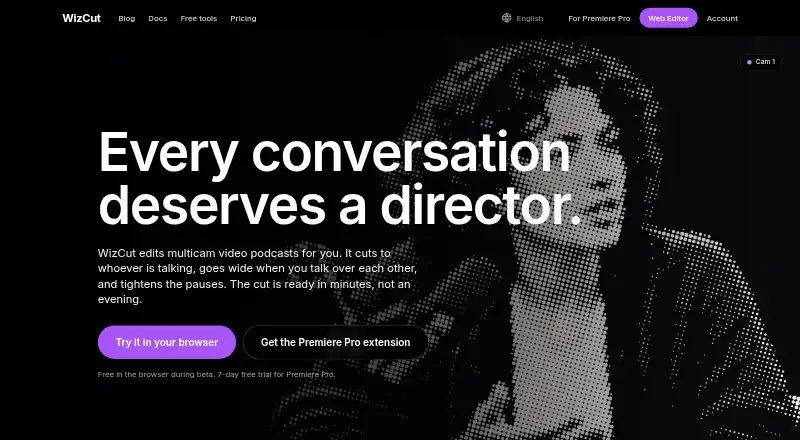
WizCut edits multicamera video podcasts by cutting to the active speaker, switching to a wide shot when people talk over one another and tightening pauses.
What WizCut is
WizCut edits multicamera video podcasts by cutting to the active speaker, switching to a wide shot when people talk over one another and tightening pauses. Users can choose relaxed, balanced or dynamic pacing and decide whether pauses should be kept, tightened or removed. The browser editor accepts camera files and audio, supports speaker mapping and cut review, and exports an MP4 without software installation. A project can include up to 12 camera and audio files, any number of speakers, any language, and either a mixed track or separate microphones. Cut points are editable in the browser. For an editable multicamera timeline, the Premiere Pro extension is aimed at recurring podcasts, interviews, roundtables and talk-heavy shows, and requires a multicamera sequence set up in Premiere Pro. Its API supports job creation, uploads, processing, rendering, optional hosted human review and webhook notifications. API jobs need at least two video sources and support up to 12; files larger than 5 GB require multipart upload. WizCut says uploads and processing run on EU servers.
Good
- Browser editor exports MP4 without installation.
- Projects support up to 12 camera and audio files.
- Editors can adjust cut points in the browser.
- API supports webhook notifications.
- Uploads and processing run on EU servers, according to WizCut.
Watch out
- Premiere Pro extension requires a multicamera sequence.
- API jobs require at least two video sources.
- Files over 5 GB require multipart upload.
- Phone apps are described as coming soon.
Who it suits
WizCut suits podcast and interview editors who work with multiple cameras and want speaker-based cuts or adjustable pause handling. Its Premiere Pro extension is aimed at recurring talk-heavy shows, while the browser editor supports a no-install workflow.
Verdict
WizCut offers browser-based editing as well as an editable Premiere Pro workflow, with controls for pacing and pause handling. Choose the workflow based on whether you need a no-install MP4 export, a Premiere timeline or API processing.
Plans and prices
From WizCut's own pricing page, checked 15 Oct 2026.
| Plan | Price | What it gives you |
|---|---|---|
| Browser editor | Free | Upload, edit and download · future paid plans based on finished-video hours · Free during beta |
| Premiere Pro extension — Monthly | $14 a month | One editor seat · unlimited episodes · all updates · requires Adobe Premiere Pro · 7-day free trial · 14-day money-back guarantee · $14 per month |
| Premiere Pro extension Monthly | $14 a month | One editor seat · unlimited episodes · all updates · Adobe Premiere Pro required · $14 per month |
| Premiere Pro extension — Lifetime | $119, paid once | One editor seat · unlimited episodes · all updates · requires Adobe Premiere Pro · lifetime license lasts as long as WizCut exists; features with running costs may have limits · $119 once, forever |
| Premiere Pro extension Lifetime | $119, paid once | One editor seat · lifetime updates · Adobe Premiere Pro required · running-cost features may have limits · $119 once, forever |
The facts
Each one read from WizCut's own pages, with the date it was checked.
What it does
- AI data use
- WizCut says customer content is not used to train AI models and that Premiere audio sent for diarization is processed in memory and deleted after processing.checked 15 Oct 2026
- API
- The REST API supports job creation, multipart uploads, asynchronous processing, cut updates, rendering, approval and webhooks.checked 15 Oct 2026
- API authentication
- API requests use revocable bearer keys created in the WizCut account settings.checked 15 Oct 2026
- API limits
- An API job needs at least two video sources and supports up to 12 sources; the documentation lists files larger than 5 GB as requiring multipart upload.checked 8 Oct 2026
- API specification
- WizCut publishes an OpenAPI 3.1 specification for code generators and agent platforms.checked 15 Oct 2026
- Coming soon
- The site describes an iPhone and Android app as coming soon and live-stream switching as later work.checked 8 Oct 2026
- Data location
- WizCut says web uploads, synchronization, cutting and rendering use EU infrastructure, with files stored on Cloudflare R2.checked 15 Oct 2026
- Documentation
- Official documentation covers browser editing, API operation, AI-agent connections and Premiere installation.checked 15 Oct 2026
- Editable cuts
- Browser users can drag cut boundaries, nudge them frame by frame, switch angles with number keys and undo or redo changes.checked 15 Oct 2026
- Editable output
- Users can adjust cut points in the browser editor, while the Premiere Pro extension creates an editable multicamera timeline.checked 8 Oct 2026
- Editing controls
- Users can choose relaxed, balanced, or dynamic pacing and keep, tighten, or remove pauses.checked 8 Oct 2026
- Input support
- Browser projects support MP4, MOV, WebM and MKV video plus WAV, MP3, M4A and AAC audio.checked 15 Oct 2026
- Installation
- The extension is distributed as a ZXP file installed with aescripts ZXP Installer or Anastasiy’s Extension Manager.checked 15 Oct 2026
- Integration
- WizCut identifies a verified n8n node as an integration.checked 8 Oct 2026
- Licence terms
- WizCut grants a limited, non-exclusive, revocable service licence and retains intellectual-property rights in the software.checked 15 Oct 2026
- Limit: AI accuracy
- WizCut warns that AI-generated edits may be inaccurate or inappropriate and must be reviewed before export.checked 15 Oct 2026
- Limit: availability
- The terms provide no uptime guarantee and disclaim responsibility for outages, delays and third-party service failures.checked 15 Oct 2026
- Limit: missing features
- The same independent review says WizCut lacks built-in silence removal, subtitles and vertical reframing in the Premiere workflow.checked 15 Oct 2026
- Limit: supported content
- The terms say WizCut is intended for conversational video podcasts and similar interview content, so other formats may not work properly.checked 15 Oct 2026
Where it runs
- Browser workflow
- The web editor accepts camera files and audio, lets users map speakers and review cuts, and exports a finished MP4 without installing software.checked 8 Oct 2026
- Limit: platform coverage
- An independent review says the Premiere plugin is exclusive to Premiere Pro and does not support DaVinci Resolve or other editors.checked 15 Oct 2026
The company
- Company location
- WizCut states that it is based in Austria and operated from Austria.checked 15 Oct 2026
- Headquarters
- Austriachecked 28 Sep 2026
Money
- Independent price observation
- nAIvigate lists the product as paid with pricing from €119 and identifies Premiere as its available host.checked 15 Oct 2026
The full review of WizCut
WizCut is a multicamera video-podcast editor that automates speaker-based camera cuts and pause handling. It is best suited to podcast editors who want a repeatable browser or Premiere Pro workflow. Its appeal is the control it gives over pacing and editable cuts; choose another tool if you need a general-purpose video editor or a mobile app today.
Overview
WizCut focuses on the camera-switching work in conversations: it cuts to the active speaker, uses a wide shot when people talk over one another, and tightens pauses. Relaxed, balanced, and dynamic pacing settings, plus options to keep, tighten, or remove pauses, let editors shape the rhythm rather than accept a single automatic style.
The browser editor accepts camera files and audio, supports speaker mapping and cut review, and exports a finished MP4 without a software install. Editors can adjust cut points in the browser. The Premiere Pro extension instead creates an editable multicamera timeline, but requires a multicamera sequence already set up in Premiere Pro.
Key features
- Flexible source setup: A browser project supports up to 12 camera and audio files, any number of speakers, any language, and either a mixed audio track or separate microphones. That accommodates varied podcast setups, though it is not a substitute for a workflow designed around more than 12 sources.
- Two editing routes: The browser route is suited to finishing and exporting an MP4 without installing editing software. The Premiere route suits recurring shows whose editors want an editable multicamera timeline inside Premiere Pro; the required sequence setup makes it less direct for a first-time or occasional user.
- API processing: The API covers job creation, uploads, processing, rendering, optional hosted human review, and webhook notifications. Jobs require at least two video sources and support up to 12; files over 5 GB require multipart upload. A verified n8n node is also identified as an integration.
- Data handling: WizCut says uploads are stored in the EU and that syncing, cutting, and rendering run on EU servers. For speaker detection, audio goes to pyannoteAI, which WizCut says processes it in memory without retaining it.
Pricing
The Browser editor is free during beta, with upload, editing, and download at no charge. It is a practical way to try the browser workflow; future paid plans are to be based on hours of finished video, so the current free terms are not a promise of permanent free use.
The Premiere Pro extension — Monthly costs $14 a month, billed $14 per month. It includes one editor seat, unlimited episodes, all updates, a 7-day free trial, and a 14-day money-back guarantee. It fits editors who prefer a monthly commitment, but requires Adobe Premiere Pro and covers only one seat. Customers needing several seats on one invoice can contact WizCut.
The Premiere Pro extension — Lifetime costs $119, paid once, billed $119 once, forever. It covers one editor seat, unlimited episodes, and all updates, and the lifetime license lasts as long as WizCut exists. It also requires Premiere Pro, and features with running costs may have limits, so the one-time price does not guarantee unlimited access to every such feature indefinitely.
Platforms
WizCut supports web, API, Linux, macOS, and Windows. The Premiere extension requires Adobe Premiere Pro. iPhone and Android apps are described as coming soon, while live-stream switching is planned for later, so neither is a current reason to choose it.
Who it's for
WizCut is aimed at editors producing recurring multicamera podcasts, interviews, roundtables, and other talk-heavy shows. The browser editor is the more accessible option for users who want to upload, revise cuts, and export an MP4 without installing software. The Premiere extension is the stronger fit for an established editing workflow that benefits from an editable timeline. API users can automate processing, subject to its source-count and upload requirements.
Pros and cons
Pros
- Adjustable pacing and pause handling give editors meaningful control over the feel of an automated conversation edit.
- Browser cut-point editing and Premiere's editable multicamera timeline offer two useful ways to retain control after automatic switching.
- The browser project accepts mixed audio or separate microphones and supports any number of speakers and any language.
- Unlimited episodes on either paid Premiere plan make episode count less of a constraint for recurring shows.
Cons
- The paid editing plans are for Premiere Pro and require Adobe's software; only the browser route avoids that dependency.
- Both paid plans cover one editor seat, which may not suit a team unless it arranges several seats separately.
- The browser plan is free during beta, with future paid plans tied to finished-video hours.
- API jobs need at least two video sources and cap at 12; files over 5 GB need multipart upload.
Alternatives
For a broader set of audio-to-video tools, browse AI Audiogram Makers.
- EchoWave Podcast Editor is a better fit if you need mobile as well as desktop and web access, or want to work within its free-plan limits of 720p exports, a small badge, up to 60 minutes per video, and 24-hour video storage.
- CapsAI is an option for a one-time 49.00 INR Starter plan with a 20-minute upload and 1080p export, particularly if those limits fit your project.
- Flowjin is worth considering for short-form clip exports: its free plan includes a one-time 60-minute credit and 720p, though free projects expire after five days and the plan's clip-export limits conflict.
- Headliner may suit users focused on video and captioned clips, with unlimited clips and captioned clips on its free plan, alongside one unwatermarked audiogram per month and unlimited watermarked audiograms.
- reap is another free option for clipping and captions, with one hour per month, watermarked 720p exports, and projects that expire after seven days.
- Waveloop is an alternative for users looking for audio software across iOS, Linux, macOS, and Windows.
- SLOVO is a fit if you want a free web and mobile option with no account or card, no video limit, up to 4K, and no watermark.
- VIDRA is another web-based audiogram-maker alternative.
Verdict
Choose WizCut if you regularly edit multicamera conversations and want speaker-aware switching with control over pacing, pauses, and the resulting cuts. Its strongest reason to buy is the editable Premiere timeline for repeat production; its strongest reason to look elsewhere is the Premiere requirement for paid editing, alongside the one-seat limit. The browser workflow is the better starting point for editors who want an MP4 without installing software.
Getting started
- Open the WizCut website and choose the browser editor or Premiere Pro extension workflow.
- For browser editing, upload camera files and audio, then map speakers and review the cuts.
- Adjust cut points and pacing in the browser editor, then export the finished MP4.
- For Premiere Pro editing, set up a multicamera sequence and use the extension.
- For API processing, create a job and upload at least two video sources; use multipart upload for files larger than 5 GB.
- Choose the monthly extension plan with a 7-day free trial or the lifetime license.
Limits worth knowing
The browser editor is free during beta, with future paid plans described as based on hours of finished video. The monthly Premiere Pro extension plan includes one editor seat and requires Adobe Premiere Pro; the lifetime license also covers one editor seat, and features with running costs may have limits.
Questions
How much does WizCut cost?
The browser editor is free during beta. The Premiere Pro extension is $14 per month or $119 once; the monthly plan includes a 7-day free trial.
What platforms does WizCut support?
Listed platforms are API, Linux, macOS, web, and Windows. An iPhone and Android app is described as coming soon.
What does the browser editor do?
It accepts camera files and audio, supports speaker mapping and cut review, and exports a finished MP4 without a software installation.
Does WizCut work with Premiere Pro?
Its extension creates an editable multicamera timeline and requires a multicamera sequence set up in Premiere Pro.
What are the API source limits?
An API job needs at least two video sources and supports up to 12. Files larger than 5 GB require multipart upload.
Where is uploaded video processed?
WizCut says uploads are stored in the EU and syncing, cutting, and rendering run on EU servers. For speaker detection, audio is sent to pyannoteAI for in-memory processing without retention, according to WizCut.
Alternatives to WizCut
- 1

EchoWave Podcast Editor
Free planAndroidiOSWebAPI8.2From $9 a month - 2

Headliner
Free planAndroidiOSWebAPI8.1Free plan - 3

Flowjin
Free planAndroidiOSWeb8.0Free plan - 4

reap
Free planAndroidiOSWebAPI8.0From $9.99 a month - 5

CapsAI
Free planAndroidiOSWeb7.6₹49 one-time - 6

Audiogram
Free planWebAPIExtension7.2From $19 a month