
CMDBuild
CMDBuild is an open-source web environment for configuring custom asset-management applications.
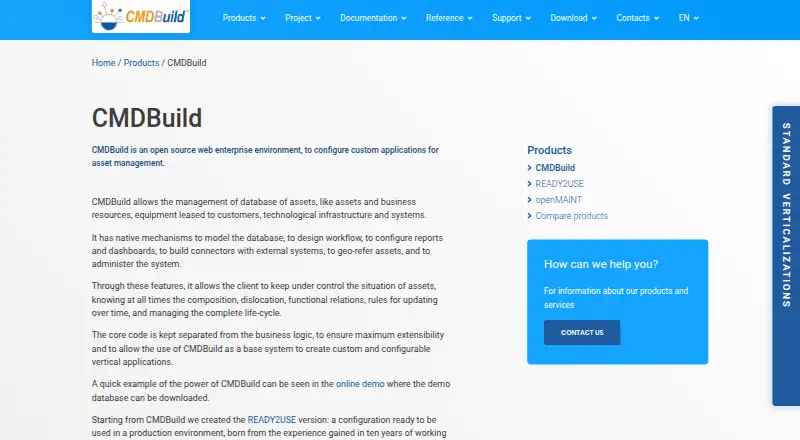
What CMDBuild is
CMDBuild is an open-source web environment for configuring custom asset-management applications. It manages asset databases and tracks asset composition, location, functional relationships, updates, and lifecycle. Its configuration tools cover database modeling, workflow design, reports, dashboards, external connectors, georeferencing, and administration. The feature list also includes file import and export, document archives, GIS and BIM, history, task management, and scheduling. REST web services let connected applications read and write data, run operations, exchange notifications, and connect with external asset, staff, ERP, infrastructure, monitoring, and IoT systems. Access permissions can be assigned through roles and scoped to data elements, processes, views, reports, or dashboards. CMDBuild runs on a web server and is accessed in a browser; the maker says web-server setup knowledge is required. Minimum hardware requirements list 16 GB RAM, 150 GB disk per instance, and four cores, along with PostgreSQL 17.x, Tomcat 10, and Java 17. The standard download does not include data models, workflows, reports, or dashboards.
Good
- Open-source software under the AGPL.
- Supports asset lifecycle and relationship tracking.
- REST services connect with external systems.
- Permissions can be scoped across data, processes, and reports.
- Includes workflow, reporting, GIS, and BIM features.
Watch out
- Requires web-server setup knowledge.
- Minimum requirements include 16 GB RAM and four cores.
- Standard download excludes data models and workflows.
- Standard download excludes reports and dashboards.
Who it suits
It suits teams that want to configure their own asset-management application and can provide the required server setup and administration. It may fit organizations needing scoped access controls or integrations with other systems.
Verdict
CMDBuild offers substantial configuration and integration capabilities for custom asset applications. Its server requirements and the absence of ready-made models, workflows, reports, and dashboards in the standard download are important setup considerations.
Plans and prices
From CMDBuild's own pricing page, checked 29 Sep 2026.
| Plan | Price | What it gives you |
|---|---|---|
| CMDBuild | Free | Open-source AGPL software; requires self-hosting and server setup; data model, workflows, reports, and dashboards are not included |
The facts
Each one read from CMDBuild's own pages, with the date it was checked.
What it does
- Access controls
- Permissions can be scoped to classes, rows, columns, processes, views, filters, reports, and dashboards, and assigned through user roles.checked 29 Sep 2026
- Asset lifecycle
- It manages asset databases and supports tracking asset composition, location, functional relationships, updates, and lifecycle.checked 29 Sep 2026
- Authentication
- The page lists local authentication, LDAP, CAS, SAML 2.0, ADFS 4 via SAML, HTTP proxy header authentication, and custom OAuth2 authentication.checked 29 Sep 2026
- Configuration features
- Native mechanisms support database modeling, workflow design, report and dashboard configuration, external connectors, georeferencing, and administration.checked 29 Sep 2026
- Core features
- The feature list includes database modeling, workflow and report engines, dashboards, file import and export, document archives, GIS and BIM, history, task management, and scheduling.checked 29 Sep 2026
- Deployment
- CMDBuild runs on a web server and is accessed through a browser; the maker says it runs on Linux, OSX, and Windows and requires web-server setup knowledge.checked 29 Sep 2026
- Integrations
- REST web services let applications read and write data, execute operations, exchange notifications, and connect to external asset, staff, ERP, infrastructure, monitoring, and IoT systems.checked 29 Sep 2026
- Latest release
- The download page offers CMDBuild 4.2.0 as the latest version and lists WAR, shell installer, extra resources, and source code.checked 29 Sep 2026
- License
- The maker says CMDBuild may be used, distributed, and edited under the GNU Affero GPL (AGPL), with specified legal notice and logo requirements for modified versions.checked 29 Sep 2026
- Multitenancy
- Multitenant mode can isolate tenants using either separate databases or partial divisions with some shared information.checked 29 Sep 2026
- Not included
- The standard CMDBuild download does not contain a data model, workflows, reports, or dashboards; the maker points users to READY2USE for a preconfigured instance.checked 29 Sep 2026
- Purpose
- CMDBuild is an open-source web environment for configuring custom asset-management applications.checked 29 Sep 2026
- Requirements
- The listed minimum hardware is a server-class computer, 16 GB RAM, 150 GB disk per instance, and four cores; software requirements include PostgreSQL 17.x, Tomcat 10, and Java 17.checked 29 Sep 2026
- Support
- The maker directs users to the community forum or the maintainer for assistance, and describes subscription support as including assistance, upgrades, bug fixes, a certified appliance, mobile app, and interoperability connectors.checked 29 Sep 2026
The full review of CMDBuild
Overview
CMDBuild is an open-source environment for building web-based asset-management applications. It best suits organizations with technical staff who can shape and operate a self-hosted system; teams seeking a ready-to-use CMDB should look elsewhere.
Key features
CMDBuild can track asset composition, location, relationships, changes, and lifecycle. Its modeling tools, workflow and report engines, dashboards, task management, and scheduling let teams tailor how assets and related work are recorded. Import and export, document archives, history, and GIS and BIM capabilities broaden the kinds of records it can manage.
REST services support reading and writing data, running operations, and exchanging notifications with external asset, staff, ERP, infrastructure, monitoring, and IoT systems. This makes CMDBuild a candidate for organizations that need to connect asset records to other systems, but the standard download does not supply a finished model or workflow to connect around.
Role-based permissions can be scoped down to classes, rows, columns, processes, views, filters, reports, and dashboards. Authentication options include local accounts, LDAP, CAS, SAML 2.0, ADFS 4 through SAML, HTTP proxy headers, and custom OAuth2. Multitenancy can separate organizations with distinct databases or use partially divided data with some shared information, giving administrators choices about isolation.
Discovery imports, service and dependency mapping, and ownership tracking are supported capabilities. They add useful scope for configuration management, while the depth of the resulting system depends on how administrators configure it.
Pricing
The CMDBuild plan costs nothing under the AGPL open-source license. It includes the software, but requires self-hosting and server setup; the standard download has no data model, workflows, reports, or dashboards. Organizations needing a preconfigured instance can consider READY2USE. Subscription support is a separate route for assistance, upgrades, bug fixes, a certified appliance, mobile app, and interoperability connectors.
Platforms
CMDBuild is browser-accessed software that can run on Linux, OSX, or Windows, with on-premises deployment and API access. Operating it requires web-server setup knowledge. The stated minimum is a server-class computer with 16 GB RAM, 150 GB disk per instance, and four cores, alongside PostgreSQL 17.x, Tomcat 10, and Java 17. Those requirements make it a substantial infrastructure commitment compared with a hosted service.
Who it's for
CMDBuild is a strong fit for organizations that want control over their asset data model, processes, access rules, integrations, and deployment, and have the people and infrastructure to configure them. It is less suitable for small teams that need a populated asset system quickly or lack server administration capacity. Modified versions must also follow AGPL conditions, including specified legal notice and logo requirements.
Pros and cons
- Pros: Extensive modeling, workflow, reporting, access-control, and authentication options allow a tailored system for complex organizational needs.
- Pros: REST services and multitenancy support integration and tenant separation without forcing a single data-sharing arrangement.
- Pros: The AGPL software is free to use, distribute, and edit under its license conditions.
- Cons: The standard download lacks the data model, workflows, reports, and dashboards needed for an immediately useful deployment.
- Cons: Server setup and sizeable minimum hardware and software requirements raise the operational bar.
Alternatives
CMDB Software is the category directory for comparing options. BlueKing CMDB is another free option, with a community edition that emphasizes one-click deployment, automated operations, user community, and documentation. teemIP is worth considering for a free open-source community edition with download, installation, GitHub, wiki, and forum access.
GLPI offers a public-cloud plan at €19 a month per IT agent, making it an alternative for teams preferring a paid cloud service. Hornbill IT Asset Management uses personalized pricing tailored to requirements. BeaverFlow CMDB has a Growth plan at $24 a month for up to 50 users, for buyers considering a priced hosted or dedicated-cloud package.
Matrix42 FastViewer is a paid alternative priced at €540 a year per concurrent session, plus 19% VAT. ManageEngine ServiceDesk Plus may suit teams seeking an IT help desk, with Standard at $13 a month and Professional at $27 a month, the latter including asset management. OpenText Universal Discovery and CMDB has pricing based on environment and deployment needs.
Verdict
Choose CMDBuild if your organization wants a free, highly configurable asset-management foundation and can provide the server administration and design work to make it useful. Its breadth of controls and integration options is the main draw; the empty standard starting point and infrastructure burden are the main reasons to choose a more turnkey alternative.
Getting started
- Visit the CMDBuild product website and download page.
- Choose the WAR, shell installer, extra resources, or source code download.
- Prepare a server-class computer with 16 GB RAM, 150 GB disk per instance, and four cores.
- Set up PostgreSQL 17.x, Tomcat 10, and Java 17 on a supported operating system.
- Install CMDBuild on a web server and access it through a browser.
- Configure the asset data model, workflows, reports, and dashboards.
Limits worth knowing
The free AGPL software requires self-hosting and server setup. The standard download does not include a data model, workflows, reports, or dashboards.
Questions
Does CMDBuild cost anything?
CMDBuild is listed as free open-source AGPL software.
Is CMDBuild open source?
Yes. The maker says it may be used, distributed, and edited under the GNU Affero GPL, subject to legal notice and logo requirements for modified versions.
Which platforms does it support?
It runs on Linux, OSX, and Windows, with access through a browser on a web server.
What does the standard download include?
It does not contain a data model, workflows, reports, or dashboards. The maker points users to READY2USE for a preconfigured instance.
What server software and hardware does it require?
Listed software requirements are PostgreSQL 17.x, Tomcat 10, and Java 17. Minimum hardware is a server-class computer with 16 GB RAM, 150 GB disk per instance, and four cores.
How can other systems connect to CMDBuild?
REST web services let applications read and write data, execute operations, and exchange notifications. They can connect to external asset, staff, ERP, infrastructure, monitoring, and IoT systems.
Alternatives to CMDBuild
- 1

GLPI
Open sourceAndroidiOSWebAPI8.4From €19 a month - 2

Jira
Free planAndroidiOSWebAPI8.4Free plan - 3
i-doit
Open sourceAndroidiOSWebAPI8.1From €48.65 a month - 4

ManageEngine ServiceDesk Plus
AndroidiOSWebAPI8.0From $10 a month - 5

Alloy Navigator
AndroidiOSWebAPI7.9From $19 a month - 6

Freshservice
AndroidiOSWebAPI7.9From $19 a month