
Clean Smarts
Clean Smarts is software for commercial cleaning companies and janitorial teams, bringing time tracking, scheduling, client communication, issue reporting, s…
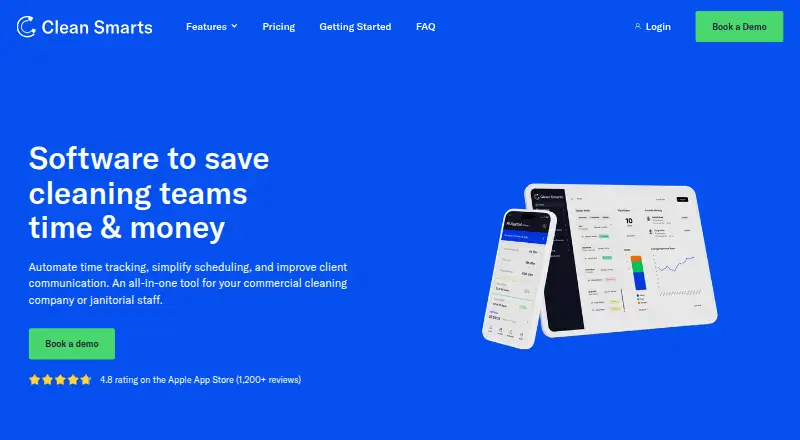
What Clean Smarts is
Clean Smarts is software for commercial cleaning companies and janitorial teams, bringing time tracking, scheduling, client communication, issue reporting, supply updates, inspections, and messaging into one system. Staff can clock in and out through the mobile app, NFC sensors, text, phone calls, or barcodes. Managers can schedule teams using a desktop calendar or mobile app, send notifications, and follow status updates. Teams and customers can report and track issues on mobile, desktop, or through QR codes, with photo and video attachments. Inspection checklists can include weighted tasks, due dates, and issue logging. Cleaners can update supply levels, and minimum thresholds can trigger reorder notices. Messaging supports communication with employees, teams, and customers without sharing personal phone numbers. Clean Smarts runs on Android, iOS, and web. Foundation is limited to 100 users, and payroll is offered only to U.S.-based companies.
Good
- Clock-ins support five methods, including NFC and barcode.
- Issue reports can include photos or videos.
- Customizable supply minimums can trigger reorder notices.
- Messaging avoids sharing personal phone numbers.
- QuickBooks Online can sync invoices and account details.
Watch out
- No free plan is available.
- Foundation is capped at 100 users.
- Payroll is limited to U.S.-based companies.
- The 14-day trial is the only listed trial period.
Who it suits
It suits commercial cleaning businesses that need to coordinate staff, schedules, inspections, supplies, and customer communication. Its mobile tools may also suit cleaners who need to clock in, report issues, or update supplies while working.
Verdict
Clean Smarts combines staff coordination with customer communication and operational tracking for cleaning teams. Check the user caps and payroll availability against your company’s needs before choosing a plan.
Plans and prices
From Clean Smarts's own pricing page, checked 3 Oct 2026.
| Plan | Price | What it gives you |
|---|---|---|
| Payroll add-on | $606 a month | One-time, $200 fee for mid-year transfer from old payroll system |
| Foundation (annual) | $10,010 a year | +$6 per additional user per month · Maximum 100 users · billed annually |
| Foundation (monthly) | $12,510 a month | +$6 per additional user per month · Maximum 100 users · billed monthly |
| Expert (annual) | $16,010 a year | +$8 per additional user per month · More than 300 users? Contact us for a quote. · billed annually |
| Expert (monthly) | $20,010 a month | +$8 per additional user per month · More than 300 users? Contact us for a quote. · billed monthly |
The facts
Each one read from Clean Smarts's own pages, with the date it was checked.
The company
- Headquarters
- Texas, USAchecked 28 Sep 2026
What it does
- Inspections
- Inspections support customized checklists, weighted tasks, due dates, and issue logging, with examples of industry standards including ISSA and APPA.checked 3 Oct 2026
- Issue reporting
- Teams and customers can submit and track issues on mobile, desktop, or through QR codes, with real-time notifications and photo or video attachments.checked 3 Oct 2026
- Messaging
- Users can message employees, teams, or customers with text, photos, or videos without sharing personal phone numbers.checked 3 Oct 2026
- Notable limits
- Foundation is capped at 100 users, Expert customers with more than 300 users must contact the company for a quote, and payroll is currently offered to U.S.-based companies.checked 3 Oct 2026
- Privacy and retention
- Account owners retain rights to platform data, can export it after cancellation, and can request permanent deletion; the page also says data may be retained for seven years for legal compliance.checked 3 Oct 2026
- Purpose
- Clean Smarts is an all-in-one tool for commercial cleaning companies and janitorial staff that automates time tracking, simplifies scheduling, and improves client communication.checked 3 Oct 2026
- QuickBooks integration
- The QuickBooks Online accounting integration can sync billing customers, account mappings, services, supplies, and invoices; the accounting feature may need to be enabled for an account.checked 3 Oct 2026
- Reliability
- Clean Smarts states a 99.9% uptime guarantee for its Service Level Agreement and says data is backed up daily with restoration available to any point within the last seven days.checked 3 Oct 2026
- Scheduling
- Managers can use a drag-and-drop desktop calendar and mobile app to schedule teams, send notifications, and track live status updates.checked 3 Oct 2026
- Security
- Network requests use TLS encryption, files and backups are encrypted at rest, and administrator access can be scoped by module and service location.checked 3 Oct 2026
- Supplies
- Cleaners can update supply levels in the mobile app, and customizable minimum thresholds can trigger reorder notices.checked 3 Oct 2026
- Support
- Customers receive free live web training for their management team and can reach support by email or phone during U.S. business hours.checked 3 Oct 2026
- Time tracking
- Employees can clock in and out using the mobile app, NFC sensors, text message, phone call, or barcode.checked 3 Oct 2026
Money
- Trial and cancellation
- The company offers a fully featured 14-day free trial and says customers can cancel at any time with one business day to process the request.checked 3 Oct 2026
The full review of Clean Smarts
Clean Smarts is a commercial-cleaning operations suite for organizations coordinating recurring work, field employees, and customer requests. It is best suited to established janitorial teams that need attendance capture, inspections, supplies, and communication in one system. The principal trade-off is a sizeable paid commitment, with payroll limited to U.S.-based companies.
Overview
Clean Smarts unifies scheduling, time tracking, issue handling, inspections, supply monitoring, messaging, and QuickBooks Online connectivity. Managers can coordinate crews and locations from a drag-and-drop desktop calendar or mobile app, send notifications, and follow live status updates. Employees and customers can submit issues from mobile, desktop, or QR codes, with real-time alerts and photo or video attachments.
This breadth is more useful for multi-crew or multi-location operations than for a small business that only needs a calendar and invoices. The fully featured 14-day trial gives managers time to test workflows, and cancellation requests are processed within one business day.
Key features
Time, scheduling, and messaging
Cleaners can clock in and out through the mobile app, NFC sensors, text message, phone call, or barcode. That flexibility accommodates varied sites and devices, although managers should set a consistent capture policy for reliable records. Recurring scheduling, mobile notifications, and live status updates help supervisors react as work changes. Messages to employees, teams, and customers can include text, photos, and videos without exposing personal phone numbers.
Quality, issues, and supplies
Inspections support custom checklists, weighted tasks, due dates, and issue logging, with examples aligned to ISSA and APPA standards. Customers and staff can therefore document deficiencies in the same workflow used for follow-up. Cleaners can update supply levels from the app, while customizable minimums trigger reorder notices; this is particularly useful when several sites consume stock at different rates.
Accounting, security, and continuity
The QuickBooks Online integration can synchronize billing customers, account mappings, services, supplies, and invoices, though accounting must be enabled for the account. Network traffic uses TLS, files and backups are encrypted at rest, and administrator permissions can be scoped by module and location. Clean Smarts states a 99.9% uptime guarantee, daily backups, and restoration to any point in the previous seven days. Account owners retain platform data rights, can export after cancellation, and can request deletion, while data may be retained for seven years for legal compliance.
Pricing
There is no free plan. Pricing starts at 100 /mo, with a 14-day trial.
- Foundation (annual): $10,010 a year, billed annually, plus $6 per additional user per month; maximum 100 users. It fits smaller commercial teams that can commit annually, but the hard cap limits growth.
- Foundation (monthly): $12,510 a month, billed monthly, plus $6 per additional user per month; maximum 100 users. Monthly billing offers flexibility, at a higher base cost.
- Expert (annual): $16,010 a year, billed annually, plus $8 per additional user per month. Organizations exceeding 300 users must request a quote, making this the tier for larger operations prepared for custom sales discussions.
- Expert (monthly): $20,010 a month, billed monthly, plus $8 per additional user per month. It preserves monthly flexibility but carries the highest recurring base price.
- Payroll add-on: $606 a month, with a one-time $200 fee for a mid-year transfer from an old payroll system. Payroll is offered only to U.S.-based companies.
Management teams receive free live web training, with email and phone support during U.S. business hours.
Platforms
Clean Smarts runs on Android, iOS, and the web, covering field staff and desktop-based managers.
Who it's for
Choose it for commercial cleaning companies managing recurring schedules, multiple crews, inspections, supply thresholds, and client communication. It is less suitable for very small operators unwilling to pay for an integrated platform, or for companies outside the United States that require the payroll add-on.
Pros and cons
- Pros: Multiple clock-in methods accommodate different job sites; QR, photo, and video issue records improve accountability; weighted inspections and supply thresholds add operational control; scoped permissions, encrypted storage, backups, and a stated 99.9% uptime target support administration.
- Cons: There is no free tier; Foundation stops at 100 users; Expert users above 300 require a quote; payroll is U.S.-only; the monthly plans cost more than annual billing.
Alternatives
For a broader comparison, see the Cleaning Service Software list.
- JobFlowly is preferable when a freemium option and basic scheduling, invoicing, and a cleaner portal are sufficient.
- Allclean suits teams wanting a free plan for up to three users and all features, with processing fees.
- Opsycle is a lower-cost choice for operations that can work within five clients and 15 jobs per month on its free plan.
- SweepOS fits small crews needing a free mobile setup for one admin and up to three workers.
- CleanCloud is another paid cleaning platform with Android, iOS, web, desktop, and API coverage.
- Cleaners App targets smaller teams with annual Solo, Crew, and Team plans.
- CleanManager offers paid scheduling and client-login options billed quarterly.
- Janitorial Manager is a paid alternative aimed at single facilities or lean crews.
Verdict
Clean Smarts is a strong fit for established commercial-cleaning organizations that will use its deep attendance, inspection, supply, messaging, and accounting workflows. Choose it when centralized operational control outweighs the substantial subscription; look elsewhere if you need a free entry tier, a smaller-team price, or payroll outside the United States.
Alternatives to Clean Smarts
- 1
JobFlowly
Free planAndroidiOSWeb8.0From $49 a month - 2

CleanCloud
AndroidiOSWebAPI7.8From $99 a month - 3
Launch27
AndroidiOSWebAPI7.7From $765 a year - 4
Mopware Pro
AndroidiOSWebAPI7.6From $97 a month - 5
MaidCentral
AndroidiOSWebAPI7.2From $450 a month - 6
Janitorial Manager
AndroidiOSWeb7.1From $1,000 a month