Canva Whiteboards
Canva Whiteboards provide an open-ended shared space for brainstorming, strategy sessions, project planning, and diagramming.
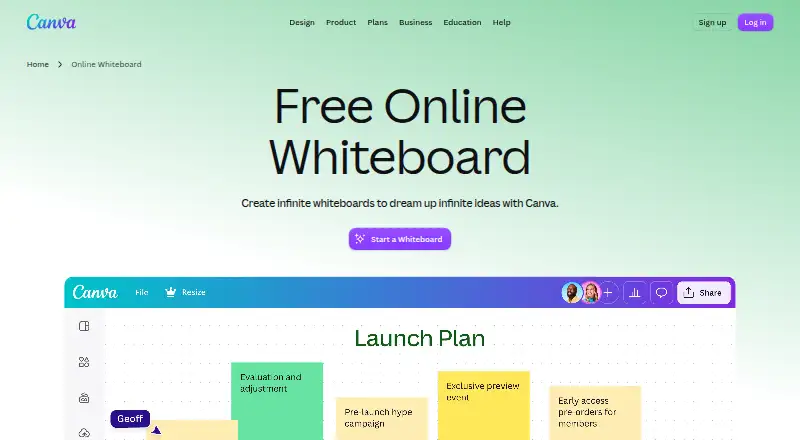
What Canva Whiteboards is
Canva Whiteboards provide an open-ended shared space for brainstorming, strategy sessions, project planning, and diagramming. People can work together in real time with colorful cursors, including collaborators who do not have a Canva account. Each board has unlimited space, and users can make as many boards as they need. Tools include timers, comments, sticky notes with reactions, customizable shapes, and automatic connectors. Templates and Canva’s content library offer starting points and visual material. A board can be turned into a Presentation or Doc, and a Presentation slide can be expanded into a Whiteboard. Canva lists workshops, mind mapping, collaborative assignments, and online teaching among the possible uses. Canva Whiteboards are available on Android, iOS, macOS, Windows, and the web. Canva offers a free plan and a free trial. Canva Pro costs $144 a year for one person, and Canva Business costs $250 a year per person. Canva lists Slack, Asana, Microsoft Teams, Salesforce, and Google Workspace as connectable tools.
Good
- Unlimited space per board
- Real-time collaboration includes people without Canva accounts
- Boards can become Presentations or Docs
- Available on Android, iOS, macOS, Windows, and web
Watch out
- Canva Pro costs $144 a year
- Canva Business costs $250 a year per person
- Canva Enterprise pricing requires contacting Canva
Who it suits
Canva Whiteboards suits teams and classes that need a shared space for planning, brainstorming, diagramming, or workshops. Guest collaboration can help when participants do not have Canva accounts.
Verdict
Canva Whiteboards combines shared canvases, collaboration tools, templates, and conversion to Presentations or Docs. A free plan and free trial are listed, while paid plans have stated annual prices.
Plans and prices
From Canva Whiteboards's own pricing page, checked 7 Oct 2026.
| Plan | Price | What it gives you |
|---|---|---|
| Canva Pro | $144 a year | 3.6M+ templates · 141M+ premium photos, videos, graphics, and audio · 5 Brand Kits · 100GB cloud storage · per year for one person |
| Canva Business | $250 a year | Collaboration and team admin tools · 100 Brand Kits and approvals · 500GB cloud storage · per year per person |
| Canva Enterprise | Priced on request | Organization plan · contact Canva for pricing · Contact Sales |
| Canva Free | — | 1,000+ design types · 1.6M+ templates · 4.7M+ photos, videos, graphics, and audio · 5GB cloud storage · per year for one person |
The facts
Each one read from Canva Whiteboards's own pages, with the date it was checked.
What it does
- Account privacy
- Canva says content is private by default and private designs require account login unless shared.checked 7 Oct 2026
- Certifications
- Canva’s security page lists ISO 27001, AICPA SOC 2, AICPA SOC 3, PCI DSS, and Data Privacy Framework.checked 7 Oct 2026
- Convert and expand
- A whiteboard can be transformed into a Presentation or Doc, and a Canva Presentation slide can be expanded into a Whiteboard.checked 7 Oct 2026
- Integrations
- Canva lists Slack, Asana, Microsoft Teams, Salesforce, and Google Workspace among tools that can be connected with Canva.checked 7 Oct 2026
- Live collaboration
- People can collaborate in real time with colorful cursors, including collaborators who do not have a Canva account.checked 7 Oct 2026
- Purpose
- Canva Whiteboards provide an infinite collaborative space for brainstorming, strategy sessions, project planning, and diagramming.checked 7 Oct 2026
- Security
- Canva says designs are accessed in transit via TLS/SSL and encrypted at rest with AES256.checked 7 Oct 2026
- Support
- Canva provides a Help Center for product and account guidance.checked 7 Oct 2026
- Templates and content
- Whiteboards include templates and Canva’s content library, including sticky notes and special graphics.checked 7 Oct 2026
- Unlimited boards
- Canva says users can create as many whiteboards as they need, with unlimited space in each one.checked 7 Oct 2026
- Use cases
- Canva lists workshops, brainstorming, strategic planning, mind mapping, diagramming, collaborative assignments, and online teaching as whiteboard uses.checked 7 Oct 2026
- Whiteboard tools
- Whiteboards include timers, comments, sticky notes with reactions, customizable shapes, and automatic connectors.checked 7 Oct 2026
The company
- Company
- Canva says it launched in 2013 as an online design and publishing tool.checked 7 Oct 2026
Where it runs
- Platforms
- Canva says its desktop app is available for Windows and also lists Mac OS, iOS, and Android; the Whiteboards page says Whiteboards are available on desktop, web browser, and mobile devices.checked 7 Oct 2026
The full review of Canva Whiteboards
Canva Whiteboards is a collaborative canvas for teams, classes, and workshop groups that plan visually. It is most useful when the work may continue as a Canva Presentation or Doc; groups seeking a dedicated workspace without broader Canva needs may find its paid plans harder to justify.
Overview
Boards have unlimited space, and Canva says users can make as many as they need. That suits ongoing projects and sprawling sessions without forcing teams to split work across boards, although account storage still depends on the plan. Real-time cursors and guest participation let people contribute without creating Canva accounts, a practical advantage for workshops involving clients, students, or occasional collaborators.
Canva positions Whiteboards for brainstorming, strategy and project planning, mind mapping, diagramming, collaborative assignments, workshops, and online teaching. Presentation mode and voting tools support more structured sessions, but the main distinction is the ability to move work between a board and Canva’s other formats.
Key features
Timers, comments, sticky notes with reactions, customizable shapes, and automatic connectors cover both loose idea gathering and structured diagramming. Templates and Canva’s content library provide visual starting points rather than leaving every group with a blank canvas. This is a strong fit for mixed planning and presentation work; teams that need only a specialist diagramming workspace may not benefit as much from the wider design library.
A whiteboard can become a Presentation or Doc, and a Presentation slide can expand into a Whiteboard. That two-way path helps teams carry workshop material into a more finished deliverable without changing formats. Canva also lists Slack, Asana, Microsoft Teams, Salesforce, and Google Workspace as connectable tools.
Canva says designs are encrypted in transit via TLS/SSL and at rest with AES256, and content is private by default. Private designs require account login unless shared. Its security page lists ISO 27001, AICPA SOC 2, AICPA SOC 3, PCI DSS, and Data Privacy Framework certifications. A Help Center provides product and account guidance.
Pricing
The free plan is the sensible starting point for individuals and groups evaluating the whiteboard workflow. Canva Free includes 1,000+ design types, 1.6M+ templates, 4.7M+ photos, videos, graphics, and audio, and 5GB of cloud storage. Those assets extend beyond whiteboarding, but the storage allowance is the clearest constraint for users who keep substantial work in Canva.
Canva Pro costs $144 a year, billed per year for one person. It includes 3.6M+ templates, 141M+ premium photos, videos, graphics, and audio, 5 Brand Kits, and 100GB of cloud storage. It suits a solo creator who wants premium assets and brand controls alongside boards, but it is a per-person plan rather than a team subscription.
Canva Business costs $250 a year, billed per year per person. Collaboration and team admin tools, 100 Brand Kits and approvals, and 500GB of cloud storage make it the more relevant paid option for teams managing shared brand work. Its per-person annual price means costs scale with the team.
Canva Enterprise is an organization plan with custom pricing through Canva’s sales team. It is the option for organizations considering an organization-wide plan rather than an individually priced subscription. Canva offers a free trial, but no trial length is stated.
Platforms
Canva Whiteboards is available on Android, iOS, macOS, web, and Windows, covering mobile devices and the major desktop platforms.
Who it's for
Choose it for workshops, classes, or planning teams that want guests to join quickly, need open-ended board space, and value turning visual work into a presentation or document. It is less compelling if the requirement is a whiteboard alone and the team would not use Canva’s templates, content, storage, or brand and collaboration features.
Pros and cons
Pros
- Unlimited boards and space avoid board-count and canvas-size constraints for growing projects.
- Guest participation without Canva accounts reduces friction when inviting external contributors.
- Conversion between Whiteboards, Presentations, and Docs supports a continuous planning-to-deliverable workflow.
- Templates, content, timers, reactions, and connectors support both visual ideation and more organized sessions.
Cons
- Free storage is 5GB, so unlimited board space does not mean unlimited account storage.
- Pro is priced for one person and Business per person, making paid costs less attractive for teams that only need whiteboards.
- The value of paid plans depends substantially on needing Canva’s broader assets, brand controls, or team administration.
Alternatives
For a wider comparison, browse Online Whiteboard Tools or Collaborative Whiteboard Software.
Choose Boardmix if its free tier’s 3 editable boards, 100 objects per board, and 1 GB storage fit a more tightly bounded workspace. Webex App is an alternative with a free tier centered on meetings of up to 100 attendees for up to 40 minutes. Consider FigJam if a free tier with 3 editable files and unlimited collaborators suits the work.
Milanote offers a free plan with 100 notes, images, or links, 10 file uploads, and unlimited shared boards. Miro is another freemium alternative. MURAL offers unlimited murals with 3 editable at a time on its free plan. Padlet Sandbox is another freemium option, and Collaboard offers a free plan with 3 whiteboards, 5 participants per board, core whiteboard features, and 200+ templates.
Verdict
Canva Whiteboards is a strong choice for teams and educators who need an open-ended collaborative canvas and want to carry workshop work into Canva Presentations or Docs. Guest access and unlimited board space are compelling strengths. Look elsewhere if whiteboarding is the whole requirement: the paid plans make the most sense when Canva’s design assets, storage, brand tools, or team administration matter too.
Getting started
- Open https://www.canva.com/online-whiteboard/
- Use Canva on Android, iOS, macOS, Windows, or the web
- Start with Canva Free, or consider the available free trial
- Create a whiteboard and use templates or the content library as a starting point
- Invite collaborators, including people without Canva accounts
Limits worth knowing
Canva Free includes 5GB of cloud storage. Canva Pro includes 100GB, while Canva Business includes 500GB.
Questions
Is there a free plan?
Yes. Canva Free includes 1,000+ design types, 1.6M+ templates, 4.7M+ photos, videos, graphics, and audio, and 5GB of cloud storage.
How much do the paid plans cost?
Canva Pro costs $144 a year for one person. Canva Business costs $250 a year per person.
Is a free trial available?
Yes, Canva offers a free trial.
Which platforms can I use?
Canva Whiteboards are available on Android, iOS, macOS, Windows, and the web.
Can people collaborate without Canva accounts?
Yes. Canva says collaborators can join a board without a Canva account.
What tools can connect with Canva?
Canva lists Slack, Asana, Microsoft Teams, Salesforce, and Google Workspace among its connected tools.
Alternatives to Canva Whiteboards
- 1

Miro
Free planAndroidiOSWebAPI8.3From $8 a month - 2
Boardmix
Free planAndroidiOSWebAPI8.2From $5 a month - 3
Explain Everything
Free planAndroidiOSWebmacOS8.2Free plan - 4

FigJam
Free planAndroidiOSWebAPI8.2From $3 a month - 5
Groupboard
Free planAndroidiOSWebAPI8.2From $9.99 a month - 6

Klaxoon
Free planAndroidiOSWebAPI8.2From $24.90 a month