Breezeworks
Breezeworks gives service businesses tools for scheduling and dispatching jobs, managing customers, invoicing, and taking payments.
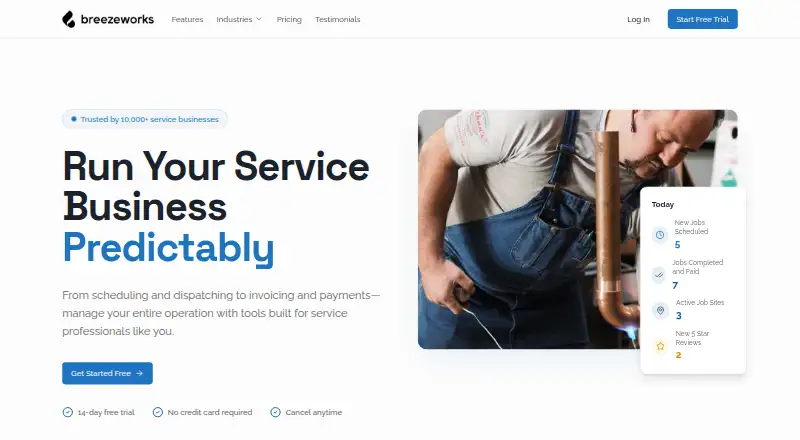
What Breezeworks is
Breezeworks gives service businesses tools for scheduling and dispatching jobs, managing customers, invoicing, and taking payments. Its job calendar syncs across devices and team members, while customer records collect contact details, job history, payment records, and equipment records. Users can make invoices with a logo, contract terms, and photos of completed work, then accept card payments on-site or online through Square or Breezeworks Payments. The service can send targeted emails and texts for lead win-back, review requests, and seasonal promotions. Android and iOS apps support scheduling, invoicing, payments, team tracking, messaging, customer history, and job notes; a web version is also available. All plans include Square and Breezeworks Payments processing, QuickBooks integration, and email support. Solo costs $31.99 per month for one user. Team costs $41.99 per month plus $14.99 per user and adds team scheduling, permissions, GPS tracking, real-time dispatching, messaging, job mapping, and advanced reporting. Breezeworks was founded in 2012 and names HVAC, plumbing, electrical, cleaning, landscaping, and handyman businesses among its audience.
Good
- Job calendar syncs across devices and team members.
- Customer records include job and equipment history.
- Invoices can include photos of completed work.
- All plans include QuickBooks integration.
- Mobile apps support team tracking and job notes.
Watch out
- There is no free plan.
- Solo costs $31.99 per month.
- Team adds $14.99 per user to its monthly price.
Who it suits
Breezeworks suits service professionals and businesses that need to coordinate jobs, customer records, invoices, and payments. The listed audiences include HVAC, plumbing, electrical, cleaning, landscaping, and handyman businesses.
Verdict
Breezeworks combines scheduling, customer management, invoicing, payments, and service-business automations. Solo starts at $31.99 per month, and Team pricing adds a per-user charge.
Plans and prices
From Breezeworks's own pricing page, checked 30 Sep 2026.
| Plan | Price | What it gives you |
|---|---|---|
| Solo | $31.99 a month | 1 user included · scheduling · customer management · invoicing · estimates and proposals · mobile and desktop apps · payment processing · automated reminders · AI chat · email and text automations · $31.99/month |
| Team | $41.99 a month | Unlimited users · everything in Solo · team scheduling and permissions · GPS tracking · real-time dispatching · team messaging · job mapping · advanced reporting · $41.99/month + $14.99 per user |
| Enterprise | Priced on request | Everything in Team · dedicated account manager · custom integrations · API access · SSO and advanced security · custom onboarding and training · SLA and priority support · volume discounts · Custom |
The facts
Each one read from Breezeworks's own pages, with the date it was checked.
What it does
- Audience
- The company describes the product as built for service professionals and names HVAC, plumbing, electrical, cleaning, landscaping, and handyman businesses.checked 30 Sep 2026
- Automations
- The product can send targeted customer emails and texts, including lead win-back, review requests, and seasonal promotions.checked 30 Sep 2026
- Customer records
- Customer management keeps contact details, job history, payment records, and equipment records together.checked 30 Sep 2026
- Integrations
- All plans include Square and Breezeworks Payments processing, QuickBooks integration, and email support.checked 30 Sep 2026
- Invoicing
- Users can create custom invoices with their logo, contract terms, and photos of completed work.checked 30 Sep 2026
- Payments
- Users can connect Square or use Breezeworks Payments to collect card payments on-site or online.checked 30 Sep 2026
- Privacy data
- The privacy policy says the company may collect app location, device, operating system, activity, and session-duration information.checked 30 Sep 2026
- Purpose
- Breezeworks provides service businesses with tools for scheduling and dispatching jobs, invoicing, and payments.checked 30 Sep 2026
- Scheduling
- The job calendar syncs between devices and team members, and the product supports scheduling jobs for a team.checked 30 Sep 2026
- Security
- The privacy policy says Breezeworks uses commercially reasonable precautions that may include password protection, encryption, SSL, firewalls, and internal access restrictions.checked 30 Sep 2026
- Support
- The contact page lists [email protected], (844) 273-3939 during business hours, and a help center.checked 30 Sep 2026
The company
- Company history
- Breezeworks says it was founded in 2012 to bring smartphone capabilities to field service professionals.checked 30 Sep 2026
- Founded
- 2012checked 28 Sep 2026
Money
- Free plan
- Nochecked 20 Sep 2026
Where it runs
- Mobile apps
- The mobile app supports appointment scheduling, invoicing, payments, real-time team tracking, messaging, customer history, and job notes.checked 30 Sep 2026
The full review of Breezeworks
Overview
Breezeworks is a field-service app for professionals who need to coordinate jobs, customer records, billing, and payments across office and mobile work. It is most compelling for a solo operator or small team that wants customer communications and job administration alongside scheduling; per-user costs make team growth worth budgeting for.
Key features
A shared job calendar syncs across devices and team members, with team scheduling available on the Team plan. That makes Breezeworks a practical fit for operators coordinating work in the field, while the Solo plan is limited to one included user.
Customer records bring contact details, job history, payment records, and equipment details together. Custom invoices can carry a business logo, contract terms, and photos of completed work, giving service professionals a way to document the job as well as request payment.
Payments can be collected on-site or online through Square or Breezeworks Payments. Customer email and text automations cover lead win-back, review requests, and seasonal promotions, extending the app beyond dispatch and billing into follow-up. The mobile app also supports scheduling, invoicing, payments, team tracking, messaging, customer history, and job notes.
All plans include Square and Breezeworks Payments processing, QuickBooks integration, and email support. The privacy policy says Breezeworks may collect location, device, operating-system, activity, and session-duration data. It describes commercially reasonable precautions that may include encryption, SSL, firewalls, password protection, and internal access restrictions.
Pricing
Solo: $31.99 per month, billed $31.99/month, with one user included. It covers scheduling, customer management, invoicing, estimates and proposals, mobile and desktop apps, payment processing, automated reminders, AI chat, and email and text automations. This is the clear starting point for an owner-operator; it does not include team scheduling, permissions, GPS tracking, or dispatch features reserved for Team.
Team: $41.99 per month, billed $41.99/month + $14.99 per user. It includes everything in Solo, plus unlimited users, team scheduling and permissions, GPS tracking, real-time dispatching, team messaging, job mapping, and advanced reporting. Those tools suit a business coordinating multiple workers, but the per-user charge means the headline price is not the whole team cost.
Enterprise: custom pricing, with a dedicated account manager, custom integrations, API access, SSO and advanced security, custom onboarding and training, and SLA and priority support. Breezeworks has no free plan and offers a 14-day trial.
Platforms
Breezeworks runs on Android, iOS, and the web. Its mobile app covers core field tasks, while desktop access gives office staff another way to work with the same service-business system.
Who it's for
Breezeworks is aimed at service professionals, including HVAC, plumbing, electrical, cleaning, landscaping, and handyman businesses. Solo operators get scheduling, customer management, estimates, invoicing, and payment tools in one plan. Teams needing dispatch, worker tracking, and shared coordination have a stronger case for Team, provided the added user charges fit their budget.
It is less suitable for someone seeking a free ongoing plan or a low-cost multi-user subscription: there is no free tier, and Team adds a per-user fee.
Pros and cons
- Pros: Customer and equipment history sits alongside job and payment records, which helps keep service context attached to the customer.
- Pros: On-site and online payment options, custom invoices, estimates, and QuickBooks integration connect field work with billing.
- Pros: Team adds GPS tracking, real-time dispatching, and job mapping for businesses coordinating field crews.
- Cons: Solo includes only one user, and Team's $14.99 per-user charge raises the cost as a crew grows.
- Cons: There is no free plan, so trying Breezeworks beyond its 14-day trial requires a paid subscription.
Alternatives
ServiceM8 is worth considering for a solo operator who wants a free starting tier: its free plan includes one user and 30 jobs per month, with 10 AI uses per day and SMS charged at 10c per message.
Tradify may suit buyers who want broader platform coverage, including Windows and macOS as well as mobile and web; its Lite plan is $47 USD per user/month and includes job management, scheduling with Google Calendar sync, quoting, and invoicing.
Fergus is another field-service option, with Essentials covering quoting and estimating, job cards, GPS tracking, timesheets, a calendar, and recurring jobs.
FieldCommand may be a better fit for a business that wants pricing organized around truck capacity: Core is $199 a month for 3 seats and 1 to 3 trucks, while Control is $399 a month for 10 seats and 4 to 8 trucks.
Markate is another paid option for teams considering employee-based pricing; its Team plan is $5.00 per month per employee, plus a $39.95/month base price.
ServiceBox offers a Starter plan at $75/month for qualifying two-user operations and a Standard plan at $210 per month with the first 6 users included.
Tofu is a relevant alternative for electrical contractors comparing entry costs: its Solo plan is $29.00 per month for one user, and its Team plan is $79.00 per month for up to 5 workers.
Bella FSM is another field-service management option.
For category-specific comparisons, browse Electrical Contractor Software, Pressure Washing Software, and Field Service Management Software.
Verdict
Breezeworks is a strong choice for solo service professionals and small field teams that want scheduling, customer history, invoicing, payments, and follow-up automations under one roof. Its most persuasive advantage is the connection between job coordination and customer-facing administration; the reason to look elsewhere is cost, especially once multiple Team users need seats.
Alternatives to Breezeworks
- 1

Zuper
AndroidiOSWebAPI8.6From $299 a month - 2

ServiceM8
Free planAndroidiOSmacOS8.5From $29 a month - 3

Odyssee Field Service
AndroidiOSWebAPI8.4From €22 a month - 4
ReachOut Suite
Free planAndroidiOSWeb8.4From $159 a month - 5

Smart Service
AndroidiOSWebAPI8.3 - 6

RazorSync
AndroidiOSWebAPI8.3From $90 a month