
Bonita
Bonita BPM is an enterprise platform for building governed process applications and coordinating mission-critical operations.
What Bonita is
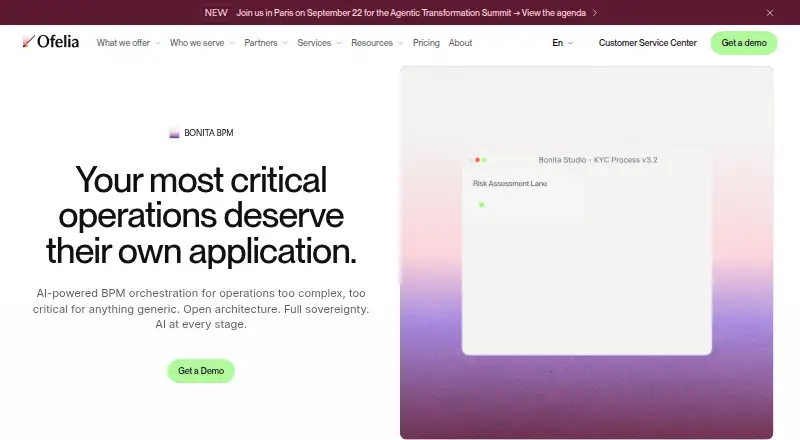
Bonita BPM is an enterprise platform for building governed process applications and coordinating mission-critical operations. Bonita Fabric includes a Process Designer that converts natural-language descriptions into structured BPMN models, BPA Studio for complex rules, integrations, and SLA enforcement, and a low-code UI Builder for forms, dashboards, and application views. Bonita Work Hub offers visual builders and AI-assisted prompting for business and IT teams creating applications without code. Listed AI capabilities include OpenAI and Mistral connectors, an AI Agent Orchestrator, and document processing that extracts, classifies, and structures information. Connectors and APIs cover LDAP/AD, CRM platforms, databases, UiPath, REST APIs, ERP systems, and Jira. Bonita can be deployed on-premise or self-hosted in customer infrastructure, with configurable data residency. Enterprise security features include role-based access control, SAML or OIDC single sign-on, audit trails, and SLA enforcement. The free edition is intended for testing and small-scale deployment, with a limit of 150 process instances per month. Enterprise pricing is not listed.
Good
- Process Designer turns descriptions into BPMN models
- Supports on-premise and self-hosted deployments
- Includes REST and Java APIs
- Free edition has no time limit
Watch out
- Free edition is limited to 150 process instances monthly
- Enterprise pricing is not listed
- Free edition is community-supported
Who it suits
Bonita suits organizations managing complex, regulated, or mission-critical processes, including those in banking, insurance, the public sector, healthcare, and aerospace and defense. Its free edition is positioned for testing and small-scale deployment.
Verdict
Bonita combines process modeling, application-building tools, integrations, and deployment choices for organizations with demanding workflows. The free edition’s monthly instance limit and unlisted Enterprise price are important to weigh.
Plans and prices
From Bonita's own pricing page, checked 28 Sep 2026.
| Plan | Price | What it gives you |
|---|---|---|
| Bonita Free | Free | 150 process instances per month · no time limit · no credit card required · community-supported · for testing and small-scale deployment |
| Bonita Enterprise | Priced on request | Custom pricing · enterprise-grade BPM · dedicated support · onboarding and professional services included |
The facts
Each one read from Bonita's own pages, with the date it was checked.
What it does
- AI features
- The product page lists OpenAI and Mistral connectors, an AI Agent Orchestrator, and intelligent document processing for extracting, classifying and structuring documents.checked 28 Sep 2026
- API
- Bonita provides REST and Java APIs to interact with its runtime.checked 28 Sep 2026
- Business user tools
- Bonita Work Hub lets business and IT teams build process applications with AI-assisted prompting and visual builders, without code.checked 28 Sep 2026
- Certification
- Ofelia says it is ISO 27001 certified.checked 28 Sep 2026
- Deployment
- Bonita can be deployed on-premise or self-hosted in a customer’s own infrastructure, including its own cloud, with configurable data residency.checked 28 Sep 2026
- Development tools
- Bonita Fabric includes BPA Studio for complex rules, integrations and SLA enforcement, plus a low-code UI Builder for forms, dashboards and application views.checked 28 Sep 2026
- Integrations
- Bonita Fabric lists connectors and APIs for LDAP/AD, CRM platforms, databases, UiPath, REST APIs, ERP systems and Jira.checked 28 Sep 2026
- Intended users
- Bonita BPM is presented for organizations with complex, regulated or mission-critical processes, including banking and insurance, public sector, healthcare and aerospace and defense.checked 28 Sep 2026
- Process design
- Bonita Fabric includes a Process Designer that turns natural-language descriptions into structured BPMN models.checked 28 Sep 2026
- Purpose
- Bonita BPM is an enterprise platform for building governed process applications and orchestrating mission-critical operations.checked 28 Sep 2026
- Security and governance
- The maker says Bonita Enterprise includes role-based access control and SSO using SAML or OIDC, along with audit trails and SLA enforcement.checked 28 Sep 2026
- Support
- The product page describes premium enterprise support with direct access to senior engineers and no tiered support model.checked 28 Sep 2026
The company
- Company history
- Ofelia says the company was founded in 2009 as Bonitasoft and became Ofelia in 2026.checked 28 Sep 2026
- Founded
- 2009checked 28 Sep 2026
- Headquarters
- Paris, Francechecked 28 Sep 2026
Money
- Free edition limit
- Bonita Free is presented for testing small projects and is limited to 150 process instances per month.checked 28 Sep 2026
- Free plan
- Yeschecked 20 Sep 2026
Where it runs
- Supported desktop platforms
- The maker offers Bonita downloads for Windows, macOS (Intel) and Linux.checked 28 Sep 2026
The full review of Bonita
Overview
Bonita BPM is an enterprise platform for building governed process applications and coordinating operations where reliability and oversight matter. Its tools span process design, application development, integrations and the management of work as it moves through a process. Bonita is now presented by Ofelia, headquartered in Paris. Ofelia says the company began in 2009 as Bonitasoft and became Ofelia in 2026.
The product is aimed at organizations with complex, regulated or mission-critical processes. Its stated sectors include banking and insurance, the public sector, healthcare, and aerospace and defense. Teams can deploy Bonita on-premise or in their own infrastructure, including their own cloud, with configurable data residency.
Key features
Process design and application building
Bonita Fabric includes a Process Designer that converts natural-language descriptions into structured BPMN models. For more involved process applications, BPA Studio provides tools for complex rules, integrations and SLA enforcement. A low-code UI Builder supports the creation of forms, dashboards and application views.
Bonita Work Hub is designed for business and IT teams to build process applications using prompts assisted by AI and visual builders, without code. The platform also supports visual workflow building, event triggers, execution observability and human approvals.
AI, integrations and governance
Listed AI capabilities include connectors for OpenAI and Mistral, an AI Agent Orchestrator, and document processing that can extract, classify and structure information. These capabilities sit alongside connectors and APIs for LDAP and Active Directory, CRM platforms, databases, UiPath, REST APIs, ERP systems and Jira.
Bonita Enterprise includes role-based access controls and single sign-on through SAML or OIDC, as well as audit trails and SLA enforcement. Ofelia says it is ISO 27001 certified. The product page describes premium enterprise support with direct access to senior engineers and no tiered support model.
Runtime access and deployment
Bonita provides REST and Java APIs for interacting with its runtime. Its hybrid deployment model includes on-premise and self-hosted options, with data residency configurable to suit an organization's infrastructure needs. The maker also offers desktop downloads for Windows, macOS on Intel, and Linux.
Pricing
Bonita uses a freemium model, with a free plan and a free trial listed. Bonita Free costs nothing and has no time limit or credit-card requirement. It is community-supported and intended for testing and small-scale deployment, with a limit of 150 process instances per month.
Bonita Enterprise has no listed price. Its stated uptime SLA is 99.5%. The available details do not specify the terms or duration of the free trial.
Platforms
Bonita is listed for API, Linux, macOS, self-hosted, web and Windows. The maker's desktop downloads cover Windows, macOS (Intel) and Linux; self-hosting is available in a customer's own infrastructure, including its own cloud.
Who it's for
Bonita is best suited to organizations that need to coordinate complex processes with governance, integrations and operational oversight. Its stated focus on regulated and mission-critical work makes it relevant to organizations in banking and insurance, public services, healthcare, and aerospace and defense. The Free plan offers a way to test small projects, but its monthly instance cap distinguishes it from the Enterprise plan's stated business focus.
Pros and cons
- Pros: Process design, low-code application tools, AI capabilities, integrations, APIs and governance features are brought together in one platform.
- Pros: On-premise and self-hosted deployment options, with configurable data residency, support infrastructure-specific requirements.
- Pros: The free plan has no time limit and does not require a credit card.
- Cons: Bonita Free is limited to 150 process instances per month and is presented for testing and small-scale deployment.
- Cons: Bonita Enterprise pricing is not listed, so buyers cannot compare its cost from the available plan details.
Alternatives
For other options in this space, consider Camunda, HEFLO, Open-BPMN, Crismo, ProcessMind, ADONIS, Bizagi Modeler and Flowable. Readers exploring related categories can also browse Process Mapping Software, Workflow Orchestration Software, Business Process Management Software, Form Automation Software, Process Orchestration Software and Workflow Management Software.
Verdict
Bonita brings process modeling, application-building tools, integrations and governance capabilities together for organizations managing demanding operational workflows. Its deployment flexibility and broad runtime access options may suit teams with specific infrastructure requirements. The Free plan provides a no-time-limit starting point for small-scale work, while its 150-instance monthly limit and the unlisted Enterprise price are important considerations for organizations evaluating a larger rollout.
Getting started
- Visit https://www.ofelia.com/product/bonita-bpm.
- Choose Bonita Free, which has no time limit and requires no credit card, or contact the maker about Enterprise.
- Download Bonita for Windows, macOS (Intel) or Linux.
- Deploy on-premise or self-host in your infrastructure, including your own cloud.
- Use Bonita Fabric tools to design processes and build application views.
Limits worth knowing
Bonita Free allows 150 process instances per month and is intended for testing and small-scale deployment.
Questions
Is Bonita free?
Yes. Bonita Free costs nothing, has no time limit and does not require a credit card.
What does the free plan include?
Bonita Free is for testing and small-scale deployment and is limited to 150 process instances per month.
What platforms does Bonita support?
Listed platforms include API, Linux, macOS, self-hosted, web and Windows. Desktop downloads are available for Windows, macOS (Intel) and Linux.
Can Bonita be self-hosted?
Yes. It can run on-premise or in a customer’s own infrastructure, including its own cloud, with configurable data residency.
Who makes Bonita?
The maker is Bonita, and the company says it was founded as Bonitasoft in 2009 before becoming Ofelia in 2026.
Alternatives to Bonita
- 1

Joget
Free planOpen sourceAndroidiOSWebAPI8.8Free plan - 2
Flowable
Free planOpen sourceAndroidiOSWebAPI8.7From $99 a month - 3
Nintex Process Platform
AndroidiOSWebAPI7.8From $25,000 a year - 4

AgilePoint NX
Free planAndroidiOSWebAPI7.6From $39 a month - 5

Camunda
Free planWebAPILinuxmacOS7.6Free plan - 6

HEFLO
Free planAndroidiOSWebAPI7.4Free plan