
Bigtincan Digital Sales Rooms
Bigtincan Digital Sales Rooms provide sellers and customers with a shared space for collaboration and document exchange before and after a purchase.
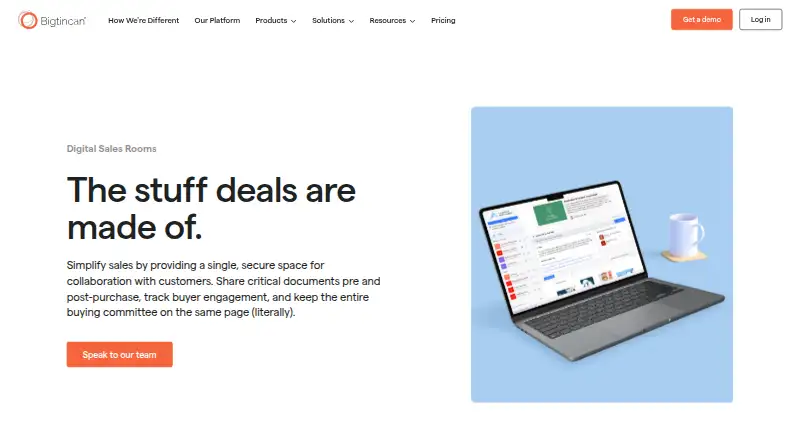
What Bigtincan Digital Sales Rooms is
Bigtincan Digital Sales Rooms provide sellers and customers with a shared space for collaboration and document exchange before and after a purchase. Sellers can brand rooms with a buyer’s logo, adjust content and access as a relationship changes, and assign co-owner, publisher, or viewer roles. Buyers can comment on specific sentences and start threaded discussions. Private Rooms, time-limited authentication links, and CRM contact data integration are listed access controls. Analytics show buyer interactions at file, page or slide, and version level; rooms also track shares and new contacts added by buyers. Genie Assistant can create buyer-specific rooms, and buyers can use SearchAI to ask questions about room content. The product lists integrations across CRM, communications, sales tools, content management, endpoint management, learning, and identity management. Salesforce integration can look up and create leads and contacts, associate stories with campaigns, and log actions and meetings. It supports Android, Chrome, iOS, macOS, Windows, and browser-enabled devices. Pricing is available on request.
Good
- Rooms can be personalized for buyers
- Buyers can start threaded discussions
- Analytics track file and page-level interactions
- SearchAI answers questions about room content
- Salesforce integration logs actions and meetings
Watch out
- Pricing is available only on request
- Support packages are offered by email contact
Who it suits
The rooms suit sellers, buyers, sales teams, and customer success teams collaborating during a deal and after it closes. They may be useful when teams need buyer-specific spaces, access controls, and engagement visibility.
Verdict
Bigtincan Digital Sales Rooms combine shared buyer spaces with room access controls, collaboration, and engagement analytics. Teams should contact the company for pricing.
Plans and prices
From Bigtincan Digital Sales Rooms's own pricing page, checked 30 Sep 2026.
| Plan | Price | What it gives you |
|---|---|---|
| Elite | Priced on request | Includes Digital Sales Rooms & Shares; contact sales for pricing |
| Essential | Priced on request | Includes Digital Sales Rooms & Shares; contact sales for pricing |
The facts
Each one read from Bigtincan Digital Sales Rooms's own pages, with the date it was checked.
What it does
- Access controls
- The product lists Private Rooms, time-limited authentication links, and CRM contact data integration as access controls.checked 30 Sep 2026
- AI assistance
- Genie Assistant can create buyer-specific rooms, and buyers can use SearchAI to ask questions about room content.checked 30 Sep 2026
- Buying committee visibility
- Rooms track shares and capture new contacts added by buyers so sellers can see who is involved in the buying committee.checked 30 Sep 2026
- Collaboration
- Sellers can assign co-owner, publisher, and viewer roles, while buyers can leave sentence-level comments that start threaded discussions.checked 30 Sep 2026
- Engagement analytics
- Analytics track buyer interactions at the file, page or slide, and version level.checked 30 Sep 2026
- Integrations
- Bigtincan lists integrations across CRM, email and communications, sales tools, content management, endpoint management, learning, and identity and access management.checked 30 Sep 2026
- Intended users
- The product describes collaboration among sellers, buyers, sales teams, and customer success teams throughout the deal and after closing.checked 30 Sep 2026
- Product purpose
- Digital Sales Rooms provide a secure shared space for sellers and customers to collaborate and exchange documents before and after purchase.checked 30 Sep 2026
- Room personalization
- Sellers can brand rooms with a buyer’s logo and change room content and access as the relationship evolves.checked 30 Sep 2026
- Salesforce integration
- The Salesforce integration can look up and create leads and contacts, associate stories with campaigns, and log actions and meetings to Salesforce.checked 30 Sep 2026
- Security certifications
- Bigtincan says it maintains ISO 27001 certificates and SOC 2 Type II reports.checked 30 Sep 2026
- Security controls
- The Trust Center states data at rest is encrypted with AES 256, data in transit with TLS 1.2 or higher, and SSO is supported.checked 30 Sep 2026
- Support
- Bigtincan provides support contact by email and offers Bronze, Silver, Gold, and Platinum support packages.checked 30 Sep 2026
The company
- Founded
- 2011checked 28 Sep 2026
- Headquarters
- Waltham, Massachusetts, United Stateschecked 28 Sep 2026
Where it runs
- Platform availability
- Bigtincan lists Android, Chrome, iOS, macOS, Windows, and browser-enabled devices as supported operating systems or environments.checked 30 Sep 2026
The full review of Bigtincan Digital Sales Rooms
Bigtincan Digital Sales Rooms is a secure space for sellers and buyers to share documents and collaborate before and after a purchase. It is best suited to sales and customer success teams that need buyer-specific rooms connected to established sales processes. Its strength is the combination of room controls, collaboration and engagement tracking; its custom pricing makes it harder to assess for teams seeking a self-serve option.
Overview
Sellers can tailor rooms to buyers and change their content and access as a deal progresses. The product also tracks buyer participation and activity, tying shared materials to the people involved in a buying decision. That is useful when several stakeholders need to review content or when sales and customer success teams stay engaged after closing.
Bigtincan was founded in 2011 and is headquartered in Waltham, Massachusetts. Its integrations span CRM, email and communications, sales tools, content management, endpoint management, learning, and identity and access management. This breadth makes it a stronger fit for teams working within established systems than for buyers who simply need a low-cost standalone sharing tool.
Key features
Sellers can brand a room with a buyer’s logo and revise its content as the relationship evolves. Private Rooms, time-limited authentication links and CRM contact data integration provide several ways to manage access. Content expiry and approval workflows help teams keep shared materials current and approved, while sales playbooks support a more structured sales process.
Genie Assistant can create buyer-specific rooms, and buyers can use SearchAI to ask questions about room content. These capabilities can make tailored information easier to surface, though they are most relevant when teams already organize their sales work around room-based content.
Rooms track sharing and capture new contacts that buyers add, helping sellers see who is involved in a buying committee. Engagement analytics go beyond basic opens: they track interactions at the file, page or slide, and version level. Sellers can assign co-owner, publisher and viewer roles, while buyers can leave sentence-level comments that start threaded discussions. Together, those tools suit deals where stakeholders need to review and discuss specific material, rather than merely receive a file.
The Salesforce integration can look up and create leads and contacts, associate stories with campaigns, and log actions and meetings. For Salesforce teams, this connects room activity with existing records and follow-up; teams on other systems will need to assess the relevance of Bigtincan’s wider integrations.
Bigtincan says it maintains ISO 27001 certificates and SOC 2 Type II reports. Its Trust Center describes AES 256 encryption for data at rest, TLS 1.2 or higher for data in transit, and SSO support. Support is available by email, with Bronze, Silver, Gold and Platinum packages.
Pricing
Bigtincan is a paid product with custom pricing; teams must contact sales for a quote. Both named plans, Elite and Essential, include Digital Sales Rooms and Shares, and neither has a published price. That makes it difficult to compare the plans or estimate costs before speaking to the company.
For buyers comparing the two, the stated inclusion is the same: Digital Sales Rooms and Shares. No seat counts, usage quotas, trial length or renewal terms are provided for either plan, so teams should confirm those points along with the differences between Elite and Essential before committing. The contact-sales model is a poor fit for individuals or small teams who need a known price and immediate self-service signup.
Platforms
Bigtincan lists Android, Chrome, iOS, macOS, Windows and browser-enabled devices as supported environments. The directory also identifies Android, iOS, macOS, Windows, web and extension platforms, giving teams desktop, mobile and browser-based access options.
Who it's for
Digital Sales Rooms makes the most sense for sellers, sales teams and customer success teams that collaborate with buyers across a deal and after closing. Buyer-specific branding, role-based room access, committee visibility and granular engagement analytics are valuable when several stakeholders are involved and follow-up needs to reflect what they reviewed.
Teams that need a clear published price, a free plan or a simple document-sharing space are less likely to find the sales-led purchase process worthwhile. The product’s mix of integrations and room controls is better aligned with organizations that have established sales workflows.
Pros and cons
- Pros: Buyer-specific branding and changeable access let sellers adapt rooms as deals progress.
- Pros: Page-, slide- and version-level analytics, plus visibility into newly added contacts, give sales teams a more detailed view of buyer engagement.
- Pros: Threaded sentence-level comments and distinct seller roles support focused collaboration without treating every participant as an editor.
- Pros: Salesforce can create and look up leads and contacts, associate stories with campaigns, and log actions and meetings.
- Cons: Custom pricing requires a sales conversation, and the Elite and Essential plans have no published prices.
- Cons: The plans share the same stated inclusion, leaving buyers without a clear basis for comparing them before contacting sales.
Alternatives
For a broader comparison of tools in this category, browse Sales Content Management Software or Sales Presentation Software.
- YourShowroom is worth considering for a free, hosted option with up to three users and 10 GB of storage, or for buyers who want iOS, web and self-hosted platform choices.
- Airstride offers a free plan for up to three partners with basic partner and deal management, account mapping and CRM integration; consider it when partner management is the priority.
- Attach has a free plan capped at three documents, a fit for users who want to try a small-scale document-sharing option before paying.
- Cirua has an always-free plan for one user and 5 GB of workspace storage, which suits an individual looking for a personal asset library.
- Content Camel has a free Solo plan for one user with a content library, basic search, collections and one published site, making it an option for solo content management.
- Dock offers a free plan with caps including 10 workspaces, 25 CMS assets and limited AI usage; consider it when a free deal-workspace option matters more than Bigtincan’s buyer-focused room controls.
- QuarkXPress is a paid alternative with a prepaid annual subscription and a free trial.
- Templafy Email Signature Management is a paid alternative for teams seeking email signature management with enterprise pricing based on solution and license count.
Verdict
Bigtincan Digital Sales Rooms is a strong choice for sales and customer success teams that need tailored buyer spaces, controlled collaboration and detailed engagement signals connected to sales workflows. Those capabilities are its clearest reason to choose it. Teams that need transparent pricing, self-service access or a free starting tier should look elsewhere.
Getting started
- Open the Bigtincan Digital Sales Rooms website
- Contact sales for Elite or Essential pricing
- Choose a supported environment such as web, Android, iOS, macOS or Windows
- Connect CRM, email or other listed integrations
- Create a room and personalize it with the buyer’s logo
- Assign co-owner, publisher or viewer roles
Limits worth knowing
Bigtincan lists Elite and Essential plans with Digital Sales Rooms and Shares, but pricing requires contacting sales. The product is paid rather than free.
Questions
How much does Bigtincan Digital Sales Rooms cost?
Pricing is available on request. Elite and Essential plans both include Digital Sales Rooms and Shares.
Which platforms are supported?
Bigtincan lists Android, Chrome, iOS, macOS, Windows and browser-enabled devices.
Does it integrate with Salesforce?
Yes. The Salesforce integration can look up and create leads and contacts, associate stories with campaigns, and log actions and meetings.
What security controls are listed?
Bigtincan lists ISO 27001 certificates, SOC 2 Type II reports, AES 256 encryption at rest, TLS 1.2 or higher in transit, and SSO support.
Can buyers comment on room content?
Yes. Buyers can leave sentence-level comments that begin threaded discussions.
What support options are available?
Bigtincan provides email support and offers Bronze, Silver, Gold and Platinum support packages.