
Content Camel
Content Camel is a sales content management platform for organizing, finding, sharing, and measuring sales material.
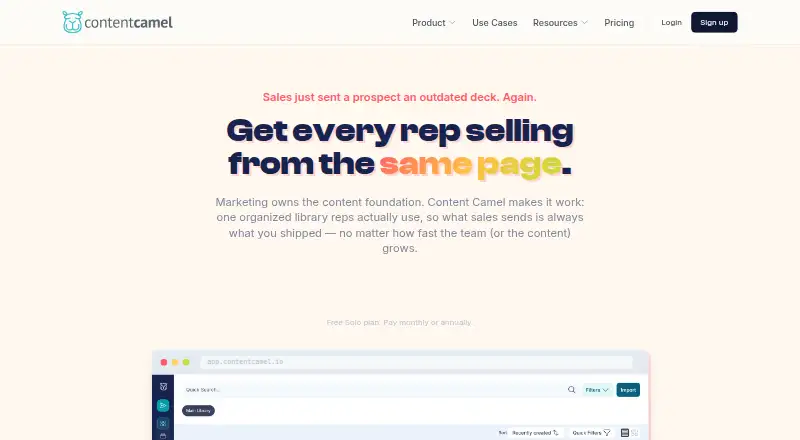
What Content Camel is
Content Camel is a sales content management platform for organizing, finding, sharing, and measuring sales material. Its library handles PDFs, decks, videos, web links, third-party content, and podcast episodes, with AI auto-tagging, funnel-stage organization, and version control. Collections can become branded buyer pages where prospects can view shared content without an account or download. Page-level engagement analytics sit alongside tracking for shares, team activity, failed searches, and content freshness. A Chrome and Edge extension lets users search the library and create tracked links from web apps such as Gmail, LinkedIn, and CRMs. Content can be imported from Google Drive, SharePoint or OneDrive, Dropbox, public URLs, and CSV or spreadsheet files. A REST API and webhooks are available on Team and Business plans. The free Solo plan includes one user and one published site; Team costs $25 per user per month, and a 14-day trial is listed. The product is aimed at growing B2B teams, particularly those with 10–200 people. Its browser-extension approach does not currently provide deep bi-directional CRM sync or automatic CRM activity logging.
Good
- Library supports varied content formats, including podcasts.
- Buyer pages let prospects view content without an account.
- Analytics cover buyer engagement and team activity.
- Chrome and Edge extensions create tracked links.
- Team plan includes AI-powered search and analytics.
Watch out
- Solo plan is limited to one user.
- Solo plan includes one published site.
- Deep bi-directional CRM sync is not provided.
- REST API and webhooks are for Team and Business plans.
Who it suits
Content Camel suits growing B2B teams that need to organize sales content and share tracked buyer pages. Teams looking for deeper CRM synchronization or automatic activity logging should note those limitations.
Verdict
Content Camel pairs a sales content library with shareable buyer pages and engagement analytics. Its CRM limitations matter for teams seeking automatic sync or activity logging, while API access is limited to higher plans.
Plans and prices
From Content Camel's own pricing page, checked 30 Sep 2026.
| Plan | Price | What it gives you |
|---|---|---|
| Solo | Free | 1 user · content library · basic search · collections · 1 published site · community support · Free |
| Team | $25 a month | unlimited users · AI-powered search · Chrome & Edge extension · unlimited collections & sites · analytics · playbooks · custom branding · email support · $25/user/mo |
| Business | Priced on request | SSO · advanced analytics · CRM integrations · custom domains · API access & webhooks · dedicated onboarding · priority support · custom integrations · Custom |
The facts
Each one read from Content Camel's own pages, with the date it was checked.
What it does
- Analytics
- Analytics tracks shares, prospect page-by-page engagement, team activity, failed searches and content freshness.checked 30 Sep 2026
- API
- A REST API and webhooks are available to Team and Business plan customers.checked 30 Sep 2026
- Buyer sites
- Collections can be published as branded buyer experience pages with page-level engagement analytics, and prospects can view shared content without an account or download.checked 30 Sep 2026
- Content library
- The content library supports PDFs, decks, videos, web links, third-party content and podcast episodes, with AI auto-tagging, funnel-stage organization and version control.checked 30 Sep 2026
- CRM limitation
- Deep bi-directional CRM sync, automatic CRM activity logging, deal-stage recommendations and closed-revenue attribution are not currently provided by the browser-extension approach.checked 30 Sep 2026
- Import sources
- Content can be imported from Google Drive, SharePoint/OneDrive, Dropbox, public URLs and CSV or spreadsheet files.checked 30 Sep 2026
- Integrations
- The browser extension works with Salesforce, HubSpot, Pipedrive, Gmail, Outlook, Outreach, Salesloft, LinkedIn, Slack and other web apps.checked 30 Sep 2026
- Product purpose
- Content Camel is a sales content management platform for organizing, finding, sharing and measuring sales content.checked 30 Sep 2026
- Security
- Content Camel states that it uses encryption in transit and at rest, SOC 2 compliant infrastructure and role-based access controls.checked 30 Sep 2026
- Support
- Solo includes community support, Team includes email support, and Business includes dedicated onboarding and priority support.checked 30 Sep 2026
Where it runs
- Browser extension
- The Chrome and Edge extension lets users search the library and create tracked links inside web apps such as Gmail, LinkedIn and CRMs.checked 30 Sep 2026
The company
- Company status
- Content Camel says it is founder-led and bootstrapped, with Dave Shanley listed as founder.checked 30 Sep 2026
- Headquarters
- Portland, Oregon, United Stateschecked 28 Sep 2026
- Target teams
- The product is designed for growing B2B teams, particularly teams of 10–200 people.checked 30 Sep 2026
The full review of Content Camel
Content Camel is a sales-content workspace for growing B2B teams, particularly those with 10 to 200 people. It suits organizations that need one place for varied assets, buyer-facing collections and engagement signals; teams needing automated CRM records or revenue attribution should look elsewhere.
Overview
Content Camel combines a searchable sales library with branded buyer experience pages. It accepts PDFs, slide decks, videos, web links, third-party material and podcast episodes, then uses AI auto-tagging, funnel-stage organization and version control to keep a broad collection manageable. Prospects can open shared collections without creating an account or downloading files, which removes friction from content handoffs.
Measurement covers more than a share count. Teams can review page-by-page prospect engagement, internal team activity, failed searches and content freshness. That makes the product useful for improving both buyer follow-up and library maintenance. Its browser-extension model has a clear boundary, however: there is no deep bi-directional CRM sync, automatic CRM activity logging, deal-stage recommendation or closed-revenue attribution.
Key features
Library and buyer pages
Imports from Google Drive, SharePoint or OneDrive, Dropbox, public URLs and CSV or spreadsheet files reduce migration work. Collections can become branded buyer pages with page-level analytics, giving sellers a controlled way to present a sequence of materials rather than sending disconnected attachments.
Search, extension and workflow
Team adds AI-powered search, while the Chrome and Edge extension lets users find assets and create tracked links inside Gmail, LinkedIn, CRMs and other web applications. It works with Salesforce, HubSpot, Pipedrive, Gmail, Outlook, Outreach, Salesloft, LinkedIn, Slack and other web apps. This is practical for sellers who work across several browser-based tools, but it remains link-based rather than a full CRM data layer.
Analytics, playbooks and administration
Buyer engagement analytics show how prospects move through shared pages; team activity, failed searches and freshness reporting expose internal adoption and stale content. Sales playbooks support repeatable guidance. Content Camel states that it uses encryption in transit and at rest, SOC 2 compliant infrastructure and role-based access controls. REST API access and webhooks are reserved for Team and Business customers.
Pricing
Solo
Solo is free, billed at no cost, for one user. It includes the content library, basic search, collections, one published site and community support. This is a sensible way for an individual to organize material or validate the buyer-page concept, but the single-user cap and basic search leave out the collaboration and automation features a sales team is likely to need.
Team
Team costs $25/user/mo and allows unlimited users. It adds AI-powered search, the Chrome and Edge extension, unlimited collections and sites, analytics, playbooks, custom branding and email support. For a growing sales group, this is the practical starting tier: it unlocks the core distribution and measurement workflow. API and webhook access is available to Team customers, while deeper CRM automation is still not part of the browser-extension approach.
Business
Business uses custom pricing and adds SSO, advanced analytics, CRM integrations, custom domains, API access and webhooks, dedicated onboarding, priority support and custom integrations. It targets organizations with administrative, integration or support requirements beyond Team. A 14-day trial is offered, and the product has a freemium model with a free plan.
Platforms
Content Camel is available on the web, through a browser extension and via API. The extension supports Chrome and Edge; the API and webhooks provide programmatic access on Team and Business.
Who it's for
Choose Content Camel for a B2B team that needs a governed content library, branded buyer pages and visibility into prospect engagement. It is especially aligned with 10–200-person organizations where sellers share many asset types and need consistent playbooks. It is a weaker fit for teams whose primary requirement is automatic CRM activity capture, bidirectional record synchronization or closed-won revenue reporting.
Pros and cons
- Pro: Broad asset support, imports and version control help consolidate a fragmented sales library.
- Pro: Account-free buyer pages and page-level engagement analytics make shared content easier for prospects and more informative for sellers.
- Pro: The Team tier supports unlimited users, collections and sites, plus AI search, playbooks and custom branding.
- Con: Solo is limited to one user, one published site and basic search, so it is mainly an individual starter plan.
- Con: The extension does not provide deep CRM sync, automatic activity logging, deal-stage recommendations or closed-revenue attribution.
- Con: SSO, custom domains, advanced analytics and custom integrations require a custom-priced Business plan.
Alternatives
Browse Sales Content Management Software for a wider category comparison. YourShowroom is worth considering when iOS or self-hosting and a free plan for up to three users matter. Airstride is a better direction for partner management, account mapping and deal management, with API and web access. Attach suits a lightweight extension-and-web workflow when a free allowance of up to three documents is enough. Bigtincan Digital Sales Rooms is an enterprise-oriented digital sales-room option across desktop and mobile platforms. Cirua fits users wanting an always-free personal asset library with one seat and 5 GB of workspace storage. Dock is an alternative for deal desks needing workspaces, playbooks, courses and order forms, with a free tier carrying usage caps. QuarkXPress is a paid publishing application rather than a sales-content management platform. Templafy Email Signature Management is aimed at enterprise email-signature administration.
Verdict
Content Camel is a strong choice for a growing B2B sales team that wants organized content, polished buyer pages and actionable engagement analytics in one workflow. Team at $25/user/mo delivers the most relevant capabilities for that audience. Look elsewhere if CRM automation, automatic activity logging or revenue attribution is central to your process, or if you require Business controls without a custom-priced plan.