
Amazon Q
Amazon Q is AWS software available on the web and Android, with options for developer and business use.
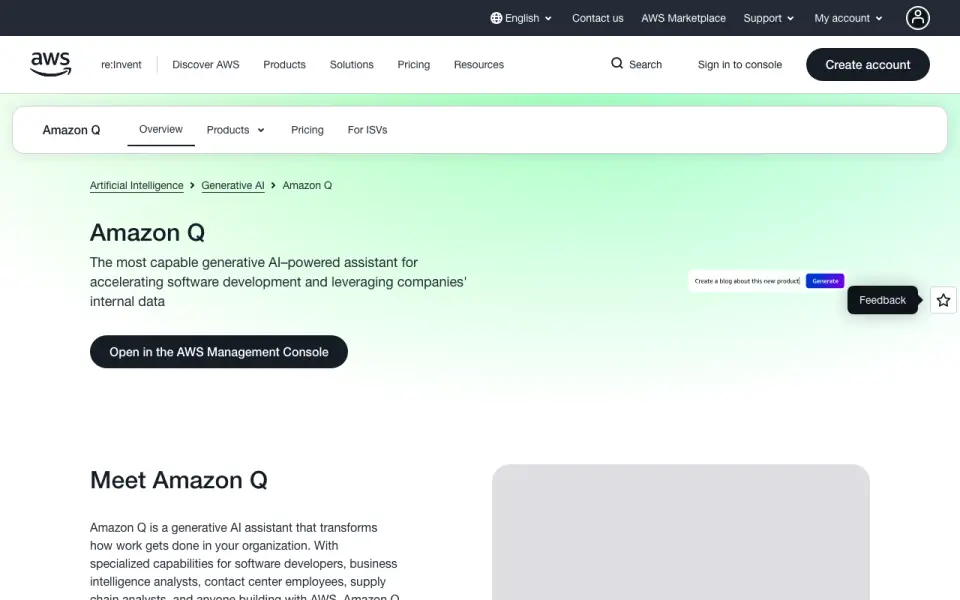
What Amazon Q is
Amazon Q is AWS software available on the web and Android, with options for developer and business use. It supports file uploads, mobile apps, app integrations, and team workspaces. The listed options include a free Developer tier and paid plans with different monthly allowances or response sizes. The Developer Free Tier is free and includes 50 agentic requests per month and 1,000 lines of code per month for Java upgrades. Developer Pro costs $19 a month and includes 4,000 lines of code per month per user, pooled at the account level.
Business plans differ by response length or usage. Business Lite costs $3 a month for responses up to approximately one page, while Business Pro costs $20 a month for responses up to approximately seven pages. Business Consumption costs $200 a month and includes 30,000 units; each ChatSync API call or embedded prompt uses 2 units. Business Starter Index has no listed price and specifies capacity per unit, while Enterprise Index costs $0.26 a month with document or extracted-text capacity and connector hours per unit. A 60-day trial is noted. Web search and image generation are not supported.
Good
- Free Developer tier includes 50 agentic requests monthly.
- Developer tiers include monthly allowances for Java upgrade lines of code.
- Business plans offer different response-size limits.
- Supports file uploads, app integrations, and team workspaces.
- A 60-day trial is noted.
Watch out
- Web search is not supported.
- Image generation is not supported.
- Business Consumption costs $200 a month.
- Starter Index has no listed price.
Who it suits
Amazon Q suits developers looking for a tier with monthly agentic requests or Java upgrade code allowances, and business users choosing plans based on response length or usage. Teams may also value its app integrations, file uploads, and team workspace support.
Verdict
Choose Amazon Q if its developer allowances or business response and usage plans match your work, and you want file uploads, integrations, or team workspace support. Consider another option if web search or image generation is essential. Compare the plan-specific monthly allowances before choosing.
Plans and prices
From Amazon Q's own pricing page, checked 14 Oct 2026.
| Plan | Price | What it gives you |
|---|---|---|
| Amazon Q Developer Free Tier | Free | 50 agentic requests/month · 1,000 Java-upgrade lines/month · limited advanced features |
| Amazon Q Developer Pro Tier | $19 a month | 4,000 lines of code per month per user pooled at account level · billed monthly |
| Amazon Q Business Consumption | $200 a month | 30,000 units per month · 2 units per ChatSync API call or embedded prompt · billed monthly |
| Amazon Q Business Starter Index | Priced on request | 5 units per application · 20,000 documents or 200 MB extracted text per unit · 100 connector hours per month per unit |
| Amazon Q Business Starter Index | — | 5 units per application · 20,000 documents or 200 MB extracted text per unit · 100 connector hours per month per unit |
| Amazon Q Business Enterprise Index | $0.26 a month | 20,000 documents or 200 MB extracted text per unit · 100 connector hours per month per unit |
| Amazon Q in Connect chat | Free | agent suggested solutions and connected-knowledge search; customer self-service conversations · per chat message |
| Amazon Q in Connect voice | $0.01, paid once | agent assistance or customer self-service · per voice minute |
| Amazon Q in QuickSight Reader | $3 a month | interactive dashboards · pixel-perfect reports · downloads · personalized alerts · per user/month |
| Amazon Q Business Lite | $3 a month | basic questions · permission-aware responses · per user/month |
| Amazon Q Developer Pro | $19 a month | increased agentic limits · 4,000 Java-upgrade lines/month pooled per account · admin controls · IP indemnity · per user/month |
| Amazon Q Business Pro | $20 a month | full Q Business capabilities · Q Apps · Q in QuickSight Reader Pro · per user/month |
| Amazon Q in QuickSight Reader Pro | $20 a month | Reader features · generative BI · per user/month |
| Amazon Q in QuickSight Author | $24 a month | connect data · create dashboards and reports · natural-language Q&A · per user/month |
| Amazon Q in QuickSight Author Pro | $50 a month | Author features · generative BI · natural-language dashboards · Q Topics · per user/month |
The facts
Each one read from Amazon Q's own pages, with the date it was checked.
What it does
- Agentic coding
- The Developer agent can inspect a codebase, create a multi-file implementation plan and execute approved code changes and tests.checked 14 Oct 2026
- API
- AWS publishes an Amazon Q Business API Reference describing operations, parameters, responses and common errors.checked 14 Oct 2026
- Business capabilities
- Q Business answers questions, summarizes and generates content, and completes tasks using enterprise data and permissions.checked 14 Oct 2026
- CLI transition
- AWS documentation says the Amazon Q CLI has become the Kiro CLI.checked 14 Oct 2026
- Code customization
- Organizations can customize Developer with internal libraries, APIs, coding standards and architectural patterns.checked 14 Oct 2026
- Code review
- Developer reviews complete projects or individual files for security and quality issues using generative and rule-based detectors.checked 14 Oct 2026
- Code suggestions
- Developer provides real-time suggestions from snippets through full functions in more than 25 programming languages.checked 14 Oct 2026
- Console-to-Code
- Developer can capture AWS console actions and turn workflows into reusable deployment code.checked 14 Oct 2026
- Developer capabilities
- Q Developer answers AWS questions, generates and explains code, debugs, performs security scans, upgrades applications and helps operate AWS workloads.checked 14 Oct 2026
- Documentation depth
- AWS provides separate Business and Developer user guides, a Business API reference and a Developer detector library.checked 14 Oct 2026
- Enterprise connectors
- Q Business lists connectors for S3, Salesforce, ServiceNow, Slack, SharePoint, OneDrive, Google Drive, Gmail, GitHub, Jira, Confluence, Box, Dropbox and others.checked 14 Oct 2026
- File uploads
- Yeschecked 20 Sep 2026
- IDE support sunset
- AWS plans to discontinue support for Amazon Q Developer IDE plugins on April 30, 2027.checked 14 Oct 2026
- Image generation
- Nochecked 20 Sep 2026
- Launch date
- AWS announced Amazon Q general availability on April 30, 2024.checked 14 Oct 2026
- Limit: G2 sample size
- G2 says Amazon Q has too few reviews on its profile to provide buying insight.checked 14 Oct 2026
- Limit: governance and legacy connections
- Gartner pages cite missing governance templates and legacy database connection obstacles.checked 14 Oct 2026
- Limit: response consistency
- The same G2 reviewer reported slow responses, weak conversational memory and difficulty relating files in different directories.checked 14 Oct 2026
- Limit: specificity and options
- A Capterra reviewer said Q struggles with very specific questions and offers fewer alternatives than competing AI tools.checked 14 Oct 2026
Where it runs
- App integrations
- Yeschecked 20 Sep 2026
- Browser extension functions
- The Q Business extension summarizes pages, answers questions about pages or files, and supports content creation, translation, categorization and data analysis.checked 14 Oct 2026
The company
- Company facts
- LinkedIn lists AWS as founded in 2006, headquartered in Seattle and employing more than 10,001 people.checked 14 Oct 2026
- Company legal entity
- AWS identifies Amazon Web Services, Inc. as a contracting party and gives its Seattle address as 410 Terry Avenue North.checked 14 Oct 2026
Money
- Free plan
- Yeschecked 20 Sep 2026
The full review of Amazon Q
Amazon Q is AWS’s software offering for coding assistance and business-focused responses, with separate plans for each. It is best suited to developers and teams whose needs fit those distinct workflows; the right tier depends on whether coding quotas, response length, or indexing capacity matters most.
Overview
Amazon Q is not one uniform assistant plan: its developer options focus on agentic requests and Java upgrades, while its business options set response, consumption, or indexing allowances. That separation gives buyers targeted choices, but makes it important to select by workload rather than assume one subscription covers every use case.
The product supports file uploads, app integrations, and team workspaces, with web and Android access. It does not provide web search or image generation, which limits its appeal for people who rely on either capability in an assistant.
Key features
Developer allowances
The free developer tier includes 50 agentic requests per month and 1,000 lines of code per month for Java upgrades. That is a defined starting point for limited use, but the quotas may constrain sustained coding work. Developer Pro raises the Java-upgrade allowance to 4,000 lines of code per month per user, pooled at account level; the supplied plan terms do not give a Pro agentic-request quota.
Business responses and indexing
Business Lite caps responses at approximately one page, while Business Pro allows approximately seven pages. Lite may suit brief answers; teams that need more developed responses should weigh Pro’s higher price against its longer response limit. Business Consumption instead provides 30,000 units per month, with each ChatSync API call or embedded prompt using two units.
The Starter and Enterprise Index plans specify 20,000 documents or 200 MB of extracted text per unit, plus 100 connector hours per month per unit. Starter requires five units per application. Those capacities are useful for teams evaluating indexing needs, but the required units affect the total allowance and price.
Pricing
Amazon Q is freemium, with a free plan, a 60-day trial, and paid plans starting at $3/user/mo. The developer and business plans have separate prices and limits, so the starting price does not describe the cost of every workflow.
- Amazon Q Developer Free Tier: free; 50 agentic requests per month and 1,000 lines of code per month for Java upgrades. It is the no-cost option for modest coding use.
- Amazon Q Developer Pro Tier: $19 a month, billed monthly; 4,000 lines of code per month per user, pooled at account level. It suits developers needing a larger Java-upgrade allowance.
- Amazon Q Business Lite: $3 a month, billed monthly; responses up to approximately one page. It is the lowest-priced business response tier.
- Amazon Q Business Pro: $20 a month, billed monthly; responses up to approximately seven pages. Choose it when the Lite response ceiling is too short.
- Amazon Q Business Consumption: $200 a month, billed monthly; 30,000 units per month, with two units per ChatSync API call or embedded prompt. Its allowance is countable against those specified uses.
- Amazon Q Business Starter Index: custom pricing; five units per application, with 20,000 documents or 200 MB extracted text per unit and 100 connector hours per month per unit.
- Amazon Q Business Enterprise Index: $0.26 a month; 20,000 documents or 200 MB extracted text per unit and 100 connector hours per month per unit.
Compare the applicable quotas and units before choosing: a free developer tier, low-cost short business responses, and indexing are different product uses, not interchangeable versions of one allowance.
Platforms
Amazon Q supports web and Android. Mobile apps are available, which gives Android users a mobile option, but the stated platform coverage does not include other mobile or desktop operating systems.
Who it's for
Amazon Q is a sensible fit for developers who can work within the monthly request or Java-upgrade quotas, and for business teams that need file uploads, integrations, or a shared workspace alongside bounded responses or indexing. It is less suitable for people who need web search or image generation, or whose work depends on a single plan spanning both developer and business allowances.
Pros and cons
- Pros: A free developer tier provides monthly request and Java-upgrade allowances, making it possible to begin without a paid subscription.
- Pros: Business plans distinguish short and longer responses, consumption, and indexing, so teams can choose a plan around a specific workload.
- Pros: File uploads, app integrations, team workspace support, and Android apps cover several practical business and access needs.
- Cons: Developer and business plans have different quotas and prices, so buyers must match their use case carefully.
- Cons: No web search or image generation makes it a poor choice for workflows that depend on either.
- Cons: The free developer tier is capped at 50 agentic requests and 1,000 Java-upgrade lines per month, while Business Lite responses are limited to approximately one page.
Alternatives
For contact-center and adjacent workflows, the alternatives below offer different platforms and pricing approaches; they are not direct substitutes for every Amazon Q use case.
- Zoom Scheduler has a free basic plan with one personal booking page and one calendar connection, and a $4.99 monthly plan billed annually; choose it when scheduling is the need.
- Google Agent Assist is a paid API and web option with per-message pricing for Standard Chat and features including summarization, Knowledge Assist, and sentiment analysis; consider it for those agent-assist functions.
- SESTEK Text-to-Speech offers API, Linux, self-hosted, and Windows options for business usage; consider it when text-to-speech is the requirement.
- 8x8 Contact Center is a paid contact-center product with custom plans; consider it when a contact-center platform is the priority.
- Feelingstream is a paid option for API, macOS, self-hosted, web, and Windows.
- Level AI Contact Center Analytics is a paid API and web product with demo-based pricing; consider it for contact-center analytics.
- Mitel Agent Assist is a paid web option with sales-based pricing; consider it for agent-assist use.
- RingCentral RingCX is a paid contact-center option starting at $65 a month, with unlimited minutes; consider it when contact-center service is the central requirement.
Verdict
Choose Amazon Q when its developer quotas or business response and indexing plans fit your workload, especially if file uploads, integrations, or team workspace support matter. Its separate plan families and bounded allowances reward careful selection; look elsewhere if web search or image generation is essential.
Getting started
- Visit https://aws.amazon.com/q/.
- Use Amazon Q on the web or Android.
- Choose the Developer Free Tier or a paid developer or business plan.
- Use the noted 60-day trial if applicable.
- For team use, Amazon Q supports team workspaces and app integrations.
Limits worth knowing
The Developer Free Tier is limited to 50 agentic requests per month and 1,000 lines of code per month for Java upgrades. Business Lite responses reach approximately one page, Business Pro approximately seven pages, and Business Consumption includes 30,000 units per month; ChatSync API calls and embedded prompts use 2 units each.
Questions
Does Amazon Q have a free plan?
Yes. The Developer Free Tier costs nothing and includes 50 agentic requests per month and 1,000 lines of code per month for Java upgrades.
How much do the paid plans cost?
Developer Pro is $19 a month. Business Lite is $3 a month, Business Pro is $20 a month, and Business Consumption is $200 a month. Enterprise Index is $0.26 a month; Starter Index has no listed price.
What platforms are supported?
Amazon Q is listed for web and Android, and it has mobile apps.
Does Amazon Q support file uploads and integrations?
Yes. File uploads and app integrations are supported, as are team workspaces.
Does Amazon Q include web search or image generation?
No. Web search and image generation are not supported.
What does the 60-day trial cover?
A 60-day trial is noted; the listed facts do not specify which plan it applies to.
Alternatives to Amazon Q
- 1

Gemini
Free planAndroidiOSWebAPI8.4Free plan - 2

Taskade AI Agents
Free planAndroidiOSWebAPI8.3From $10 a month - 3

Mem Agent
Free planiOSWebAPIExtension8.2From $9 a month - 4

Microsoft Copilot
Free planAndroidiOSWebWindows8.2From $99.99 a year - 5

Fyxer
Free planiOSWebAPImacOS8.1Free plan - 6

Any.do
Free planAndroidiOSWebmacOS8.0Free plan