Alcohol 52%
Alcohol 52% creates virtual CD/DVD-ROM drives so you can use disc images without inserting the original disc.
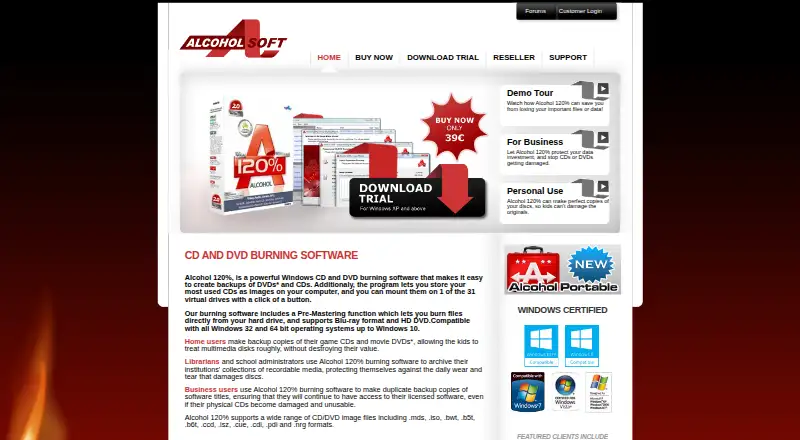
What Alcohol 52% is
Alcohol 52% creates virtual CD/DVD-ROM drives so you can use disc images without inserting the original disc. It supports up to 31 virtual drives, persistent mounts, and optical image mounting. Supported image formats include CCD, CUE, ISO, BWF, CDI, MDS, and NRG. The software is for Windows; listed downloads exclude Windows 98 and ME. Alcohol Soft lists a free 15-day trial and a Free Edition, both at no cost. The Free Edition is marked not for business use. A single-license purchase costs 27.00 USD once, includes lifetime free upgrades, and requires online activation. CSS-protected DVD titles cannot be backed up because of legal restrictions. The maker describes home users backing up game CDs and movie DVDs, and librarians and school administrators archiving recordable media. Manuals, FAQs, a support forum, and direct email contact are offered. The privacy policy says users can choose whether to join the Bright Data network for some premium features and can change that setting in the app.
Good
- Creates up to 31 virtual CD/DVD-ROM drives
- Supports CCD, CUE, ISO, BWF, CDI, MDS, and NRG
- Persistent mounts and optical image mounting
- Paid listing includes lifetime free upgrades
Watch out
- Windows 98 and ME are excluded
- Free Edition is not for business use
- CSS-protected DVD titles cannot be backed up
- Purchase requires online activation
Who it suits
It may suit Windows users who want virtual drives for disc images, including home users and people archiving recordable media collections. The Free Edition is not for business use.
Verdict
Alcohol 52% provides virtual CD/DVD drives and supports several disc-image formats on Windows. Check the operating-system limits, business-use restriction, and CSS limitation before choosing it.
Plans and prices
From Alcohol 52%'s own pricing page, checked 2 Oct 2026.
| Plan | Price | What it gives you |
|---|---|---|
| Alcohol 52% 15 day trial | Free | 15 day trial · Windows except 98/ME |
| Alcohol 52% 15-day trial | Free | 15-day evaluation · Windows except 98/ME · up to 6 virtual drives |
| Alcohol 52% Free Edition | Free | personal use only · up to 6 virtual drives · no business use |
| Alcohol 52% | $27, paid once | lifetime free upgrades · online activation required · one-time single-license purchase |
The facts
Each one read from Alcohol 52%'s own pages, with the date it was checked.
What it does
- Activation
- The purchase page says online activation is required.checked 2 Oct 2026
- API and SDKs
- The official manual lists desktop functions and an Alcohol Command Launcher but provides no public web API or SDK documentation.checked 15 Oct 2026
- Bright Data component
- The privacy policy says users may opt into the Bright Data network in exchange for premium features and can disable it in settings.checked 15 Oct 2026
- Burning limitation
- Alcohol 52% does not include the image-writing engine that is available in Alcohol 120%.checked 15 Oct 2026
- Business use
- The Alcohol 52% Free Edition is marked “Not for Business use.”checked 2 Oct 2026
- CSS limitation
- The maker states that legally protected CSS DVD titles cannot be backed up.checked 15 Oct 2026
- Documentation
- The official manual covers wizards, image finding, device management, options, virtual drives, emulation, network sharing and licensing.checked 15 Oct 2026
- Drive-letter control
- Users can change the drive letter assigned to a virtual optical drive.checked 15 Oct 2026
- Drive manager
- The DVD/CD Manager reports drive capabilities, disc contents, media information and system details.checked 15 Oct 2026
- DRM emulation
- The documentation describes emulation settings and the A.C.I.D. component for hiding virtual drives from some SafeDisc and SecuROM checks.checked 15 Oct 2026
- Image creation
- The Image Making Wizard creates an image file from a physical CD or DVD.checked 15 Oct 2026
- Image finder
- The Image Finder searches the hard disk for image files.checked 15 Oct 2026
- Image mounting
- The Device menu mounts, unmounts, loads and ejects image files through virtual optical drives.checked 15 Oct 2026
- Intended users
- The maker describes home users backing up game CDs and movie DVDs, and librarians and school administrators archiving recordable media collections.checked 2 Oct 2026
- Legacy requirements
- The published requirements include at least 32 MB RAM, 10 GB disk space, a bus-mastering SCSI or ATAPI bus and a CD/DVD drive.checked 15 Oct 2026
- Licence type
- Independent software listings describe Alcohol 52% as proprietary rather than open source.checked 15 Oct 2026
- Licensing component
- The license agreement says Alcohol 120% installs Bright Data components and lets users turn Bright Data on or off in app settings.checked 2 Oct 2026
- Limit: bundled software concerns
- A MajorGeeks forum discussion reports concerns about Smart File Advisor being installed or forced by some Alcohol 52% installers.checked 15 Oct 2026
- Limit: reboot required
- Softpedia reports that installation requires restarting the computer to complete setup.checked 15 Oct 2026
- Network sharing
- The manual includes a function for sharing a recorder over a network using iSCSI.checked 15 Oct 2026
- Praise: ease of use
- Softpedia praised the straightforward interface and simple image creation, mounting and unmounting workflow.checked 15 Oct 2026
- Praise: format support
- Softpedia highlighted support for MDS, CCD, CUE, ISO, BWT, CDI, NRG, PDI, B5T and ISZ images.checked 15 Oct 2026
The company
- Company headquarters
- Wikidata records Alcohol Soft's headquarters as Belfast.checked 15 Oct 2026
- Company identity
- The official privacy page gives Alcohol Soft's address as Dundonald Enterprise Park, Dundonald, Belfast BT16 1QT, UK.checked 15 Oct 2026
The full review of Alcohol 52%
Alcohol 52% is a Windows utility that turns CD and DVD image files into virtual optical drives. It is most useful to home users, collectors, and archivists who regularly access disc images without the original media. Its large virtual-drive capacity and broad image-format support are compelling, but the free edition cannot be used for business and the software cannot back up CSS-protected DVDs.
Overview
The application emulates optical hardware, allowing image files to appear as inserted discs in Windows. Persistent mounts mean selected images can remain available across use instead of being mounted only temporarily. Up to 31 virtual CD/DVD-ROM drives can be created, a practical advantage when a game library, archive, or reference collection contains many images.
Alcohol Soft positions the product for household backups of game CDs and movie DVDs, and for librarians or school administrators preserving recordable-media collections. Those use cases fit its mounting focus, but it is not a complete imaging suite: it mounts images and handles virtual disk files, yet does not write images. DVD titles protected with CSS cannot be backed up because of legal restrictions, so it should not be chosen for that task.
Key features
- Virtual-drive capacity: As many as 31 virtual CD/DVD-ROM drives let users keep numerous images accessible simultaneously, reducing the need to swap physical discs.
- Broad image compatibility: CCD, CUE, ISO, BWF, CDI, MDS, and NRG support accommodates common and less-common optical image collections.
- Persistent mounting: Images can stay mounted as virtual discs, useful for software or archives that must remain available between sessions.
- Mounting rather than writing: Optical image mounting is supported, but image writing is not. Users creating new discs need a separate writing tool.
- Support resources: Manuals, FAQs, a support forum staffed by the support team, and direct email provide several routes for troubleshooting.
- Privacy and network choice: Alcohol Soft says it collects site-interaction data, operating-system information, and IP address, which it describes as non-personally identifiable. Users may choose whether to join the Bright Data network for premium features and can switch that setting off; the license also describes Bright Data components in Alcohol 120%.
Pricing
The Alcohol 52% 15 day trial costs nothing and runs for 15 days on Windows other than 98/ME. During evaluation, capabilities are limited only by the number of available virtual drives, making it a useful way to verify image compatibility before paying.
The Alcohol 52% Free Edition is also free and runs on supported Windows versions, but it is explicitly not for business use. It suits personal collections and household access; organizations, offices, and commercial archives should not rely on this edition.
The paid Alcohol 52% license costs 27.00 USD once, with lifetime free upgrades. It is a single-licence purchase and requires online activation. This is the straightforward choice for an individual who needs ongoing use without a recurring charge, while the free edition gives up business rights rather than core mounting functionality.
Platforms
Alcohol 52% is available for Windows operating systems except Windows 98 and ME. Online activation is required for the paid purchase, so buyers should ensure the target machine can complete that process. There is no stated Linux, macOS, or mobile edition.
Who it's for
Choose Alcohol 52% for personal Windows systems with sizeable CD/DVD image libraries, persistent virtual discs, or archival collections. It also fits schools and libraries when the licensing arrangement is appropriate. Avoid the Free Edition for business deployment, and look elsewhere if image creation, disc writing, or CSS-protected DVD backup is central to the workflow.
Pros and cons
Pros
- Up to 31 virtual drives handles substantial image collections.
- Seven image formats improve compatibility with varied archives.
- Persistent mounts keep frequently used images ready as virtual discs.
- The paid licence includes lifetime free upgrades for a one-time 27.00 USD price.
- Trial access lasts 15 days with drive-count-based capability limits.
Cons
- Image writing is absent, so disc creation requires another application.
- The Free Edition is barred from business use.
- CSS-protected DVD titles cannot be backed up.
- Paid activation is online-only.
- Windows 98 and ME are excluded.
Alternatives
For broader virtual-drive choices, browse Virtual Drive Software. If creating images is the priority, see ISO Creation Software.
- Arsenal Image Mounter is a better fit when Linux support, temporary write support, BitLocker tools, or command-line and PowerShell access matter; its Free Mode is free, while its 1 Year Plan is $907 a year.
- libguestfs suits technical users wanting a free, open-source library and tools across Linux, macOS, Windows, APIs, and self-hosted environments.
- RaiDrive is worth considering for drive-oriented deployments, including its free education plan for accredited institutions.
- ExpanDrive is the alternative for personal users who need cloud services and protocols across Windows, macOS, and Linux.
- DAEMON Tools Lite offers another Windows imaging option, with a free basic tier and a 29.99 USD one-time personal licence.
- OSFClone is a free self-booting disk-imaging utility.
- VHD Attach is a free Windows utility for supported Windows 7 and Windows Server 2008 R2 systems and later.
- CDEmu is a free GPL-licensed optical-drive emulator for Linux and self-hosted setups.
Verdict
Alcohol 52% is a strong choice for Windows users who need many persistent virtual CD/DVD drives and compatibility with varied image formats at no personal cost, or a 27.00 USD lifetime-upgrade licence. Look elsewhere if you need image writing, CSS-protected DVD backup, non-Windows support, or business use under a free licence.
Alternatives to Alcohol 52%
- 1
Avidemux
Free planOpen sourceWebLinuxmacOSWindows7.3Free plan - 2

AnyBurn
Free planWindows7.1$39.95 one-time - 3
Express Burn
Free planmacOSWindows6.7From $34.99 a year - 4
Active@ ISO Manager
Free planWindows6.6Free plan - 5

SysTools ISO Creator
Free planmacOSWindows6.6$29 one-time - 6
BurnAware
Free planWindows6.5$29.95 one-time