BurnAware
BurnAware is Windows software for burning optical discs and creating or writing ISO images.
What BurnAware is
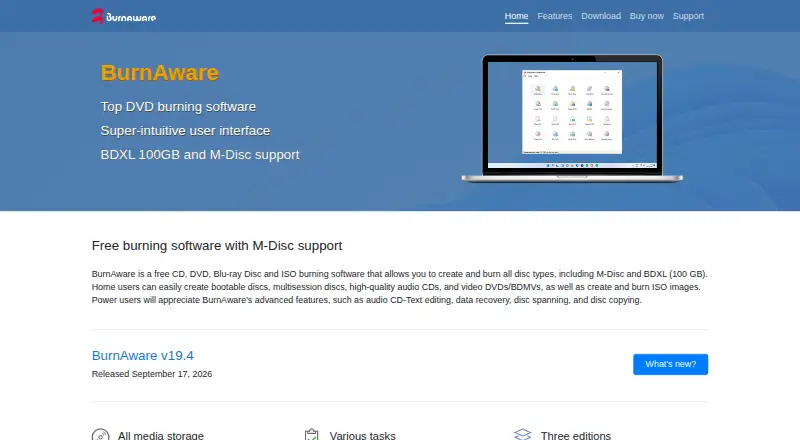
BurnAware is Windows software for burning optical discs and creating or writing ISO images. It supports CD, DVD, Blu-ray, M-Disc, BDXL and other listed optical media, with tools for bootable and multisession discs, copying, backup, verification, erasing, spanning and data recovery. It can create audio CDs, video DVDs, Blu-ray video discs and MP3 discs, extract audio tracks, and convert DVD-Video. Image formats include ISO, BIN and CUE. Advanced options include command-line operation, writing an ISO to multiple recorders at once, and ISO, UDF and boot settings. The interface supports multiple languages and Unicode and is adapted for high-DPI monitors; burning is described as using low CPU. Both paid single-user licenses are perpetual for the purchased version and include one year of free updates. Premium and Professional have a 7-day trial with the same functionality as the registered version.
Good
- Supports bootable and multisession discs.
- Handles audio, video, data discs and ISO images.
- Offers command-line use and multi-recorder ISO writing.
- Paid licenses include one year of free updates.
Watch out
- Free plan is limited to personal use.
- Premium excludes data recovery and audio grabber.
- Paid plans are one-time purchases, not subscriptions.
Who it suits
It suits Windows users who need to create or manage optical discs and ISO images. Free is for personal use; Professional includes business use, while Premium adds video conversion, spanning and copying.
Verdict
BurnAware covers a broad range of disc formats and tasks, with a free personal-use option and expanded paid editions. Check the edition limits and Windows compatibility before choosing a plan.
Plans and prices
From BurnAware's own pricing page, checked 5 Oct 2026.
| Plan | Price | What it gives you |
|---|---|---|
| BurnAware Free | Free | Free for personal use · Windows 32-bit · burns data, audio, video discs and ISO images · no video converter, disc spanning/copying, data recovery, or business use |
| BurnAware Premium | $29.95, paid once | Video DVD converter · disc spanning and copying · no data recovery/audio grabber or business use · Perpetual single-user license; 1 year free updates |
| BurnAware Professional | $39.95, paid once | Data recovery and audio grabber · Console Burner and Multiburn · business use · Perpetual single-user license; 1 year free updates |
| Business License | Priced on request | Multi-user license · pre-activated version · customizable options · Quote |
The facts
Each one read from BurnAware's own pages, with the date it was checked.
What it does
- Advanced tools
- The software supports command-line use, simultaneous ISO writing to multiple recorders, and advanced ISO, UDF, and boot settings.checked 5 Oct 2026
- Audio and video
- It supports audio CDs, video DVDs and Blu-ray video discs, MP3 discs, audio track extraction, and a built-in DVD-Video converter.checked 5 Oct 2026
- Disc tasks
- Features include bootable and multisession discs, disc copying and backup, verification, erasing, disc spanning, and data recovery.checked 5 Oct 2026
- License and updates
- Paid licenses are perpetual for the purchased version and include one year of free updates; lifetime free updates are available as an additional purchase.checked 5 Oct 2026
- Optical media
- The product lists support for CD, DVD, Blu-ray, Double Layer, M-Disc, Archival Disc, and extra-large-capacity DVD and Blu-ray media.checked 5 Oct 2026
- Privacy
- The website privacy policy says BurnAware.com does not use cookies and describes collection of visitor IP addresses and other log data.checked 5 Oct 2026
- Purpose
- BurnAware burns CD, DVD, Blu-ray, M-Disc and BDXL discs, and creates and burns ISO images.checked 5 Oct 2026
- Support
- The support page directs users to the manual, FAQ, and error guidance and provides a form to contact support.checked 5 Oct 2026
- Usability
- The feature page describes a multilingual, Unicode-supporting interface adapted for high-DPI monitors and says burning has low CPU usage.checked 5 Oct 2026
The company
- Company
- Burnaware describes itself as a software-development team with nearly 16 years of experience; the about page gives no headquarters or founding year.checked 5 Oct 2026
Money
- Trial
- Premium and Professional each have a free 7-day trial, and the FAQ says the trial has the same functionality as the registered version.checked 5 Oct 2026
Where it runs
- Windows versions
- The feature page lists compatibility with Windows Vista, 7, 8, 10, and 11.checked 5 Oct 2026
Alternatives to BurnAware
- 1
Alcohol 52%
Free planWindows7.3$27 one-time - 2
Avidemux
Free planOpen sourceWebLinuxmacOSWindows7.3Free plan - 3

AnyBurn
Free planWindows7.1$39.95 one-time - 4
Express Burn
Free planmacOSWindows6.7From $34.99 a year - 5
Active@ ISO Manager
Free planWindows6.6Free plan - 6

SysTools ISO Creator
Free planmacOSWindows6.6$29 one-time